# Introduction

Welcome to the [PORTOS Cash register](https://portos.sk) system developer guide.

This documentation serves as a reference for the REST API server, which is an integral part of the PORTOS Cash Register solution developed by Nine Digit s.r.o.

The server facilitates communication with hardware devices such as order printers for food orders and fiscal printers for receipt printing. By utilizing the endpoints outlined in this guide, the client is relieved of the need to directly communicate with hardware components or external services. This comprehensive API coverage encompasses the entire sales process, from food ordering to receipt printing.

{% hint style="info" %}

#### Looking for the user manual? See [docs.portos.sk](https://docs.portos.sk/).

The user manual provides detailed instructions and guidance in the Slovak language on how to use the PORTOS Cash Register system.
{% endhint %}


# Glossary

Following table contains terms used in this documentation.

<table data-header-hidden><thead><tr><th width="374">Term</th><th>Meaning</th></tr></thead><tbody><tr><td>Term</td><td>Meaning</td></tr><tr><td><code>user</code></td><td>Cashier (when using cash register application, or manager using admin application).</td></tr><tr><td><code>device</code></td><td>Cash register (either stationary application for desktop operating systems, or mobile application for mobile operating systems such as android or iOS) or any other application within PORTOS ecosystem.</td></tr><tr><td><code>plu</code></td><td>Merchandise article.</td></tr><tr><td><code>ticket</code></td><td>Food order. Until order is paid, food order is addressed as <em>opened</em> ticket. After order is paid (and receipt is printed), food order is addressed as <em>closed</em> ticket.</td></tr><tr><td><code>order</code></td><td>Food preparation request, that is created after articles are added to ticket. Example: <em>user</em> (cashier), based on customers request, adds <em>plu</em> article(s) to <em>ticket</em>, which leads to <em>order</em> creation, that is being handled by cook.</td></tr><tr><td><code>order processing</code></td><td>Process of printing/indicating food orders (to kitchen printers or kitchen displays)</td></tr><tr><td><code>ticket closing</code></td><td>Process of printing fiscal receipt (transition from <em>opened</em> ticket to <em>closed</em> ticket).</td></tr><tr><td><code>fiscal device</code></td><td>Receipt printer that prints cash register receipts (part of <em>ticket closing</em> procedure).</td></tr><tr><td><code>order endpoint</code></td><td>Kitchen printer or kitchen tablet. An device/application, usually located in kitchen, that handles food orders.</td></tr></tbody></table>


# HTTP Status codes

List of all HTTP status codes used by API

### Successful status codes

<table><thead><tr><th width="160.99999999999997">HTTP Status</th><th width="149"></th><th>Description</th></tr></thead><tbody><tr><td>200</td><td>OK</td><td>Operation was successful. Payload is located in response body.</td></tr><tr><td>201</td><td>Created</td><td>Create operation was successful. Payload is located in response body.</td></tr><tr><td>202</td><td>Accepted</td><td>Operation request is accepted. The task will continue in background.</td></tr><tr><td>204</td><td>No Content</td><td>Operation was successful. There is no payload in response body.</td></tr></tbody></table>

### Error status codes

Statuses in range 400-499 are considered as client errors, range 500-599 represents server errors.

<table><thead><tr><th width="154.99999999999997">HTTP Status</th><th width="145"></th><th width="192">Error model</th><th>Description</th></tr></thead><tbody><tr><td>400</td><td>Bad Request</td><td><a href="/error-models#portosvalidationproblemdetails"><code>PortosValidationProblemDetails</code></a></td><td>Request is invalid or contains invalid data.</td></tr><tr><td>401</td><td>Unauthorized</td><td><a href="/error-models#problemdetails"><code>ProblemDetails</code></a></td><td>User is not logged in, or user authentication has failed (invalid credentials).</td></tr><tr><td>403</td><td>Forbidden</td><td><a href="/error-models#problemdetails"><code>ProblemDetails</code></a></td><td>User is logged in but does not have sufficient access rights, or operation itself is forbidden.</td></tr><tr><td>404</td><td>Not found</td><td><a href="/error-models#problemdetails"><code>ProblemDetails</code></a></td><td>Resource is not found.</td></tr><tr><td>423</td><td>Locked</td><td><a href="/error-models#problemdetails"><code>ProblemDetails</code></a></td><td>Resource is locked (temporarily used by another part of application).</td></tr><tr><td>500</td><td>Internal server error</td><td><a href="/error-models#problemdetails"><code>ProblemDetails</code></a></td><td>Error occured on server side.</td></tr></tbody></table>


# Error models

This article describes API error formats

Based on response [HTTP status code](/http-status-codes), one of following error models are returned in response body.

## ProblemDetails

A machine-readable format for specifying errors in HTTP API responses based on <https://tools.ietf.org/html/rfc7807>.

<table><thead><tr><th width="162.66666666666666">Name</th><th width="192">Type</th><th>Description</th></tr></thead><tbody><tr><td><code>type</code></td><td><code>string?</code></td><td>A URI reference [RFC3986] that identifies the problem type.</td></tr><tr><td><code>title</code></td><td><code>string?</code></td><td>A short, human-readable summary of the problem type.</td></tr><tr><td><code>status</code></td><td><code>int?</code></td><td>The HTTP status code([RFC7231], Section 6) generated by the origin server for this occurrence of the problem.</td></tr><tr><td><code>detail</code></td><td><code>string?</code></td><td>A human-readable explanation specific to this occurrence of the problem.</td></tr><tr><td><code>instance</code></td><td><code>string?</code></td><td>A request URI path.</td></tr><tr><td><code>traceId</code></td><td><code>string?</code></td><td>Unique identifier to represent this request in trace logs.</td></tr><tr><td><code>errorCode</code></td><td><code>int?</code></td><td><a href="/error-codes">API error code</a>, if applicable.</td></tr><tr><td><code>resource</code></td><td><a href="#resourceinfo"><code>ResourceInfo?</code></a></td><td>Information about resource present in request. Available when errorCode is <a href="/error-codes#6-resourceversionmismatch">6 (Version mismatch)</a></td></tr></tbody></table>

## PortosValidationProblemDetails

This class inherits all properties from [`ProblemDetails`](#problemdetails), and adds properties listed below:

<table><thead><tr><th width="108.99999999999997">Name</th><th width="414">Type</th><th>Description</th></tr></thead><tbody><tr><td><code>errors</code></td><td><a href="#portosvalidationproblemdetailserror"><code>PortosValidationProblemDetailsError[]</code></a></td><td>Collection of errors. Each element represents one broken validation rule. </td></tr></tbody></table>

## PortosValidationProblemDetailsError

<table><thead><tr><th width="231.99999999999997">Name</th><th width="232">Type</th><th>Description</th></tr></thead><tbody><tr><td><code>memberName</code></td><td><code>string</code></td><td>Property name.</td></tr><tr><td><code>message</code></td><td><code>string</code></td><td>Message that describes error.</td></tr><tr><td><code>code</code></td><td><code>string?</code></td><td>One of <a href="/validation-constraints">validation constraints</a>, if applicable.</td></tr></tbody></table>

## ResourceInfo

<table><thead><tr><th width="209.99999999999997">Name</th><th width="142">Type</th><th>Description</th></tr></thead><tbody><tr><td><code>name</code></td><td><code>string</code></td><td><a href="/resource-names">Resource name</a></td></tr><tr><td><code>id</code></td><td><code>string</code></td><td>Unique resource identifier</td></tr><tr><td><code>version</code></td><td><code>int?</code></td><td>Resource version</td></tr></tbody></table>


# Error codes

List of error codes that are specified in `errorCode` property of [ProblemDetails](/error-models#problemdetails) class.

## 1 - Unautenthicated

User is not logged in. Please authenticate and repeat the action.

## 2 - Unauthorized

User is not authorized to perform specific action. Additional rights must be granted to the user for successful action execution.

## 3 - ValidationFailed

One or more validation rules were broken. Action should not be repeated unless request is modified or another resource that action relies on is changed.

## 4 - LicenseExpired

License is valid, but expired. License must be extended before repeating the action.

## 5 - ResourceLocked

Resource is temporarly locked by another session or instance. Action can be invoked again later.

## 6 - ResourceVersionMismatch

Resource version mismatch. The error occurs especially if the resource is stored on the API in a newer version than the version specified in the request.


# Validation constraints

List of validation constraints that are specified in `code` property of [`PortosValidationProblemDetailsError`](/error-models#portosvalidationproblemdetailserror).

## 1 - Required

Property is required, but was not specified.

## 2 - Unique

Property value must be unique.


# Resource names

List of system-defined resource names:

* `articleCategories`
* `companies`
* `currencies`
* `customers`
* `dailySalesReports`
* `devices`
* `fiscals`
* `modifiers`
* `orderEndpoints`
* `orders`
* `paymentTypes`
* `plus`
* `roles`
* `stocks`
* `stockTakings`
* `stockTransferNumberings`
* `stockTransfers`
* `tickets`
* `users`
* `vats`
* `zones`


# User rights

Each functionality provided by API has one of following access restrictions:

* **None**: Resource is whitelisted during authorization, and no authorization is required to access the resource.
* **Authorized** : Authenticated is required to access resource, but no specific user right is required. Unauthenticated users are forbidden to invoke given action.
* **Right(s) required**: User must be authorized and must have specific "user right(s)" assigned to access the resource. Note that specific payloads may modify rights that are required to perform given action. Example: user may update ticket with user right `ticketUpdate`. But if provided ticket contains item quantity decrease, API requires additional `storno` right.

## Rights list

* Api key
  * `apiKeyCreate`
  * `apiKeyUpdate`
  * `apiKeyDelete`
* Article category
  * `articleCategoryCreate`
  * `articleCategoryUpdate`
  * `articleCategoryDelete`
* Currency
  * `currencyCreate`
  * `currencyUpdate`
  * `currencyDelete`
* Customer
  * `customerCreate`
  * `customerUpdate`
  * `customerDelete`
  * `customerSetCredit`
  * `customerSetDiscount`
* Company
  * `companyCreate`
  * `companyUpdate`
  * `companyDelete`
* Daily sales report
  * `dsrCreate`
  * `dsrUpdate`
  * `dsrDelete`
  * `dsrCloseManually`
* Device
  * `deviceCreate`
  * `deviceUpdate`
  * `deviceDelete`
* Fiscal
  * `fiscalCreate`
  * `fiscalUpdate`
  * `fiscalDelete`
  * `fiscalOpenDrawer`
  * `fiscalCashTransfer`
  * `fiscalPrintRecordCopy`
  * `summaryIntervalSalesReport`
  * `detailedIntervalSalesReport`
  * `overviewSalesReport`
  * `doDailySalesReport`
  * `fiscalPrintDailySalesReportCopy`
  * `printNonfiscalRecord`
* License
  * `licenseGet`
  * `licenseActivate`
* Modifiers
  * `modifierCreate`
  * `modifierUpdate`
  * `modifierDelete`
* Order endpoints
  * `orderEndpointCreate`
  * `orderEndpointUpdate`
  * `orderEndpointDelete`
* Orders
  * `orderUpdate`
  * `orderDelete`
  * `orderProcess`
* Payment types
  * `paymentTypeCreate`
  * `paymentTypeUpdate`
  * `paymentTypeDelete`
* PLUs
  * `pluCreate`
  * `pluUpdate`
  * `pluDelete`
* Roles
  * `roleCreate`
  * `roleUpdate`
  * `roleDelete`
* Stats
  * `stats`
  * `statsCurrent`
  * `statsPlus`
  * `statsPrint`
  * `statsTickets`
  * `statsTicketsCurrent`
* Stocks
  * `stockCreate`
  * `stockUpdate`
  * `stockDelete`
* Stock transfers
  * `stockTransferCreate`
  * `stockTransferUpdate`
  * `stockTransferUpdateAny`
  * `stockTransferDelete`
  * `stockTransferClose`
* Stock transfer numberings
  * `stockTransferNumberingCreate`
  * `stockTransferNumberingUpdate`
  * `stockTransferNumberingDelete`
* Stock takings
  * `stockTakingCreate`
  * `stockTakingUpdate`
  * `stockTakingDelete`
  * `stockTakingClose`
* Tickets
  * `ticketCreate`
  * `ticketUpdate`
  * `ticketUpdateAny`
  * `ticketDelete`
  * `ticketRename`
  * `ticketSetDiscount`
  * `ticketSetCustomer`
  * `ticketClose`
  * `ticketCloseAny`
  * `ticketCloseAs`
  * `ticketCloseToAnyFiscal`
  * `ticketPrintPreliminary`
  * `ticketSplit`
  * `ticketMerge`
  * `ticketHandover`
  * `ticketTakeover`
  * `ticketRefund`
* User
  * `userCreate`
  * `userUpdate`
  * `userDelete`
* Vats
  * `vatCreate`
  * `vatUpdate`
  * `vatDelete`
* Zones
  * `zoneCreate`
  * `zoneUpdate`
  * `zoneDelete`
* Others
  * ~~`negativeSale`~~ (not enforced in current version)
  * `storno`
  * `admin` - represents the consolidation of all rights. When a user possesses this right, they are automatically granted all other rights.


# Device environments

Each device in system is created with specific environment, this enables to behave sessions related to given device in certain ways.

List of system defined device environments:

<table><thead><tr><th width="201">Environment name</th><th width="323">Description</th><th width="238.33333333333334" data-type="checkbox">Is sale environment</th></tr></thead><tbody><tr><td><code>BackOffice</code></td><td>Used for PORTOS BackOffice application.</td><td>false</td></tr><tr><td><code>CashRegister</code></td><td>Used for PORTOS Cash register application (PORTOS Pokladňa)</td><td>true</td></tr><tr><td><code>PDA</code></td><td>Used for PORTOS Mobile cashier smartphone application (PORTOS Mobilný čašník)</td><td>true</td></tr><tr><td><code>Tool</code></td><td>Used for all other devices, such as PORTOS Link.</td><td>false</td></tr></tbody></table>

## Sale environment

`CashRegister` and `PDA` environments are so called "*sale environments*".

Sale environments are specific in several ways:

* each "sale environment" device can hold up to one active session at the time. That means, if user is authenticated in cash register device and another request for authorization on same device is invoked, the earlier session is terminated by API.&#x20;
* some API actions (mainly related to ticket updating) are allowed only for users authenticated on sale environment devices.


# Localization

To receive localized error messages from API server, add `Accept-Language` header to each HTTP request.&#x20;

Following culture codes are supported:

<table><thead><tr><th>Header value</th><th>Description</th><th width="237.66666666666666" data-type="checkbox">Is default</th></tr></thead><tbody><tr><td><code>en-GB</code></td><td>English - United Kingdom</td><td>false</td></tr><tr><td><code>sk-SK</code></td><td>Slovak - Slovakia</td><td>true</td></tr></tbody></table>

If `Accept-Language` header is not speficied, or contains unsupported value, default language is used.


# NData query syntax

This section describes the query syntax used in PORTOS API, called "NData".

## What is NData?

NData is custom syntax to perform server-side pagination, sorting, inclusion and filtering, inspired by [open stack syntax](https://specs.openstack.org/openstack/api-wg/guidelines/pagination_filter_sort.html#pagination-filtering-and-sorting).

## Pagination

Pagination allows to specify range of items received from the API. Pagination can be implemented using one or both of two query parameters:

| Parameter | Name | Format  | Description                                                               |
| --------- | ---- | ------- | ------------------------------------------------------------------------- |
| `$skip`   | Skip | integer | Describing number of records to skip from beginning of result collection. |
| `$take`   | Take | integer | Maximum count of items to be returned.                                    |

### Pagination examples

| Uri query       | Description                          |
| --------------- | ------------------------------------ |
| `$skip=10`&#xD; | Skip first 10 items and return rest. |
| `$take=5`&#xD;  | <p>Return <em>at most</em> 5 items   |

</p><p></p>        |
| <p><code>$skip=10&#x26;$take=5</code></p><p>or</p><p><code>$take=10&#x26;$skip=5</code></p> | Skip first 10 items and return _at most_ next 5 items. |

## Sorting

Sorting allows to change order of returned items.&#x20;

| Parameter | Name | Format                             | Description                                                                                                                                    |
| --------- | ---- | ---------------------------------- | ---------------------------------------------------------------------------------------------------------------------------------------------- |
| `$sort`   | Sort | comma separated list of sort keys. | More than one sort key may be specified. If multiple keys are specified, result collection is sorted by keys in order given by this parameter. |

The caller may (but is not required to) specify a sort direction for each key. If a sort direction is not specified for a key, then a default is set by the server. Sort directions can optionally be appended to each sort key, separated by the `:` character. Supported sort directions are:

| Sort direction | Name   | Description                                                                                   |
| -------------- | ------ | --------------------------------------------------------------------------------------------- |
| Ascending      | `asc`  | This is an default sort direction.                                                            |
| Descending     | `desc` | Alternatively, descending sort direction can be specified as prepended minus (`-`) character. |

### Sorting examples

| Uri query                                                | Description                                                                         |
| -------------------------------------------------------- | ----------------------------------------------------------------------------------- |
| `$sort=value1,value2,value3`&#xD;                        | Sort by value1, then by value2, then by value3. Directions are defaulted by server. |
| <p><code>$sort=value1,value2:desc</code></p><p>or</p><p> |                                                                                     |
| <code>$sort=value1,-value2</code>                        |                                                                                     |

</p>    | Sort by value 1, then sort by value2 descending. Sort direction for first value is defaulted by server. Please note the minus sign notation in second example. Both examples produces same result.  |
| <p><code>$sort=value1</code></p><p>and</p><p><code>$sort=value1,value1</code></p>                  | Multiple occurrence in query is supported, thus both queries are equal.                                                                                                                             |
| <p><code>$sort=value1,value2:desc</code></p><p>and</p><p><code>$sort=value1,value2:DESC</code></p> | Sort descriptors are case insensitive. Both following queries are equal                                                                                                                             |

## Inclusion

Inclusion allows to extend response format.

| Parameter  | Name    | Format                        | Description                                                                                                |
| ---------- | ------- | ----------------------------- | ---------------------------------------------------------------------------------------------------------- |
| `$include` | Include | comma separated list of keys. | Allows to specify one or more members (that are not part of output by default) to be included in response. |

### Inclusion examples

| Uri query                            | Description                                                 |
| ------------------------------------ | ----------------------------------------------------------- |
| `$include=value`&#xD;                | Single key is specified to be included in API response.     |
| `$include=value1,value2,value3`&#xD; | Multiple keys are specified to be included in API response. |

## Filtering

API endpoint-specific filters are often supported, to filter result based on provided filter values.

No global parameters are defined. Each endpoint-specific filter supports one or more parameters. Each parameter is identified by its name, below addressed as `FILTER_MEMBER`.

### Filtering syntax: operations, operator and operation arguments

Value of each filter is semicolon-separated (`;`) list of *operations*.

> Syntax: `FILTER_MEMBER=OPERATION1;OPERATION2`

Each operation consists of *segments* delimited by colon (`:`) character. First segment is an *operator*, followed by 0 or more *operation arguments*.

> Syntax: `FILTER_MEMBER=OPERATOR:OPERATION_ARGUMENT1:OPERATION_ARGUMENT2`

> Example: Filter member named "DiscountRate" is associated with single operation, that has "gt" operator and one operation argument, value 10. Result query is: `DiscountRate=gt:10`

### Multiple filter occurrence

Multiple occurrence of same filter member is supported, thus both following queries are equal:

* `DiscountRate=gt:0&DiscountRate=lt:50`
* `DiscountRate=gt:0;lt:50`

### Operators

Each filter may support one or more operators. Usually, well-known operators (listed below) are used. Each filter may, however, support *custom operators* - operators with custom name.&#x20;

#### Well-known operators

| Operator | Name  | Description                                                                                                                           |
| -------- | ----- | ------------------------------------------------------------------------------------------------------------------------------------- |
| `eq`     | Equal | <p>This is default operator, if not stated otherwise. Operation with this operator expects single <em>operation argument</em>.</p><p> |

</p><p></p>                                                             |
| `neq`    | Not equal                | <p>Specifies that filter member value must not be equal to provided operation argument. Operation with this operator expects single <em>operation argument</em>.</p><p></p>                                  |
| `in`     | In                       | Specifies that filter member value must be equal to one of values provided in operation argument. Operation with this operator expects single _operation argument_ - the collection with one or more elements. |
| `nin`    | Not in                   | Specifies that filter member value must not be equal to any value provided in operation argument. Operation with this operator expects single _operation argument_ - the collection with one or more elements. |
| `gt`     | Greater than             | Specifies that filter member value must be greater than value provided in operation argument. Operation with this operator expects single _operation argument_.                                                |
| `gte`    | Greater than or equal to | Specifies that filter member value must be greater than or equal to value provided in operation argument. Operation with this operator expects single _operation argument_.                                    |
| `lt`     | Less than                | Specifies that filter member value must be less than value provided in operation argument. Operation with this operator expects single _operation argument_.                                                   |
| `lte`    | Less than or equal to    | Specifies that filter member value must be less than or equal to value provided in operation argument. Operation with this operator expects single argument.                                                   |

#### Custom operator

The filter may support custom operator - an operator with custom name (and behavior).

> Example: If filter named "Foo" supports the custom operator named "op", accepting "bar" as an operation argument, example query would look like this: `Foo=op:bar`.

#### Default operator

The filter syntax allows not to specify the operator explicitly. If no operator is explicitly specified in the URI, default operator is used.&#x20;Each filter may have different default operator. If not stated otherwise, the default operator is `eq`.

> Example: With assumption that `eq` operator is default operator for "DiscountRate" filter, both following queries are equal:
>
> * `DiscountRate=eq:10`
> * `DiscountRate=10`

> Example: If filter named "Foo" has the custom operation "op" marked as default, you can specify the query from example above without explicitly stating the operator, like this: `Foo=bar`.

### Collection operation arguments

Some operators, such as `in` and `nin` are paired with argument that is an collection. To delimit these values within operation argument, comma character (`,`) is used.

Example: Filter named `Month` with one operation, that has `in` operator and one argument that is an collection of three string values: "`January`", "`February`" and "`March`".

```
Month=in:January,February,March
```

### Operation argument escaping

Operation argument must be encapsulated in double quotation marks (`"`) if their string representation contains at least one of following special characters:

* `,` (conflict with collection operation argument separator)
* `:` (conflict with operation segments separator)
* `;` (conflict with operations separator)

```
FilterMember=eq:"argument:with,special;characters"
```

If argument is an collection, each value is escaped separately:

```
FilterMember=in:"foo:bar","foo,bar","foo;bar"
```

If argument contains double quotation mark character `"`, this character must be escaped with backslash `\`. Example: Filter named "Actor" associated with operation with `eq` operator and string value `Dwayne "The Rock" Johnson`:

```
Actor=eq:"Dwayne \"The Rock\" Johnson"
```

{% hint style="success" %}

URI Encoding: If NData query is transfered in URI, URI encoding takes place after all NData syntactic rules being applied. Valid URI value would be:

```
Actor=eq:%22Dwayne%2520%255C%2522The%2520Rock%255C%2522%2520Johnson%22
```

{% endhint %}


# OpenAPI specification

To open HTML page with all listed API methods, you can open following address in your internet browser: `{{server_address}}/docs`.

To download the API blueprint in Swagger format, simply click on the "Download" button located next to the "*Download OpenAPI specification*" label. The resulting JSON file can be utilized in an API client generator or visualized on [swagger.io](https://editor.swagger.io/).


# Data models

This page contains data models that are utilized across multiple resources.

The property type convention in this context follows the notation of C# (.NET). The presence of a quotation mark (`?`) indicates the nullability of a value. For example, a `string` property cannot be null, whereas a property of type `string?` can have a null value.

## Additive

Enumeration with the following values:

| Value                   | English Term                   | Slovak Term                    |
| ----------------------- | ------------------------------ | ------------------------------ |
| `colorant`              | Colorants                      | Farbivá                        |
| `colorantAdverseEffect` | Colorants with adverse effects | Farbivá s nežiaducimi účinkami |
| `preservatives`         | Preservatives                  | Konzervanty                    |
| `antioxidant`           | Antioxidants                   | Antioxidanty                   |
| `flavorEnhancer`        | Flavor enhancers               | Zvýrazňovače chuti             |
| `sulfites`              | Sulfites                       | Siričitany                     |
| `blackened`             | Blackened/carbon coloring      | Uhlíkové zafarbenie (černenie) |
| `waxed`                 | Waxed                          | Voskované                      |
| `phosphate`             | Phosphate                      | Fosfát                         |
| `sweetener`             | Sweeteners                     | Sladidlá                       |
| `caffeine`              | Caffeine                       | Kofeín                         |
| `quinine`               | Quinine                        | Chinín                         |
| `geneticallymodified`   | Genetically modified           | Geneticky modifikované         |
| `acidifiers`            | Acidifiers                     | Okysľovadlá                    |
| `stabilisers`           | Stabilisers                    | Stabilizátory                  |
| `protein`               | Protein                        | Bielkoviny                     |

## Allergen

Enumeration with the following values:

| Value                     | English Term              | Slovak Term                                                                                                                                  |
| ------------------------- | ------------------------- | -------------------------------------------------------------------------------------------------------------------------------------------- |
| `celery`                  | Celery                    | Zeler a výrobky z neho                                                                                                                       |
| `cereal`                  | Cereal grains             | Obilniny obsahujúce lepok (pšenica, raž, jačmeň, ovos, špalda, kamut alebo ich hybridné odrody)                                              |
| `crustaceans`             | Crustaceans               | Kôrovce a výrobky z nich (napr. krevety, kraby)                                                                                              |
| `eggs`                    | Eggs                      | Vajcia a výrobky z nich                                                                                                                      |
| `fish`                    | Fish                      | Ryby a výrobky z nich                                                                                                                        |
| `lupin`                   | Lupin                     | Vlčí bôb (lupina) a výrobky z neho                                                                                                           |
| `milk`                    | Milk                      | Mlieko a výrobky z neho (vrátane laktózy)                                                                                                    |
| `molluscs`                | Molluscs                  | Mäkkýše a výrobky z nich (napr. mušle, slávky)                                                                                               |
| `mustard`                 | Mustard                   | Horčica a výrobky z nej                                                                                                                      |
| `peanuts`                 | Peanuts                   | Arašidy a výrobky z nich                                                                                                                     |
| `sesameSeeds`             | Sesame seeds              | Sezamové semená a výrobky z nich                                                                                                             |
| `soybeans`                | Soybeans                  | Sójové zrná a výrobky z nich                                                                                                                 |
| `sulphurDioxideSulphites` | Sulphur dioxide/sulphites | Oxid siričitý a siričitany (v koncentráciách vyšších ako 10 mg/kg alebo 10 mg/l)                                                             |
| `nuts`                    | Nuts                      | Orechy (mandle, lieskové orechy, vlašské orechy, kešu, pekanové orechy, para orechy, pistácie, makadamové orechy alebo queenslandské orechy) |

## Address

<table><thead><tr><th width="232">Property name</th><th width="222.99999999999997">Type</th><th>Description</th></tr></thead><tbody><tr><td><code>street</code></td><td><code>string?</code></td><td>Street name, office number and/or building number.</td></tr><tr><td><code>city</code></td><td><code>string?</code></td><td>City</td></tr><tr><td><code>zipCode</code></td><td><code>string?</code></td><td>Postal code</td></tr><tr><td><code>country</code></td><td><code>string?</code></td><td>Country</td></tr></tbody></table>

## ApiKey

<table><thead><tr><th width="232">Property name</th><th width="231.99999999999997">Type</th><th>Description</th></tr></thead><tbody><tr><td><code>id</code></td><td><code>string</code></td><td>Unique identifier.</td></tr><tr><td><code>clientId</code></td><td><code>string</code></td><td>Public API key.</td></tr><tr><td><code>clientSecret</code></td><td><code>string</code></td><td>API secret key, used to hash request payload.</td></tr><tr><td><code>isActive</code></td><td><code>bool</code></td><td>Indicates whether given API key can be used.</td></tr><tr><td><code>createdAt</code></td><td><code>DateTime</code></td><td>Date and time, when the API key was created.</td></tr><tr><td><code>name</code></td><td><code>string</code></td><td>Something users will recognize and trust.</td></tr><tr><td><code>description</code></td><td><code>string?</code></td><td>This is displayed to all potential users of your application.</td></tr><tr><td><code>userName</code></td><td><code>string</code></td><td>User identifier associated with given API key.</td></tr><tr><td><code>deviceName</code></td><td><code>string</code></td><td>Device name associated with given API key.</td></tr><tr><td><code>permissions</code></td><td><code>string[]</code></td><td>Collection of permissions associated with given API key.</td></tr><tr><td><code>_v</code></td><td><code>int</code></td><td>Resource version. This property is tracked and updated by API.</td></tr></tbody></table>

## ArticleCategory

Each product or service within the PORTOS system is linked to a specific category, which is referred to as the article category. This categorization helps in organizing and classifying items, allowing for efficient management and navigation within the system.

<table><thead><tr><th width="232">Property name</th><th width="195.99999999999997">Type</th><th>Description</th></tr></thead><tbody><tr><td><code>label</code></td><td><code>string</code></td><td>Unique abbreviation of article category description, which may contain up to 3 characters.</td></tr><tr><td><code>description</code></td><td><code>string</code></td><td>Full name (descripition) of article category, visible for cashiers.</td></tr><tr><td><code>customerDescription</code></td><td><code>string?</code></td><td>Full description for customer (used mostly in menus)</td></tr><tr><td><code>courseNumber</code></td><td><code>int?</code></td><td>Optional course number that will be initially applied to product associated with given article category.</td></tr><tr><td><code>color</code></td><td><code>string?</code></td><td>Color in RGB format, including leading <code>#</code> symbol. E.g. <code>#fff</code> or <code>#aabbcc</code>.</td></tr><tr><td><code>sortHint</code></td><td><code>int?</code></td><td>Optional sort hint (to order article categories in cash register application)</td></tr><tr><td><code>tags</code></td><td><code>string[]?</code></td><td>Optional collection of tags (used in statistics).</td></tr><tr><td><code>ordering</code></td><td><a href="#articlecategoryorderingitem"><code>ArticleCategoryOrderingItem</code></a><code>[]</code></td><td>Ordering settings for article category.</td></tr><tr><td><code>_v</code></td><td><code>int</code></td><td>Resource version. This property is tracked and updated by API.</td></tr></tbody></table>

`SortHint` property is used to achieve user defined article categories sorting in cash register application(s). This optional property is of nullable integer type. Article categories with lowest value are displayed first, `null` have lowest priority. Categories with same `SortHint` value are sorted alphabetically.

Example:

<table><thead><tr><th width="266.5">SortHint</th><th>Description</th></tr></thead><tbody><tr><td>0</td><td>Beers</td></tr><tr><td>0</td><td>Drinks</td></tr><tr><td>1</td><td>Pizza</td></tr><tr><td>2</td><td>Wine</td></tr><tr><td>null</td><td>Beverages</td></tr><tr><td>null</td><td>Specials</td></tr></tbody></table>

## ArticleCategoryOrderingItem

Settings for article category ([`ArticleCategory`](#articlecategory)) ordering related to specific [`OrderOrigin`](#orderorigin).

<table><thead><tr><th width="231.99999999999997">Property name</th><th width="232">Type</th><th>Description</th></tr></thead><tbody><tr><td><code>orderOrigin</code></td><td><a href="#orderorigin"><code>OrderOrigin</code></a></td><td>Order origin associated with this item.</td></tr><tr><td><code>enabled</code></td><td><code>bool</code></td><td>Determines whether given type of <a href="#orderorigin">order origin</a> is enabled for associated <a href="#articlecategory">Article category</a>.</td></tr><tr><td><code>weeklySchedule</code></td><td><a href="#weeklyscheduleitem"><code>WeeklyScheduleItem</code></a><code>[]</code></td><td>Gets ordering weekly schedule. If value is <code>null</code> or empty collection, schedule is not limited and article category is available 24/7. Otherwise, schedule is specified by items in collection. Empty collection means no time slots restrictions.</td></tr></tbody></table>

## PluPackaging

## AuthResult

<table><thead><tr><th width="180.66666666666666">Name</th><th width="232">Type</th><th>Description</th></tr></thead><tbody><tr><td><code>tokenId</code></td><td><code>string</code></td><td>The JWT token using for authenticating requests.</td></tr><tr><td><code>refreshToken</code></td><td><code>string</code></td><td>The refresh token.</td></tr><tr><td><code>user</code></td><td><a href="#userprofilecontext"><code>UserProfileContext</code></a></td><td>The user profile consists of information about the user themselves and the settings of the device they are logged onto. Depending on the device type, the structure of <code>settings</code> and <code>preferences</code> may vary.</td></tr></tbody></table>

## BackOfficeDeviceSettings

No properties are currently defined. Settings are managed directly in PORTOS BackOffice application.

## BankAccount

<table><thead><tr><th width="232">Property name</th><th width="222.99999999999997">Type</th><th>Description</th></tr></thead><tbody><tr><td><code>bankCountry</code></td><td><code>string?</code></td><td>The country where the bank associated with the account is located. It represents the jurisdiction and regulatory framework under which the bank operates.</td></tr><tr><td><code>bankName</code></td><td><code>string?</code></td><td>The name of the bank where the account is held.</td></tr><tr><td><code>iban</code></td><td><code>string?</code></td><td>International Bank Account Number. A standardized numerical code used to identify a specific bank account internationally.</td></tr><tr><td><code>number</code></td><td><code>string?</code></td><td>Bank account number in older (non international) format.</td></tr><tr><td><code>swift</code></td><td><code>string?</code></td><td>SWIFT code (also known as BIC - Bank Identifier Code) is a unique identification code assigned to each bank globally.</td></tr></tbody></table>

## CashRegisterDeviceSettings

<table><thead><tr><th width="247">Name</th><th width="129">Type</th><th>Description</th></tr></thead><tbody><tr><td><code>MaxQuantity</code></td><td><code>decimal?</code></td><td>Maximal quantity user can specify in single ticket item.</td></tr><tr><td><code>DefaultFiscalName</code></td><td><code>string?</code></td><td>Determines name of fiscal device associated with cash register. Usage of different fiscal device may be conditioned by rights of authorized user.</td></tr><tr><td><code>OpenedPrices</code></td><td><code>bool</code></td><td>Determines whether user can specify unit price of ticket item different than product's unit price.</td></tr><tr><td><code>NoticeOnNegativeSale</code></td><td><code>bool</code></td><td>Determines whether insufficient PLU stock quantity would be indicated to authorized user.</td></tr><tr><td><code>VisibleQuantities</code></td><td><code>bool</code></td><td>Determines whether PLU stock quantities can be visible for authorized user. Otherwise, application must not display such information.</td></tr><tr><td><code>DefaultOrderEndpointName</code></td><td><code>string?</code></td><td>Determines name of order endpoint device associated with cash register. Usage of different order endpoint may be conditioned by rights of authorized user.</td></tr><tr><td><code>DefaultStockName</code></td><td><code>string?</code></td><td>Determines name of stock associated with cash register. Usage of different stock may be conditioned by rights of authorized user.</td></tr></tbody></table>

All other settings are managed directly in the PORTOS Cash register application (PORTOS Pokladňa).

## CashTransfer

<table><thead><tr><th width="232">Property name</th><th width="222.99999999999997">Type</th><th>Description</th></tr></thead><tbody><tr><td><code>amount</code></td><td><a href="#price"><code>Price</code></a></td><td>Cash transfer operation amount. Positive for deposit or negative for withdrawal.</td></tr><tr><td><code>date</code></td><td><code>DateTime</code></td><td>Date and time of cash transfer operation</td></tr><tr><td><code>employee</code></td><td><a href="#userinfo"><code>UserInfo</code></a></td><td>Employee who performed cash transfer operation.</td></tr></tbody></table>

## Company

<table><thead><tr><th width="194.66666666666666">Name</th><th width="225">Type</th><th>Description</th></tr></thead><tbody><tr><td><code>id</code></td><td><code>string</code></td><td>Unique company identifier. If not specified, ID is generated by API.</td></tr><tr><td><code>isActive</code></td><td><code>bool</code></td><td>Gets whether this company is active and can be used (e.g. paired with stock transfers).</td></tr><tr><td><code>name</code></td><td><code>string</code></td><td>Company name.</td></tr><tr><td><code>crn</code></td><td><code>string</code></td><td>Company registration number (known as IČO, in Slovak Republic)</td></tr><tr><td><code>vatId</code></td><td><code>string</code></td><td>VAT ID (known as IČ DPH, in Slovak Republic)</td></tr><tr><td><code>taxId</code></td><td><code>string</code></td><td>TAX ID (known as DIČ, in Slovak Republic)</td></tr><tr><td><code>isTaxPayer</code></td><td><code>bool</code></td><td>Gets whether this company is tax payer.</td></tr><tr><td><code>register</code></td><td><code>string?</code></td><td>The company's entry in the business register</td></tr><tr><td><code>dueDays</code></td><td><code>int?</code></td><td>The number of days given to a company for payment after issuing an invoice.</td></tr><tr><td><code>type</code></td><td><a href="#companytype"><code>CompanyType</code></a></td><td>The company categorization.</td></tr><tr><td><code>discountRate</code></td><td><code>decimal</code></td><td>Discount rate percentage, with value between 0 and 100, with precision up to two decimal places, that is automatically assigned to invoice associated with given company. </td></tr><tr><td><code>isDefault</code></td><td><code>bool</code></td><td>When <code>true</code>, this record represents merchant (owner of cash register system).</td></tr><tr><td><code>addresses</code></td><td><a href="#companyaddress"><code>CompanyAddress</code></a><code>[]</code></td><td>The addresses associated with company.</td></tr><tr><td><code>bankAccounts</code></td><td><a href="#companybankaccount"><code>CompanyBankAccount</code></a><code>[]</code></td><td>The bank accounts associated with company.</td></tr><tr><td><code>contacts</code></td><td><a href="#companycontact"><code>CompanyContact</code></a><code>[]</code></td><td>The contacts associated with company.</td></tr><tr><td><code>_v</code></td><td><code>int</code></td><td>Resource version. This property is tracked and updated by API.</td></tr></tbody></table>

## CompanyType

Enumeration with the following values:

<table><thead><tr><th width="192.99999999999997">Value</th><th>Description</th></tr></thead><tbody><tr><td><code>unknown</code></td><td>Type used when company is not exclusively supplier nor purchaser.</td></tr><tr><td><code>supplier</code></td><td>Company that is responsible for producing or delivering the products.</td></tr><tr><td><code>purchaser</code></td><td>Also known as a buyer, is a company acquires goods or services from a merchant.</td></tr></tbody></table>

## CompanyAddress

<table><thead><tr><th width="232">Property name</th><th width="222.99999999999997">Type</th><th>Description</th></tr></thead><tbody><tr><td><code>street</code></td><td><code>string?</code></td><td>Street name, office number and/or building number.</td></tr><tr><td><code>city</code></td><td><code>string?</code></td><td>City</td></tr><tr><td><code>zipCode</code></td><td><code>string?</code></td><td>Postal code</td></tr><tr><td><code>country</code></td><td><code>string?</code></td><td>Country</td></tr><tr><td><code>type</code></td><td><a href="#companyaddresstype"><code>CompanyAddressType</code></a></td><td>Specifies purpose of address.</td></tr></tbody></table>

## CompanyAddressType

Enumeration with the following values:

<table><thead><tr><th width="192.99999999999997">Value</th><th>Description</th></tr></thead><tbody><tr><td><code>unknown</code></td><td>The specific purpose or nature of the address is not known or specified. It might be used when the address information is incomplete or when there is a lack of information about the purpose of the address.</td></tr><tr><td><code>office</code></td><td>An office address refers to the physical location where a company or organization conducts its business operations.</td></tr><tr><td><code>billing</code></td><td>The address to which invoices, bills, or payment requests are sent.</td></tr><tr><td><code>shipping</code></td><td>Tthe destination address where goods or products are to be delivered.</td></tr><tr><td><code>other</code></td><td>Any address that does not fit into the predefined types mentioned above.</td></tr></tbody></table>

## CompanyBankAccount

<table><thead><tr><th width="232">Property name</th><th width="222.99999999999997">Type</th><th>Description</th></tr></thead><tbody><tr><td><code>bankCountry</code></td><td><code>string?</code></td><td>The country where the bank associated with the account is located. It represents the jurisdiction and regulatory framework under which the bank operates.</td></tr><tr><td><code>bankName</code></td><td><code>string?</code></td><td>The name of the bank where the account is held.</td></tr><tr><td><code>iban</code></td><td><code>string?</code></td><td>International Bank Account Number. A standardized numerical code used to identify a specific bank account internationally.</td></tr><tr><td><code>number</code></td><td><code>string?</code></td><td>Bank account number in older (non international) format.</td></tr><tr><td><code>swift</code></td><td><code>string?</code></td><td>SWIFT code (also known as BIC - Bank Identifier Code) is a unique identification code assigned to each bank globally.</td></tr><tr><td><code>isDefault</code></td><td><code>bool</code></td><td>Indicates whether the bank account is set as the primary account for company.</td></tr></tbody></table>

## Contact

<table><thead><tr><th width="232">Property name</th><th width="222.99999999999997">Type</th><th>Description</th></tr></thead><tbody><tr><td><code>fax</code></td><td><code>string?</code></td><td>Fax number associated with a person.</td></tr><tr><td><code>phone</code></td><td><code>string?</code></td><td>Telephone number associated with a person's landline or fixed-line phone.</td></tr><tr><td><code>mobile</code></td><td><code>string?</code></td><td>Telephone number associated with a person's mobile device.</td></tr><tr><td><code>email</code></td><td><code>string?</code></td><td>Person's email address.</td></tr></tbody></table>

## CompanyContact

<table><thead><tr><th width="232">Property name</th><th width="222.99999999999997">Type</th><th>Description</th></tr></thead><tbody><tr><td><code>name</code></td><td><code>string?</code></td><td>Given or first name of an individual.</td></tr><tr><td><code>surname</code></td><td><code>string?</code></td><td>The inherited or family name of an individual.</td></tr><tr><td><code>email</code></td><td><code>string?</code></td><td>Person's email address.</td></tr><tr><td><code>mobile</code></td><td><code>string?</code></td><td>Telephone number associated with a person's mobile device.</td></tr><tr><td><code>phone</code></td><td><code>string?</code></td><td>Telephone number associated with a person's landline or fixed-line phone.</td></tr><tr><td><code>fax</code></td><td><code>string?</code></td><td>Fax number associated with a person.</td></tr><tr><td><code>isDefault</code></td><td><code>string?</code></td><td>Indicates whether a particular contact is primary contact for associated company.</td></tr><tr><td><code>note</code></td><td><code>string?</code></td><td>Helds any relevant additional information or comments about the contact. It can be used to include any specific details or instructions related to the contact or communication with the person.</td></tr></tbody></table>

## CountQueryResult

This model is returned for all GET collection routes when `$count` query parameter is set to `true`. Opposing to [`QueryResult`](#queryresult), This model is used to retrieve only count of elements, not elements themself.

<table><thead><tr><th width="232">Property name</th><th width="231.99999999999997">Type</th><th>Description</th></tr></thead><tbody><tr><td><code>count</code></td><td><code>int</code></td><td>Number of elements matching the query.</td></tr><tr><td><code>totalCount</code></td><td><code>int</code></td><td>Number of total resources available. Value may differ from <code>count</code>, when pagination or filtering is applied.</td></tr></tbody></table>

## Currency

<table><thead><tr><th width="232">Property name</th><th width="231.99999999999997">Type</th><th>Description</th></tr></thead><tbody><tr><td><code>label</code></td><td><code>string</code></td><td>The three-letter currency code ISO4217 standard.</td></tr><tr><td><code>sign</code></td><td><code>string?</code></td><td>Visual representation used to denote a specific currency in written or printed form. For example, the symbol for the United States Dollar is $, while the Euro is represented by €.</td></tr><tr><td><code>isDomestic</code></td><td><code>bool</code></td><td>Indicates whether a currency is considered the domestic currency of a particular country or region.</td></tr><tr><td><code>exchangeRate</code></td><td><code>decimal</code></td><td>Represents the rate at which one currency can be exchanged for another. Domestic currency's exchange rate is equal to 1.</td></tr><tr><td><code>description</code></td><td><code>string</code></td><td>Currency's full name.</td></tr><tr><td><code>_v</code></td><td><code>int</code></td><td>Resource version. This property is tracked and updated by API.</td></tr></tbody></table>

## Customer

<table><thead><tr><th width="251.66666666666666">Name</th><th width="237">Type</th><th>Description</th></tr></thead><tbody><tr><td><code>id</code></td><td><code>string</code></td><td>Unique customer identifier. If not specified, ID is generated by API.</td></tr><tr><td><code>externalId</code></td><td><code>string?</code></td><td>Unique identifier provided by external system.</td></tr><tr><td><code>isActive</code></td><td><code>bool</code></td><td>Gets whether this customer is active and can be used (e.g. paired with tickets).</td></tr><tr><td><code>status</code></td><td><code>string</code></td><td>Customer state. One of following: <code>valid</code>, <code>notYetValid</code>, <code>expired</code>.</td></tr><tr><td><code>activationTime</code></td><td><code>DateTime?</code></td><td>Date and time since customer is active.</td></tr><tr><td><code>expirationTime</code></td><td><code>DateTime?</code></td><td>Date and time until customer is acive.</td></tr><tr><td><code>firstName</code></td><td><code>string?</code></td><td>First name.</td></tr><tr><td><code>lastName</code></td><td><code>string?</code></td><td>Second name.</td></tr><tr><td><code>fullName</code></td><td><code>string?</code></td><td>Full or display name (if not provided, combination of <code>firstName</code> and <code>lastName</code> is used.</td></tr><tr><td><code>gender</code></td><td><code>string?</code></td><td><code>male</code>, <code>female</code> or <code>null</code> for other/unspecified.</td></tr><tr><td><code>birthDate</code></td><td><code>DateTime?</code></td><td>Birth date.</td></tr><tr><td><code>email</code></td><td><code>string?</code></td><td>Customer email.</td></tr><tr><td><code>phone</code></td><td><code>string?</code></td><td>Phone number.</td></tr><tr><td><code>isCompany</code></td><td><code>bool</code></td><td>Specifies wheter customer is associated with company.</td></tr><tr><td><code>company</code></td><td><a href="#customercompany"><code>CustomerCompany?</code></a></td><td>Information about company associated with customer.</td></tr><tr><td><code>address</code></td><td><a href="#customeraddress"><code>CustomerAddress?</code></a></td><td>Customer address.</td></tr><tr><td><code>deliveryAddress</code></td><td><a href="#customeraddress"><code>CustomerAddress?</code></a></td><td>Customer delivery address.</td></tr><tr><td><code>credit</code></td><td><a href="/data-models#price"><code>Price</code></a></td><td>Cash balance on customer account.</td></tr><tr><td><code>creditTransaction</code></td><td><a href="#customercredittransaction"><code>CustomerCreditTransaction[]</code></a></td><td>History of financial operations that affects <code>credit</code>.</td></tr><tr><td><code>cards</code></td><td><a href="#customercard"><code>CustomerCard[]</code></a></td><td>Collection of cards associated with customer.</td></tr><tr><td><code>creditRate</code></td><td><code>decimal</code></td><td>Cashback coeficient. If set to <code>0.01</code>, for every spent unit of currency, one cent is returned as cash back to credit balance. Must be positive number or zero.</td></tr><tr><td><code>discountRate</code></td><td><code>decimal</code></td><td>Discount rate with value between 0 and 100. Up to 2 decimal places.</td></tr><tr><td><code>note</code></td><td><code>string?</code></td><td>Optional note.</td></tr><tr><td>meta</td><td><a href="#meta"><code>Meta</code></a></td><td>Object that holds additional data (usually supplied by external system).</td></tr><tr><td><code>_v</code></td><td><code>int</code></td><td>Resource version. This property is tracked and updated by API.</td></tr></tbody></table>

## CustomerAddress

<table><thead><tr><th width="231.99999999999997">Name</th><th width="232">Type</th><th>Description</th></tr></thead><tbody><tr><td><code>street</code></td><td><code>string</code></td><td>Street name and building number</td></tr><tr><td><code>city</code></td><td><code>string</code></td><td>City</td></tr><tr><td><code>postalCode</code></td><td><code>string?</code></td><td>Postal code</td></tr><tr><td><code>country</code></td><td><code>string</code></td><td>Country</td></tr><tr><td><code>coordinates</code></td><td><a href="/data-models#geocoordinates"><code>GeoCoordinates?</code></a></td><td>GPS coordinates</td></tr><tr><td><code>note</code></td><td><code>string?</code></td><td>Note related to customer address</td></tr></tbody></table>

## CustomerCard

<table><thead><tr><th width="231.99999999999997">Name</th><th width="283">Type</th><th>Description</th></tr></thead><tbody><tr><td><code>externalId</code></td><td><code>string?</code></td><td></td></tr><tr><td><code>isActive</code></td><td><code>bool</code></td><td>Specifies whether this card is active and can be used.</td></tr><tr><td><code>isVirtual</code></td><td><code>bool</code></td><td>Specifies whether this card has physical representation.</td></tr><tr><td><code>serialNumber</code></td><td><code>string</code></td><td>Unique serial number. This value is unique across all customers stored in system.</td></tr><tr><td><code>processor</code></td><td><code>string</code></td><td><code>P</code> for physical cards, <code>G</code> as general for other card types.</td></tr><tr><td><code>status</code></td><td><a href="#customercardstatus"><code>CustomerCardStatus</code></a></td><td>Card status.</td></tr><tr><td><code>statusTime</code></td><td><code>DateTime?</code></td><td>Date and time of last status change.</td></tr><tr><td><code>statusReason</code></td><td><code>string?</code></td><td>Status change reason.</td></tr><tr><td><code>activationTime</code></td><td><code>DateTime</code></td><td>The date and time from which the card will be valid.</td></tr><tr><td><code>expirationTime</code></td><td><code>DateTime?</code></td><td>The date and time until which the card will be valid.</td></tr><tr><td><code>note</code></td><td><code>string?</code></td><td>Optional note related to this customer card.</td></tr><tr><td><code>meta</code></td><td><a href="#meta"><code>Meta</code></a></td><td>Object that holds additional data (usually supplied by external system).</td></tr><tr><td><code>_v</code></td><td><code>int</code></td><td>Resource version. This property is tracked and updated by API.</td></tr></tbody></table>

## CustomerCardStatus

Enumeration with the following values:

* `NotIssued`: the card is created in system, but not issued yet.
* `IssueFailed`: card issuing failed.
* `IssueCanceled`: card issuing has been canceled.&#x20;
* `IssueSkipped`: card issuing has been skipped, as one or more conditions were not met.
* `ReissueRequested`: a reissue was requested.
* `Valid`: card is issued and valid (active already and not yet expired)
* `NotYetValid`: Card is issued but not yet valid (`activationTime` has not been reached yet).
* `Expired`: card is expired (`expirationTime` has been reached).
* `Blocked`: card is blocked (e.g. has been lost or compromised)
* `DisposeRequested`: card disposal has been requested.
* `Disposed`: card has been disposed.

## CustomerCompany

<table><thead><tr><th width="231.99999999999997">Name</th><th width="232">Type</th><th>Description</th></tr></thead><tbody><tr><td><code>name</code></td><td><code>string?</code></td><td>Company name.</td></tr><tr><td><code>crn</code></td><td><code>string?</code></td><td>Company registration number (IČO).</td></tr><tr><td><code>vatId</code></td><td><code>string?</code></td><td>Company VAT identifier (IČ DPH)</td></tr><tr><td><code>taxId</code></td><td><code>string?</code></td><td>Company TAX identifier (DIČ)</td></tr></tbody></table>

## CustomerCreditTransaction

<table><thead><tr><th width="231.99999999999997">Name</th><th width="232">Type</th><th width="232">Description</th></tr></thead><tbody><tr><td><code>id</code></td><td><code>string</code></td><td>Unique transaction identifier.</td></tr><tr><td><code>externalId</code></td><td><code>string?</code></td><td>External identifier supplied by client-side or external system.</td></tr><tr><td><code>sequenceNumber</code></td><td><code>int</code></td><td>Transactions sequence number. Value is supplied by API.</td></tr><tr><td><code>amount</code></td><td><a href="/data-models#price"><code>Price</code></a></td><td>Transaction amount. Can be positive or negative number.</td></tr><tr><td><code>type</code></td><td><a href="#customercredittransactiontype"><code>CustomerCreditTransactionType</code></a></td><td>Type of transaction.</td></tr><tr><td><code>endingCreditBalanceAmount</code></td><td><a href="/data-models#price"><code>Price</code></a></td><td>Resulting credit balance after transaction.</td></tr><tr><td><code>creationTime</code></td><td><code>DateTime</code></td><td>Date and time of transaction.</td></tr><tr><td><code>note</code></td><td><code>string?</code></td><td>Optional note related to transaction.</td></tr><tr><td><code>meta</code></td><td><a href="#meta"><code>Meta</code></a></td><td>Object that holds additional data (usually supplied by external system).</td></tr></tbody></table>

## CustomerCreditTransactionType

Enumeration with the following values:

* `adjustment`: credit consumption or cash-back
* `deposit`: credit top up
* `withdrawal`: funds withdrawal
* `correction`: manual balance correction
* `other`: none of above

## DailySalesReport

<table><thead><tr><th width="231.99999999999997">Name</th><th width="283">Type</th><th>Description</th></tr></thead><tbody><tr><td><code>id</code></td><td><code>string</code></td><td>Unique identifier. If not specified, ID is generated by API.</td></tr><tr><td><code>fiscalName</code></td><td><code>bool</code></td><td>Name of fiscal device associated with given daily sales report.</td></tr><tr><td><code>number</code></td><td><code>bool</code></td><td>Daily sales report sequence number, unique within specific <code>fiscalName</code> an <code>fiscalMemorySerialNumber</code>.</td></tr><tr><td><code>fiscalMemorySerialNumber</code></td><td><code>string</code></td><td>Serial number of fiscal memory inserted in fiscal device.</td></tr><tr><td><code>openDate</code></td><td><code>DateTime</code></td><td>Date and time of daily sales report creation (related to first ticket closure or first cash transfer since previous daily sales report).</td></tr><tr><td><code>closeDate</code></td><td><code>DateTime?</code></td><td>Date and time of daily sales report closure.</td></tr><tr><td><code>currencyLabel</code></td><td><code>string</code></td><td>Label of currency, in which all money information is stored for this daily sales report</td></tr><tr><td><code>cashTransfers</code></td><td><a href="#cashtransfer"><code>CashTransfer</code></a><code>[]</code></td><td>Collection of cash transfers.</td></tr><tr><td><code>fiscalInfo</code></td><td><a href="#dailysalesreportfiscalinfo"><code>DailySalesReportFiscalInfo?</code></a></td><td>Information determined during fiscal daily sales report closing procedure. Is null when <code>state</code> is <code>open</code> or <code>manuallyClosed</code>. Is not null, when <code>state</code> is <code>closed</code>.</td></tr><tr><td><code>state</code></td><td><a href="#dailysalesreportstatus"><code>DailySalesReportStatus</code></a></td><td></td></tr><tr><td><code>_v</code></td><td><code>int</code></td><td>Resource version. This property is tracked and updated by API.</td></tr></tbody></table>

## DailySalesReportCopyContext

This model is used to specify the daily sales report for which a copy is going to be printed. The daily sales report can be identified by either its number (`dailySalesReportNumber` property) or the closing date of the report (`dailySalesReportDate` properties).

<table><thead><tr><th width="231.99999999999997">Name</th><th width="232">Type</th><th>Description</th></tr></thead><tbody><tr><td><code>dailySalesReportNumber</code></td><td><code>int?</code></td><td>Daily sales report number.</td></tr><tr><td><code>dailySalesReportDate</code></td><td><code>DateTime?</code></td><td>Daily sales report close date.</td></tr></tbody></table>

## DailySalesReportFiscalInfo

<table><thead><tr><th width="285">Property name</th><th width="133">Type</th><th>Description</th></tr></thead><tbody><tr><td><code>ticketsCount</code></td><td><code>int</code></td><td>Number of <a href="#ticket">tickets</a> with <code>cashRegister</code> <a href="#tickettype">type</a> associated with given daily sales report.</td></tr><tr><td><code>ticketsAmountIncludingVat</code></td><td><a href="#price"><code>Price</code></a></td><td>Total amount (including VAT) of all associated <a href="#ticket">tickets</a> with <code>cashRegister</code> <a href="#tickettype">type</a>.</td></tr><tr><td><code>invalidTicketsCount</code></td><td><code>int</code></td><td>Number of <a href="#ticket">tickets</a> with <code>invalid</code> <a href="#tickettype">type</a> associated with given daily sales report.</td></tr><tr><td><code>invalidTicketsAmountIncludingVat</code></td><td><a href="#price"><code>Price</code></a></td><td>Total amount (including VAT) of all associated <a href="#ticket">tickets</a> with <code>invalid</code> <a href="#tickettype">type</a>.</td></tr><tr><td><code>invoiceTicketsCount</code></td><td><code>int</code></td><td>Number of <a href="#ticket">tickets</a> with <code>invoice</code> <a href="#tickettype">type</a> associated with given daily sales report.</td></tr><tr><td><code>invoiceTicketsAmountIncludingVat</code></td><td><a href="#price"><code>Price</code></a></td><td>Total amount (including VAT) of all associated <a href="#ticket">tickets</a> with <code>invoice</code> <a href="#tickettype">type</a>.</td></tr><tr><td><code>positiveTicketItemsCount</code></td><td><code>int</code></td><td>Number of ticket items with <code>positive</code> <a href="#ticketitemtype">type</a> in associated tickets.</td></tr><tr><td><code>positiveTicketItemsAmountIncludingVat</code></td><td><a href="#price"><code>Price</code></a></td><td>Total amount of ticket items with <code>positive</code> <a href="#ticketitemtype">type</a> in associated tickets.</td></tr><tr><td><code>tipTicketItemsCount</code></td><td><code>int</code></td><td>Number of ticket items with <code>tip</code> <a href="#ticketitemtype">type</a> in associated tickets.</td></tr><tr><td><code>tipTicketItemsAmountIncludingVat</code></td><td><a href="#price"><code>Price</code></a></td><td>Total amount of ticket items with <code>tip</code> <a href="#ticketitemtype">type</a> in associated tickets.</td></tr><tr><td><code>returnedContainerTicketItemsCount</code></td><td><code>int</code></td><td>Number of ticket items with <code>returnedContainer</code> <a href="#ticketitemtype">type</a> in associated tickets.</td></tr><tr><td><code>returnedContainerTicketItemsAmountIncludingVat</code></td><td><a href="#price"><code>Price</code></a></td><td>Total amount of ticket items with <code>returnedContainer</code> <a href="#ticketitemtype">type</a> in associated tickets.</td></tr><tr><td><code>returnedTicketItemsCount</code> </td><td><code>int</code></td><td>Number of ticket items with <code>returned</code> <a href="#ticketitemtype">type</a> in associated tickets.</td></tr><tr><td><code>returnedTicketItemsAmountIncludingVat</code> </td><td><a href="#price"><code>Price</code></a></td><td>Total amount of ticket items with <code>returned</code> <a href="#ticketitemtype">type</a> in associated tickets.</td></tr><tr><td><code>correctionTicketItemsCount</code> </td><td><code>int</code></td><td>Number of ticket items with <code>correction</code> <a href="#ticketitemtype">type</a> in associated tickets.</td></tr><tr><td><code>correctionTicketItemsAmountIncludingVat</code> </td><td><a href="#price"><code>Price</code></a></td><td>Total amount of ticket items with <code>correction</code> <a href="#ticketitemtype">type</a> in associated tickets.</td></tr><tr><td><code>discountTicketItemsCount</code> </td><td><code>int</code></td><td>Number of ticket items with <code>discount</code> <a href="#ticketitemtype">type</a> in associated tickets.</td></tr><tr><td><code>discountTicketItemsAmountIncludingVat</code> </td><td><a href="#price"><code>Price</code></a></td><td>Total amount of ticket items with <code>discount</code> <a href="#ticketitemtype">type</a> in associated tickets.</td></tr><tr><td><code>advanceTicketItemsCount</code> </td><td><code>int</code></td><td>Number of ticket items with <code>advance</code> <a href="#ticketitemtype">type</a> in associated tickets.</td></tr><tr><td><code>advanceTicketItemsAmountIncludingVat</code> </td><td><a href="#price"><code>Price</code></a></td><td>Total amount of ticket items with <code>advance</code> <a href="#ticketitemtype">type</a> in associated tickets.</td></tr><tr><td><code>creditTicketItemsCount</code> </td><td><code>int</code></td><td>Number of ticket items with <code>credit</code> <a href="#ticketitemtype">type</a> in associated tickets.</td></tr><tr><td><code>creditTicketItemsAmountIncludingVat</code> </td><td><a href="#price"><code>Price</code></a></td><td>Total amount of ticket items with <code>credit</code> <a href="#ticketitemtype">type</a> in associated tickets.</td></tr><tr><td><code>voucherTicketItemsCount</code> </td><td><code>int</code></td><td>Number of ticket items with <code>voucher</code> in associated tickets.</td></tr><tr><td><code>voucherTicketItemsAmountIncludingVat</code></td><td><a href="#price"><code>Price</code></a></td><td>Total amount of ticket items with <code>voucher</code> <a href="#ticketitemtype">type</a> in associated tickets.</td></tr><tr><td><code>vatIncomes</code></td><td><a href="#vatincome"><code>VatIncome</code></a><code>[]</code></td><td>Total turnovers grouped by VAT category and rate.</td></tr><tr><td>grandTotalAmountIncludingVat</td><td><a href="#price"><code>Price</code></a></td><td>Cumulative total turnover across all daily sales reports for given fiscal device and fical memory serial number.</td></tr><tr><td>roundingDown</td><td><a href="#price"><code>Price</code></a></td><td>Sum of roundings towards zero.</td></tr><tr><td>roundingUp</td><td><a href="#price"><code>Price</code></a></td><td>Sum of roundings away from zero.</td></tr></tbody></table>

## DailySalesReportStatus

Enumeration with the following values:

<table><thead><tr><th width="192.99999999999997">Value</th><th>Description</th></tr></thead><tbody><tr><td><code>open</code></td><td>Daily sales report is opened. Additional tickets and cash transfers can be associated with given daily sales report.</td></tr><tr><td><code>manuallyClosed</code></td><td>Associated daily sales report is marked as closed (value of <code>fiscalInfo</code> property may remain <code>null</code>)</td></tr><tr><td><code>closed</code></td><td>Daily sales report is closed. <code>fiscalInfo</code> property contains summary information containing all realated tickets and cash transfers.</td></tr></tbody></table>

## DayOfWeek

Specifies the day of the week. Enumeration with the following values:

<table><thead><tr><th width="192.99999999999997">Value</th><th>Description</th></tr></thead><tbody><tr><td><code>Sunday</code></td><td>Indicates Sunday.</td></tr><tr><td><code>Monday</code></td><td>Indicates Monday.</td></tr><tr><td><code>Tuesday</code></td><td>Indicates Tuesday.</td></tr><tr><td><code>Wednesday</code></td><td>Indicates Wednesday.</td></tr><tr><td><code>Thursday</code></td><td>Indicates Thursday.</td></tr><tr><td><code>Friday</code></td><td>Indicates Friday.</td></tr><tr><td><code>Saturday</code></td><td>Indicates Saturday.</td></tr></tbody></table>

## Device

<table><thead><tr><th width="232">Property name</th><th width="231.99999999999997">Type</th><th>Description</th></tr></thead><tbody><tr><td><code>name</code></td><td><code>string</code></td><td>Unique device name.</td></tr><tr><td><code>isActive</code></td><td><code>bool</code></td><td>Indicates whether a device is active and can be associated with user session.</td></tr><tr><td><code>envName</code></td><td><code>string</code></td><td>Name of the <a href="/device-environments">device environment</a>.</td></tr><tr><td><code>description</code></td><td><code>string</code></td><td>Human readable device description (e.g. "Cash register 1").</td></tr><tr><td><code>roles</code></td><td><code>string[]</code></td><td>Collection of <a href="/user-rights">user rights</a> that are initially associated to user, when user is given access to this device. Roles collection can be adjusted for every user.</td></tr><tr><td><code>preferences</code></td><td><code>object</code></td><td>Object containing user-specific preferences for this device. Reserved for future use.</td></tr><tr><td><code>settings</code></td><td><a href="#backofficedevicesettings"><code>BackOfficeDeviceSettings</code></a> | <a href="#cashregisterdevicesettings"><code>CashRegisterDeviceSettings</code></a> | <a href="#pdadevicesettings"><code>PDADeviceSettings</code></a> | <a href="#tooldevicesettings"><code>ToolDeviceSettings</code></a></td><td>An object with string properties, that is used to store device settings. The value of each property within the object corresponds to a specific type based on the <code>envName</code> (device environment name).</td></tr><tr><td><code>_v</code></td><td><code>int</code></td><td>Resource version. This property is tracked and updated by API.</td></tr></tbody></table>

## EmailTicketFormOptions

<table><thead><tr><th width="85.33333333333331">Name</th><th width="144">Type</th><th>Description</th></tr></thead><tbody><tr><td><code>To</code></td><td><code>string</code></td><td>The e-mail address of the recipient (customer) to whom the e-receipt is sent.</td></tr><tr><td><code>FooterText</code></td><td><code>string</code></td><td>The optional text that is displayed on end of receipt. Only non-control characters are allowed (and CR + LF).</td></tr></tbody></table>

## EnergyUnit

Represents the unit of energy measurement.

| Name   | Description   |
| ------ | ------------- |
| `Kcal` | Kilocalories. |
| `Kj`   | Kilojoules.   |

## EnergyValue

| Property Name | Type                        | Description                         |
| ------------- | --------------------------- | ----------------------------------- |
| `Amount`      | `decimal`                   | The amount of energy.               |
| `Unit`        | [`EnergyUnit`](#energyunit) | The unit of the energy measurement. |

## Fiscal

<table><thead><tr><th width="273">Property name</th><th width="124">Type</th><th>Description</th></tr></thead><tbody><tr><td><code>name</code></td><td><code>string</code></td><td>Unique fiscal device name.</td></tr><tr><td><code>isActive</code></td><td><code>bool</code></td><td>Indicates whether given fiscal device can be used in ticket closing procedure.</td></tr><tr><td><code>type</code></td><td><code>string</code></td><td>Type of hardware device.</td></tr><tr><td><code>version</code></td><td><code>string?</code></td><td>Reserved for future use.</td></tr><tr><td><code>dkp</code></td><td><code>string</code></td><td>Unique cash register code (also known as DKP in Slovak republic).</td></tr><tr><td><code>settings</code></td><td><code>object</code></td><td>Settings related to given fiscal device. Object may vary based on <code>type</code> property.</td></tr><tr><td><code>_v</code></td><td><code>int</code></td><td>Resource version. This property is tracked and updated by API.</td></tr></tbody></table>

## ForeignPrice

Similiar to [`Price`](#price), however this model can hold information about non-domestic currency.

<table><thead><tr><th width="273">Property name</th><th width="124">Type</th><th>Description</th></tr></thead><tbody><tr><td><code>amount</code></td><td><code>decimal</code></td><td>Up to 2 decimal places.</td></tr><tr><td><code>currencyLabel</code></td><td><code>string</code></td><td>3-characters long foreign currency label (ISO 4217).</td></tr><tr><td><code>domesticCurrencyLabel</code></td><td><code>string</code></td><td>3-characters long domestic currency label (ISO 4217).</td></tr><tr><td><code>exchangeRate</code></td><td><code>decimal</code></td><td>Conversion rate between foreign and domestic currency. When currency is equal to domestic currency, exchange rate is equal to 1.</td></tr></tbody></table>

## GeoCoordinates

Represents GPS coordinates.

<table><thead><tr><th width="231.99999999999997">Property name</th><th width="232">Type</th><th>Description</th></tr></thead><tbody><tr><td><code>longitude</code></td><td><code>decimal</code></td><td>Value in range of -180 to 180.</td></tr><tr><td><code>latitude</code></td><td><code>decimal</code></td><td>Value in range of -90 to 90.</td></tr></tbody></table>

## IntervalSalesReportContext

This model is used to specify the interval of daily sales reports, for which a interval sales report is going to be printed. The interval can be defined either by specifying a range of daily sales report numbers (`dsrNumberFrom` and `dsrNumberTo` properties) or by indicating the closing dates of the daily sales reports (`dsrDateFrom` and `dsrDateTo` properties).

<table><thead><tr><th width="194.33333333333331">Name</th><th width="149">Type</th><th>Description</th></tr></thead><tbody><tr><td><code>dsrDateFrom</code></td><td><code>DateTime?</code></td><td>Close date of first daily sales report in selected interval.</td></tr><tr><td><code>dsrDateTo</code></td><td><code>DateTime?</code></td><td>Close date of last daily sales report in selected interval.</td></tr><tr><td><code>dsrNumberFrom</code></td><td><code>int?</code></td><td>Number of first daily sales report in selected interval.</td></tr><tr><td><code>dsrNumberTo</code></td><td><code>int?</code></td><td>Number of last daily sales report in selected interval.</td></tr></tbody></table>

## License

<table><thead><tr><th width="194.33333333333331">Name</th><th width="214">Type</th><th>Description</th></tr></thead><tbody><tr><td><code>shopId</code></td><td><code>int</code></td><td>Unique identifier of venue, issued by PORTOS reseller.</td></tr><tr><td><code>activationTime</code></td><td><code>DateTime</code></td><td>Activation date and time.</td></tr><tr><td><code>expirationTime</code></td><td><code>DateTime</code></td><td>Expiration date and time.</td></tr><tr><td><code>verificationTime</code></td><td><code>DateTime?</code></td><td>Date and time of last verification.</td></tr><tr><td><code>verificationInterval</code></td><td><code>TimeSpan</code></td><td>Verification interval.</td></tr><tr><td><code>features</code></td><td><a href="#licensefeature"><code>LicenseFeature</code></a><code>[]</code></td><td>Collection of features associated with license.</td></tr><tr><td><code>remainingDays</code></td><td><code>int</code></td><td>Number of remaining days before license expiration.</td></tr><tr><td><code>isExpired</code></td><td><code>bool</code></td><td>Indicates whether license is expired.</td></tr></tbody></table>

## LicenseFeature

<table><thead><tr><th width="194.33333333333331">Name</th><th width="149">Type</th><th>Description</th></tr></thead><tbody><tr><td><code>productSku</code></td><td><code>string</code></td><td>The feature identifier.</td></tr><tr><td><code>rawValue</code></td><td><code>string?</code></td><td>Value associated with feature.</td></tr><tr><td><code>name</code></td><td><code>string</code></td><td>Feature display name.</td></tr><tr><td><code>activationTime</code></td><td><code>DateTime</code></td><td>Activation date and time.</td></tr><tr><td><code>expirationTime</code></td><td><code>DateTime?</code></td><td>Expiration date and time.</td></tr></tbody></table>

## MeasureQuantity

Unlike the [`Quantity`](#quantity) type, this model has a known [unit of measure](#measureunit).

<table><thead><tr><th width="231.99999999999997">Property name</th><th width="232">Type</th><th>Description</th></tr></thead><tbody><tr><td><code>amount</code></td><td><code>decimal</code></td><td>Quantity amount.</td></tr><tr><td><code>unit</code></td><td><a href="#measureunit"><code>MeasureUnit</code></a></td><td>Measurement unit.</td></tr></tbody></table>

## MeasureUnit

&#x20;Enumeration with the following values:

<table><thead><tr><th width="192.99999999999997">Value</th><th>Description</th><th>Dimension</th></tr></thead><tbody><tr><td><code>mg</code></td><td>Milligram</td><td>Weight (Mass)</td></tr><tr><td><code>g</code></td><td>Gram</td><td>Weight (Mass)</td></tr><tr><td><code>dag</code></td><td>Decagram</td><td>Weight (Mass)</td></tr><tr><td><code>kg</code></td><td>Kilogram</td><td>Weight (Mass)</td></tr><tr><td><code>ml</code></td><td>Milliliter</td><td>Volume</td></tr><tr><td><code>dl</code></td><td>Deciliter</td><td>Volume</td></tr><tr><td><code>l</code></td><td>Liter</td><td>Volume</td></tr><tr><td><code>mm</code></td><td>Millimeter</td><td>Length</td></tr><tr><td><code>cm</code></td><td>Centimeter</td><td>Length</td></tr><tr><td><code>dm</code></td><td>Decimeter</td><td>Length</td></tr><tr><td><code>m</code></td><td>Meter</td><td>Length</td></tr></tbody></table>

## Meta

Meta is an object with dynamic properties of string type. Can be parsed to  `Dictionary<string, string>` instance.

Is used to hold additional data, usually supplied by external system.

## Modifier

<table><thead><tr><th width="194.33333333333331">Name</th><th width="149">Type</th><th>Description</th></tr></thead><tbody><tr><td><code>id</code></td><td><code>string</code></td><td>Unique identifier</td></tr><tr><td><code>name</code></td><td><code>string</code></td><td>Name of modifier. Eg. "Steak doneness"</td></tr><tr><td><code>displayName</code></td><td><code>string?</code></td><td>Name to be displayed for customer. Eg. "Pick steak doneness". If not provided, <code>name</code> is displayed in digital menu.</td></tr><tr><td><code>minimumSelectedOptionsCount</code></td><td><code>int</code></td><td>Minimum count of selected unique options. This value is greater than zero if modifier is required.</td></tr><tr><td><code>maximumSelectedOptionsCount</code></td><td><code>int?</code></td><td>Maximum count of selected unique options. If set to <code>null</code>, then options count is unlimited.</td></tr><tr><td><code>maximumSelectedOptionsTotalQuantity</code></td><td><code>int</code></td><td>The maximum number of all selected options in total that the customer can choose.</td></tr><tr><td><code>options</code></td><td><a href="#modifieroption"><code>ModifierOption[]</code></a></td><td>Options collection.</td></tr></tbody></table>

## ModifierOption

<table><thead><tr><th width="194.33333333333331">Name</th><th width="149">Type</th><th>Description</th></tr></thead><tbody><tr><td><code>id</code></td><td><code>string</code></td><td>Option identifier, unique within associated modifier options collection.</td></tr><tr><td><code>name</code></td><td><code>string</code></td><td>Modifier option name, e.g. "medium rare".</td></tr><tr><td><code>unitPrice</code></td><td><a href="#unitprice"><code>UnitPrice?</code></a></td><td>Optional unit price. If not specified, price of referenced <a href="#plu">product</a> is used. Otherwise, modifier does not modify the price of associated <a href="#ticketitem">ticket item</a>.</td></tr><tr><td><code>isUnitPriceIncludingVat</code></td><td><code>bool</code></td><td>Specifies whether <code>unitPrice</code> includes VAT.</td></tr><tr><td><code>pluId</code></td><td><a href="#pluid"><code>PluId?</code></a></td><td>Optional <a href="#plu">PLU</a> reference.</td></tr><tr><td><code>defaultSelectedQuantity</code></td><td><code>int</code></td><td>Default selected quantity.</td></tr><tr><td><code>maximumSelectedQuantity</code></td><td><code>int?</code></td><td>Maximum number of selections for this option. If set to <code>null</code>, then quantity is not limited.</td></tr></tbody></table>

## NonfiscalRecordContentFlags

Enumeration with the following values:

<table><thead><tr><th width="192.99999999999997">Value</th><th>Description</th></tr></thead><tbody><tr><td><code>none</code></td><td>The document does not contain any data that would require special processing.</td></tr><tr><td><code>priceInformation</code></td><td>The document contains information about the price of goods or the price of a service. Added in version <code>4.3</code>.</td></tr></tbody></table>

If this flag is set, in some implementations of the printing service the text “NEPLATNÝ DOKLAD” will be printed on every third line of the document in order to comply with [§5(3)(t) of the Act on the Registration of Sales](https://www.slov-lex.sk/ezbierky-fe/pravne-predpisy/SK/ZZ/2025/384/20260101#paragraf-5.odsek-3.pismeno-t).

## NonfiscalRecordContext

<table><thead><tr><th width="154.37630208333331">Name</th><th width="141.34765625">Type</th><th>Description</th></tr></thead><tbody><tr><td><code>recordBody</code></td><td><code>string</code></td><td>Body of nonfiscal record.</td></tr><tr><td><code>contentFlags</code></td><td><a href="#nonfiscalrecordcontentflags"><code>NonfiscalRecordContentFlags</code></a><code>[]?</code></td><td>Specifies additional characteristics of the content.<br>Indicates whether the record contains data that requires special processing (for example, price information that may trigger regulatory printing rules). If value is not provided, fallback value (<code>[ "priceInformation" ]</code> is used.</td></tr></tbody></table>

## NumberingPeriodUnit

Enumeration with the following values:

<table><thead><tr><th width="192.99999999999997">Value</th><th>Description</th></tr></thead><tbody><tr><td><code>day</code></td><td>Day</td></tr><tr><td><code>month</code></td><td>Month</td></tr><tr><td><code>year</code></td><td>year</td></tr></tbody></table>

## Order

<table><thead><tr><th width="194.33333333333331">Name</th><th width="149">Type</th><th>Description</th></tr></thead><tbody><tr><td><code>id</code></td><td><code>string</code></td><td>Unique identifier</td></tr><tr><td><code>number</code></td><td><code>int</code></td><td>Sequence number generated by API. This number may serve as pickup code for customer.</td></tr><tr><td><code>deviceName</code></td><td><code>string</code></td><td>Name of device, from which the order processing request has been invoked.</td></tr><tr><td><code>user</code></td><td><a href="#userinfo"><code>UserInfo</code></a></td><td>User that invoked order processing request.</td></tr><tr><td><code>ticket</code></td><td><a href="#orderticketinfo"><code>OrderTicketInfo</code></a></td><td>Information about ticket that is associated with given order.</td></tr><tr><td><code>items</code></td><td><a href="#orderitem"><code>OrderItem[]</code></a></td><td>Order items collection.</td></tr></tbody></table>

## OrderEndpoint

<table><thead><tr><th width="194.33333333333331">Name</th><th width="149">Type</th><th>Description</th></tr></thead><tbody><tr><td><code>name</code></td><td><code>string</code></td><td>Unique name.</td></tr><tr><td><code>isActive</code></td><td><code>bool</code></td><td>Indicates whether order endpoint is used to accept orders.</td></tr><tr><td><code>address</code></td><td><code>string?</code></td><td>Order endpoint address (e.g. location of network printer). </td></tr><tr><td><code>type</code></td><td><code>string</code></td><td>Type of order endpoint (e.g. printer manufacturer and/or printer model, or kitchen tablet application/driver name).</td></tr><tr><td><code>settings</code></td><td><code>object</code></td><td>Based on <code>type</code>, properties of settings object may vary.</td></tr></tbody></table>

## OrderItem

<table><thead><tr><th width="194.33333333333331">Name</th><th width="149">Type</th><th>Description</th></tr></thead><tbody><tr><td><code>id</code></td><td><code>int?</code></td><td>Unique item identifier within order.</td></tr><tr><td><code>plu</code></td><td><a href="#orderitemplu"><code>OrderItemPlu</code></a></td><td>Information related to product.</td></tr><tr><td><code>quantity</code></td><td><a href="#quantity"><code>Quantity</code></a></td><td>Ordered product quantity.</td></tr><tr><td><code>comment</code></td><td><code>string?</code></td><td>Optional comment/note from cashier.</td></tr><tr><td><code>courseNumber</code></td><td><code>int?</code></td><td>This optional property serves as an indicator for the sequential delivery of food to the table. It allows for the organization and coordination of food service by assigning a specific order or sequence to each dish. This number provides valuable information to ensure that dishes are delivered to the table in the desired order, optimizing the dining experience for the customers.</td></tr><tr><td><code>endpoints</code></td><td><a href="#orderitemendpoint"><code>OrderItemEndpoint[]</code></a></td><td>Contains collection of state changes related to each oder endpoint this order is being processed on.</td></tr></tbody></table>

## OrderItemEndpoint

<table><thead><tr><th width="194.33333333333331">Name</th><th width="149">Type</th><th>Description</th></tr></thead><tbody><tr><td><code>name</code></td><td><code>string</code></td><td>Name of associated order endpoint device.</td></tr><tr><td><code>statusChanges</code></td><td><a href="#orderitemendpointstatuschange"><code>OrderItemEndpointStatusChange[]</code></a></td><td>History of order state changes related to associated order endpoint.</td></tr><tr><td><code>orderItemStatus</code></td><td><a href="#orderstatus"><code>OrderStatus</code></a></td><td>Current status of order related to associated order endpoint.</td></tr><tr><td><code>isProcessed</code></td><td><code>bool</code></td><td>Indicates whether the order is already processed on given order endpoint.</td></tr><tr><td><code>isProcessable</code></td><td><code>bool</code></td><td>Indiates whether the order is processable on given order endpoint (is not in terminal state).</td></tr></tbody></table>

## OrderItemEndpointStatusChange

<table><thead><tr><th width="194.33333333333331">Name</th><th width="149">Type</th><th>Description</th></tr></thead><tbody><tr><td><code>status</code></td><td><a href="#orderstatus"><code>OrderStatus</code></a></td><td>Status of order at the time of change.</td></tr><tr><td><code>date</code></td><td><code>DateTime</code></td><td>Date and time of status change.</td></tr></tbody></table>

## OrderItemPlu

<table><thead><tr><th width="194.33333333333331">Name</th><th width="149">Type</th><th>Description</th></tr></thead><tbody><tr><td><code>name</code></td><td><code>string</code></td><td>Name of product (PLU).</td></tr><tr><td><code>code</code></td><td><code>int</code></td><td>Product code (unique within given stock)</td></tr><tr><td><code>stockName</code></td><td><code>string</code></td><td>Name of the stock to which the product is associated</td></tr></tbody></table>

## OrderOrigin

Describes the origin of the order.

<table><thead><tr><th width="192.99999999999997">Value</th><th>Description</th></tr></thead><tbody><tr><td><code>cashier</code></td><td>Order is taken in store by cashier (personnel)</td></tr><tr><td><code>online</code></td><td>Order is placed online by customer (e.g. e-shop, delivery platform, etc.)</td></tr></tbody></table>

## OrderTicketInfo

<table><thead><tr><th width="194.33333333333331">Name</th><th width="149">Type</th><th>Description</th></tr></thead><tbody><tr><td><code>id</code></td><td><code>string</code></td><td>Ticket identifier.</td></tr><tr><td><code>name</code></td><td><code>string</code></td><td>Ticket name.</td></tr><tr><td><code>location</code></td><td><a href="#ticketlocation"><code>TicketLocation?</code></a></td><td>Ticket location.</td></tr><tr><td><code>purchaseType</code></td><td><a href="#ticketpurchasetype"><code>PurchaseType</code></a></td><td>Ticket purchase type.</td></tr><tr><td><code>customer</code></td><td><a href="#ticketcustomerinfo"><code>TicketCustomerInfo</code></a><code>?</code></td><td>Information about customer associated with ticket.</td></tr><tr><td><code>version</code></td><td><code>int</code></td><td>Version of ticket at time of order creation.</td></tr></tbody></table>

## OrderStatus

These are the various states that an [order](#order) can go through during its processing and fulfillment. Each state provides valuable insights into the current status of the [order](#order), ensuring transparency and effective communication throughout the process. Please find below the detailed descriptions for each order state:

<table><thead><tr><th width="192.99999999999997">Value</th><th>Description</th></tr></thead><tbody><tr><td><code>unknown</code></td><td>The default state. It indicates that the <a href="#order">order</a> processing status is currently unknown and/or has not been initiated.</td></tr><tr><td><code>created</code></td><td>The initial state when the <a href="#order">order</a> is created, but no further processing has taken place. At this stage, the <a href="#order">order</a> is in the system, awaiting further actions.</td></tr><tr><td><code>sent</code></td><td>The <a href="#order">order</a> has been successfully sent to the designated <a href="#orderendpoint">order endpoint</a> for processing.</td></tr><tr><td><code>delivered</code></td><td>The <a href="#order">order</a> has been successfully delivered to the designated <a href="#orderendpoint">order endpoint</a>. However, at this point, the endpoint may either accept or refuse the <a href="#order">order</a>.</td></tr><tr><td><code>refused</code></td><td>The <a href="#order">order</a> was refused by the <a href="#orderendpoint">order endpoint</a>, indicating that the <a href="#orderendpoint">order endpoint</a> has declined to accept and process the <a href="#order">order</a>. This refusal could be caused by various reasons, such as a shortage of food supplies or a failure of the coffee machine, so it is unable to fulfill the <a href="#order">order</a> at that specific moment.</td></tr><tr><td><code>failed</code></td><td>There was an attempt to send or deliver the <a href="#order">order</a> to the <a href="#orderendpoint">order endpoint</a>, but it could not be completed due to an error. This could be due to technical issues or other factors preventing successful delivery.</td></tr><tr><td><code>accepted</code></td><td>The <a href="#order">order</a> was successfully delivered to the <a href="#orderendpoint">order endpoint</a>, displayed, and accepted by the recipient (e.g., a chef received the order and acknowledged it). This state indicates that the recipient is ready to proceed with the fulfillment of the <a href="#order">order</a>.</td></tr><tr><td><code>processSkipped</code></td><td>The processing of the <a href="#order">order</a> was intentionally skipped. This could occur when the <a href="#orderendpoint">order endpoint</a> device was marked as inactive during the processing attempt.</td></tr><tr><td><code>processed</code></td><td>The <a href="#order">order</a> has been marked as completed by the <a href="#orderendpoint">order endpoint</a>, signifying the successful execution of all necessary processing steps, and confirming that the <a href="#order">order</a> is now fulfilled and the goods are ready for pickup.</td></tr></tbody></table>

Please see the state transition diagram below. The arrows between the states indicate the allowed transitions that the order can take.

{% @mermaid/diagram content="stateDiagram-v2
\[\*] --> Unknown
Unknown --> Created
Unknown --> Failed
Created --> Sent
Created --> Failed
Created --> ProcessSkipped
Created --> Processed
Sent --> Delivered
Sent --> Refused
Delivered --> Accepted
Delivered --> Refused
Delivered --> Failed
Delivered --> Processed
Failed --> Failed
Failed --> Processed
Failed --> ProcessSkipped
Accepted --> Failed
Accepted --> Processed

Processed --> \[*]
ProcessSkipped --> \[*]
Refused --> \[\*]

" %}

Order is **processable** if state is `created` or `failed`.

The order reaches its **final state** when it is either `refused,` `processed` or `processSkipped` and no further state transitions are permitted beyond this point.

## OrderStatusContext

<table><thead><tr><th width="194.33333333333331">Name</th><th width="149">Type</th><th>Description</th></tr></thead><tbody><tr><td><code>status</code></td><td><a href="#orderstatus"><code>OrderStatus</code></a></td><td>Desired order status. Please note that only specific order staus transitions are allowed. See <a href="#orderstatus"><code>OrderStatus</code></a> for more information.</td></tr></tbody></table>

## PaymentType

<table><thead><tr><th width="237.66666666666666">Property name</th><th width="237">Type</th><th>Description</th></tr></thead><tbody><tr><td><code>number</code></td><td><code>int</code></td><td>Unique payment type number. Value must be in range from 1 to 10.</td></tr><tr><td><code>category</code></td><td><a href="#paymenttypecategory"><code>PaymentTypeCategory</code></a></td><td>Category of payment type.  Based on payment type category, different ticket rounding rules may apply.</td></tr><tr><td><code>isActive</code></td><td><code>bool</code></td><td>Gets or sets whether payment type can be used.</td></tr><tr><td><code>description</code></td><td><code>string</code></td><td>Payment type description (name).</td></tr><tr><td><del><code>isChangeable</code></del></td><td><code>bool</code></td><td><p>Determines whether it is possible to issue from the payment when the amount to pay is overpaid.</p><p><em>Note: not used in current version.</em></p></td></tr></tbody></table>

## PaymentTypeCategory

Enumeration with the following values:

<table><thead><tr><th width="192.99999999999997">Value</th><th>Description</th></tr></thead><tbody><tr><td><code>cash</code></td><td>Cash payment type.</td></tr><tr><td><code>creditCard</code></td><td>Cashless payment type.</td></tr><tr><td><code>qrPayment</code></td><td>QR payment type. Used in Slovak "QR Platby" project.</td></tr><tr><td><code>other</code></td><td>Other, non-cash payment type.</td></tr></tbody></table>

## PDADeviceSettings

<table><thead><tr><th width="174.66666666666666">Name</th><th width="142">Type</th><th width="116" data-type="checkbox">Is required</th><th>Description</th></tr></thead><tbody><tr><td><code>MaxQuantity</code></td><td><code>decimal</code></td><td>false</td><td>Maximal quantity user can specify in single ticket item.</td></tr><tr><td><code>DefaultFiscalName</code></td><td><code>string</code></td><td>false</td><td>Determines name of fiscal device associated with cash register. Usage of different fiscal device may be conditioned by rights of authorized user.</td></tr><tr><td><code>OpenedPrices</code></td><td><code>bool</code></td><td>true</td><td>Determines whether user can specify unit price of ticket item different than product's unit price.</td></tr><tr><td><code>SecretCustomersCardId</code></td><td><code>bool</code></td><td>true</td><td>Determines mode of customer account lookup. If set to <code>false</code>, user can select customer accounts from list. If set to <code>true</code>, user can only scan bar code/QR code with device builtin camera.</td></tr><tr><td><code>DefaultOrderEndpointName</code></td><td><code>string</code></td><td>false</td><td>Determines name of order endpoint device associated with cash register. Usage of different order endpoint may be conditioned by rights of authorized user.</td></tr><tr><td><code>DefaultStockName</code></td><td><code>string</code></td><td>false</td><td>Determines name of stock associated with cash register. Usage of different stock may be conditioned by rights of authorized user.</td></tr></tbody></table>

All other settings are managed directly in the application (PORTOS Mobilný čašník).

## Plu

<table><thead><tr><th width="231.99999999999997">Property name</th><th width="232">Type</th><th>Description</th></tr></thead><tbody><tr><td><code>id</code></td><td><code>string</code></td><td>Unique identifier.</td></tr><tr><td><code>stockName</code></td><td><code>string</code></td><td>Name of associated <a href="#stock"><code>Stock</code></a>.</td></tr><tr><td><code>code</code></td><td><code>int</code></td><td>Product's PLU code. Unique within associated <a href="#stock"><code>Stock</code></a>. Therefore, a combination of the <code>code</code> and <code>stockName</code> can be used to uniquely identify the PLU.</td></tr><tr><td><code>codes</code></td><td><code>string[]</code></td><td>Collection of alternative product codes, barcodes or external system identifiers.</td></tr><tr><td><code>name</code></td><td><code>string</code></td><td>Product name. E.g. "<em>Coffee</em>".</td></tr><tr><td><code>description</code></td><td><code>string?</code></td><td>Optional full product name. If this value is provided, it is used as display name instead of <code>name</code> property. E.g. "<em>Signature Brewed Coffee Blend</em>".</td></tr><tr><td><code>customerDescription</code></td><td><code>string?</code></td><td>Full description for customer, containing one or more sentences. Used mostly in menus. E.g. "<em>Indulge in the rich and aromatic essence of our meticulously brewed coffee, a harmonious blend of carefully selected beans for a truly invigorating experience.</em>".</td></tr><tr><td><code>retailPriceIncludingVat</code></td><td><a href="#unitprice"><code>UnitPrice</code></a></td><td>The unit price including VAT.<br><br>Must be positive or zero for <a href="#plutype"><code>container</code> plu type</a>.</td></tr><tr><td><code>vatCategory</code></td><td><code>int</code></td><td>The category of associated <a href="#vat">VAT</a> rate.</td></tr><tr><td><code>articleCategoryLabel</code></td><td><code>string</code></td><td>The label of associated <a href="#articlecategory">article category</a>.</td></tr><tr><td><code>orderEndpointNames</code></td><td><code>string[]</code></td><td>The collection of <a href="#orderendpoint">order endpoint</a> names. When product is ordered by customer, order is sent to all order endpoints listed in this collection that are marked as active.</td></tr><tr><td><code>courseNumber</code></td><td><code>int?</code></td><td>Specifies default course number for given product. Used to determine the order of food and drinks brought to the table.</td></tr><tr><td><code>unit</code></td><td><code>string</code></td><td>Up to three characters long measurement unit. </td></tr><tr><td><code>type</code></td><td><a href="#plutype"><code>PluType</code></a></td><td>Type of product.</td></tr><tr><td><code>stockQuantity</code></td><td><a href="#quantity"><code>Quantity</code></a><code>?</code></td><td>This field indicates the total count of physical units currently available in inventory. Exclusively for PLUs categorized as material <a href="#plutype">type</a>.</td></tr><tr><td><code>minStockQuantity</code></td><td><a href="#quantity"><code>Quantity</code></a><code>?</code></td><td>Minimal stock quantity treshold. Defines the minimum acceptable quantity of physical units. When the available inventory falls below this threshold, users can receive notifications to take necessary actions. Exclusively for PLUs categorized as material <a href="#plutype">type</a>.</td></tr><tr><td><code>stockValue</code></td><td><a href="#unitprice"><code>UnitPrice</code></a><code>?</code></td><td>The stock value excluding VAT. Exclusively for PLUs categorized as material <a href="#plutype">type</a>.</td></tr><tr><td><code>lastPurchasePrice</code></td><td><a href="#unitprice"><code>UnitPrice</code></a><code>?</code></td><td>Last purchase price excluding VAT. Exclusively for PLUs categorized as material <a href="#plutype">type</a>. This value is automatically updated by server after each product purchase (based on created <a href="#stocktransfer">StockTransfer</a>). </td></tr><tr><td><code>receipt</code></td><td><a href="#plureceiptitem"><code>PluReceiptItem</code></a><code>[]</code></td><td>Items of PLU recipe. Exclusively for PLUs categorized as <code>Recipe</code> <a href="#plutype">type</a>.</td></tr><tr><td><code>pluPriceHistory</code></td><td><a href="#plupricehistoryitem"><code>PluPriceHistoryItem</code></a><code>[]</code></td><td>Collection that tracks retail price changes.</td></tr><tr><td><code>color</code></td><td><code>string?</code></td><td>The RGB color code associated with this PLU, which is displayed within the cash register application. This feature aids in convenient visual identification, facilitating efficient lookups.</td></tr><tr><td><code>isSplittable</code></td><td><code>bool</code></td><td>If set to <code>false</code>, this PLU can only be sold in whole integer quantities, without the option for fractional or partial units.</td></tr><tr><td><code>isDiscountAllowed</code></td><td><code>bool</code></td><td>Determines whether discount can be placed on ticket item associated with this PLU.<br><br>Must be false for <a href="#plutype"><code>container</code> plu type</a>.</td></tr><tr><td><code>isActive</code></td><td><code>bool</code></td><td>Determines whether this PLU is accessible in cash register. If given product or service is not available, associated PLU can be marked as inactive. This is alternative approach to PLU deletion.</td></tr><tr><td><code>isPriceFixed</code></td><td><code>bool</code></td><td>Determines whether unit price for <a href="#ticketitem">ticket items</a> associated with this PLU can be adjusted. Howewer, price change must be allowed in device settings as well.</td></tr><tr><td><code>isCashbackAllowed</code></td><td><code>bool</code></td><td>Determines whether cashback can be provided for purchase of this PLU. When enabled, customers may receive cashback as part of their purchase. The purchase must be associated with <a href="#customer">Customer</a> with positive, non-zero <code>creditRate</code> (cashback rate). </td></tr><tr><td><code>isFavorite</code></td><td><code>bool</code></td><td>This attribute indicates whether the given product is registered as a favorite, enabling easier retrieval within the cash register system.</td></tr><tr><td><code>sortHint</code></td><td><code>int?</code></td><td>This optional attribute serves as a hint for sorting articles within the cash register application, aiding in the organization and arrangement of items.</td></tr><tr><td><code>specialRegulation</code></td><td><a href="#taxfreereason"><code>TaxFreeReason</code></a><code>?</code></td><td>This attribute signifies the justification for applying a zero VAT rate to this PLU, if the rationale matches with one of the reasons defined in <code>TaxFreeReason</code> enumeration. <code>null</code> otherwise.</td></tr><tr><td><code>packaging</code></td><td><a href="#plupackaging"><code>PluPackaging</code></a><code>?</code></td><td>Information related to PLU packaging.</td></tr><tr><td><code>images</code></td><td><a href="#pluimage"><code>PluImage</code></a><code>[]</code>?</td><td>Optional PLU images.</td></tr><tr><td><code>purchaseTypes</code></td><td><a href="#plupurchasetype"><code>PluPurchaseType</code></a><code>[]?</code></td><td>Purchase types settings for this product.</td></tr><tr><td><code>ordering</code></td><td><a href="#pluorderingitem"><code>PluOrderingItem</code></a><code>[]?</code></td><td>Information related to PLU ordering, based on  <a href="#orderorigin"><code>OrderOrigin</code></a>.</td></tr><tr><td><code>modifiers</code></td><td><a href="#plumodifier"><code>PluModifier</code></a><code>[]?</code></td><td>Collection of <a href="#modifier">Modifier</a> references associated with given PLU.</td></tr><tr><td><code>allergens</code></td><td><a href="#allergen"><code>Allergen</code></a><code>[]?</code></td><td>A list of potential allergenic substances included in the product, helping users identify allergy risks.</td></tr><tr><td><code>additives</code></td><td><a href="#additive"><code>Additive</code></a><code>[]?</code></td><td>A collection of chemicals or substances added to preserve or enhance flavor, appearance, or other qualities.</td></tr><tr><td><code>ingredients</code></td><td><a href="#pluingredient"><code>PluIngredient</code></a><code>[]?</code></td><td>Detailed list of components used in the product, providing transparency for consumers about what the product contains.</td></tr><tr><td><code>nutritionalInfo</code></td><td><a href="#plunutritionalinfo"><code>PluNutritionalInfo</code></a><code>?</code></td><td>Data about the nutritional content of the product.</td></tr><tr><td><code>manufacturer</code></td><td><a href="#plumanufacturer"><code>PluManufacturer</code></a><code>?</code></td><td>The information related to the company that produces the product.</td></tr><tr><td><code>_v</code></td><td><code>int</code></td><td>Resource version. This property is tracked and updated by API.</td></tr></tbody></table>

## PluId

Plu can be uniquely identified using either `id` or combination of `code` and `stockName`.

<table><thead><tr><th width="231.99999999999997">Property name</th><th width="232">Type</th><th>Description</th></tr></thead><tbody><tr><td><code>code</code></td><td><code>int</code></td><td>Plu's <code>code</code> property.</td></tr><tr><td><code>stockName</code></td><td><code>string</code></td><td>Plu's <code>stockName</code> property.</td></tr></tbody></table>

## PluImage

<table><thead><tr><th width="231.99999999999997">Property name</th><th width="232">Type</th><th>Description</th></tr></thead><tbody><tr><td><code>url</code></td><td><code>string</code></td><td>String which identifies one or more image candidate strings, separated using commas (,) each specifying image resources to use under given circumstances. Each image candidate string contains an image URL and an optional width or pixel density descriptor that indicates the conditions under which that candidate should be used. Please refer to <a href="https://developer.mozilla.org/en-US/docs/Web/API/HTMLImageElement/srcset">https://developer.mozilla.org/en-US/docs/Web/API/HTMLImageElement/srcset</a> for more information.</td></tr><tr><td><code>alt</code></td><td><code>string?</code></td><td>Optional field. Provides fallback (alternate) text to display when the image is not loaded. Please refer to <a href="https://developer.mozilla.org/en-US/docs/Web/API/HTMLImageElement/alt">https://developer.mozilla.org/en-US/docs/Web/API/HTMLImageElement/alt</a> for more information.</td></tr></tbody></table>

## PluIngredient

<table><thead><tr><th width="231.99999999999997">Property name</th><th width="232">Type</th><th>Description</th></tr></thead><tbody><tr><td><code>Name</code></td><td><code>string</code></td><td>Represents the name of the ingredient.</td></tr></tbody></table>

## PluManufacturer

<table><thead><tr><th width="231.99999999999997">Property name</th><th width="232">Type</th><th>Description</th></tr></thead><tbody><tr><td><code>Name</code></td><td><code>string?</code></td><td>The name of the manufacturer.</td></tr><tr><td><code>Brand</code></td><td><code>string?</code></td><td>The name of the brand.</td></tr><tr><td><code>CountryOfOrigin</code></td><td><code>string?</code></td><td>Where the item originated from.</td></tr></tbody></table>

## PluModifier

<table><thead><tr><th width="231.99999999999997">Property name</th><th width="232">Type</th><th>Description</th></tr></thead><tbody><tr><td><code>id</code></td><td><code>string</code></td><td>Unique <a href="#modifier">modifier</a> identifier.</td></tr></tbody></table>

## PluNutritionalInfo

<table><thead><tr><th width="231.99999999999997">Property name</th><th width="232">Type</th><th>Description</th></tr></thead><tbody><tr><td><code>alcoholPercentage</code></td><td><code>decimal?</code></td><td>Represents alcohol by volume (ABV). Water has an alcoholic strength of 0% ABV, while pure alcohol is 100% ABV. For example, 5.0 for 5%.</td></tr><tr><td><code>caffeine</code></td><td><a href="#measurequantity"><code>MeasureQuantity</code></a><code>?</code></td><td>Caffeine content (per 100ml).</td></tr><tr><td><code>Energy</code></td><td><a href="#energyvalue"><code>EnergyValue</code></a><code>?</code></td><td>Represents the energy value.</td></tr></tbody></table>

## PluOrderingItem

Settings for product ([`PLU`](#plu)) ordering related to specific [`OrderOrigin`](#orderorigin).

<table><thead><tr><th width="231.99999999999997">Property name</th><th width="232">Type</th><th>Description</th></tr></thead><tbody><tr><td><code>orderOrigin</code></td><td><a href="#orderorigin"><code>OrderOrigin</code></a></td><td>Order origin associated with this item.</td></tr><tr><td><code>enabled</code></td><td><code>bool</code></td><td>Determines whether given type of <a href="#orderorigin">order origin</a> is enabled for associated <a href="#plu">PLU</a>.</td></tr><tr><td><code>paused</code></td><td><code>bool</code></td><td>Determines whether given type of <a href="#orderorigin">order origin</a> is temporarily paused (e.g. due to high demand or due to machine failure).</td></tr></tbody></table>

## PluPackaging

<table><thead><tr><th width="231.99999999999997">Property name</th><th width="232">Type</th><th>Description</th></tr></thead><tbody><tr><td><code>volume</code></td><td><a href="#measurequantity"><code>MeasureQuantity</code></a><code>?</code></td><td>Specifies the volume of the product within its packaging. Value must have positive, non-zero amount.</td></tr><tr><td><code>weight</code></td><td><a href="#measurequantity"><code>MeasureQuantity</code></a><code>?</code></td><td>Specifies the weight of the product packaging. Value must have positive, non-zero amount and weight unit (<code>g</code>, <code>dag</code> or <code>kg</code>).</td></tr><tr><td><code>packagePluId</code></td><td><a href="#pluid"><code>PluId</code></a><code>?</code></td><td>When provided, this attribute specifies the <a href="#plu">PLU</a> that represents the packaging of associated product.</td></tr><tr><td><code>usePackagePluOnSale</code></td><td><code>bool</code></td><td>Enabling this option by setting it to <code>true</code> allows the cash register application to automatically include the packaging PLU (determined by <code>packagePluId</code> when the associated product is sold.</td></tr><tr><td><code>storageTemperatureCondition</code></td><td><a href="#plupackagingstoragetemperaturecondition">PluPackagingStorageTemperatureCondition</a></td><td>The storage temperature condition.</td></tr></tbody></table>

## PluPackagingStorageTemperatureCondition

This table describes the different storage temperature conditions applicable to products.

| Temperature Condition | Description                                                                                         | Slovak Term    |
| --------------------- | --------------------------------------------------------------------------------------------------- | -------------- |
| `frozen`              | The product must be kept at or below freezing temperatures (0°C or 32°F).                           | Mrazené        |
| `refrigerated`        | The product needs to be kept cool, typically between 0°C and 4°C (32°F and 39°F).                   | Chladené       |
| `ambient`             | The product can be safely stored at room temperature, typically around 20°C to 25°C (68°F to 77°F). | Izbová teplota |
| `warm`                | The product should be kept warm to maintain its quality and prevent degradation.                    | Teplé          |

## PluPriceHistoryItem

<table><thead><tr><th width="231.99999999999997">Property name</th><th width="232">Type</th><th>Description</th></tr></thead><tbody><tr><td><code>date</code></td><td><code>DateTime</code></td><td>The date and time of retail price change.</td></tr><tr><td><code>retailPriceIncldingVat</code></td><td><a href="#unitprice"><code>UnitPrice</code></a></td><td>The new product retail unit price (including VAT).</td></tr></tbody></table>

## PluPurchaseType

Settings for product ([`PLU`](#plu)) related to specific [`PurchaseType`](#ticketpurchasetype).

<table><thead><tr><th width="231.99999999999997">Property name</th><th width="232">Type</th><th>Description</th></tr></thead><tbody><tr><td><code>purchaseType</code></td><td><a href="#ticketpurchasetype"><code>PurchaseType</code></a></td><td>The purchase type associated with this item.</td></tr><tr><td><code>enabled</code></td><td><code>bool</code></td><td>Determines whether given type of purchase type is enabled for product.</td></tr><tr><td><code>vatCategory</code></td><td><code>int</code></td><td>VAT category that is used for given <a href="#purchasetype">PurchaseType</a>. Retail price excluding VAT is adjusted, so retail price including VAT is preserved, after given VAT category is applied.</td></tr></tbody></table>

## PluReceiptItem

<table><thead><tr><th width="231.99999999999997">Property name</th><th width="232">Type</th><th>Description</th></tr></thead><tbody><tr><td><code>quantity</code></td><td><a href="#quantity"><code>Quantity</code></a></td><td>The quantity that should be subtracted from the stock when a single unit of the parent PLU is sold.</td></tr><tr><td><code>pluId</code></td><td><a href="#pluid"><code>PluId</code></a></td><td>Identifier of PLU to be subtracted.</td></tr><tr><td><code>plu</code></td><td><a href="#plu"><code>Plu</code></a><code>?</code></td><td>The PLU referenced by <code>pluId</code> property. This property is only present if <code>$include=ReceiptPlu</code> is specified in GET plus API endpoint.</td></tr></tbody></table>

## PluType

Enumeration with the following values:

<table><thead><tr><th width="192.99999999999997">Value</th><th data-type="checkbox">Is material</th><th>Description</th></tr></thead><tbody><tr><td><code>stockItem</code></td><td>true</td><td>Stock item (e.g. ingredient or material). A cover that can be the subject of a deposit and can be repurchased by a trader.<br><br>This is an material product that has physical representation and associated stock quantity and can be processed in stock takings.</td></tr><tr><td><code>recipe</code></td><td>false</td><td>Recipe (e.g. meal or complex product) that can reference other recipes, stock items or containers in recipe list. Stock quantity is not tracked for this type of product.</td></tr><tr><td><code>service</code></td><td>false</td><td>Service that has no physical form and thus stock quantity is not tracked for this type of product.</td></tr><tr><td><code>container</code></td><td>true</td><td><p>A container (cover) that can be the subject of a deposit and can be repurchased by a trader.</p><p><br>This is an material product that has physical representation and associated stock quantity and can be processed in stock takings.</p></td></tr></tbody></table>

## Price

Used also as an multiplication result of [`Quantity`](#quantity) and [`UnitPrice`](#unitprice) instances.

<table><thead><tr><th width="231.99999999999997">Property name</th><th width="232">Type</th><th>Description</th></tr></thead><tbody><tr><td><code>amount</code></td><td><code>decimal</code></td><td>Up to 2 decimal places.</td></tr><tr><td><code>currencyLabel</code></td><td><code>string</code></td><td>3-characters long currency label (ISO 4217).</td></tr></tbody></table>

## PrintPreliminaryTicketContext

<table><thead><tr><th width="240.33333333333331">Name</th><th width="149">Type</th><th>Description</th></tr></thead><tbody><tr><td><code>orderEndpointName</code></td><td><code>string</code></td><td>The name of the order endpoint where the preliminary receipt will be printed.</td></tr></tbody></table>

## PrintTicketFormOptions

<table><thead><tr><th width="154.33333333333331">Name</th><th width="149">Type</th><th>Description</th></tr></thead><tbody><tr><td><code>footerText</code></td><td><code>string</code></td><td>The optional text that is displayed on end of receipt. Only non-control characters are allowed (and CR + LF).</td></tr></tbody></table>

## ProcessOrdersContext

<table><thead><tr><th width="231.99999999999997">Property name</th><th width="232">Type</th><th>Description</th></tr></thead><tbody><tr><td><code>ticketIds</code></td><td><code>string[]</code></td><td>Collection of ticket identifiers. All orders associated with given tickets will be processed.</td></tr></tbody></table>

## ProductLicenseActivation

<table><thead><tr><th width="231.99999999999997">Property name</th><th width="232">Type</th><th>Description</th></tr></thead><tbody><tr><td><code>code</code></td><td><code>string</code></td><td>Activation code.</td></tr><tr><td><code>license</code></td><td><a href="#productlicenserequest"><code>ProductLicenseRequest</code></a></td><td>License to be activated.</td></tr></tbody></table>

## ProductLicenseRequest

<table><thead><tr><th width="231.99999999999997">Property name</th><th width="232">Type</th><th>Description</th></tr></thead><tbody><tr><td><code>shopId</code></td><td><code>int</code></td><td>Unique venue identifier.</td></tr><tr><td><code>features</code></td><td><a href="#productlicenserequestfeature"><code>ProductLicenseRequestFeature</code></a><code>[]</code></td><td>List of features.</td></tr></tbody></table>

## ProductLicenseRequestFeature

<table><thead><tr><th width="194.33333333333331">Name</th><th width="149">Type</th><th>Description</th></tr></thead><tbody><tr><td><code>productSku</code></td><td><code>string</code></td><td>The feature identifier.</td></tr><tr><td><code>rawValue</code></td><td><code>string?</code></td><td>Value associated with feature.</td></tr><tr><td><code>name</code></td><td><code>string</code></td><td>Feature display name.</td></tr><tr><td><code>activationTime</code></td><td><code>DateTime?</code></td><td>Activation date and time.</td></tr><tr><td><code>expirationTime</code></td><td><code>DateTime?</code></td><td>Expiration date and time.</td></tr></tbody></table>

## PurchaseType

Enumeration with the following values:

<table><thead><tr><th width="147.99999999999997">Value</th><th>Description</th></tr></thead><tbody><tr><td><code>unknown</code></td><td>Purchase type is not specified.</td></tr><tr><td><code>walkIn</code></td><td>The purchase is being held at the venue.</td></tr><tr><td><code>takeAway</code></td><td>The purchase is being picked up at the venue by customer.</td></tr><tr><td><code>delivery</code></td><td>The purchase will be delivered to customer.</td></tr></tbody></table>

## Quantity

<table><thead><tr><th width="231.99999999999997">Property name</th><th width="232">Type</th><th>Description</th></tr></thead><tbody><tr><td><code>amount</code></td><td><code>decimal</code></td><td>Up to 3 decimal places.</td></tr><tr><td><code>unit</code></td><td><code>string</code></td><td>Up to 3-characters measurement unit.</td></tr></tbody></table>

## QueryResult

This models represents generic response from all API routes that returns collection of resources.

<table><thead><tr><th width="237.66666666666666">Property name</th><th width="237">Type</th><th>Description</th></tr></thead><tbody><tr><td><code>items</code></td><td><code>object[]</code></td><td>Collection of resources that met query criteria.</td></tr><tr><td><code>count</code></td><td><code>int</code></td><td>Number of elements in <code>items</code> property.</td></tr><tr><td><code>totalCount</code></td><td><code>int</code></td><td>Number of total resources available. Value may differ from <code>count</code>, when pagination or filtering is applied.</td></tr></tbody></table>

## RecordCopyContext

This model is used to specify the ticket for which a copy is going to be printed. The ticket can be specified by providing either its ticket number and daily sales report number (`ticketNumber` and `dailySalesReportNumber` properties), or its ticket number along with the close date of the daily sales report (`ticketNumber` and `dailySalesReportDate` properties).

<table><thead><tr><th width="194.33333333333331">Name</th><th width="149">Type</th><th>Description</th></tr></thead><tbody><tr><td><code>ticketNumber</code></td><td><code>int</code></td><td>Ticket sequence number, unique within associated daily sales report. This value can be found in <code>ticket.closeInfo.number</code>.</td></tr><tr><td><code>dailySalesReportNumber</code></td><td><code>int?</code></td><td>The number of daily sales report. This value can be found in <code>ticket.closeInfo.dailySalesReportNumber</code>.</td></tr><tr><td><code>dailySalesReportDate</code></td><td><code>DateTime?</code></td><td>The close date of daily sales report.</td></tr></tbody></table>

## RefreshTokenResult

<table><thead><tr><th width="232">Name</th><th width="232.66666666666666">Type</th><th>Description</th></tr></thead><tbody><tr><td><code>tokenId</code></td><td><code>string</code></td><td>The JWT token using for authenticating requests.</td></tr><tr><td><code>refreshToken</code></td><td><code>string</code></td><td>The refresh token.</td></tr></tbody></table>

## Role

<table><thead><tr><th width="232">Name</th><th width="232.66666666666666">Type</th><th>Description</th></tr></thead><tbody><tr><td><code>name</code></td><td><code>string</code></td><td>Unique role identifier.</td></tr><tr><td><code>label</code></td><td><code>string</code></td><td>Short label (title).</td></tr><tr><td><code>description</code></td><td><code>string?</code></td><td>Optional role description.</td></tr><tr><td><code>rights</code></td><td><code>string[]</code></td><td>Collection of <a href="/user-rights">user rights </a>associated with given role.</td></tr><tr><td><code>envNames</code></td><td><code>string[]</code></td><td>Collection of <a href="/device-environments">device environments</a>, for which given role can be associated to user.</td></tr><tr><td><code>_v</code></td><td><code>int</code></td><td>Resource version. This property is tracked and updated by API.</td></tr></tbody></table>

## Session

<table><thead><tr><th width="232">Name</th><th width="232.66666666666666">Type</th><th>Description</th></tr></thead><tbody><tr><td><code>sessionId</code></td><td><code>string</code></td><td>Unique session identifier.</td></tr><tr><td><code>identity</code></td><td><a href="#sessionidentity"><code>SessionIdentity</code></a></td><td>Information about user associated with given session.</td></tr><tr><td><code>startedAt</code></td><td><code>DateTime?</code></td><td>Date and time when session was issued.</td></tr><tr><td><code>expiresAt</code></td><td><code>DateTime?</code></td><td>Date and time when session expires.</td></tr><tr><td><code>lastAccessAt</code></td><td><code>DateTime?</code></td><td>Date and time of the most recent use of the session to perform an API method.</td></tr><tr><td><code>_v</code></td><td><code>int</code></td><td>Resource version. This property is tracked and updated by API.</td></tr></tbody></table>

## SessionIdentity

<table><thead><tr><th width="232">Name</th><th width="232.66666666666666">Type</th><th>Description</th></tr></thead><tbody><tr><td><code>userName</code></td><td><code>string</code></td><td>Unique user name.</td></tr><tr><td><code>deviceName</code></td><td><code>string</code></td><td>Name of <a href="#device">device</a> user is operating on.</td></tr><tr><td><code>envName</code></td><td><code>string</code></td><td>Name of <a href="/device-environments">device </a><a href="/device-environments">environment</a>.</td></tr><tr><td><code>authenticationType</code></td><td><code>string</code></td><td>Name of <a href="/authentication/authentication-schemes">authentication scheme</a>.</td></tr></tbody></table>

## Settings

This model has no predefined properties. Value of each property may be some primitive type, such as string, bool, integer, decimal, etc. Collection or object values are not allowed.

Note: In current version, property names starts with capital letter.

## Stock

<table><thead><tr><th width="232">Name</th><th width="232.66666666666666">Type</th><th>Description</th></tr></thead><tbody><tr><td><code>name</code></td><td><code>string</code></td><td>Unique stock name (abbreviation).</td></tr><tr><td><code>description</code></td><td><code>string</code></td><td>Full stock name.</td></tr><tr><td><code>_v</code></td><td><code>int</code></td><td>Resource version. This property is tracked and updated by API.</td></tr></tbody></table>

## StockTaking

<table><thead><tr><th width="232">Name</th><th width="232.66666666666666">Type</th><th>Description</th></tr></thead><tbody><tr><td><code>id</code></td><td><code>string</code></td><td>Unique identifier.</td></tr><tr><td><code>createdAt</code></td><td><code>DateTime</code></td><td>Date and time of stock taking creation.</td></tr><tr><td><code>closedAt</code></td><td><code>DateTime?</code></td><td>Date and time of stock taking closure. If value is <code>null</code>, stock taking is not closed and can be edited or deleted. When value is not <code>null</code>, the <code>closedBy</code> property must be provided as well.</td></tr><tr><td>createdBy</td><td><a href="#userinfo"><code>UserInfo</code></a></td><td>Information about user who created this stock taking.</td></tr><tr><td><code>closedBy</code></td><td><a href="#userinfo"><code>UserInfo?</code></a></td><td>Information about user who closed this stock taking. If value is <code>null</code>, stock taking is not closed and can be edited or deleted. When value is not <code>null</code>, the <code>closedAt</code> property must be provided as well.</td></tr><tr><td><code>currencyLabel</code></td><td><code>string</code></td><td>Label of <a href="#currency">currency</a> in which stock taking financial operations are calculated.</td></tr><tr><td>items</td><td><a href="#stocktakingitem"><code>StockTakingItem[]</code></a></td><td>This collection includes products on which stock quantity corrections are performed</td></tr><tr><td><code>_v</code></td><td><code>int</code></td><td>Resource version. This property is tracked and updated by API.</td></tr></tbody></table>

## StockTakingItem

<table><thead><tr><th width="232">Name</th><th width="232.66666666666666">Type</th><th>Description</th></tr></thead><tbody><tr><td><code>expectedQuantity</code> </td><td><a href="#quantity"><code>Quantity</code></a></td><td>The expected stock quantity of product.</td></tr><tr><td><code>actualQuantity</code> </td><td><a href="#quantity"><code>Quantity?</code></a></td><td>The actual stock quantity determined by stock taking.</td></tr><tr><td><code>plu</code></td><td><a href="#stocktakingitemplu"><code>StockTakingItemPlu</code></a></td><td>The information about associated product (<a href="#plu"><code>Plu</code></a>).</td></tr></tbody></table>

## StockTakingItemPlu

<table><thead><tr><th width="232">Name</th><th width="232.66666666666666">Type</th><th>Description</th></tr></thead><tbody><tr><td><code>name</code></td><td><code>string</code></td><td>Product's name</td></tr><tr><td><code>code</code></td><td><code>int</code></td><td>Product's code</td></tr><tr><td><code>codes</code></td><td><code>string[]</code></td><td>Collection of alternative product codes.</td></tr><tr><td><code>stockName</code></td><td><code>string</code></td><td>Name of <a href="#stock"><code>Stock</code></a> associated with product (<a href="#plu"><code>Plu</code></a>).</td></tr><tr><td><code>articleCategoryLabel</code></td><td><code>string</code></td><td>Label of <a href="#articlecategory">article category</a> associated with product (<a href="#plu"><code>Plu</code></a>).</td></tr><tr><td><code>vat</code></td><td><a href="#vatinfo"><code>VatInfo</code></a></td><td><a href="#vat">Vat</a> information associated with product (<a href="#plu"><code>Plu</code></a>).</td></tr><tr><td><code>unitPurchasePrice</code></td><td><a href="#unitprice"><code>UnitPrice</code></a></td><td>Product's unit purchase price.</td></tr><tr><td><code>unitRetailPrice</code> </td><td><a href="#unitprice"><code>UnitPrice</code></a></td><td>Product's unit retail price.</td></tr></tbody></table>

## StockTransfer

<table><thead><tr><th width="193">Name</th><th width="274.66666666666663">Type</th><th>Description</th></tr></thead><tbody><tr><td><code>id</code></td><td><code>string</code></td><td>Unique identifier.</td></tr><tr><td><code>type</code></td><td><a href="#stocktransfertype"><code>StockTransferType</code></a></td><td>Type of stock transfer.</td></tr><tr><td><code>items</code></td><td><a href="#stocktransferitem"><code>StockTransferItem</code></a><code>[]</code></td><td>Items collection.</td></tr><tr><td><code>payments</code></td><td><a href="#stocktransferpayment"><code>StockTransferPayment</code></a><code>[]</code></td><td>Payments collection.</td></tr><tr><td><code>company?</code></td><td><a href="#stocktransfercompanyinfo"><code>StockTransferCompanyInfo</code></a></td><td>Stock transfer issuer.</td></tr><tr><td><code>partner?</code></td><td><a href="#stocktransfercompanyinfo"><code>StockTransferCompanyInfo</code></a></td><td>The company that supplies  (for <code>income</code> <a href="#stocktransfertype">type</a>) or purchases (<code>outcome</code>, <code>sale</code> and <code>invoice</code> <a href="#stocktransfertype">type</a>) the goods or services.</td></tr><tr><td><code>createdBy</code></td><td><a href="#userinfo"><code>UserInfo</code></a></td><td>User that creates this stock transfer.</td></tr><tr><td><code>createdAt</code></td><td><code>DateTime</code></td><td>Date and time of stock transfer creation in system.</td></tr><tr><td><code>closedBy</code></td><td><a href="#userinfo"><code>UserInfo</code></a><code>?</code></td><td>Contains information about user who closed this stock transfer. If stock transfer is not closed, value is <code>null</code>.</td></tr><tr><td><code>closedAt</code></td><td><code>DateTime?</code></td><td>Date and time of stock transfer closing. If stock transfer is not closed, value is <code>null</code>.</td></tr><tr><td><code>dueDate</code></td><td><code>DateTime?</code></td><td>The date and time when the payment is due.</td></tr><tr><td><code>documentNumber</code></td><td><code>string?</code></td><td>The document number. Usually generated by system using format defined by <a href="#stocktransfernumbering">stock transfer numbering</a> associated with <a href="#stocktransfertype">stock transfer type</a>.</td></tr><tr><td><code>documentDate</code></td><td><code>DateTime</code></td><td>The official document issue date.</td></tr><tr><td><code>deliveryDate</code></td><td><code>DateTime?</code></td><td>Delivery date.</td></tr><tr><td><code>variableSymbol</code></td><td><code>string?</code></td><td>The reference number that helps automated payment linking.</td></tr><tr><td><code>constantSymbol</code></td><td><code>string?</code></td><td>The constant symbol.</td></tr><tr><td><code>specificSymbol</code></td><td><code>string?</code></td><td>The specific symbol.</td></tr><tr><td><code>note</code></td><td><code>string?</code></td><td>The optional note that is printed on document.</td></tr><tr><td><code>deliveryType</code></td><td><a href="#stocktransferdeliverytype"><code>StockTransferDeliveryType</code></a></td><td>The type of delivery.</td></tr><tr><td><code>paymentType</code></td><td><a href="#stocktransferpaymenttype"><code>StockTransferPaymentType</code></a></td><td>The payment method.</td></tr><tr><td><code>discountRate</code></td><td><code>decimal</code></td><td>Discount rate. Numeric value between 0 and 100 with precision up to 2 decimal places.</td></tr><tr><td><code>currencyLabel</code></td><td><code>string</code></td><td>The currency label.</td></tr><tr><td><code>meta</code></td><td><a href="#meta"><code>Meta</code></a></td><td>Object that holds additional information related to stock transfer.</td></tr><tr><td><code>_v</code></td><td><code>int</code></td><td>Resource version. This property is tracked and updated by API.</td></tr></tbody></table>

## StockTransferCompanyInfo

<table><thead><tr><th width="232">Name</th><th width="232.66666666666666">Type</th><th>Description</th></tr></thead><tbody><tr><td><code>name</code></td><td><code>string</code></td><td>Company name.</td></tr><tr><td><code>crn</code></td><td><code>string</code></td><td>Company registration number (known as IČO, in Slovak Republic).</td></tr><tr><td><code>vatId</code></td><td><code>string?</code></td><td>VAT ID (known as IČ DPH, in Slovak Republic).</td></tr><tr><td><code>taxId</code></td><td><code>string?</code></td><td>TAX ID (known as DIČ, in Slovak Republic).</td></tr><tr><td><code>isTaxPayer</code></td><td><code>bool</code></td><td>Gets whether this company is tax payer.</td></tr><tr><td><code>register</code></td><td><code>string?</code></td><td>The company's entry in the business register.</td></tr><tr><td><code>contact</code></td><td><a href="#contact"><code>Contact</code></a><code>?</code></td><td>Contact associated with company.</td></tr><tr><td><code>address</code></td><td><a href="#address"><code>Address</code></a><code>?</code></td><td>Company invoice address.</td></tr><tr><td><code>shippingAddress</code></td><td><a href="#address"><code>Address</code></a><code>?</code></td><td>Optional company shipping address (if is different than address).</td></tr><tr><td><code>bankAccount</code></td><td><a href="#bankaccount"><code>BankAccount</code></a><code>?</code></td><td>Company bank account.</td></tr></tbody></table>

## StockTransferDeliveryType

Enumeration with the following values:

<table><thead><tr><th width="278">Value</th><th>Description</th></tr></thead><tbody><tr><td><code>Unknown</code></td><td>The method of delivery is currently unidentified or unspecified.</td></tr><tr><td><code>None</code></td><td>No formal delivery method is associated with the shipment. This could imply that the items might be collected virtually (e.g. software products).</td></tr><tr><td><code>Cartage</code></td><td>Delivery transportation method of goods, typically within a localized area. It's often used for short-distance deliveries.</td></tr><tr><td><code>PostOffice</code></td><td>The items will be sent via the postal service.</td></tr><tr><td><code>Courier</code></td><td>Specialized courier service will be utilized for the shipment.</td></tr><tr><td><code>PickUp</code></td><td>The recipient will personally collect the items from a designated location.</td></tr></tbody></table>

## StockTransferItem

<table><thead><tr><th width="200">Name</th><th width="259.66666666666663">Type</th><th>Description</th></tr></thead><tbody><tr><td><code>id</code></td><td><code>int</code></td><td>Identifier of item, unique within stock transfer.</td></tr><tr><td><code>sourcePlu</code></td><td><a href="#stocktransferitemplu"><code>StockTransferItemPlu</code></a><code>?</code></td><td>The information about source PLU. Used in <code>outcome</code>, <code>transfer</code>, <code>sale</code>, <code>invoice</code> and <code>correction</code> <a href="#stocktransfertype">stock transfer types</a>.</td></tr><tr><td><code>destinationPlu</code></td><td><a href="#stocktransferitemplu"><code>StockTransferItemPlu</code></a><code>?</code></td><td>The information about destination PLU. Used in <code>income</code>, <code>transfer</code> and <code>correction</code> <a href="#stocktransfertype">stock transfer types</a>.</td></tr><tr><td><code>note</code></td><td><code>string?</code></td><td>The optional note related to stock given stock transfer item.</td></tr></tbody></table>

## StockTransferItemPlu

<table><thead><tr><th width="231.99999999999997">Property name</th><th width="232">Type</th><th>Description</th></tr></thead><tbody><tr><td><code>code</code></td><td><code>int</code></td><td>Product's PLU code.</td></tr><tr><td><code>stockName</code></td><td><code>string</code></td><td>Name of associated <a href="#stock"><code>Stock</code></a>.</td></tr><tr><td><code>name</code></td><td><code>string</code></td><td>Product name. E.g. "<em>Coffee</em>".</td></tr><tr><td><code>quantity</code></td><td><a href="#quantity"><code>Quantity</code></a></td><td>Positive or negative non-zero quantity.</td></tr><tr><td><code>discountRate</code></td><td><code>decimal</code></td><td>Discount rate. Numeric value between 0 and 100 with precision up to 2 decimal places.</td></tr><tr><td><code>isDiscountAllowed</code></td><td><code>bool</code></td><td>Determines whether discount can be placed on stock transfer item associated with this PLU.</td></tr><tr><td><code>note</code></td><td><code>string?</code></td><td>The optional note related to stock given stock transfer item plu.</td></tr><tr><td><code>receipt</code></td><td><a href="#stocktransferitemplu"><code>StockTransferItemPlu</code></a><code>[]</code></td><td>Items of PLU recipe. Exclusively for PLUs categorized as <code>Recipe</code> <a href="#plutype">type</a>.</td></tr><tr><td><code>type</code></td><td><a href="#plutype"><code>PluType</code></a></td><td>Type of product.</td></tr><tr><td><code>unitPurchasePrice</code></td><td><a href="#unitprice"><code>UnitPrice</code></a><code>?</code></td><td>The unit purchase price excluding VAT.</td></tr><tr><td><code>unitRetailPrice</code></td><td><a href="#unitprice"><code>UnitPrice</code></a></td><td>The unit retail price excluding VAT.</td></tr><tr><td><code>vat</code></td><td><a href="#vatinfo"><code>VatInfo</code></a></td><td>The VAT category and VAT rate.</td></tr></tbody></table>

## StockTransferNumbering

<table><thead><tr><th width="232">Name</th><th width="232.66666666666666">Type</th><th>Description</th></tr></thead><tbody><tr><td><code>id</code></td><td><code>string</code></td><td>The unique identifier.</td></tr><tr><td><code>isActive</code></td><td><code>bool</code></td><td>Determines whether this numbering can be used to generate <a href="#stocktransfer">stock transfer</a> document numbers.</td></tr><tr><td><code>type</code></td><td><a href="#stocktransfertype"><code>StockTransferType</code></a></td><td>Type of stock transfer associated with this numbering.</td></tr><tr><td><code>format</code></td><td><code>string</code></td><td><p>The document number format, e.g. "<em>FA-{yyyy}{i4}</em>". The placeholders enclosed within curly braces (<code>{</code> and <code>}</code>) are known as "wildcards", dynamically substituted with real values derived from the current sequence number and date.</p><p></p><p>Supported wildcards: </p><ul><li><code>yyyy</code>: 4 digits year, e.g. <em>2023</em>.</li><li><code>yy</code>: 2 digits year, e.g. <em>23</em></li><li><code>MM</code>: month number, e.g. <code>08</code>.</li><li><code>DD</code>: number of day, e.g. <em>30</em>.</li><li><code>i4</code>: 4 digits long sequence number, e.g. <em>0001</em>.</li><li><code>i6</code>: 6 digits long sequence number, e.g. <em>000001</em>.</li><li><code>i8</code>: 8 digits long sequence number, e.g. <em>00000001</em>.</li></ul></td></tr><tr><td><code>repeat</code></td><td><code>bool</code></td><td>Determines whehter new numbering intervals can be generated, based on previously active one.</td></tr><tr><td><code>numberings</code></td><td><a href="#stocktransfernumberinginterval"><code>StockTransferNumberingInterval</code></a></td><td>Stores last used number related to specific time interval.</td></tr><tr><td><code>_v</code></td><td><code>int</code></td><td>Resource version. This property is tracked and updated by API.</td></tr></tbody></table>

## StockTransferNumberingInterval

<table><thead><tr><th width="232">Name</th><th width="232.66666666666666">Type</th><th>Description</th></tr></thead><tbody><tr><td><code>isActive</code></td><td><code>bool</code></td><td>Determines whether this interval is active and can be used to generate number.</td></tr><tr><td><code>createdAt</code></td><td><code>DateTime</code></td><td>Date and time of interval creation.</td></tr><tr><td><code>startAt</code></td><td><code>DateTime</code></td><td>Date and time of interval start.</td></tr><tr><td><code>period</code></td><td><a href="#stocktransfernumberingintervalperiod"><code>StockTransferNumberingIntervalPeriod</code></a></td><td>Defines the specific duration for which this interval remains valid.</td></tr><tr><td><code>currentNumber</code></td><td><code>int</code></td><td>The next number to be used.</td></tr></tbody></table>

## StockTransferNumberingIntervalPeriod

<table><thead><tr><th width="232">Name</th><th width="232.66666666666666">Type</th><th>Description</th></tr></thead><tbody><tr><td><code>unit</code></td><td><a href="#numberingperiodunit"><code>NumberingPeriodUnit</code></a></td><td>The time unit.</td></tr><tr><td><code>amount</code></td><td><code>int</code></td><td>The quantity.</td></tr></tbody></table>

## StockTransferPayment

<table><thead><tr><th width="232">Name</th><th width="232.66666666666666">Type</th><th>Description</th></tr></thead><tbody><tr><td><code>paymentType</code></td><td><a href="#stocktransferpaymenttype"><code>StockTransferPaymentType</code></a></td><td>The payment method used.</td></tr><tr><td><code>amount</code></td><td><a href="#foreignprice"><code>ForeignPrice</code></a></td><td>The payment amount.</td></tr><tr><td><code>paidAt</code></td><td><code>DateTime?</code></td><td>The date and time of payment, if already settled.</td></tr><tr><td><code>note</code></td><td><code>string?</code></td><td>The optional note related to the payment.</td></tr><tr><td><code>createdAt</code></td><td><code>DateTime</code></td><td>Date and time of payment creation.</td></tr><tr><td><code>createdBy</code></td><td><code>UserInfo</code></td><td>User who created the payment.</td></tr></tbody></table>

## StockTransferPaymentType

Enumeration with the following values:

<table><thead><tr><th width="278">Value</th><th>Description</th></tr></thead><tbody><tr><td><code>Unknown</code></td><td>The specific method of payment is currently unidentified or not provided.</td></tr><tr><td><code>Cash</code></td><td>Customer is providing physical currency as the form of payment for the goods or services received.</td></tr><tr><td><code>BankTransfer</code></td><td>The electronic transfer of funds directly from the customer's bank account to the recipient's bank account.</td></tr><tr><td><code>POSTerminal</code></td><td>Payments made through a point-of-sale (POS) terminal. This could involve debit or credit card transactions, where the customer's card is swiped, inserted, or tapped to process the payment.</td></tr><tr><td><code>MoneyOrder</code></td><td>Prepaid payment method where the customer purchases a money order from a financial institution or postal service and then sends it to the recipient.</td></tr><tr><td><code>CashOnDelivery</code></td><td>The payment will be made in cash directly to the delivery person upon receipt of the ordered items.</td></tr><tr><td><code>Coupon</code></td><td>Refers to using a discount coupon, voucher, or promotional code to cover total cost of the purchase.</td></tr><tr><td><code>Other</code></td><td>Payment method that does not fit into the defined categories.</td></tr></tbody></table>

## StockTransferType

Enumeration with the following values:

<table><thead><tr><th width="278">Value</th><th>Description</th></tr></thead><tbody><tr><td><code>income</code></td><td>Income.</td></tr><tr><td><code>outcome</code></td><td>Outcome.</td></tr><tr><td><code>transfer</code></td><td>Transfer.</td></tr><tr><td><code>sale</code></td><td>Sale stock transfer created by system after <a href="#ticket">ticket</a> is closed (similar to outcome).</td></tr><tr><td><code>invoice</code></td><td>Invoice (similar to outcome).</td></tr><tr><td><code>correction</code></td><td>Sale stock transfer created by system after <a href="#stocktaking">stock taking</a> is closed.</td></tr></tbody></table>

## TaxFreeReason

Describes the reason for assigning zero VAT rate to the product, according to Slovak legislation. Enumeration with the following values:

<table><thead><tr><th width="278">Value</th><th>Description</th></tr></thead><tbody><tr><td><code>vatReverseCharge</code></td><td>VAT reverse charge.</td></tr><tr><td><code>vatExemptionGood</code></td><td>VAT exemption.</td></tr><tr><td><code>travelAgency</code></td><td>Special regulation of tax application for travel agencies.</td></tr><tr><td><code>usedGood</code></td><td>Special regulation of tax application for used goods.</td></tr><tr><td><code>artwork</code></td><td>Special regulation of tax application for works of art.</td></tr><tr><td><code>collectiblesAndAntiques</code></td><td>Special regulation of tax application for collectibles and antiques.</td></tr></tbody></table>

## Ticket

<table><thead><tr><th width="226.99999999999997">Name</th><th width="232">Type</th><th>Description</th></tr></thead><tbody><tr><td><code>id</code></td><td><code>string</code></td><td>Unique ticket identifier. If not specified, ID is generated by API.</td></tr><tr><td><code>externalId</code></td><td><code>string?</code></td><td>Unique identifier provided by external system.</td></tr><tr><td><code>state</code></td><td><a href="#ticketstatus"><code>TicketStatus</code></a></td><td>State of ticket.</td></tr><tr><td><code>type</code></td><td><a href="#tickettype"><code>TicketType</code></a></td><td>Type of ticket.</td></tr><tr><td><code>name</code></td><td><code>string</code></td><td>Ticket name (may be given by cashier, and is usually printed on receipt).</td></tr><tr><td><code>openDate</code></td><td><code>DateTime</code></td><td>Date and time of ticket creation.</td></tr><tr><td><code>issueDate</code></td><td><code>DateTime?</code></td><td>Original date and time of paragon creation, based on which ticket is later created. Required, when <code>isParagon</code> is true.</td></tr><tr><td><code>closeDate</code></td><td><code>DateTime?</code></td><td>Date and time of ticket closing (receipt printing).</td></tr><tr><td><code>closeInfo</code></td><td><a href="#ticketcloseinfo"><code>TicketCloseInfo?</code></a></td><td>Information about ticket closing. Available only when <code>state</code> is <code>closed</code>.</td></tr><tr><td><code>purchaseType</code></td><td><a href="#purchasetype"><code>PurchaseType</code></a></td><td>The type of purchase.</td></tr><tr><td><code>location</code></td><td><a href="#ticketlocation"><code>TicketLocation?</code></a></td><td>Contains information about ticket location, which refers to specific <code>Table</code> in <code>Zone</code>. May be <code>null</code>, if ticket is not associated with any table, or cashier do not use floor plan in cash register application.</td></tr><tr><td><code>customer</code></td><td><a href="#ticketcustomerinfo"><code>TicketCustomerInfo?</code></a></td><td>Information about associated <a href="/api-reference/customers">customer</a>.</td></tr><tr><td><code>originDeviceName</code></td><td><code>string?</code></td><td>Name of device on which ticket was created.</td></tr><tr><td><code>employee</code></td><td><a href="/data-models#userinfo"><code>UserInfo</code></a></td><td>Cashier assigned to ticket.</td></tr><tr><td><code>items</code></td><td><a href="#ticketitem"><code>TicketItem[]</code></a></td><td>Collection of products.</td></tr><tr><td><code>payments</code></td><td><a href="#ticketpayment"><code>TicketPayment</code></a><code>[]</code></td><td>Collection of paments used to pay the purchase.</td></tr><tr><td><code>currencyLabel</code></td><td><code>string</code></td><td>Currency label.</td></tr><tr><td><code>discountRate</code></td><td><code>decimal</code></td><td>Value between 0 and 100. Up to 2 decimal places.</td></tr><tr><td><code>roundingAmount</code></td><td><a href="/data-models#price"><code>Price?</code></a></td><td>Rounding amount.</td></tr><tr><td><code>invoiceNumber</code></td><td><code>string?</code></td><td>Invoice number. Value is required, if <code>type</code> is <code>invoice</code>.</td></tr><tr><td><code>paragonNumber</code></td><td><code>int?</code></td><td>Sequence number of the paragon based on which the ticket was created. Required, when <code>isParagon</code> is <code>true</code>.</td></tr><tr><td><code>isParagon</code></td><td><code>bool</code></td><td>Specifies whether this ticket represents paragon registration.</td></tr><tr><td><code>_v</code></td><td><code>int</code></td><td>Resource version. This property is tracked and updated by API.</td></tr></tbody></table>

## TicketCloseContext

<table><thead><tr><th width="230.99999999999997">Name</th><th width="253">Type</th><th>Description</th></tr></thead><tbody><tr><td><code>fiscal</code></td><td><a href="#ticketclosecontextfiscal"><code>TicketCloseContextFiscal</code></a></td><td><a href="#fiscal">Fiscal printer</a> options for generating receipt as an result of ticket closing procedure. </td></tr><tr><td><code>employee</code></td><td><a href="#userinfo"><code>UserInfo</code></a><code>?</code></td><td>If an employee is specified, the ticket's closure information will reflect this employee instead of the authenticated user. To specify a user other than the authenticated user, the authenticated user must have the <code>TicketCloseAs</code> <a href="/user-rights">user right</a>.</td></tr></tbody></table>

## TicketCloseContextFiscal

<table><thead><tr><th width="230.99999999999997">Name</th><th width="253">Type</th><th>Description</th></tr></thead><tbody><tr><td><code>name</code></td><td><code>string</code></td><td>Name of <a href="#fiscal">fiscal printer</a> which will perform the ticket closing procedure. </td></tr><tr><td><code>ticket</code></td><td><a href="#ticketclosecontextfiscalticket"><code>TicketCloseContextFiscalTicket</code></a><code>?</code></td><td>Ticket closing options.</td></tr><tr><td><del><code>options</code></del></td><td><a href="#settings"><code>Settings</code></a></td><td>The additional options. Not used in current version.</td></tr></tbody></table>

## TicketCloseContextFiscalTicket

<table><thead><tr><th width="230.99999999999997">Name</th><th width="253">Type</th><th>Description</th></tr></thead><tbody><tr><td><code>form</code></td><td><a href="#ticketform"><code>TicketForm</code></a></td><td>The receipt form, which can be either <code>print</code> or <code>email</code>.</td></tr><tr><td><code>formOptions</code></td><td><a href="#emailticketformoptions"><code>EmailTicketFormOptions</code></a> | <a href="#printticketformoptions"><code>PrintTicketFormOptions</code></a></td><td>When the <code>form</code> is set to <code>print</code>, the type of this property is <a href="#printticketformoptions"><code>PrintTicketFormOptions</code></a>. When the <code>form</code> is set to <code>email</code>, the type of this property is <a href="#emailticketformoptions"><code>EmailTicketFormOptions</code></a>.</td></tr></tbody></table>

## TicketCloseInfo

<table><thead><tr><th width="230.99999999999997">Name</th><th width="253">Type</th><th>Description</th></tr></thead><tbody><tr><td><code>eKasa</code></td><td><a href="#ticketcloseinfoekasa"><code>TicketCloseInfoEKasa?</code></a></td><td>Information related to receipt registration in eKasa system. May be null, if used fiscal device do not support eKasa legislation.</td></tr><tr><td><code>dailySalesReportNumber</code></td><td><code>int</code></td><td>Number of the daily sales report, which the ticket is associated to.</td></tr><tr><td><code>number</code></td><td><code>int</code></td><td>Ticket sequence number, unique within associated daily sales report.</td></tr><tr><td><code>fiscalMemorySerialNumber</code></td><td><code>string</code></td><td>Serial number of fiscal memory used in fiscal device. Same fiscal device may have various memories over time (when one fills up).</td></tr><tr><td><code>fiscalName</code></td><td><code>string</code></td><td>Unique name of fiscal device used to issue receipt.</td></tr><tr><td><code>deviceName</code></td><td><code>string</code></td><td>Unique name of device from which ticket closing was initiated.</td></tr></tbody></table>

## TicketCloseInfoEKasa

<table><thead><tr><th width="192.99999999999997">Name</th><th width="253">Type</th><th>Description</th></tr></thead><tbody><tr><td><code>ticketId</code></td><td><code>string</code></td><td>Unique ticket identifier given by eKasa system.</td></tr><tr><td><code>ticketForm</code></td><td><a href="#ticketform"><code>TicketForm</code></a></td><td>Form of receipt.</td></tr><tr><td><code>ticketFormOptions</code></td><td><a href="#emailticketformoptions"><code>EmailTicketFormOptions</code></a> | <a href="#printticketformoptions"><code>PrintTicketFormOptions</code></a></td><td><p>Object with string properties containing additional information about ticket form used when creating receipt. </p><p></p><p>When the <code>ticketForm</code> is set to <code>print</code>, the type of this property is <a href="#printticketformoptions"><code>PrintTicketFormOptions</code></a>. When the <code>form</code> is set to <code>email</code>, the type of this property is <a href="#emailticketformoptions"><code>EmailTicketFormOptions</code></a>.</p></td></tr><tr><td><code>ticketIsOnline</code></td><td><code>bool</code></td><td>Specifies whether ticket was registered in eKasa system in online mode (<code>true</code>) or offline mode (<code>false</code>). Offline mode means that internet connectivity was broken at time of receipt registration.</td></tr></tbody></table>

## TicketCustomerInfo

<table><thead><tr><th width="222.99999999999997">Name</th><th width="253">Type</th><th>Description</th></tr></thead><tbody><tr><td><code>id</code></td><td><code>string?</code></td><td></td></tr><tr><td><code>externalId</code></td><td><code>string?</code></td><td></td></tr><tr><td><code>cardSerialNumber</code></td><td><code>string?</code></td><td></td></tr><tr><td><code>firstName</code></td><td><code>string?</code></td><td></td></tr><tr><td><code>lastName</code></td><td><code>string?</code></td><td></td></tr><tr><td><code>fullName</code></td><td><code>string?</code></td><td></td></tr><tr><td><code>gender</code></td><td><code>Gender?</code></td><td></td></tr><tr><td><code>birthDate</code></td><td><code>DateTime?</code></td><td></td></tr><tr><td><code>address</code></td><td><a href="/api-reference/customers#customeraddress"><code>CustomerAddress</code></a></td><td></td></tr><tr><td><code>deliveryAddress</code></td><td><a href="/api-reference/customers#customeraddress"><code>CustomerAddress</code></a></td><td></td></tr><tr><td><code>isCompany</code></td><td><code>bool</code></td><td></td></tr><tr><td><code>company</code></td><td><a href="/api-reference/customers#customercompany"><code>CustomerCompany</code></a></td><td></td></tr><tr><td><code>phone</code></td><td><code>string?</code></td><td></td></tr><tr><td><code>email</code></td><td><code>string?</code></td><td></td></tr><tr><td><code>creditRate</code></td><td><code>decimal?</code></td><td></td></tr><tr><td><code>meta</code></td><td><a href="#meta"><code>Meta</code></a><code>?</code></td><td></td></tr></tbody></table>

## TicketForm

Enumeration with the following values:

<table><thead><tr><th width="231.99999999999997">Value</th><th>Description</th></tr></thead><tbody><tr><td><code>print</code></td><td>Paper receipt. This is default ticket form.</td></tr><tr><td><code>email</code></td><td>Email receipt, also known as "e-receipt".</td></tr></tbody></table>

## TicketItem

This class derives from [`TicketItemBase`](#ticketitembase).

<table><thead><tr><th width="236.99999999999997">Name</th><th width="153">Type</th><th>Description</th></tr></thead><tbody><tr><td><code>subItems</code></td><td><a href="#ticketsubitem"><code>TicketSubItem</code></a><code>[]?</code></td><td>Optional collection of ticket sub items. This property is available from Portos version 4.2.</td></tr><tr><td><code>referenceFiscalTicketId</code></td><td><code>string?</code></td><td>Reference to external (fiscal) Ticket identifier. Must have value when <code>type</code> is <code>correction</code> or <code>returned</code>. Must be <code>null</code> otherwise. This value can be found in <code>ticket.closeInfo.eKasa.ticketId</code>.</td></tr><tr><td><code>courseNumber</code></td><td><code>int?</code></td><td>Specifies course number. Can be specified by the cashier to determine the order of food and drinks brought to the table.</td></tr></tbody></table>

**Note:** Remaining properties are documented in the [TicketItemBase](#ticketitembase) section.

## TicketItemBase

Base class for [TicketItem](#ticketitem) and TicketSubItem models.

<table><thead><tr><th width="236.99999999999997">Name</th><th width="153">Type</th><th>Description</th></tr></thead><tbody><tr><td><code>id</code></td><td><code>uint?</code></td><td>Ticket item identifier, unique within given ticket.</td></tr><tr><td><code>externalId</code></td><td><code>string?</code></td><td>Ticket item external identifier. Supplied by external system.</td></tr><tr><td><code>type</code></td><td><a href="#ticketitemtype"><code>TicketItemType</code></a></td><td>Ticket item type. Based on type, restrictions for <code>quantity</code> and <code>unitPrice</code> are applied.</td></tr><tr><td><code>plu</code></td><td><a href="#ticketitemplu"><code>TicketItemPlu</code></a></td><td>Information about associated product.</td></tr><tr><td><code>comment</code></td><td><code>string?</code></td><td>Optional comment from cashier.</td></tr><tr><td><code>unitPrice</code></td><td><a href="/data-models#unitprice"><code>UnitPrice</code></a></td><td>Unit price excluding VAT.</td></tr><tr><td><code>quantity</code></td><td><a href="/data-models#quantity"><code>Quantity</code></a></td><td>Quantity</td></tr><tr><td><code>discountRate</code></td><td><code>decimal</code></td><td>Discount rate with value between 0 and 100, with precision up to 2 decimal places.</td></tr><tr><td><code>voucherNumber</code></td><td><code>string?</code></td><td>Number of voucher. Must have value when <code>type</code> is <code>voucher</code>. Must be <code>null</code> otherwise.</td></tr><tr><td><code>isQuantityFixed</code></td><td><code>bool?</code></td><td>Specifies whether <code>quantity</code> of this instance can be modified.</td></tr></tbody></table>

## TicketItemPlu

<table><thead><tr><th width="335">Name</th><th width="181">Type</th><th>Description</th></tr></thead><tbody><tr><td><code>name</code></td><td><code>string</code></td><td>Name of product. Displayed in cash register application.</td></tr><tr><td><code>description</code></td><td><code>string?</code></td><td>Optional product description. If specified, this value is printed on receipt. Otherwise, <code>name</code> is printed on receipt.</td></tr><tr><td><code>stockName</code></td><td><code>string?</code></td><td>Stock of product associated with this item. </td></tr><tr><td><code>code</code></td><td></td><td>Code of product associated with this item.</td></tr><tr><td><code>articleCategoryLabel</code></td><td><code>string</code></td><td>Label of article category, to which the product associated with this item belongs.</td></tr><tr><td><code>vatInfo</code></td><td><a href="/data-models#vatinfo"><code>VatInfo</code></a></td><td>VAT rate and VAT category..</td></tr><tr><td><code>isDiscountAllowed</code></td><td><code>bool</code></td><td>Determines whether discount can be applied to this product.</td></tr><tr><td><code>isPriceFixed</code></td><td><code>bool</code></td><td>Determines whether unit price can be changed by cashier (cashier must operate on device which has allowed price change in its settings).</td></tr><tr><td><code>isSplittable</code></td><td><code>bool</code></td><td>If set to <code>false</code>, product can be sold only in integer quantities. <code>true</code> value means that any quantity can be used.</td></tr><tr><td><code>orderEndpointNames</code></td><td><code>string[]</code></td><td>Collection of order endpoints on which each product order is processed.</td></tr><tr><td><code>type</code></td><td><a href="/data-models#plutype"><code>PluType</code></a></td><td>Type of product.</td></tr><tr><td><code>specialRegulation</code></td><td><a href="/data-models#taxfreereason"><code>TaxFreeReason?</code></a></td><td>The reason of associating zero VAT rate. Value is only provided if one of enumeration option does apply for given product.</td></tr><tr><td><code>isCashbackAllowed</code></td><td><code>bool</code></td><td>Determines whether the customer is eligible for a "cash back" for the purchase of this product. Set to <code>false</code>, if no cash back should be given or the purchase of this product, <code>true</code> otherwise.</td></tr></tbody></table>

## TicketItemType

Enumeration with the following values:

<table><thead><tr><th width="147.99999999999997">Value</th><th>Description</th></tr></thead><tbody><tr><td><code>positive</code></td><td>Ticket item with positive total price (multiplication of unit price and quantity should result to positive or zero value).</td></tr><tr><td><code>returnedContainer</code></td><td>Returned product packaging.</td></tr><tr><td><code>returned</code></td><td>Returned products.</td></tr><tr><td><code>correction</code></td><td>Correction, e.g. after cashier mistake.</td></tr><tr><td><code>discount</code></td><td>Discount expressed in absolute value. For relative discounts, use <code>discountRate</code> propety of <a href="#ticket"><code>Ticket</code></a> or <a href="#ticketitem"><code>TicketItem</code></a> models.</td></tr><tr><td><code>advance</code></td><td>Deducted advance that was previously paid by purchaser.</td></tr><tr><td><code>voucher</code></td><td>Represents deduction of voucher value, when single-purpose voucher is exchanged for provided goods or services.</td></tr><tr><td><code>credit</code></td><td>Consumption or top-up of customer credit.</td></tr><tr><td><code>tip</code></td><td>Represents a tip given by the customer.</td></tr></tbody></table>

## TicketLocation

<table><thead><tr><th width="192.99999999999997">Name</th><th width="253">Type</th><th>Description</th></tr></thead><tbody><tr><td><code>zoneName</code></td><td><code>string</code></td><td>References unique <a href="#zone"><code>Zone</code></a> name.</td></tr><tr><td><code>tableName</code></td><td><code>string</code></td><td>References table by it's unique name within zone specified by <code>zoneName</code> property. </td></tr></tbody></table>

## TicketPayment

<table><thead><tr><th width="192.99999999999997">Name</th><th width="253">Type</th><th>Description</th></tr></thead><tbody><tr><td><code>amount</code></td><td><a href="/data-models#foreignprice"><code>ForeignPrice</code></a></td><td>Payment amount.</td></tr><tr><td><code>paymentType</code></td><td><a href="#ticketpaymenttype"><code>TicketPaymentType</code></a></td><td>Information about payment type.</td></tr></tbody></table>

## TicketPaymentType

<table><thead><tr><th width="192.99999999999997">Name</th><th width="253">Type</th><th>Description</th></tr></thead><tbody><tr><td><code>number</code></td><td><code>int</code></td><td>Unique payment type number.</td></tr><tr><td><code>description</code></td><td><code>string</code></td><td>Payment type human readable description.</td></tr><tr><td><code>isChangeable</code></td><td><code>bool</code></td><td>(reserved for future use)</td></tr><tr><td><code>category</code></td><td><a href="/data-models#paymenttypecategory"><code>PaymentTypeCategory</code></a></td><td>Specifies category of payment type.</td></tr></tbody></table>

## TicketStatus

Enumeration with the following values:

<table><thead><tr><th width="231.99999999999997">Value</th><th>Description</th></tr></thead><tbody><tr><td><code>open</code></td><td>Ticket is open and available for modification.</td></tr><tr><td><code>closed</code></td><td>Receipt is issued for ticket. Ticket can no longer be modified. This is the final state, as ticket can not be re-opened.</td></tr></tbody></table>

## TicketSubItem

Represents a sub-item within a [ticket item](#ticketitem) and derives from [`TicketItemBase`](#ticketitembase).

| Property   | Type                                                      | Description                                                                           |
| ---------- | --------------------------------------------------------- | ------------------------------------------------------------------------------------- |
| `OptionId` | [`TicketSubItemModifierInfo`](#ticketsubitemmodifierinfo) | Data related to modifier, available when given subitem represents modifier selection. |

**Note:** Remaining properties are documented in the [TicketItemBase](#ticketitembase) section.

## TicketSubItemModifierInfo

Information related to [`Modifier`](#modifier), based on which [`TicketSubItem`](#ticketsubitem) was created.

| Property   | Type     | Description                                           |
| ---------- | -------- | ----------------------------------------------------- |
| `Id`       | `string` | Unique identifier of the [modifier](#modifier).       |
| `OptionId` | `string` | Identifier of the [modifier option](#modifieroption). |

## TicketsUpdateAction

Specifies update mode for tickets batch update.

Enumeration with the following values:

<table><thead><tr><th width="231.99999999999997">Value</th><th>Description</th></tr></thead><tbody><tr><td><code>default</code></td><td>Default mode.</td></tr><tr><td><code>move</code></td><td>Mode, when ticket items are transfered from one ticket to another. Sum of all transfered quantites must equalto zero.</td></tr></tbody></table>

## TicketType

Enumeration with the following values:

<table><thead><tr><th width="231.99999999999997">Value</th><th>Description</th></tr></thead><tbody><tr><td><code>cashRegister</code></td><td>Basic cash register receipt. This is the most common type.</td></tr><tr><td><code>invalid</code></td><td>Same as cash register receipt, however this type is used for cashier training. Tax liability does not arise from invalid receipts, when registered in eKasa system.</td></tr><tr><td><code>invoice</code></td><td>Represents invoice payment. Ticket of this type must have empty <code>items</code> collection. </td></tr></tbody></table>

## TimeOnly

The [.NET builtin type](https://learn.microsoft.com/en-us/dotnet/api/system.timeonly). Represents a time of day, as would be read from a clock, within the range 00:00:00 to 23:59:59.9999999.

## TimeOnlyRange

<table><thead><tr><th width="165.99999999999997">Property name</th><th width="177">Type</th><th>Description</th></tr></thead><tbody><tr><td><code>from</code></td><td><a href="#timeonly"><code>TimeOnly</code></a><code>?</code></td><td>Optional interval start. If value is null, interval starts at 00:00:00.</td></tr><tr><td><code>to</code></td><td><a href="#timeonly"><code>TimeOnly</code></a><code>?</code></td><td>Optional interval start. If value is null, interval ends at 23:59:9999999.</td></tr></tbody></table>

## ToolDeviceSettings

No properties are currently defined. Settings are managed directly in PORTOS Link application.

## UnitPrice

Similiar to [`Price`](#price), however precision of unit price is up to 6 decimal places.

<table><thead><tr><th width="231.99999999999997">Property name</th><th width="135">Type</th><th>Description</th></tr></thead><tbody><tr><td><code>amount</code></td><td><code>decimal</code></td><td>Up to 6 decimal places.</td></tr><tr><td><code>currencyLabel</code></td><td><code>string</code></td><td>3-characters long currency label (ISO 4217).</td></tr></tbody></table>

## UserCreateUpdateContext

The context used to create new or update existing [user profile](#userprofile).

<table><thead><tr><th width="192.66666666666666">Name</th><th width="292">Type</th><th>Description</th></tr></thead><tbody><tr><td><code>id</code></td><td><code>string</code></td><td>Unique user ID</td></tr><tr><td><code>isActive</code></td><td><code>bool</code></td><td>Determines whether this user profile is active and can be used during authentication. </td></tr><tr><td><code>isVirtual</code></td><td><code>bool</code></td><td>Determines whether this user is "virtual user" (virtual users are related to API extensions, and can not be used for authentication).</td></tr><tr><td><code>name</code></td><td><code>string</code></td><td>Display name of user.</td></tr><tr><td><code>userName</code></td><td><code>string</code></td><td>Unique user name used to log in.</td></tr><tr><td><code>featureName</code></td><td><code>string?</code></td><td>Name of "feature" (has value only for virtual users).</td></tr><tr><td><code>password</code></td><td><code>string?</code></td><td>The password.</td></tr><tr><td><code>confirmPassword</code></td><td><code>string?</code></td><td>The password.</td></tr><tr><td><code>devices</code></td><td><a href="#userdevice"><code>UserDevice</code></a><code>[]</code></td><td>Devices on which the user can be authorized.</td></tr></tbody></table>

## UserDevice

<table><thead><tr><th width="235">Name</th><th width="135.66666666666663">Type</th><th>Description</th></tr></thead><tbody><tr><td><code>isActive</code></td><td><code>bool</code></td><td>Indicates whether user can be authorized on a given device.</td></tr><tr><td><code>name</code></td><td><code>string</code></td><td>Unique name of the device on which the user is logged in.</td></tr><tr><td><code>envName</code></td><td><code>string</code></td><td>Name of the <a href="/device-environments">device environment</a>.</td></tr><tr><td><code>roles</code></td><td><code>string[]</code></td><td>Collection of <a href="/user-rights">user rights</a> granted when authorized on a given device.</td></tr><tr><td><code>description</code></td><td><code>string?</code></td><td>Human readable device description (e.g. "Cash register 1").</td></tr><tr><td><code>preferences</code></td><td><code>object</code></td><td>Object containing user-specific preferences for this device. Reserved for future use.</td></tr></tbody></table>

## UserInfo

<table><thead><tr><th width="231.99999999999997">Property name</th><th width="146">Type</th><th>Description</th></tr></thead><tbody><tr><td><code>userName</code></td><td><code>string</code></td><td>Unique user identifier.</td></tr><tr><td><code>name</code></td><td><code>string</code></td><td>User display name.</td></tr></tbody></table>

## UserProfile

<table><thead><tr><th width="192.66666666666666">Name</th><th width="292">Type</th><th>Description</th></tr></thead><tbody><tr><td><code>id</code></td><td><code>string</code></td><td>Unique user ID</td></tr><tr><td><code>isActive</code></td><td><code>bool</code></td><td>Determines whether this user profile is active and can be used during authentication. </td></tr><tr><td><code>isVirtual</code></td><td><code>bool</code></td><td>Determines whether this user is "virtual user" (virtual users are related to API extensions, and can not be used for authentication).</td></tr><tr><td><code>name</code></td><td><code>string</code></td><td>Display name of user.</td></tr><tr><td><code>userName</code></td><td><code>string</code></td><td>Unique user name used to log in.</td></tr><tr><td><code>featureName</code></td><td><code>string?</code></td><td>Name of "feature" (has value only for virtual users).</td></tr><tr><td><code>hasPassword</code></td><td><code>bool</code></td><td>Indicates if the given user profile is linked to a password.</td></tr><tr><td><code>devices</code></td><td><a href="#userdevice"><code>UserDevice</code></a><code>[]</code></td><td>Devices on which the user can be authorized.</td></tr></tbody></table>

## UserProfileContext

<table><thead><tr><th width="192.66666666666666">Name</th><th width="292">Type</th><th>Description</th></tr></thead><tbody><tr><td><code>id</code></td><td><code>string</code></td><td>Unique user ID</td></tr><tr><td><code>isVirtual</code></td><td><code>bool</code></td><td>Determines whether this user is "virtual user" (virtual users are related to API extensions, and can not be used for authentication).</td></tr><tr><td><code>name</code></td><td><code>string</code></td><td>Display name of user.</td></tr><tr><td><code>userName</code></td><td><code>string</code></td><td>Unique user name used to log in.</td></tr><tr><td><code>featureName</code></td><td><code>string?</code></td><td>Name of "feature" (has value only for virtual users).</td></tr><tr><td><code>rights</code></td><td><code>string[]</code></td><td>Collection of <a href="/user-rights">user rights</a> that are granted for user authorized on given device.</td></tr><tr><td><code>device</code></td><td><a href="#userprofilecontextdevice"><code>UserProfileContextDevice</code></a></td><td>Information about device that user operates on.</td></tr></tbody></table>

## UserProfileContextDevice

<table><thead><tr><th width="125">Name</th><th width="300.66666666666663">Type</th><th>Description</th></tr></thead><tbody><tr><td><code>name</code></td><td><code>string</code></td><td>Unique name of the device on which the user is logged in.</td></tr><tr><td><code>envName</code></td><td><code>string</code></td><td>Name of the <a href="/device-environments">device environment</a>.</td></tr><tr><td><code>description</code></td><td><code>string?</code></td><td>Human readable device description (e.g. "Cash register 1").</td></tr><tr><td><code>preferences</code></td><td><code>object</code></td><td>Object containing user-specific preferences for this device. Reserved for future use.</td></tr><tr><td><code>settings</code></td><td><a href="#backofficedevicesettings"><code>BackOfficeDeviceSettings</code></a> | <a href="#cashregisterdevicesettings"><code>CashRegisterDeviceSettings</code></a> | <a href="#pdadevicesettings"><code>PDADeviceSettings</code></a> | <a href="#tooldevicesettings"><code>ToolDeviceSettings</code></a></td><td>An object with string properties, that is used to store device settings. The value of each property within the object corresponds to a specific type based on the <code>envName</code> (device environment name).</td></tr></tbody></table>

## Vat

VAT category identifier and associated VAT rate.

<table><thead><tr><th width="231.99999999999997">Property name</th><th width="246">Type</th><th>Description</th></tr></thead><tbody><tr><td><code>category</code></td><td><code>int</code></td><td>VAT category identifier. Value between <code>1</code> and <code>10</code>.</td></tr><tr><td><code>rate</code></td><td><a href="#vatrate"><code>VatRate</code></a></td><td>VAT rate. Number with value between 0 and 100 with precision up to 2 decimal places (for taxable items), or <code>null</code> (for non-taxable items).</td></tr><tr><td><code>plannedRateChange</code></td><td><a href="#vatratechange"><code>VatRateChange?</code></a></td><td>Information about the new VAT rate and its effective date. <br>Useful for scenarios where a VAT rate change is scheduled for a specific date and rate.</td></tr><tr><td>lastModifiedAt</td><td>DateTimeM</td><td>The date and time of last update.</td></tr><tr><td><code>_v</code></td><td><code>int</code></td><td>Resource version. This property is tracked and updated by API.</td></tr></tbody></table>

## VatIncome

<table><thead><tr><th width="231.99999999999997">Property name</th><th width="246">Type</th><th>Description</th></tr></thead><tbody><tr><td><code>vatRate</code></td><td><a href="#vatrate"><code>VatRate</code></a></td><td>VAT rate. Number with value between 0 and 100 with precision up to 2 decimal places (for taxable items), or <code>null</code> (for non-taxable items).</td></tr><tr><td><code>totalAmount</code></td><td><a href="#price"><code>Price</code></a></td><td>Total turnover.</td></tr><tr><td><code>vatAmount</code></td><td><a href="#price"><code>Price</code></a></td><td>VAT amount.</td></tr></tbody></table>

## VatInfo

VAT category identifier and associated VAT rate.

<table><thead><tr><th width="231.99999999999997">Property name</th><th width="246">Type</th><th>Description</th></tr></thead><tbody><tr><td><code>category</code></td><td><code>int</code></td><td>VAT category identifier. Value between <code>1</code> and <code>10</code>.</td></tr><tr><td><code>rate</code></td><td><a href="#vatrate"><code>VatRate</code></a></td><td>VAT rate. Number with value between 0 and 100 with precision up to 2 decimal places (for taxable items), or <code>null</code> (for non-taxable items).</td></tr></tbody></table>

## VatRate

Represented by nullable decimal value , that contains:

* value between 0 and 100 with precision up to 2 decimal places (for taxable items)
* `null` (for non-taxable items).

Non-taxable items are mostly returnable containers.

## VatRateChange

<table><thead><tr><th width="231.99999999999997">Property name</th><th width="246">Type</th><th>Description</th></tr></thead><tbody><tr><td><code>rate</code></td><td><a href="#vatrate"><code>VatRate</code></a></td><td>VAT rate. Number with value between 0 and 100 with precision up to 2 decimal places (for taxable items), or <code>null</code> (for non-taxable items).</td></tr><tr><td><code>effectiveFrom</code></td><td><code>DateTime</code></td><td>The date and time when the specified VAT rate takes effect.</td></tr></tbody></table>

## WeeklyScheduleItem

Represents a weekly schedule item that can apply to multiple days with optional time ranges.

<table><thead><tr><th width="169">Property name</th><th width="160">Type</th><th>Description</th></tr></thead><tbody><tr><td><code>days</code></td><td><a href="#dayofweek"><code>DayOfWeek</code></a><code>[]</code></td><td>Gets or sets the list of days when the schedule applies. If value is <code>null</code> or empty, the schedule is not limited to certain days, and applies every day.</td></tr><tr><td><code>timeRange</code></td><td><a href="#timeonlyrange"><code>TimeOnlyRange</code></a><code>?</code></td><td>Gets or sets the time range for the schedule. If value is <code>null</code>, the schedule is not limited by time; starts at the beginning of the day and ends at the end of the day.</td></tr></tbody></table>

## Zone

The zone model represents visual representation of a specific area, such as a room, terrace, or any other defined space. It contains the layout, dimensions, and arrangement of objects within that area.

<table><thead><tr><th width="267">Property name</th><th width="246">Type</th><th>Description</th></tr></thead><tbody><tr><td><code>name</code></td><td><code>string</code></td><td>Unique zone identifier.</td></tr><tr><td><code>defaultFiscalName</code></td><td><code>string?</code></td><td>Optional name of fiscal device. If not null, all cash register applications should use given fiscal device when printing receipts for tickets associated with given zone.</td></tr><tr><td><code>items</code></td><td><a href="#zoneitem"><code>ZoneItem</code></a><code>[]</code></td><td>Collection of zone items (tables or other objects).</td></tr><tr><td><code>sortHint</code></td><td><code>int?</code></td><td>Optional sort hint (to order zones in cash register application)</td></tr><tr><td><code>_v</code></td><td><code>int</code></td><td>Resource version. This property is tracked and updated by API.</td></tr></tbody></table>

## ZoneItem

<table><thead><tr><th width="267">Property name</th><th width="246">Type</th><th>Description</th></tr></thead><tbody><tr><td><code>name</code></td><td><code>string</code></td><td>Name of zone item, unique within associated <a href="#zone">zone</a>.</td></tr><tr><td><code>isTable</code></td><td><code>bool</code></td><td>Indicates, whether ticket can be associated with given zone item.</td></tr><tr><td><code>meta</code></td><td><a href="#zoneitemmeta"><code>ZoneItemMeta</code></a></td><td>Meta information related to render given zone item in application user interface.</td></tr></tbody></table>

## ZoneItemMeta

<table><thead><tr><th width="267">Property name</th><th width="246">Type</th><th>Description</th></tr></thead><tbody><tr><td><code>position</code></td><td><code>Coordinates</code></td><td>Specifies center position.</td></tr><tr><td><code>width</code></td><td><code>decimal</code></td><td>Non-zero positive element width.</td></tr><tr><td><code>height</code></td><td><code>decimal</code></td><td>Non-zero positive element height.</td></tr><tr><td><code>shape</code></td><td><a href="#zoneitemshape"><code>ZoneItemShape</code></a></td><td>Element shape.</td></tr><tr><td><code>rotation</code></td><td><code>int</code></td><td>Element clockwise rotation in degrees.</td></tr><tr><td><code>color</code></td><td><code>string</code></td><td>Color in RGB format, including leading <code>#</code> symbol. E.g. <code>#fff</code> or <code>#aabbcc</code>.</td></tr></tbody></table>

## ZoneItemShape

Emumeration defined with the following values:

<table><thead><tr><th width="147.99999999999997">Value</th><th>Description</th></tr></thead><tbody><tr><td><code>circle</code></td><td>Circle (can also be used for ellipses).</td></tr><tr><td><code>rectangle</code></td><td>Rectangle (can be used also for squares) .</td></tr></tbody></table>


# Authentication schemes

Following authentication schemes are supported:

<table data-view="cards"><thead><tr><th></th><th></th><th></th><th data-hidden data-card-target data-type="content-ref"></th></tr></thead><tbody><tr><td></td><td></td><td><h2>JWT Bearer Authentication</h2></td><td><a href="/authentication/authentication-schemes/jwt-bearer-authentication">JWT Bearer Authentication</a></td></tr><tr><td></td><td></td><td><h2>HMAC Authentication</h2></td><td><a href="/authentication/authentication-schemes/hmac-authentication">HMAC Authentication</a></td></tr></tbody></table>


# JWT Bearer Authentication

## API Methods

JWT Token is issued by API after successful login is performed. All subsequent requests have `Authorization` header with value in format `Bearer {tokenId}`. Successful response contains  [`AuthResult`](/data-models#authresult) model in response body.

## Authentication

<mark style="color:green;">`POST`</mark> `http://{server-address}/api/auth`

User authorization based on provided credentials. User authenticates to specific device, specified by `DeviceName` property in request body. As result, JWT token is issued.

#### Request Body

| Name                                         | Type   | Description                                            |
| -------------------------------------------- | ------ | ------------------------------------------------------ |
| UserName<mark style="color:red;">\*</mark>   | string | Unique user name.                                      |
| Password                                     | string | User password                                          |
| DeviceName<mark style="color:red;">\*</mark> | string | The unique name of the device the user is logging into |

{% tabs %}
{% tab title="200: OK Authorization successful" %}

```json
{
    "tokenId": "eyJhbG....GLvNNavSk0A",
    "refreshToken": "pC73A....63GkAAEpwtWA=",
    "user": {
        "id": "635f7ae3072edfeae7c26a1e",
        "isVirtual": false,
        "name": "Majiteľ",
        "userName": "999",
        "featureName": null,
        "rights": [
            "admin"
        ],
        "device": {
            "name": "P01",
            "envName": "CashRegister",
            "description": "P01",
            "preferences": {},
            "settings": {
                "MaxQuantity": "200",
                "OpenedPrices": "false",
                "NoticeOnNegativeSale": "false",
                "VisibleQuantities": "false",
                "DefaultFiscalName": "eKasa",
                "DefaultOrderEndpointName": "",
                "DefaultStockName": "S01"
            }
        }
    }
}
```

{% endtab %}

{% tab title="401: Unauthorized Authorization failed" %}

```json
{
    "title": "Nesprávne meno alebo heslo.",
    "status": 401,
    "instance": "/api/auth",
    "errorCode": "Unauthorized",
    "traceId": "0HMM3ODQRAVOG:00000002"
}
```

{% endtab %}
{% endtabs %}

In case of need, you can get user profile associated with `tokenId`, using request below. Successful response contains  [`UserProfileContext`](/data-models#userprofilecontext) model in response body.

## Get current user profile

<mark style="color:blue;">`GET`</mark> `http://{server-address}/api/auth`

#### Headers

| Name                                            | Type   | Description                             |
| ----------------------------------------------- | ------ | --------------------------------------- |
| Authorization<mark style="color:red;">\*</mark> | String | JWT token in format `Bearer {tokenId}`. |

{% tabs %}
{% tab title="200: OK Successful response" %}

```javascript
{
    "id": "635f7ae3072edfeae7c26a1e",
    "isVirtual": false,
    "name": "Majiteľ",
    "userName": "999",
    "featureName": null,
    "rights": [
        "admin"
    ],
    "device": {
        "name": "P01",
        "envName": "CashRegister",
        "description": "P01",
        "preferences": {},
        "settings": {
            "MaxQuantity": "200",
            "OpenedPrices": "false",
            "NoticeOnNegativeSale": "false",
            "VisibleQuantities": "false",
            "DefaultFiscalName": "eKasa",
            "DefaultOrderEndpointName": "",
            "DefaultStockName": "S01"
        }
    }
}
```

{% endtab %}
{% endtabs %}

Each session has its expiration time (may be modified in API settings). To extends lifespan of session, you can call refresh method. Successful response contains [`RefreshTokenResult`](/data-models#refreshtokenresult)  model in response body.

## Refresh session

<mark style="color:green;">`POST`</mark> `http://{server-address}/api/auth/refresh`

Extends session lifespan.

#### Request Body

| Name                                           | Type   | Description                                  |
| ---------------------------------------------- | ------ | -------------------------------------------- |
| tokenId<mark style="color:red;">\*</mark>      | String | Token ID obtained during authorization.      |
| refreshToken<mark style="color:red;">\*</mark> | String | Refresh token obtained during authorization. |

{% tabs %}
{% tab title="200: OK " %}

```javascript
{
    "tokenId": "eyJhbG....GLvNNavSk0A",
    "refreshToken": "pC73A....63GkAAEpwtWA="
}
```

{% endtab %}
{% endtabs %}

To sign out and terminate user session, send DELETE request.

## Terminate session

<mark style="color:red;">`DELETE`</mark> `http://{server-address}/api/auth`

Logs out user.

#### Headers

| Name                                            | Type   | Description                             |
| ----------------------------------------------- | ------ | --------------------------------------- |
| Authorization<mark style="color:red;">\*</mark> | string | JWT token in format `Bearer {tokenId}`. |

{% tabs %}
{% tab title="200: OK Always returns OK with empty body." %}

```javascript
{
    // Response
}
```

{% endtab %}
{% endtabs %}


# HMAC Authentication

We have developed example projects that illustrate the implementation of HMAC authentication for communication with the PORTOS API.

## PHP

The source project and examples can be found in [ninedigit/nws4-php](https://github.com/ninedigit/nws4-php) GitHub project.

{% embed url="<https://github.com/ninedigit/nws4-php>" %}
The NWS4 implementation in PHP
{% endembed %}

## .NET C\#

The example project for C# can be found in [ninedigit/AspNetCore.Identity.NWS4.Examples](https://github.com/ninedigit/AspNetCore.Identity.NWS4.Examples) GitHub project.

{% embed url="<https://github.com/ninedigit/AspNetCore.Identity.NWS4.Examples>" %}
The NWS4 examples in C#
{% endembed %}

Examples are using the `NineDigit.NWS4` library, which can be found as NuGet package at [nuget.org](https://www.nuget.org/packages/NineDigit.NWS4).

{% embed url="<https://www.nuget.org/packages/NineDigit.NWS4>" %}
The NWS4 C# NuGet library&#x20;
{% endembed %}


# SignalR

The Notification component of Portos API uses SignalR to provide real-time updates to client applications.

## System-defined events

Portos API triggers following system-defined events, which can be handled in client applications:

| Event             | Event name                 | Description                                                    |
| ----------------- | -------------------------- | -------------------------------------------------------------- |
| Resource changed  | `portos.resources.changed` | Raised when resource is changed (created, updated or deleted). |
| License activated | `portos.licence.activated` | Raised when Portos license is activated.                       |

## Receiving Events from Portos API

To receive events from the Portos API, the client application must follow these steps:

1. [Configure authentication](#client-authentication) when communicating with SignalR server.
2. [Register an event Handler](#register-event-handler): specify the client application method to invoke when a notification is sent from the Portos API.
3. [Start the connection](#start-the-connection) to SignalR server.
4. [Subscribe to Events](#subscribe-to-events) using the `Subscribe` method, so the Portos API will deliver notifications to the client application.

{% hint style="info" %}
The code examples below uses JavaScript and [Microsoft's SignalR library](https://learn.microsoft.com/en-us/aspnet/core/signalr/javascript-client). You can install it using npm:

<pre class="language-sh"><code class="lang-sh"><strong>npm install @microsoft/signalr
</strong></code></pre>

{% endhint %}

## Client authentication

When communicating with SignalR server, client application must be authenticated, as described in [Authentication](/authentication/authentication-schemes) section. Obtained accces token must be used when communication with notification server.

```javascript
const token = "YOUR_BEARER_TOKEN"; // Replace with your actual token
const serverAddress = "SERVER_ADDRESS"; // Replace with your actual server addess, e.g. http://localhost:3000

const connection = new signalR.HubConnectionBuilder()
    .withUrl(serverAddress + "/signalr/v1/mainHub", {
        accessTokenFactory: () => token
    })
    .build();
```

## Register Event Handler

Use the `connection.on` method to subscribe to the notification events. When a notification is received, the callback function will be executed, and you can handle the notification (e.g., update the UI).

```javascript
connection.on("OnEvent", function (message) {
    // Handle the notification (e.g., update UI)
    if (message.e == "portos.resources.changed") {
        // Resource has been changed
    } else if (message.e == "portos.licence.activated") {
        // Product license has been activated
        const newLicense = message.p;
    }
});
```

The incoming notification is represented by `Notification` class, described below.

#### Notification

| Property name | Type                                                                      | Description                                                                                           |
| ------------- | ------------------------------------------------------------------------- | ----------------------------------------------------------------------------------------------------- |
| `e`           | `string`                                                                  | Event name, as listed in [System-defined events](#system-defined-events).                             |
| `s`           | [`NotificationSender`](#notificationsender)                               | Information about sender, who sends the message (usually, the server/API).                            |
| `r`           | `string?`                                                                 | Optional notification reference identifier.                                                           |
| `ca`          | `DateTime`                                                                | "Created At" ISO8601-formatted string representing date and time of notification creation.            |
| `ea`          | `DateTime?`                                                               | "Expires At" Optional ISO8601-formatted string representing date and time of notification expiration. |
| `p`           | [`License`](/data-models#license) `\| ResourceChangedNotificationPayload` | The notification payload. Based on event, payload may vary.                                           |

#### NotificationSender

| Property name | Type                                                                | Description                                                             |
| ------------- | ------------------------------------------------------------------- | ----------------------------------------------------------------------- |
| `c`           | `string`                                                            | Connection identifier.                                                  |
| `u`           | [`NotificationSenderUserIdentity`](#notificationsenderuseridentity) | Information about sender, who performs action resulting in given event. |

#### NotificationSenderUserIdentity

| Property name | Type      | Description                                                                                                          |
| ------------- | --------- | -------------------------------------------------------------------------------------------------------------------- |
| `u`           | `string`  | Unique user name or "System" for system events.                                                                      |
| `d`           | `string`  | Name of device, on which user operates on. Or "System" for system events.                                            |
| `f`           | `string?` | <p>Feature name.<br>Specified if source of event is not user, but system module (feature), a.k.a "virtual user".</p> |

#### ResourceChangedNotificationPayload

| Property name | Type                            | Description                                                                                 |
| ------------- | ------------------------------- | ------------------------------------------------------------------------------------------- |
| `u`           | [`UserIdentity`](#useridentity) |                                                                                             |
| `n`           | `string`                        | One of system-defined [resource names](/resource-names).                                    |
| `a`           | `number`                        | <p>Numeric identifier for resource action.<br>1 = Created<br>2 = Updated<br>3 = Deleted</p> |
| `i`           | [`ResourceInfo`](#resourceinfo) | Information about changed resource.                                                         |
| `r`           | `object[]`                      | Collection of affected resources.                                                           |

#### UserIdentity

<table><thead><tr><th width="231.99999999999997">Property name</th><th width="146">Type</th><th>Description</th></tr></thead><tbody><tr><td><code>u</code></td><td><code>string</code></td><td>Unique user identifier.</td></tr><tr><td><code>d</code></td><td><code>string</code></td><td>User display name.</td></tr><tr><td><code>f</code></td><td><code>string?</code></td><td>Name of "feature" (has value only for virtual users).</td></tr></tbody></table>

#### ResourceInfo

<table><thead><tr><th width="231.99999999999997">Property name</th><th width="146">Type</th><th>Description</th></tr></thead><tbody><tr><td><code>i</code></td><td><code>string</code></td><td>Unique resource identifier (e.g. database ID).</td></tr><tr><td><code>n</code></td><td><code>string</code></td><td><a href="/resource-names">Resource name</a>.</td></tr><tr><td><code>v</code></td><td><code>number?</code></td><td>Version of resource.</td></tr></tbody></table>

Example payload for resource changed notification:

```json
{
  "e": "portos.resources.changed", // event name
  "s": { // sender who sends the notification
    "c": "connection-identifier",
    "u": {
      "u": "SYSTEM", // unique user name
      "d": "SYSTEM", // device name
      "f": null // feature name
    }    
  },
  "r": null, // reference ID
  "ca": "2024-07-01T12:51:52.558Z", // created at
  "ea": null, // expires at
  "p": { // notification payload
    "u": { // user who performed action resulting in resource change
      "u": "999", // unique user name
      "d": "BackOffice", // device name
      "f": null // feature name
    },
    "n": "tickets", // resource name
    "a": 1, // action (1 = created, 2 = updated, 3 = deleted)
    "i": { // resource info
      "i": "573f4511088c772684a738f8", // resource ID
      "n": "tickets", // resource name
      "v": 7 // resource version
    },
    "r": [
      { ... }  // the ticket object
    ]
  }
}
```

## Start the connection

To start the connection, await the result of the `start` method call.

```javascript
// Start the connection
await connection.start();
```

## Subscribe to Events

To subscribe to Portos events, a client application must send a "Subscribe" message containing a payload with the subscription details. In the payload, the client application specifies which [system-defined events](#system-defined-events) to subscribe to.

### Subscribe to Resource Changed Event

To subscribe to resource change events, your client application must set `portos.resources.changed` in the payload property's `e` (event name). Optionally, you can also specify a collection of resources. Please refer to the table below:

| Property name | Type                                                              | Description                                                                                                            |
| ------------- | ----------------------------------------------------------------- | ---------------------------------------------------------------------------------------------------------------------- |
| `e`           | `string`                                                          | The event name. Set to `portos.resources.changed`                                                                      |
| `r`           | [`SubscriptionRequestResource`](#subscriptionrequestresource)`[]` | Optional collection of resources that is client application subscribing to. Leave empty to subscribe to all resources. |

#### SubscriptionRequestResource

| Property name | Type       | Description                                                                                                                                                                                                                 |
| ------------- | ---------- | --------------------------------------------------------------------------------------------------------------------------------------------------------------------------------------------------------------------------- |
| `n`           | `string`   | One of system-defined [resource names](/resource-names).                                                                                                                                                                    |
| `a`           | `string[]` | <p>Optional collection of actions that is client application subscribing to. Leave empty to subscribe to all actions. Allowed values:<br><br>- <code>created</code><br>- <code>updated</code><br>- <code>deleted</code></p> |

Example:

<pre class="language-javascript"><code class="lang-javascript">// Prepare the subscription payload
const subscriptionPayload = {
<strong>    e: "portos.resources.changed", // event name
</strong>    r: [ // optional collection of resources
        {
            n: "devices", // resource name
            a: [ // optional collection of actions
                "created",
                "updated",
                "deleted"
            ]
        }
    ]
};

// Send the 'Subscribe' message with the payload
await connection.invoke("Subscribe", subscriptionPayload);
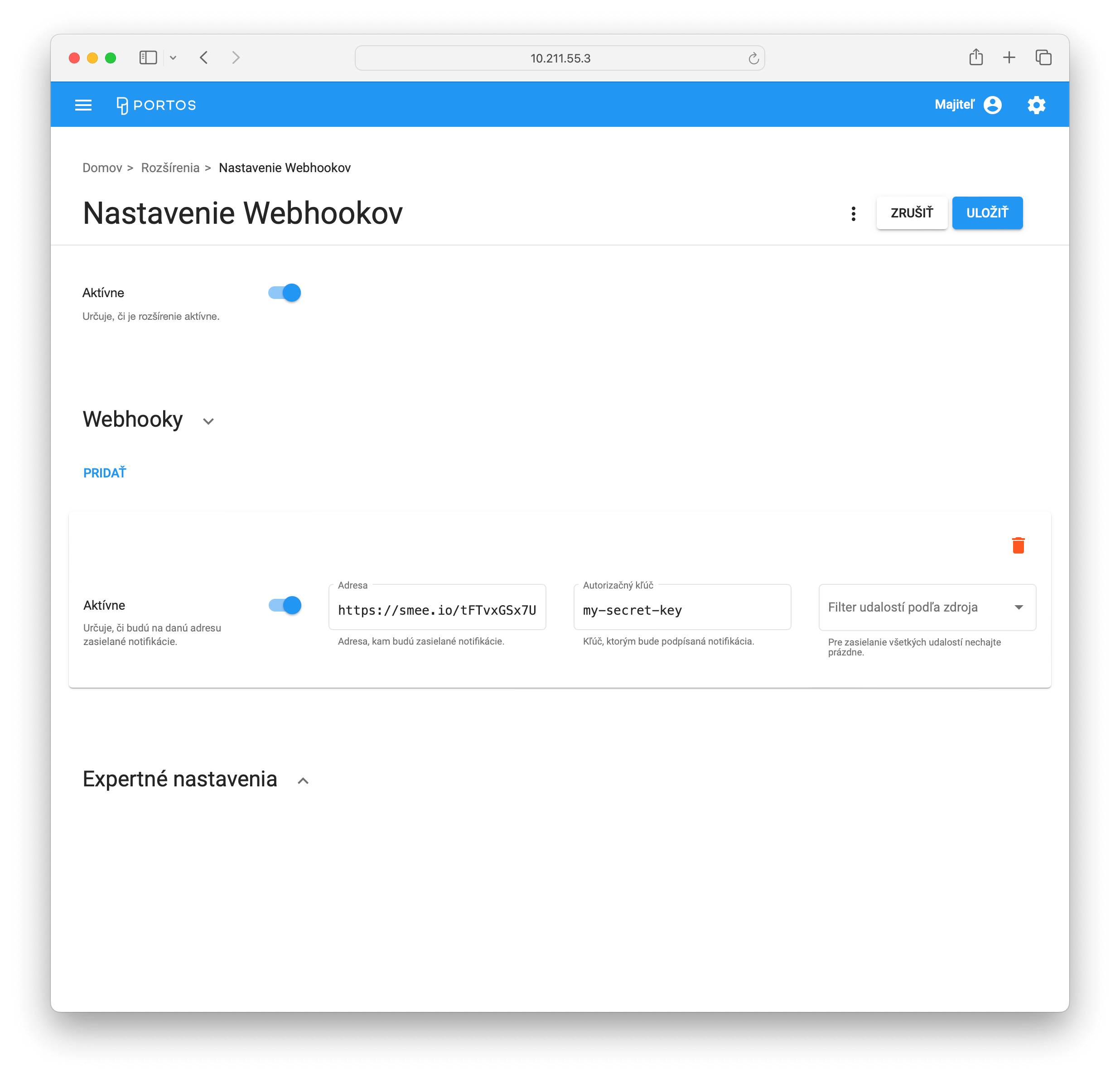
</code></pre>

### Subscribe to License activated event

To subscribe to license activated event, your client application must set `portos.licence.activated` in the payload property  `e` (event name).&#x20;

Example:

```javascript
// Prepare the subscription payload
const subscriptionPayload = {
    e: "portos.licence.activated" // event name
};

// Send the 'Subscribe' message with the payload
await connection.invoke("Subscribe", subscriptionPayload);
```

## Unsubscribe from Events

To unsubscribe, invoke the `Unsubscribe` method with the same parameters used for event subscription.

```javascript
// Prepare the same payload as for subscription
const payload = {
    e: "portos.licence.activated" // event name
};

// Send the 'Unsubscribe' message with the payload
await connection.invoke("Unsubscribe", payload);
```


# Webhooks

A webhook allows your application to receive real-time notifications when specific events occur. Webhooks can be configured through the PORTOS BackOffice application. For each webhook, you can define the following options:

* **URL**: address where the events will be delivered
* **Secret**: optional string that is used to create JSON payload signature.
* **Resource filter**: specifies list of resources (e.g. tickets, article categories, ...) for which notification will be sent.

When an event is triggered, the PORTOS API sends an HTTP POST request to the specified URL, carrying the event data as a JSON payload. It is essential that the external application hosting the URL can handle these HTTP POST requests to process the event data effectively.

## Testing Webhook Deliveries

1. In your browser, navigate to <https://smee.io>
2. Click **Start a new channel**. Smee.io will generate a unique Webhook Proxy URL for you.
3. Copy the full URL under "**Webhook Proxy URL**".
4. Open PORTOS BackOffice application.
5. Navigate to **System** > **Extensions** > **Webhooks** (or **Systém** > **Rozšírenia** > **Webhooky** if using the Slovak version).
6. Create a new webhook and paste the copied URL from Smee.io into the **Address** (**Adresa**) field.
7. Press the **Save** (**Uložiť**) button
8. In PORTOS BackOffice, perform an action such as creating, editing, or deleting a resource (e.g., an article category).
9. Check your Smee.io channel; the event should appear, confirming that the webhook is working correctly.

<div><figure><img src="https://2625353903-files.gitbook.io/~/files/v0/b/gitbook-x-prod.appspot.com/o/spaces%2F-MRdKHcwH62gIq_28fmA%2Fuploads%2FYewGzKwXxH2GryzUy1vx%2Fwebhooks-bo-settings.png?alt=media&amp;token=d94eef0c-8246-4855-966c-8b935af8bc2a" alt=""><figcaption><p>Setup an webhook using your smee.io channel URL</p></figcaption></figure> <figure><img src="https://2625353903-files.gitbook.io/~/files/v0/b/gitbook-x-prod.appspot.com/o/spaces%2F-MRdKHcwH62gIq_28fmA%2Fuploads%2Fb5WNOIXadphZeYZs7TFu%2Fwebhooks-smeeio.png?alt=media&amp;token=a7997591-6652-4a99-aa70-b3987a1aed49" alt=""><figcaption><p>The reeived webhook is displayed in your smee.io channel</p></figcaption></figure></div>

## Validating Webhook Deliveries

To ensure the security and authenticity of webhook deliveries, users have the option to specify a "**secret**" when setting up a webhook. If a secret is defined, every webhook request from your app will include an HTTP header named `X-PORTOS-WEBHOOK-SIGNATURE`. This header contains an HMACSHA256 signature of the JSON payload, generated using the secret. External applications can use this signature to validate that the webhook requests are genuinely from your app and have not been tampered with.

### Example Implementations

To implement HMAC verification in your app, please refer to examples below. Examples are using following variables:

* `jsonPayload`: The content of the HTTP request body that contains the event data in JSON format.
* `receivedSignature` : The value of the `X-PORTOS-WEBHOOK-SIGNATURE` HTTP header, which contains the HMACSHA256 signature sent by the PORTOS API.
* &#x20;`secret`: The secret key specified in webhook settings, used to generate the signature.

{% tabs %}
{% tab title="C#" %}

```csharp
using System.Security.Cryptography;
using System.Text;

public bool ValidateWebhookSignature(string jsonPayload, string receivedSignature, string secret)
{
    // Convert the secret to a byte array
    var secretKey = Encoding.UTF8.GetBytes(secret);

    // Create HMACSHA256 using the secret key
    using (var hmac = new HMACSHA256(secretKey))
    {
        // Compute the hash of the JSON payload
        var payloadBytes = Encoding.UTF8.GetBytes(jsonPayload);
        var computedHash = hmac.ComputeHash(payloadBytes);

        // Convert the computed hash to a hex string
        var computedSignature = BitConverter.ToString(computedHash).Replace("-", "").ToLower();

        // Compare the computed signature with the received signature
        return computedSignature == receivedSignature.ToLower();
    }
}

```

{% endtab %}

{% tab title="PHP" %}

```php
function validateWebhookSignature($jsonPayload, $receivedSignature, $secret)
{
    // Compute the HMACSHA256 hash of the JSON payload using the secret
    $computedHash = hash_hmac('sha256', $jsonPayload, $secret);

    // Compare the computed hash with the received signature
    return hash_equals($computedHash, $receivedSignature);
}
```

{% endtab %}

{% tab title="TypeScript" %}

```typescript
import * as crypto from 'crypto';

function validateWebhookSignature(jsonPayload: string, receivedSignature: string, secret: string): boolean {
    // Create HMACSHA256 hash using the secret key
    const hmac = crypto.createHmac('sha256', secret);
    hmac.update(jsonPayload);

    // Compute the hash as a hex string
    const computedSignature = hmac.digest('hex');

    // Compare the computed signature with the received signature
    return computedSignature === receivedSignature.toLowerCase();
}
```

{% endtab %}
{% endtabs %}

### Example Hash calculation

Here’s an example of how to calculate the SHA256 hash for a webhook using the provided secret and JSON content:

**Secret**: `my-secret-key`

**JSON content**:

```json
{"id":"c32314f8-39c2-4d03-864e-201586637657","version":"1.0","event":"portos.resources.changed","data":{"user":{"name":"Majiteľ","userName":"999","featureName":null,"deviceName":"BackOffice"},"resourceName":"articleCategories","action":"Updated","resource":{"label":"PIV","description":"Pivá","customerDescription":"","courseNumber":null,"color":"#FF9800","sortHint":null,"tags":[],"ordering":null}}}
```

**Resulting SHA256 hash**: `06324bd73f157373a4a678320a014d8c3db4c2e07d8a6177ecdf233b9f07d3f0`

## Webhook payload

### Data models

The webhook content follows this data structure:

#### `WebhookPayloadDto`

| Name      | Type                                                                    | Description                                                                                                                  |
| --------- | ----------------------------------------------------------------------- | ---------------------------------------------------------------------------------------------------------------------------- |
| `id`      | `string`                                                                | Unique webhook identifier (GUID v4 format), generated by PORTOS API.                                                         |
| `version` | `string`                                                                | Indicates version of webhook payload. Currently fixed to "**1.0**"                                                           |
| `event`   | `string`                                                                | Name of event. Currently, only *resource changed events* are delivered, so values is fixed to "**portos.resources.changed**" |
| `data`    | [`WebhookResourceChangedContentDto`](#webhookresourcechangedcontentdto) | Based on value of "event" field, content may vary.                                                                           |

#### `WebhookResourceChangedContentDto`

| Name           | Type                                       | Description                                                                                                                                                                  |
| -------------- | ------------------------------------------ | ---------------------------------------------------------------------------------------------------------------------------------------------------------------------------- |
| `user`         | [`UserInfoIdentity`](#userinfoidentity)`?` | Information about user that triggers the resource change.                                                                                                                    |
| `action`       | `string`                                   | Name of action that represents the resource change. Supported values: **created**, **updated** or **deleted**.                                                               |
| `resourceName` | `string`                                   | Name of resource, e.g. ticket, articleCategory, ...                                                                                                                          |
| `resource`     | `object`                                   | The resource that has been created/updated/deleted. Based on value of "resourceName" field, content may vary (e.g. for "ticket", content is [`Ticket`](/data-models#ticket). |

#### `UserInfoIdentity`

| Name          | Type     | Description                                                                                         |
| ------------- | -------- | --------------------------------------------------------------------------------------------------- |
| `name`        | `string` | Display name of user.                                                                               |
| `userName`    | `string` | Unique user identifier.                                                                             |
| `featureName` | `string` | Name of feature (specified for "virtual" users only, e.g. user representing some Portos extension). |
| `deviceName`  | `string` | Unique name of the device on which the user operates.                                               |

### Webhook Payload Example

{% hint style="info" %}
Please note that the actual payload does not include JSON indentation.
{% endhint %}

```json
{
    "id": "c32314f8-39c2-4d03-864e-201586637657",
    "version": "1.0",
    "event": "portos.resources.changed",
    "data":
    {
        "user":
        {
            "name": "Majiteľ",
            "userName": "999",
            "featureName": null,
            "deviceName": "BackOffice"
        },
        "resourceName": "articleCategories",
        "action": "Updated",
        "resource":
        {
            "label": "PIV",
            "description": "Pivá",
            "customerDescription": "",
            "courseNumber": null,
            "color": "#FF9800",
            "sortHint": null,
            "tags":
            [],
            "ordering": null
        }
    }
}
```


# API keys

This page provides a description of the available API routes for managing API keys.

API key used in [HMAC authenticaton scheme](/authentication/authentication-schemes/hmac-authentication) and is represented by [`ApiKey`](/data-models#apikey) class.

To enable API key usage, the API key must be activated by setting the `isActive` field to true. Once the API key is authorized on the server, the request will be executed within the context of the user specified by their `userName`, operating on the device specified by the `deviceName`.

## API methods

## Get API keys

<mark style="color:blue;">`GET`</mark> `http://{server-address}/apikeys`

Returns all API keys that matches query parameters. Result is of type [`QueryResult<ApiKey>`](/data-models#queryresult).

#### Query Parameters

| Name     | Type      | Description                                                                                                              |
| -------- | --------- | ------------------------------------------------------------------------------------------------------------------------ |
| id       | string    | Supports NData syntax.                                                                                                   |
| isActive | bool      | Supports NData syntax.                                                                                                   |
| $skip    | int       | Pagination property. Describing number of records to skip from beginning of result collection.                           |
| $take    | int       | Pagination property. Maximum count of items to be returned.                                                              |
| $sort    | string\[] | <p>Comma separated list of property names. Please see NData syntax.<br></p>                                              |
| $count   | bool      | If set to `true`, response will not contain `items` collection. Use to get resource count, not the resources themselves. |

#### Headers

| Name                                            | Type   | Description                                    |
| ----------------------------------------------- | ------ | ---------------------------------------------- |
| Authorization<mark style="color:red;">\*</mark> | string | Authorization header with authorization token. |

{% tabs %}
{% tab title="200: OK Successful response" %}

```javascript
{
    "items": [
        {
            "id": "64b00bc5ba312b6744126a87",
            "clientId": "60f33924e92a4262763a08230c6c385f33c497f3",
            "clientSecret": "df80d7cae59b9a9c3ee76a3750f80ef9d0c9398083d0dc591952cd675926944c",
            "isActive": true,
            "createdAt": "2023-07-13T14:35:49.506Z",
            "name": "My API key",
            "description": "This is an API key description",
            "userName": "john.doe",
            "deviceName": "BackOffice",
            "permissions": [],
            "_v": 1
        }
    ],
    "count": 1,
    "totalCount": 1
}
```

{% endtab %}
{% endtabs %}

## Get API key

<mark style="color:blue;">`GET`</mark> `http://{server-address}/apikeys/{id}`

Result is of type [API key](/data-models#apikey).

#### Path Parameters

| Name                                 | Type   | Description        |
| ------------------------------------ | ------ | ------------------ |
| id<mark style="color:red;">\*</mark> | string | Unique identifier. |

#### Headers

| Name                                            | Type   | Description                                    |
| ----------------------------------------------- | ------ | ---------------------------------------------- |
| Authorization<mark style="color:red;">\*</mark> | string | Authorization header with authorization token. |

{% tabs %}
{% tab title="200: OK Resource found." %}

```javascript
{
    "id": "64b00bc5ba312b6744126a87",
    "clientId": "60f33924e92a4262763a08230c6c385f33c497f3",
    "clientSecret": "df80d7cae59b9a9c3ee76a3750f80ef9d0c9398083d0dc591952cd675926944c",
    "isActive": true,
    "createdAt": "2023-07-13T14:35:49.506Z",
    "name": "My API key",
    "description": "This is an API key description",
    "userName": "john.doe",
    "deviceName": "BackOffice",
    "permissions":
    [],
    "_v": 1
}
```

{% endtab %}

{% tab title="404: Not Found API key with given identifier is not found." %}

```javascript
{
    "title": "Zdroj nebol nájdený",
    "status": 404
}
```

{% endtab %}
{% endtabs %}

## Create API key

<mark style="color:green;">`POST`</mark> `http://{server-address}/apikeys`

Creates new API key. Result is of type [API key](/data-models#apikey).

**Required rights**

Authorized user must have `ApiKeyCreate` [right ](/user-rights)assigned.

#### Headers

| Name                                            | Type   | Description                                    |
| ----------------------------------------------- | ------ | ---------------------------------------------- |
| Authorization<mark style="color:red;">\*</mark> | string | Authorization header with authorization token. |

#### Request Body

| Name                                     | Type   | Description      |
| ---------------------------------------- | ------ | ---------------- |
| (body)<mark style="color:red;">\*</mark> | ApiKey | Model to create. |

{% tabs %}
{% tab title="201: Created Successfuly created." %}

```javascript
{
    "id": "64b00bc5ba312b6744126a87",
    "clientId": "60f33924e92a4262763a08230c6c385f33c497f3",
    "clientSecret": "df80d7cae59b9a9c3ee76a3750f80ef9d0c9398083d0dc591952cd675926944c",
    "isActive": true,
    "createdAt": "2023-07-13T14:35:49.506Z",
    "name": "My API key",
    "description": "This is an API key description",
    "userName": "john.doe",
    "deviceName": "BackOffice",
    "permissions":
    [],
    "_v": 1
}
```

{% endtab %}
{% endtabs %}

## Create or update API key

<mark style="color:orange;">`PUT`</mark> `http://{server-address}/apikeys/{id}`

Creates new or updates existing API key. Result is of type [API key](/data-models#apikey).

**Required rights**

Authorized user must have assigned `ApiKeyCreate` or `ApiKeyUpdate` [right](/user-rights).

#### Path Parameters

| Name                                 | Type   | Description        |
| ------------------------------------ | ------ | ------------------ |
| id<mark style="color:red;">\*</mark> | string | Unique identifier. |

#### Headers

| Name                                            | Type   | Description                                    |
| ----------------------------------------------- | ------ | ---------------------------------------------- |
| Authorization<mark style="color:red;">\*</mark> | string | Authorization header with authorization token. |

#### Request Body

| Name                                     | Type   | Description                |
| ---------------------------------------- | ------ | -------------------------- |
| (body)<mark style="color:red;">\*</mark> | ApiKey | Model to create or update. |

{% tabs %}
{% tab title="200: OK Successfuly created or updated." %}

```javascript
{
    "id": "64b00bc5ba312b6744126a87",
    "clientId": "60f33924e92a4262763a08230c6c385f33c497f3",
    "clientSecret": "df80d7cae59b9a9c3ee76a3750f80ef9d0c9398083d0dc591952cd675926944c",
    "isActive": true,
    "createdAt": "2023-07-13T14:35:49.506Z",
    "name": "My API key",
    "description": "This is an API key description",
    "userName": "john.doe",
    "deviceName": "BackOffice",
    "permissions":
    [],
    "_v": 2
}
```

{% endtab %}
{% endtabs %}

## Delete API key

<mark style="color:red;">`DELETE`</mark> `http://{server-address}/apikeys/{id}`

**Required rights**

Authorized user must have `ApiKeyDelete` [right ](/user-rights)assigned.

#### Path Parameters

| Name                                 | Type   | Description        |
| ------------------------------------ | ------ | ------------------ |
| id<mark style="color:red;">\*</mark> | string | Unique identifier. |

#### Headers

| Name                                            | Type   | Description                                    |
| ----------------------------------------------- | ------ | ---------------------------------------------- |
| Authorization<mark style="color:red;">\*</mark> | string | Authorization header with authorization token. |

{% tabs %}
{% tab title="200: OK Successfuly deleted." %}

```javascript
{
    "id": "64b00bc5ba312b6744126a87",
    "clientId": "60f33924e92a4262763a08230c6c385f33c497f3",
    "clientSecret": "df80d7cae59b9a9c3ee76a3750f80ef9d0c9398083d0dc591952cd675926944c",
    "isActive": true,
    "createdAt": "2023-07-13T14:35:49.506Z",
    "name": "My API key",
    "description": "This is an API key description",
    "userName": "john.doe",
    "deviceName": "BackOffice",
    "permissions":
    [],
    "_v": 1
}
```

{% endtab %}

{% tab title="404: Not Found Given resource was not found." %}

```javascript
{
    "title": "Zdroj nebol nájdený",
    "status": 404
}
```

{% endtab %}
{% endtabs %}


# Article categories

This page provides a description of the available API routes for managing article category.

Each product or service within the PORTOS system is linked to a specific category (e.g. desserts, soups, meals, ...), which is referred to as the **article category**. This categorization helps in organizing and classifying items, allowing for efficient management and navigation within the system.

Article category is represented by [`ArticleCategory`](/data-models#articlecategory) class.

## API methods

## Get article categories

<mark style="color:blue;">`GET`</mark> `http://{server-address}/articlecategories`

Returns all article categories that matches query parameters. Result is of type [`QueryResult<ArticleCategory>`](/data-models#queryresult).

#### Query Parameters

| Name         | Type      | Description                                                                                                              |
| ------------ | --------- | ------------------------------------------------------------------------------------------------------------------------ |
| color        | string    | Supports NData syntax.                                                                                                   |
| courseNumber | int       | Supports NData syntax.                                                                                                   |
| $skip        | int       | Pagination property. Describing number of records to skip from beginning of result collection.                           |
| $take        | int       | Pagination property. Maximum count of items to be returned.                                                              |
| $sort        | string\[] | <p>Comma separated list of property names. Please see NData syntax.<br></p>                                              |
| $count       | bool      | If set to `true`, response will not contain `items` collection. Use to get resource count, not the resources themselves. |
| label        | string    | Supports NData syn                                                                                                       |

#### Headers

| Name                                            | Type   | Description                                    |
| ----------------------------------------------- | ------ | ---------------------------------------------- |
| Authorization<mark style="color:red;">\*</mark> | string | Authorization header with authorization token. |

{% tabs %}
{% tab title="200: OK Successful response" %}

```javascript
{
    "items":
    [
        {
            "_v": 1,
            "description": "Daily menu",
            "label": "MNU",
            "color": "#AED581",
            "courseNumber": null,
            "customerDescription": "Meals according to the daily menu",
            "sortHint": 1,
            "tags":
            [
                "Kitchen"
            ],
            "ordering":
            [
                {
                    "orderOrigin": "Online",
                    "enabled": true,
                    "weeklySchedule":
                    [
                        {
                            "days":
                            [
                                "Monday",
                                "Tuesday",
                                "Wednesday",
                                "Thursday",
                                "Friday"
                            ],
                            "timeRange":
                            {
                                "from": "11:00:00",
                                "to": "13:30:00"
                            }
                        }
                    ]
                }
            ]
        },
        {
            "label": "BRS",
            "description": "Beers",
            "customerDescription": null,
            "courseNumber": null,
            "color": "#FF8F00",
            "sortHint": 1,
            "tags":
            [],
            "_v": 1
        },
        {
            "label": "SOF",
            "description": "Soft Drinks",
            "customerDescription": null,
            "courseNumber": null,
            "color": null,
            "sortHint": null,
            "tags":
            [],
            "_v": 1
        }
    ],
    "count": 3,
    "totalCount": 3
}
```

{% endtab %}
{% endtabs %}

## Get article category by label

<mark style="color:blue;">`GET`</mark> `http://{server-address}/articlecategories/{label}`

Result is of type [Article category](/data-models#articlecategory).

#### Path Parameters

| Name                                    | Type   | Description                    |
| --------------------------------------- | ------ | ------------------------------ |
| label<mark style="color:red;">\*</mark> | string | Unique article category label. |

#### Headers

| Name                                            | Type   | Description                                    |
| ----------------------------------------------- | ------ | ---------------------------------------------- |
| Authorization<mark style="color:red;">\*</mark> | string | Authorization header with authorization token. |

{% tabs %}
{% tab title="200: OK Resource found." %}

```javascript
{
    "_v": 1,
    "description": "Daily menu",
    "label": "MNU",
    "color": "#AED581",
    "courseNumber": null,
    "customerDescription": "Meals according to the daily menu",
    "sortHint": 1,
    "tags":
    [
        "Kitchen"
    ],
    "ordering":
    [
        {
            "orderOrigin": "Online",
            "enabled": true,
            "weeklySchedule":
            [
                {
                    "days":
                    [
                        "Monday",
                        "Tuesday",
                        "Wednesday",
                        "Thursday",
                        "Friday"
                    ],
                    "timeRange":
                    {
                        "from": "11:00:00",
                        "to": "13:30:00"
                    }
                }
            ]
        }
    ]
}
```

{% endtab %}

{% tab title="404: Not Found Article category with given label is not found." %}

```javascript
{
    "title": "Zdroj nebol nájdený",
    "status": 404
}
```

{% endtab %}
{% endtabs %}

## Create article category

<mark style="color:green;">`POST`</mark> `http://{server-address}/articlecategories`

Creates new article category. Result is of type [Article category](/data-models#articlecategory).

**Required rights**

Authorized user must have `ArticleCategoryCreate` [right ](/user-rights)assigned.

#### Headers

| Name                                            | Type   | Description                                    |
| ----------------------------------------------- | ------ | ---------------------------------------------- |
| Authorization<mark style="color:red;">\*</mark> | string | Authorization header with authorization token. |

#### Request Body

| Name                                     | Type            | Description      |
| ---------------------------------------- | --------------- | ---------------- |
| (body)<mark style="color:red;">\*</mark> | ArticleCategory | Model to create. |

{% tabs %}
{% tab title="201: Created Successfuly created." %}

```javascript
{
    "_v": 1,
    "description": "Daily menu",
    "label": "MNU",
    "color": "#AED581",
    "courseNumber": null,
    "customerDescription": "Meals according to the daily menu",
    "sortHint": 1,
    "tags":
    [
        "Kitchen"
    ],
    "ordering":
    [
        {
            "orderOrigin": "Online",
            "enabled": true,
            "weeklySchedule":
            [
                {
                    "days":
                    [
                        "Monday",
                        "Tuesday",
                        "Wednesday",
                        "Thursday",
                        "Friday"
                    ],
                    "timeRange":
                    {
                        "from": "11:00:00",
                        "to": "13:30:00"
                    }
                }
            ]
        }
    ]
}
```

{% endtab %}
{% endtabs %}

## Create or update article category

<mark style="color:orange;">`PUT`</mark> `http://{server-address}/articlecategories/{label}`

Creates new or updates existing article category. Result is of type [Article category](/data-models#articlecategory).

**Required rights**

Authorized user must have assigned `ArticleCategoryCreate` or `ArticleCategoryUpdate` [right](/user-rights).

#### Path Parameters

| Name                                    | Type   | Description                    |
| --------------------------------------- | ------ | ------------------------------ |
| label<mark style="color:red;">\*</mark> | string | Unique article category label. |

#### Headers

| Name                                            | Type   | Description                                    |
| ----------------------------------------------- | ------ | ---------------------------------------------- |
| Authorization<mark style="color:red;">\*</mark> | string | Authorization header with authorization token. |

#### Request Body

| Name                                     | Type            | Description                |
| ---------------------------------------- | --------------- | -------------------------- |
| (body)<mark style="color:red;">\*</mark> | ArticleCategory | Model to create or update. |

{% tabs %}
{% tab title="200: OK Successfuly created or updated." %}

```javascript
{
    "_v": 1,
    "description": "Daily menu",
    "label": "MNU",
    "color": "#AED581",
    "courseNumber": null,
    "customerDescription": "Meals according to the daily menu",
    "sortHint": 1,
    "tags":
    [
        "Kitchen"
    ],
    "ordering":
    [
        {
            "orderOrigin": "Online",
            "enabled": true,
            "weeklySchedule":
            [
                {
                    "days":
                    [
                        "Monday",
                        "Tuesday",
                        "Wednesday",
                        "Thursday",
                        "Friday"
                    ],
                    "timeRange":
                    {
                        "from": "11:00:00",
                        "to": "13:30:00"
                    }
                }
            ]
        }
    ]
}
```

{% endtab %}
{% endtabs %}

## Delete article category by label

<mark style="color:red;">`DELETE`</mark> `http://{server-address}/articlecategories/{label}`

**Required rights**

Authorized user must have `ArticleCategoryDelete` [right ](/user-rights)assigned.

#### Path Parameters

| Name                                    | Type   | Description                    |
| --------------------------------------- | ------ | ------------------------------ |
| label<mark style="color:red;">\*</mark> | string | Unique article category label. |

#### Headers

| Name                                            | Type   | Description                                    |
| ----------------------------------------------- | ------ | ---------------------------------------------- |
| Authorization<mark style="color:red;">\*</mark> | string | Authorization header with authorization token. |

{% tabs %}
{% tab title="200: OK Successfuly deleted." %}

```javascript
{
    "_v": 1,
    "description": "Daily menu",
    "label": "MNU",
    "color": "#AED581",
    "courseNumber": null,
    "customerDescription": "Meals according to the daily menu",
    "sortHint": 1,
    "tags":
    [
        "Kitchen"
    ],
    "ordering":
    [
        {
            "orderOrigin": "Online",
            "enabled": true,
            "weeklySchedule":
            [
                {
                    "days":
                    [
                        "Monday",
                        "Tuesday",
                        "Wednesday",
                        "Thursday",
                        "Friday"
                    ],
                    "timeRange":
                    {
                        "from": "11:00:00",
                        "to": "13:30:00"
                    }
                }
            ]
        }
    ]
}
```

{% endtab %}

{% tab title="404: Not Found Given resource was not found." %}

```javascript
{
    "title": "Zdroj nebol nájdený",
    "status": 404
}
```

{% endtab %}
{% endtabs %}


# Companies

This page provides a description of the available API routes for managing companies.

Suppliers and purchasers are commonly referred to as companies, and within the companies database, there exists an additional record marked as "*default*" that represents the merchant, owner or the cash register system.

Company is represented by [`Company`](/data-models#company) class.

## API methods

## Get companies

<mark style="color:blue;">`GET`</mark> `http://{server-address}/companies`

Returns all companies that matches query parameters. Result is of type [`QueryResult<Company>`](/data-models#queryresult).

#### Query Parameters

| Name         | Type        | Description                                                                                                              |
| ------------ | ----------- | ------------------------------------------------------------------------------------------------------------------------ |
| id           | string      | Supports NData syntax.                                                                                                   |
| crn          | string      | Supports NData syntax.                                                                                                   |
| $skip        | int         | Pagination property. Describing number of records to skip from beginning of result collection.                           |
| $take        | int         | Pagination property. Maximum count of items to be returned.                                                              |
| $sort        | string\[]   | <p>Comma separated list of property names. Please see NData syntax.<br></p>                                              |
| $count       | bool        | If set to `true`, response will not contain `items` collection. Use to get resource count, not the resources themselves. |
| discountRate | decimal     | Supports NData syn                                                                                                       |
| name         | string      | Supports NData syntax.                                                                                                   |
| isDefault    | bool        | Supports NData syntax.                                                                                                   |
| isActive     | bool        | Supports NData syntax.                                                                                                   |
| isTaxPayer   | bool        | Supports NData syntax.                                                                                                   |
| type         | CompanyType | Supports NData syntax.                                                                                                   |
| taxId        | string      | Supports NData syntax.                                                                                                   |
| vatId        | string      | Supports NData syntax.                                                                                                   |
| dueDays      | int         | Supports NData syntax.                                                                                                   |
| search       | string      | Supports NData syntax.                                                                                                   |

#### Headers

| Name                                            | Type   | Description                                    |
| ----------------------------------------------- | ------ | ---------------------------------------------- |
| Authorization<mark style="color:red;">\*</mark> | string | Authorization header with authorization token. |

{% tabs %}
{% tab title="200: OK Successful response" %}

```javascript
{
    "items":
    [
        {
            "id": "62db00718d4c4f2c700bbc5b",
            "isActive": true,
            "name": "My supplier",
            "crn": "123",
            "vatId": "SK1020304050",
            "taxId": "1020304050",
            "isTaxPayer": true,
            "register": "reg v OR OS Bratislava I, vl.č. 12345/B",
            "dueDays": 0,
            "type": "Supplier",
            "discountRate": 0.0,
            "isDefault": false,
            "addresses":
            [
                {
                    "street": "Hlavná 4",
                    "city": "Bratislava",
                    "zipCode": "81101",
                    "country": "Slovensko",
                    "type": "Office"
                },
                {
                    "street": "Dodacia 11",
                    "city": "Bratislava",
                    "zipCode": "81102",
                    "country": "Slovensko",
                    "type": "Shipping"
                }
            ],
            "bankAccounts":
            [
                {
                    "bankCountry": "Slovensko",
                    "bankName": "Tatra banka, a.s.",
                    "iban": "SK0011000000000000000000",
                    "number": null,
                    "swift": "TATRSKBXXXX",
                    "isDefault": true
                }
            ],
            "contacts":
            [
                {
                    "fax": null,
                    "phone": null,
                    "mobile": "+421 900 123 123",
                    "email": "john.doe@suppliercompany.portos",
                    "isDefault": true,
                    "name": "John",
                    "surname": "Doe",
                    "note": null
                }
            ],
            "_v": 1
        }
    ],
    "count": 1,
    "totalCount": 1
}
```

{% endtab %}
{% endtabs %}

## Get company

<mark style="color:blue;">`GET`</mark> `http://{server-address}/companies/{id}`

Result is of type [Company](/data-models#company).

#### Path Parameters

| Name                                 | Type   | Description        |
| ------------------------------------ | ------ | ------------------ |
| id<mark style="color:red;">\*</mark> | string | Unique identifier. |

#### Headers

| Name                                            | Type   | Description                                    |
| ----------------------------------------------- | ------ | ---------------------------------------------- |
| Authorization<mark style="color:red;">\*</mark> | string | Authorization header with authorization token. |

{% tabs %}
{% tab title="200: OK Resource found." %}

```javascript
{
    "id": "62db00718d4c4f2c700bbc5b",
    "isActive": true,
    "name": "My supplier",
    "crn": "123",
    "vatId": "SK1020304050",
    "taxId": "1020304050",
    "isTaxPayer": true,
    "register": "reg v OR OS Bratislava I, vl.č. 12345/B",
    "dueDays": 0,
    "type": "Supplier",
    "discountRate": 0.0,
    "isDefault": false,
    "addresses":
    [
        {
            "street": "Hlavná 4",
            "city": "Bratislava",
            "zipCode": "81101",
            "country": "Slovensko",
            "type": "Office"
        },
        {
            "street": "Dodacia 11",
            "city": "Bratislava",
            "zipCode": "81102",
            "country": "Slovensko",
            "type": "Shipping"
        }
    ],
    "bankAccounts":
    [
        {
            "bankCountry": "Slovensko",
            "bankName": "Tatra banka, a.s.",
            "iban": "SK0011000000000000000000",
            "number": null,
            "swift": "TATRSKBXXXX",
            "isDefault": true
        }
    ],
    "contacts":
    [
        {
            "fax": null,
            "phone": null,
            "mobile": "+421 900 123 123",
            "email": "john.doe@suppliercompany.portos",
            "isDefault": true,
            "name": "John",
            "surname": "Doe",
            "note": null
        }
    ],
    "_v": 1
}
```

{% endtab %}

{% tab title="404: Not Found Given resource was not found." %}

```javascript
{
    "title": "Zdroj nebol nájdený",
    "status": 404
}
```

{% endtab %}
{% endtabs %}

## Create company

<mark style="color:green;">`POST`</mark> `http://{server-address}/companies`

Creates new company. Result is of type [Company](/data-models#company).

**Required rights**

Authorized user must have `CompanyCreate` [right ](/user-rights)assigned.

#### Headers

| Name                                            | Type   | Description                                    |
| ----------------------------------------------- | ------ | ---------------------------------------------- |
| Authorization<mark style="color:red;">\*</mark> | string | Authorization header with authorization token. |

#### Request Body

| Name                                     | Type    | Description      |
| ---------------------------------------- | ------- | ---------------- |
| (body)<mark style="color:red;">\*</mark> | Company | Model to create. |

{% tabs %}
{% tab title="201: Created Successfuly created." %}

```javascript
{
    "id": "62db00718d4c4f2c700bbc5b",
    "isActive": true,
    "name": "My supplier",
    "crn": "123",
    "vatId": "SK1020304050",
    "taxId": "1020304050",
    "isTaxPayer": true,
    "register": "reg v OR OS Bratislava I, vl.č. 12345/B",
    "dueDays": 0,
    "type": "Supplier",
    "discountRate": 0.0,
    "isDefault": false,
    "addresses":
    [
        {
            "street": "Hlavná 4",
            "city": "Bratislava",
            "zipCode": "81101",
            "country": "Slovensko",
            "type": "Office"
        },
        {
            "street": "Dodacia 11",
            "city": "Bratislava",
            "zipCode": "81102",
            "country": "Slovensko",
            "type": "Shipping"
        }
    ],
    "bankAccounts":
    [
        {
            "bankCountry": "Slovensko",
            "bankName": "Tatra banka, a.s.",
            "iban": "SK0011000000000000000000",
            "number": null,
            "swift": "TATRSKBXXXX",
            "isDefault": true
        }
    ],
    "contacts":
    [
        {
            "fax": null,
            "phone": null,
            "mobile": "+421 900 123 123",
            "email": "john.doe@suppliercompany.portos",
            "isDefault": true,
            "name": "John",
            "surname": "Doe",
            "note": null
        }
    ],
    "_v": 1
}
```

{% endtab %}
{% endtabs %}

## Create or update company

<mark style="color:orange;">`PUT`</mark> `http://{server-address}/companies/{id}`

Creates new or updates existing company. Result is of type [Company](/data-models#company).

**Required rights**

Authorized user must have assigned `CompanyCreate` or `CompanyUpdate` [right](/user-rights).

#### Path Parameters

| Name                                 | Type   | Description        |
| ------------------------------------ | ------ | ------------------ |
| id<mark style="color:red;">\*</mark> | string | Unique identifier. |

#### Headers

| Name                                            | Type   | Description                                    |
| ----------------------------------------------- | ------ | ---------------------------------------------- |
| Authorization<mark style="color:red;">\*</mark> | string | Authorization header with authorization token. |

#### Request Body

| Name                                     | Type    | Description                |
| ---------------------------------------- | ------- | -------------------------- |
| (body)<mark style="color:red;">\*</mark> | Company | Model to create or update. |

{% tabs %}
{% tab title="200: OK Successfuly created or updated." %}

```javascript
{
    "id": "62db00718d4c4f2c700bbc5b",
    "isActive": true,
    "name": "My supplier",
    "crn": "123",
    "vatId": "SK1020304050",
    "taxId": "1020304050",
    "isTaxPayer": true,
    "register": "reg v OR OS Bratislava I, vl.č. 12345/B",
    "dueDays": 0,
    "type": "Supplier",
    "discountRate": 0.0,
    "isDefault": false,
    "addresses":
    [
        {
            "street": "Hlavná 4",
            "city": "Bratislava",
            "zipCode": "81101",
            "country": "Slovensko",
            "type": "Office"
        },
        {
            "street": "Dodacia 11",
            "city": "Bratislava",
            "zipCode": "81102",
            "country": "Slovensko",
            "type": "Shipping"
        }
    ],
    "bankAccounts":
    [
        {
            "bankCountry": "Slovensko",
            "bankName": "Tatra banka, a.s.",
            "iban": "SK0011000000000000000000",
            "number": null,
            "swift": "TATRSKBXXXX",
            "isDefault": true
        }
    ],
    "contacts":
    [
        {
            "fax": null,
            "phone": null,
            "mobile": "+421 900 123 123",
            "email": "john.doe@suppliercompany.portos",
            "isDefault": true,
            "name": "John",
            "surname": "Doe",
            "note": null
        }
    ],
    "_v": 2
}
```

{% endtab %}
{% endtabs %}

## Delete company

<mark style="color:red;">`DELETE`</mark> `http://{server-address}/companies/{id}`

**Required rights**

Authorized user must have `CompanyDelete` [right ](/user-rights)assigned.

#### Path Parameters

| Name                                 | Type   | Description        |
| ------------------------------------ | ------ | ------------------ |
| id<mark style="color:red;">\*</mark> | string | Unique identifier. |

#### Headers

| Name                                            | Type   | Description                                    |
| ----------------------------------------------- | ------ | ---------------------------------------------- |
| Authorization<mark style="color:red;">\*</mark> | string | Authorization header with authorization token. |

{% tabs %}
{% tab title="200: OK Successfuly deleted." %}

```javascript
{
    "id": "62db00718d4c4f2c700bbc5b",
    "isActive": true,
    "name": "My supplier",
    "crn": "123",
    "vatId": "SK1020304050",
    "taxId": "1020304050",
    "isTaxPayer": true,
    "register": "reg v OR OS Bratislava I, vl.č. 12345/B",
    "dueDays": 0,
    "type": "Supplier",
    "discountRate": 0.0,
    "isDefault": false,
    "addresses":
    [
        {
            "street": "Hlavná 4",
            "city": "Bratislava",
            "zipCode": "81101",
            "country": "Slovensko",
            "type": "Office"
        },
        {
            "street": "Dodacia 11",
            "city": "Bratislava",
            "zipCode": "81102",
            "country": "Slovensko",
            "type": "Shipping"
        }
    ],
    "bankAccounts":
    [
        {
            "bankCountry": "Slovensko",
            "bankName": "Tatra banka, a.s.",
            "iban": "SK0011000000000000000000",
            "number": null,
            "swift": "TATRSKBXXXX",
            "isDefault": true
        }
    ],
    "contacts":
    [
        {
            "fax": null,
            "phone": null,
            "mobile": "+421 900 123 123",
            "email": "john.doe@suppliercompany.portos",
            "isDefault": true,
            "name": "John",
            "surname": "Doe",
            "note": null
        }
    ],
    "_v": 1
}
```

{% endtab %}

{% tab title="404: Not Found Given resource was not found." %}

```javascript
{
    "title": "Zdroj nebol nájdený",
    "status": 404
}
```

{% endtab %}
{% endtabs %}


# Currencies

This page provides a description of the available API routes for managing currencies.

Collection of currencies contains exactly **one** currency marked as domestic. All system transactions are conducted exclusively in the domestic currency.

Currency is represented by [`Currency`](/data-models#currency) class.

## API methods

## Get currencies

<mark style="color:blue;">`GET`</mark> `http://{server-address}/currencies`

Returns all currencies that matches query parameters. Result is of type [`QueryResult<Currency>`](/data-models#queryresult).

#### Query Parameters

| Name       | Type      | Description                                                                                                              |
| ---------- | --------- | ------------------------------------------------------------------------------------------------------------------------ |
| label      | string    | Supports NData syntax.                                                                                                   |
| $skip      | int       | Pagination property. Describing number of records to skip from beginning of result collection.                           |
| $take      | int       | Pagination property. Maximum count of items to be returned.                                                              |
| $sort      | string\[] | <p>Comma separated list of property names. Please see NData syntax.<br></p>                                              |
| $count     | bool      | If set to `true`, response will not contain `items` collection. Use to get resource count, not the resources themselves. |
| isDomestic | bool      | Supports NData syntax.                                                                                                   |

#### Headers

| Name                                            | Type   | Description                                    |
| ----------------------------------------------- | ------ | ---------------------------------------------- |
| Authorization<mark style="color:red;">\*</mark> | string | Authorization header with authorization token. |

{% tabs %}
{% tab title="200: OK Successful response" %}

```javascript
{
    "items":
    [
        {
            "IsDomestic": true,
            "Label": "EUR",
            "Sign": "€",
            "ExchangeRate": 1,
            "Description": "Euro",
            "_v": 1
        },
        {
            "IsDomestic": false,
            "Label": "USD",
            "Sign": "$",
            "ExchangeRate": 1.1214,
            "Description": "US Dollar",
            "_v": 1
        },
        {
            "IsDomestic": false,
            "Label": "CZK",
            "Sign": null,
            "ExchangeRate": 23.7529,
            "Description": "Czech Crown",
            "_v": 1
        }
    ],
    "count": 3,
    "totalCount": 3
}
```

{% endtab %}
{% endtabs %}

## Get currency by label

<mark style="color:blue;">`GET`</mark> `http://{server-address}/currencies/{label}`

Result is of type [Currency](/data-models#currency).

#### Path Parameters

| Name                                    | Type   | Description            |
| --------------------------------------- | ------ | ---------------------- |
| label<mark style="color:red;">\*</mark> | string | Unique currency label. |

#### Headers

| Name                                            | Type   | Description                                    |
| ----------------------------------------------- | ------ | ---------------------------------------------- |
| Authorization<mark style="color:red;">\*</mark> | string | Authorization header with authorization token. |

{% tabs %}
{% tab title="200: OK Resource found." %}

```javascript
{
    "IsDomestic": true,
    "Label": "EUR",
    "Sign": "€",
    "ExchangeRate": 1,
    "Description": "Euro",
    "_v": 1
}
```

{% endtab %}

{% tab title="404: Not Found Given resource was not found." %}

```javascript
{
    "title": "Zdroj nebol nájdený",
    "status": 404
}
```

{% endtab %}
{% endtabs %}

## Create currency

<mark style="color:green;">`POST`</mark> `http://{server-address}/currencies`

Creates new currency. Result is of type [Currency](/data-models#currency).

**Required rights**

Authorized user must have `CurrencyCreate` [right ](/user-rights)assigned.

#### Headers

| Name                                            | Type   | Description                                    |
| ----------------------------------------------- | ------ | ---------------------------------------------- |
| Authorization<mark style="color:red;">\*</mark> | string | Authorization header with authorization token. |

#### Request Body

| Name                                     | Type     | Description      |
| ---------------------------------------- | -------- | ---------------- |
| (body)<mark style="color:red;">\*</mark> | Currency | Model to create. |

{% tabs %}
{% tab title="201: Created Successfuly created." %}

```javascript
{
    "IsDomestic": true,
    "Label": "EUR",
    "Sign": "€",
    "ExchangeRate": 1,
    "Description": "Euro",
    "_v": 1
}
```

{% endtab %}
{% endtabs %}

## Create or update currency

<mark style="color:orange;">`PUT`</mark> `http://{server-address}/currencies/{label}`

Creates new or updates existing currency. Result is of type [Currency](/data-models#currency).

**Required rights**

Authorized user must have assigned `CurrencyCreate` or `CurrencyUpdate` [right](/user-rights).

#### Path Parameters

| Name                                    | Type   | Description            |
| --------------------------------------- | ------ | ---------------------- |
| label<mark style="color:red;">\*</mark> | string | Unique currency label. |

#### Headers

| Name                                            | Type   | Description                                    |
| ----------------------------------------------- | ------ | ---------------------------------------------- |
| Authorization<mark style="color:red;">\*</mark> | string | Authorization header with authorization token. |

#### Request Body

| Name                                     | Type     | Description                |
| ---------------------------------------- | -------- | -------------------------- |
| (body)<mark style="color:red;">\*</mark> | Currency | Model to create or update. |

{% tabs %}
{% tab title="200: OK Successfuly created or updated." %}

```javascript
{
    "IsDomestic": true,
    "Label": "EUR",
    "Sign": "€",
    "ExchangeRate": 1,
    "Description": "Euro",
    "_v": 2
}
```

{% endtab %}
{% endtabs %}

## Delete currency by label

<mark style="color:red;">`DELETE`</mark> `http://{server-address}/currencies/{label}`

**Required rights**

Authorized user must have `CurrencyDelete` [right ](/user-rights)assigned.

#### Path Parameters

| Name                                    | Type   | Description            |
| --------------------------------------- | ------ | ---------------------- |
| label<mark style="color:red;">\*</mark> | string | Unique currency label. |

#### Headers

| Name                                            | Type   | Description                                    |
| ----------------------------------------------- | ------ | ---------------------------------------------- |
| Authorization<mark style="color:red;">\*</mark> | string | Authorization header with authorization token. |

{% tabs %}
{% tab title="200: OK Successfuly deleted." %}

```javascript
{
    "IsDomestic": true,
    "Label": "EUR",
    "Sign": "€",
    "ExchangeRate": 1,
    "Description": "Euro",
    "_v": 1
}
```

{% endtab %}

{% tab title="404: Not Found Given resource was not found." %}

```javascript
{
    "title": "Zdroj nebol nájdený",
    "status": 404
}
```

{% endtab %}
{% endtabs %}


# Customers

This page provides a description of the available API routes for managing customers.

The data model for customer is represented by [`Customer`](/data-models#customer) class.

## API methods

## Get customers

<mark style="color:blue;">`GET`</mark> `http://{server-address}/customers`

Returns all customers that matches query parameters. Result is of type [`QueryResult<Customer>`](/data-models#queryresult).

#### Query Parameters

| Name             | Type      | Description                                                                                                                                                          |
| ---------------- | --------- | -------------------------------------------------------------------------------------------------------------------------------------------------------------------- |
| CardSerialNumber | string    | Supports NData syntax. Compares `SerialNumber` property of elements in `Cards` collection.                                                                           |
| ExternalId       | string    | Supports NData syntax.                                                                                                                                               |
| CreditRate       | decimal   | Supports NData syntax.                                                                                                                                               |
| DiscountRate     | decimal   | Supports NData syntax.                                                                                                                                               |
| IsActive         | bool      | Supports NData syntax.                                                                                                                                               |
| ExpirationTime   | DateTime  | Supports NData syntax.                                                                                                                                               |
| IsExpired        | bool      | Boolean values allowed. Compares provided value to `Status` property based on `ActivationTime` and `ExpirationTime`.                                                 |
| Search           | string    | Value is compared with partial case-insensitive match in following properties: `FirstName`, `LastName`, `Company.Name`, `Company.VatId`, `Company.TaxId` and `Note`. |
| $skip            | int       | Pagination property. Describing number of records to skip from beginning of result collection.                                                                       |
| $take            | int       | Pagination property. Maximum count of items to be returned.                                                                                                          |
| $sort            | string\[] | <p>Comma separated list of property names. Please see NData syntax.<br></p>                                                                                          |
| $count           | bool      | If set to `true`, response will not contain `items` collection. Use to get resource count, not the resources themselves.                                             |

#### Headers

| Name                                            | Type   | Description                                    |
| ----------------------------------------------- | ------ | ---------------------------------------------- |
| Authorization<mark style="color:red;">\*</mark> | string | Authorization header with authorization token. |

{% tabs %}
{% tab title="200: OK Successful response" %}

```javascript
{
    "items":
    [
        {
            "id": "customer-id",
            "externalId": null,
            "isActive": true,
            "status": "Valid",
            "activationTime": null,
            "expirationTime": null,
            "firstName": "John",
            "lastName": "Doe",
            "fullName": "John Doe",
            "gender": null,
            "birthDate": null,
            "email": "john.doe@portos.sk",
            "phone": null,
            "isCompany": false,
            "company": null,
            "address": null,
            "deliveryAddress": null,
            "credit":
            {
                "amount": 0.0,
                "currencyLabel": null
            },
            "creditTransactions": [],
            "cards":
            [
                {
                    "externalId": "external-card-id",
                    "isActive": true,
                    "isVirtual": true,
                    "serialNumber": "card-serial-number",
                    "processor": "P",
                    "status": "Valid",
                    "statusTime": null,
                    "statusReason": null,
                    "activationTime": "2022-11-01T00:00:00.00Z",
                    "expirationTime": null,
                    "note": null,
                    "meta": null
                }
            ],
            "creditRate": 0.0,
            "discountRate": 0.0,
            "note": null,
            "meta": {},
            "_v": 1
        }
    ],
    "count": 1,
    "totalCount": 1
}
```

{% endtab %}
{% endtabs %}

## Get customer by ID

<mark style="color:blue;">`GET`</mark> `http://{server-address}/customers/{id}`

Result is of type [`Customer`](#customer).

#### Path Parameters

| Name                                 | Type   | Description                 |
| ------------------------------------ | ------ | --------------------------- |
| id<mark style="color:red;">\*</mark> | string | Unique customer identifier. |

#### Headers

| Name                                            | Type   | Description                                    |
| ----------------------------------------------- | ------ | ---------------------------------------------- |
| Authorization<mark style="color:red;">\*</mark> | string | Authorization header with authorization token. |

{% tabs %}
{% tab title="200: OK " %}

```javascript
{
    "id": "customer-id",
    "externalId": null,
    "isActive": true,
    "status": "Valid",
    "activationTime": null,
    "expirationTime": null,
    "firstName": "John",
    "lastName": "Doe",
    "fullName": "John Doe",
    "gender": null,
    "birthDate": null,
    "email": "john.doe@portos.sk",
    "phone": null,
    "isCompany": false,
    "company": null,
    "address": null,
    "deliveryAddress": null,
    "credit":
    {
        "amount": 0.0,
        "currencyLabel": null
    },
    "creditTransactions":
    [],
    "cards":
    [
        {
            "externalId": "external-card-id",
            "isActive": true,
            "isVirtual": true,
            "serialNumber": "card-serial-number",
            "processor": "P",
            "status": "Valid",
            "statusTime": null,
            "statusReason": null,
            "activationTime": "2022-11-01T00:00:00.00Z",
            "expirationTime": null,
            "note": null,
            "meta": null
        }
    ],
    "creditRate": 0.0,
    "discountRate": 0.0,
    "note": null,
    "meta":
    {},
    "_v": 1
}
```

{% endtab %}

{% tab title="404: Not Found Customer with given ID is not found." %}

```javascript
{
    "title": "Zdroj nebol nájdený",
    "status": 404
}
```

{% endtab %}
{% endtabs %}

## Create customer

<mark style="color:green;">`POST`</mark> `http://{server-address}/customers`

Creates new customer. Result is of type [`Customer`](#customer).

**Required rights**

Authorized user must have `CustomerCreate` [right ](/user-rights)assigned.

#### Headers

| Name                                            | Type   | Description                                    |
| ----------------------------------------------- | ------ | ---------------------------------------------- |
| Authorization<mark style="color:red;">\*</mark> | string | Authorization header with authorization token. |

#### Request Body

| Name                                     | Type     | Description              |
| ---------------------------------------- | -------- | ------------------------ |
| (body)<mark style="color:red;">\*</mark> | Customer | Customer model to create |

{% tabs %}
{% tab title="201: Created " %}

```javascript
{
    "id": "customer-id",
    "externalId": null,
    "isActive": true,
    "status": "Valid",
    "activationTime": null,
    "expirationTime": null,
    "firstName": "John",
    "lastName": "Doe",
    "fullName": "John Doe",
    "gender": null,
    "birthDate": null,
    "email": "john.doe@portos.sk",
    "phone": null,
    "isCompany": false,
    "company": null,
    "address": null,
    "deliveryAddress": null,
    "credit":
    {
        "amount": 0.0,
        "currencyLabel": null
    },
    "creditTransactions":
    [],
    "cards":
    [
        {
            "externalId": "external-card-id",
            "isActive": true,
            "isVirtual": true,
            "serialNumber": "card-serial-number",
            "processor": "P",
            "status": "Valid",
            "statusTime": null,
            "statusReason": null,
            "activationTime": "2022-11-01T00:00:00.00Z",
            "expirationTime": null,
            "note": null,
            "meta": null
        }
    ],
    "creditRate": 0.0,
    "discountRate": 0.0,
    "note": null,
    "meta":
    {},
    "_v": 1
}
```

{% endtab %}
{% endtabs %}

## Create or update customer

<mark style="color:orange;">`PUT`</mark> `http://{server-address}/customers/{id}`

Updates existing or creates new customer. Result is of type [`Customer`](#customer).

**Required rights**

Authorized user must have assigned `CustomerCreate` or `CustomerUpdate` [right](/user-rights). When updating existing customer, additional roles may be required: if `discountRate` property is changed, `CustomerSetDiscount` is required; If `credit` property is changed, `CustomerSetCredit` is required.

#### Path Parameters

| Name                                 | Type   | Description                 |
| ------------------------------------ | ------ | --------------------------- |
| id<mark style="color:red;">\*</mark> | string | Unique customer identifier. |

#### Headers

| Name                                            | Type   | Description                                    |
| ----------------------------------------------- | ------ | ---------------------------------------------- |
| Authorization<mark style="color:red;">\*</mark> | string | Authorization header with authorization token. |

#### Request Body

| Name                                     | Type     | Description                         |
| ---------------------------------------- | -------- | ----------------------------------- |
| (body)<mark style="color:red;">\*</mark> | Customer | Customer model to create or update. |

{% tabs %}
{% tab title="200: OK " %}

```javascript
{
    "id": "customer-id",
    "externalId": null,
    "isActive": true,
    "status": "Valid",
    "activationTime": null,
    "expirationTime": null,
    "firstName": "John",
    "lastName": "Doe",
    "fullName": "John Doe",
    "gender": null,
    "birthDate": null,
    "email": "john.doe@portos.sk",
    "phone": null,
    "isCompany": false,
    "company": null,
    "address": null,
    "deliveryAddress": null,
    "credit":
    {
        "amount": 0.0,
        "currencyLabel": null
    },
    "creditTransactions":
    [],
    "cards":
    [
        {
            "externalId": "external-card-id",
            "isActive": true,
            "isVirtual": true,
            "serialNumber": "card-serial-number",
            "processor": "P",
            "status": "Valid",
            "statusTime": null,
            "statusReason": null,
            "activationTime": "2022-11-01T00:00:00.00Z",
            "expirationTime": null,
            "note": null,
            "meta": null
        }
    ],
    "creditRate": 0.0,
    "discountRate": 0.0,
    "note": null,
    "meta":
    {},
    "_v": 1
}
```

{% endtab %}
{% endtabs %}

## Delete customer by ID

<mark style="color:red;">`DELETE`</mark> `http://{server-address}/customers/{id}`

**Required rights**

Authorized user must have `CustomerDelete` [right ](/user-rights)assigned.

#### Path Parameters

| Name                                 | Type   | Description                 |
| ------------------------------------ | ------ | --------------------------- |
| id<mark style="color:red;">\*</mark> | string | Unique customer identifier. |

#### Headers

| Name                                            | Type   | Description                                    |
| ----------------------------------------------- | ------ | ---------------------------------------------- |
| Authorization<mark style="color:red;">\*</mark> | string | Authorization header with authorization token. |

{% tabs %}
{% tab title="200: OK " %}

```javascript
{
    "id": "customer-id",
    "externalId": null,
    "isActive": true,
    "status": "Valid",
    "activationTime": null,
    "expirationTime": null,
    "firstName": "John",
    "lastName": "Doe",
    "fullName": "John Doe",
    "gender": null,
    "birthDate": null,
    "email": "john.doe@portos.sk",
    "phone": null,
    "isCompany": false,
    "company": null,
    "address": null,
    "deliveryAddress": null,
    "credit":
    {
        "amount": 0.0,
        "currencyLabel": null
    },
    "creditTransactions":
    [],
    "cards":
    [
        {
            "externalId": "external-card-id",
            "isActive": true,
            "isVirtual": true,
            "serialNumber": "card-serial-number",
            "processor": "P",
            "status": "Valid",
            "statusTime": null,
            "statusReason": null,
            "activationTime": "2022-11-01T00:00:00.00Z",
            "expirationTime": null,
            "note": null,
            "meta": null
        }
    ],
    "creditRate": 0.0,
    "discountRate": 0.0,
    "note": null,
    "meta":
    {},
    "_v": 1
}
```

{% endtab %}

{% tab title="404: Not Found " %}

```javascript
{
    "title": "Zdroj nebol nájdený",
    "status": 404
}
```

{% endtab %}
{% endtabs %}


# Daily sales reports

This page provides a description of the available API routes for managing daily sales reports.

The fiscal device sends record closure information after each closed ticket or cash transfer. If a daily sales report record does not already exist (identified by fiscal name, fiscal memory serial number, and daily sales report number), it is automatically created by API.&#x20;

Each ticket is associated with a specific daily sales report, and this information is stored in the [ticket](/data-models#ticket)'s `closeInfo` property.

Daily sales report record is modified by API after following actions are performed on fiscal device:

* cash transfer: new element is added to cash transfers collection
* daily sales report closure: fiscal info model is fulfilled and daily sales report is considered as *closed*.

Daily sales report is closed, when it's `state` property is set to `closed` or `manuallyClosed`. Closed daily sales reports cannot be modified.

Daily sales report is represented by [`DailySalesReport`](/data-models#dailysalesreport) class.

## API methods

## Get daily sales reports

<mark style="color:blue;">`GET`</mark> `http://{server-address}/dailysalesreports`

Returns all daily sales reports that matches query parameters. Result is of type [`QueryResult<DailySalesReport>`](/data-models#queryresult).

#### Query Parameters

| Name                     | Type                   | Description                                                                                                              |
| ------------------------ | ---------------------- | ------------------------------------------------------------------------------------------------------------------------ |
| isClosed                 | bool                   | Supports NData syntax.                                                                                                   |
| $skip                    | int                    | Pagination property. Describing number of records to skip from beginning of result collection.                           |
| $take                    | int                    | Pagination property. Maximum count of items to be returned.                                                              |
| $sort                    | string\[]              | <p>Comma separated list of property names. Please see NData syntax.<br></p>                                              |
| $count                   | bool                   | If set to `true`, response will not contain `items` collection. Use to get resource count, not the resources themselves. |
| id                       | bool                   | Supports NData syntax.                                                                                                   |
| openDate                 | DateTime               |                                                                                                                          |
| currencyLabel            | string                 |                                                                                                                          |
| fiscalMemorySerialNumber | string                 |                                                                                                                          |
| number                   | int                    |                                                                                                                          |
| fiscalName               | string                 |                                                                                                                          |
| state                    | DailySalesReportStatus |                                                                                                                          |
| closeDate                | DateTime               |                                                                                                                          |

#### Headers

| Name                                            | Type   | Description                                    |
| ----------------------------------------------- | ------ | ---------------------------------------------- |
| Authorization<mark style="color:red;">\*</mark> | string | Authorization header with authorization token. |

{% tabs %}
{% tab title="200: OK Successful response" %}

```javascript
{
    "items":
    [
        {
            "id": "646f5d625527869ae467b117",
            "fiscalName": "eKasa",
            "number": 2,
            "fiscalMemorySerialNumber": "1326585810",
            "openDate": "2023-06-28T08:06:40Z",
            "closeDate": null,
            "currencyLabel": "EUR",
            "cashTransfers":
            [],
            "fiscalInfo": null,
            "state": "Open",
            "_v": 1
        },
        {
            "id": "649ad7516413d6a4de6c8cb4",
            "fiscalName": "eKasa",
            "number": 1,
            "fiscalMemorySerialNumber": "1326585810",
            "openDate": "2023-06-27T08:04:25.605Z",
            "closeDate": "2023-06-27T22:42:13.662Z",
            "currencyLabel": "EUR",
            "cashTransfers":
            [],
            "fiscalInfo":
            {
                "ticketsCount": 7,
                "ticketsAmountIncludingVat":
                {
                    "amount": 80.65,
                    "currencyLabel": "EUR"
                },
                "invalidTicketsCount": 0,
                "invalidTicketsAmountIncludingVat":
                {
                    "amount": 0.0,
                    "currencyLabel": "EUR"
                },
                "invoiceTicketsCount": 0,
                "invoiceTicketsAmountIncludingVat":
                {
                    "amount": 0.0,
                    "currencyLabel": "EUR"
                },
                "positiveTicketItemsCount": 8,
                "positiveTicketItemsAmountIncludingVat":
                {
                    "amount": 80.65,
                    "currencyLabel": "EUR"
                },
                "returnedContainerTicketItemsCount": 0,
                "returnedContainerTicketItemsAmountIncludingVat":
                {
                    "amount": 0.0,
                    "currencyLabel": "EUR"
                },
                "returnedTicketItemsCount": 0,
                "returnedTicketItemsAmountIncludingVat":
                {
                    "amount": 0.0,
                    "currencyLabel": "EUR"
                },
                "correctionTicketItemsCount": 0,
                "correctionTicketItemsAmountIncludingVat":
                {
                    "amount": 0.0,
                    "currencyLabel": "EUR"
                },
                "discountTicketItemsCount": 0,
                "discountTicketItemsAmountIncludingVat":
                {
                    "amount": 0.0,
                    "currencyLabel": "EUR"
                },
                "advanceTicketItemsCount": 0,
                "advanceTicketItemsAmountIncludingVat":
                {
                    "amount": 0.0,
                    "currencyLabel": "EUR"
                },
                "creditTicketItemsCount": 0,
                "creditTicketItemsAmountIncludingVat":
                {
                    "amount": 0.0,
                    "currencyLabel": "EUR"
                },
                "voucherTicketItemsCount": 0,
                "voucherTicketItemsAmountIncludingVat":
                {
                    "amount": 0.0,
                    "currencyLabel": "EUR"
                },
                "vatIncomes":
                [
                    {
                        "vatRate": 20.0,
                        "totalAmount":
                        {
                            "amount": 9.45,
                            "currencyLabel": "EUR"
                        },
                        "vatAmount":
                        {
                            "amount": 1.58,
                            "currencyLabel": "EUR"
                        }
                    },
                    {
                        "vatRate": 10.0,
                        "totalAmount":
                        {
                            "amount": 71.2,
                            "currencyLabel": "EUR"
                        },
                        "vatAmount":
                        {
                            "amount": 6.47,
                            "currencyLabel": "EUR"
                        }
                    },
                    {
                        "vatRate": 0.0,
                        "totalAmount":
                        {
                            "amount": 0.0,
                            "currencyLabel": "EUR"
                        },
                        "vatAmount":
                        {
                            "amount": 0.0,
                            "currencyLabel": "EUR"
                        }
                    },
                    {
                        "vatRate": null,
                        "totalAmount":
                        {
                            "amount": 0.0,
                            "currencyLabel": "EUR"
                        },
                        "vatAmount":
                        {
                            "amount": 0.0,
                            "currencyLabel": "EUR"
                        }
                    }
                ],
                "grandTotalAmountIncludingVat":
                {
                    "amount": 1619.31,
                    "currencyLabel": "EUR"
                },
                "roundingDown":
                {
                    "amount": -0.02,
                    "currencyLabel": "EUR"
                },
                "roundingUp":
                {
                    "amount": 0.02,
                    "currencyLabel": "EUR"
                }
            },
            "state": "Closed",
            "_v": 2
        }
    ],
    "count": 2,
    "totalCount": 2
}
```

{% endtab %}
{% endtabs %}

## Get daily sales report

<mark style="color:blue;">`GET`</mark> `http://{server-address}/dailysalesreports/{id}`

Result is of type [DailySalesReport](/data-models#dailysalesreport).

#### Path Parameters

| Name                                 | Type   | Description        |
| ------------------------------------ | ------ | ------------------ |
| id<mark style="color:red;">\*</mark> | string | Unique identifier. |

#### Headers

| Name                                            | Type   | Description                                    |
| ----------------------------------------------- | ------ | ---------------------------------------------- |
| Authorization<mark style="color:red;">\*</mark> | string | Authorization header with authorization token. |

{% tabs %}
{% tab title="200: OK Resource found." %}

```javascript
{
    "id": "649ad7516413d6a4de6c8cb4",
    "fiscalName": "eKasa",
    "number": 1,
    "fiscalMemorySerialNumber": "1326585810",
    "openDate": "2023-06-27T08:04:25.605Z",
    "closeDate": "2023-06-27T22:42:13.662Z",
    "currencyLabel": "EUR",
    "cashTransfers":
    [],
    "fiscalInfo":
    {
        "ticketsCount": 7,
        "ticketsAmountIncludingVat":
        {
            "amount": 80.65,
            "currencyLabel": "EUR"
        },
        "invalidTicketsCount": 0,
        "invalidTicketsAmountIncludingVat":
        {
            "amount": 0.0,
            "currencyLabel": "EUR"
        },
        "invoiceTicketsCount": 0,
        "invoiceTicketsAmountIncludingVat":
        {
            "amount": 0.0,
            "currencyLabel": "EUR"
        },
        "positiveTicketItemsCount": 8,
        "positiveTicketItemsAmountIncludingVat":
        {
            "amount": 80.65,
            "currencyLabel": "EUR"
        },
        "returnedContainerTicketItemsCount": 0,
        "returnedContainerTicketItemsAmountIncludingVat":
        {
            "amount": 0.0,
            "currencyLabel": "EUR"
        },
        "returnedTicketItemsCount": 0,
        "returnedTicketItemsAmountIncludingVat":
        {
            "amount": 0.0,
            "currencyLabel": "EUR"
        },
        "correctionTicketItemsCount": 0,
        "correctionTicketItemsAmountIncludingVat":
        {
            "amount": 0.0,
            "currencyLabel": "EUR"
        },
        "discountTicketItemsCount": 0,
        "discountTicketItemsAmountIncludingVat":
        {
            "amount": 0.0,
            "currencyLabel": "EUR"
        },
        "advanceTicketItemsCount": 0,
        "advanceTicketItemsAmountIncludingVat":
        {
            "amount": 0.0,
            "currencyLabel": "EUR"
        },
        "creditTicketItemsCount": 0,
        "creditTicketItemsAmountIncludingVat":
        {
            "amount": 0.0,
            "currencyLabel": "EUR"
        },
        "voucherTicketItemsCount": 0,
        "voucherTicketItemsAmountIncludingVat":
        {
            "amount": 0.0,
            "currencyLabel": "EUR"
        },
        "vatIncomes":
        [
            {
                "vatRate": 20.0,
                "totalAmount":
                {
                    "amount": 9.45,
                    "currencyLabel": "EUR"
                },
                "vatAmount":
                {
                    "amount": 1.58,
                    "currencyLabel": "EUR"
                }
            },
            {
                "vatRate": 10.0,
                "totalAmount":
                {
                    "amount": 71.2,
                    "currencyLabel": "EUR"
                },
                "vatAmount":
                {
                    "amount": 6.47,
                    "currencyLabel": "EUR"
                }
            },
            {
                "vatRate": 0.0,
                "totalAmount":
                {
                    "amount": 0.0,
                    "currencyLabel": "EUR"
                },
                "vatAmount":
                {
                    "amount": 0.0,
                    "currencyLabel": "EUR"
                }
            },
            {
                "vatRate":null,
                "totalAmount":
                {
                    "amount": 0.0,
                    "currencyLabel": "EUR"
                },
                "vatAmount":
                {
                    "amount": 0.0,
                    "currencyLabel": "EUR"
                }
            }
        ],
        "grandTotalAmountIncludingVat":
        {
            "amount": 1619.31,
            "currencyLabel": "EUR"
        },
        "roundingDown":
        {
            "amount": -0.02,
            "currencyLabel": "EUR"
        },
        "roundingUp":
        {
            "amount": 0.02,
            "currencyLabel": "EUR"
        }
    },
    "state": "Closed",
    "_v": 2
}
```

{% endtab %}

{% tab title="404: Not Found Given resource was not found." %}

```javascript
{
    "title": "Zdroj nebol nájdený",
    "status": 404
}
```

{% endtab %}
{% endtabs %}

## Create or update daily sales report

<mark style="color:orange;">`PUT`</mark> `http://{server-address}/dailysalesreports/{id}`

Creates new or updates existing (non-closed) daily sales report. Result is of type [DailySalesReport](/data-models#dailysalesreport).

**Required rights**

Authorized user must have assigned `DsrCreate` or `DsrUpdate` [right](/user-rights).

#### Path Parameters

| Name                                 | Type   | Description        |
| ------------------------------------ | ------ | ------------------ |
| id<mark style="color:red;">\*</mark> | string | Unique identifier. |

#### Headers

| Name                                            | Type   | Description                                    |
| ----------------------------------------------- | ------ | ---------------------------------------------- |
| Authorization<mark style="color:red;">\*</mark> | string | Authorization header with authorization token. |

#### Request Body

| Name                                     | Type             | Description                |
| ---------------------------------------- | ---------------- | -------------------------- |
| (body)<mark style="color:red;">\*</mark> | DailySalesReport | Model to create or update. |

{% tabs %}
{% tab title="200: OK Successfuly created or updated." %}

```javascript
{
    "id": "649ad7516413d6a4de6c8cb4",
    "fiscalName": "eKasa",
    "number": 1,
    "fiscalMemorySerialNumber": "1326585810",
    "openDate": "2023-06-27T08:04:25.605Z",
    "closeDate": "2023-06-27T22:42:13.662Z",
    "currencyLabel": "EUR",
    "cashTransfers":
    [],
    "fiscalInfo":
    {
        "ticketsCount": 7,
        "ticketsAmountIncludingVat":
        {
            "amount": 80.65,
            "currencyLabel": "EUR"
        },
        "invalidTicketsCount": 0,
        "invalidTicketsAmountIncludingVat":
        {
            "amount": 0.0,
            "currencyLabel": "EUR"
        },
        "invoiceTicketsCount": 0,
        "invoiceTicketsAmountIncludingVat":
        {
            "amount": 0.0,
            "currencyLabel": "EUR"
        },
        "positiveTicketItemsCount": 8,
        "positiveTicketItemsAmountIncludingVat":
        {
            "amount": 80.65,
            "currencyLabel": "EUR"
        },
        "returnedContainerTicketItemsCount": 0,
        "returnedContainerTicketItemsAmountIncludingVat":
        {
            "amount": 0.0,
            "currencyLabel": "EUR"
        },
        "returnedTicketItemsCount": 0,
        "returnedTicketItemsAmountIncludingVat":
        {
            "amount": 0.0,
            "currencyLabel": "EUR"
        },
        "correctionTicketItemsCount": 0,
        "correctionTicketItemsAmountIncludingVat":
        {
            "amount": 0.0,
            "currencyLabel": "EUR"
        },
        "discountTicketItemsCount": 0,
        "discountTicketItemsAmountIncludingVat":
        {
            "amount": 0.0,
            "currencyLabel": "EUR"
        },
        "advanceTicketItemsCount": 0,
        "advanceTicketItemsAmountIncludingVat":
        {
            "amount": 0.0,
            "currencyLabel": "EUR"
        },
        "creditTicketItemsCount": 0,
        "creditTicketItemsAmountIncludingVat":
        {
            "amount": 0.0,
            "currencyLabel": "EUR"
        },
        "voucherTicketItemsCount": 0,
        "voucherTicketItemsAmountIncludingVat":
        {
            "amount": 0.0,
            "currencyLabel": "EUR"
        },
        "vatIncomes":
        [
            {
                "vatRate": 20.0,
                "totalAmount":
                {
                    "amount": 9.45,
                    "currencyLabel": "EUR"
                },
                "vatAmount":
                {
                    "amount": 1.58,
                    "currencyLabel": "EUR"
                }
            },
            {
                "vatRate": 10.0,
                "totalAmount":
                {
                    "amount": 71.2,
                    "currencyLabel": "EUR"
                },
                "vatAmount":
                {
                    "amount": 6.47,
                    "currencyLabel": "EUR"
                }
            },
            {
                "vatRate": 0.0,
                "totalAmount":
                {
                    "amount": 0.0,
                    "currencyLabel": "EUR"
                },
                "vatAmount":
                {
                    "amount": 0.0,
                    "currencyLabel": "EUR"
                }
            },
            {
                "vatRate": null,
                "totalAmount":
                {
                    "amount": 0.0,
                    "currencyLabel": "EUR"
                },
                "vatAmount":
                {
                    "amount": 0.0,
                    "currencyLabel": "EUR"
                }
            }
        ],
        "grandTotalAmountIncludingVat":
        {
            "amount": 1619.31,
            "currencyLabel": "EUR"
        },
        "roundingDown":
        {
            "amount": -0.02,
            "currencyLabel": "EUR"
        },
        "roundingUp":
        {
            "amount": 0.02,
            "currencyLabel": "EUR"
        }
    },
    "state": "Closed",
    "_v": 2
}
```

{% endtab %}

{% tab title="403: Forbidden Attempt to edit closed daily sales report" %}

```json
{
    "title": "Cannot modify daily sales report that is aleady marked as closed.",
    "status": 403
}
```

{% endtab %}
{% endtabs %}

## Manually close daily sales report

<mark style="color:green;">`POST`</mark> `http://{server-address}/dailysalesreports/{id}/close`

Changes `state` of daily sales report to `manuallyClosed`. Result is of type [DailySalesReport](/data-models#dailysalesreport).

**Required rights**

Authorized user must have `dsrCloseManually` [right ](/user-rights)assigned.

#### Path Parameters

| Name | Type   | Description        |
| ---- | ------ | ------------------ |
| id   | string | Unique identifier. |

#### Headers

| Name                                            | Type   | Description                                    |
| ----------------------------------------------- | ------ | ---------------------------------------------- |
| Authorization<mark style="color:red;">\*</mark> | string | Authorization header with authorization token. |

{% tabs %}
{% tab title="200: OK Successfuly updated." %}

```javascript
{
    "id": "646f5d625527869ae467b117",
    "fiscalName": "eKasa",
    "number": 2,
    "fiscalMemorySerialNumber": "1326585810",
    "openDate": "2023-06-28T08:06:40Z",
    "closeDate": "2023-06-28T15:06:40Z",
    "currencyLabel": "EUR",
    "cashTransfers":
    [],
    "fiscalInfo": null,
    "state": "ManuallyClosed",
    "_v": 2
}
```

{% endtab %}
{% endtabs %}

## Delete daily sales report

<mark style="color:red;">`DELETE`</mark> `http://{server-address}/dailysalesreports/{id}`

**Required rights**

Authorized user must have `DsrDelete` [right ](/user-rights)assigned.

#### Path Parameters

| Name                                 | Type   | Description        |
| ------------------------------------ | ------ | ------------------ |
| id<mark style="color:red;">\*</mark> | string | Unique identifier. |

#### Headers

| Name                                            | Type   | Description                                    |
| ----------------------------------------------- | ------ | ---------------------------------------------- |
| Authorization<mark style="color:red;">\*</mark> | string | Authorization header with authorization token. |

{% tabs %}
{% tab title="200: OK Successfuly deleted." %}

```javascript
{
    "id": "646f5d625527869ae467b117",
    "fiscalName": "eKasa",
    "number": 2,
    "fiscalMemorySerialNumber": "1326585810",
    "openDate": "2023-06-28T08:06:40Z",
    "closeDate": null,
    "currencyLabel": "EUR",
    "cashTransfers":
    [],
    "fiscalInfo": null,
    "state": "Open",
    "_v": 1
}
```

{% endtab %}

{% tab title="404: Not Found Given resource was not found." %}

```javascript
{
    "title": "Zdroj nebol nájdený",
    "status": 404
}
```

{% endtab %}
{% endtabs %}


# Devices

This page provides a description of the available API routes for managing devices.

In the PORTOS ecosystem, each cash register, mobile cashier, BackOffice, or any other software application is represented by a device that stores its settings and preferences.

Device is represented by [`Device`](/data-models#device) class.

## API methods

## Get devices

<mark style="color:blue;">`GET`</mark> `http://{server-address}/devices`

Returns all devices that matches query parameters. Result is of type [`QueryResult<Device>`](/data-models#queryresult).

#### Query Parameters

| Name     | Type      | Description                                                                                                              |
| -------- | --------- | ------------------------------------------------------------------------------------------------------------------------ |
| name     | string    | Supports NData syntax.                                                                                                   |
| $skip    | int       | Pagination property. Describing number of records to skip from beginning of result collection.                           |
| $take    | int       | Pagination property. Maximum count of items to be returned.                                                              |
| $sort    | string\[] | <p>Comma separated list of property names. Please see NData syntax.<br></p>                                              |
| $count   | bool      | If set to `true`, response will not contain `items` collection. Use to get resource count, not the resources themselves. |
| isActive | bool      | Supports NData syntax.                                                                                                   |
| envName  | string    | Supports NData syntax.                                                                                                   |

#### Headers

| Name                                            | Type   | Description                                    |
| ----------------------------------------------- | ------ | ---------------------------------------------- |
| Authorization<mark style="color:red;">\*</mark> | string | Authorization header with authorization token. |

{% tabs %}
{% tab title="200: OK Successful response" %}

```javascript
{
    "items":
    [
        {
            "name": "BackOffice",
            "isActive": true,
            "envName": "BackOffice",
            "description": "BackOffice",
            "roles":
            [
                "admin"
            ],
            "preferences":
            {},
            "settings":
            {},
            "_v": 1
        },
        {
            "name": "P01",
            "isActive": true,
            "envName": "CashRegister",
            "description": "Pokladnica 1",
            "roles":
            [
                "sale",
                "statsCurrent",
                "statsTicketsCurrent",
                "openDrawer",
                "negativeSale",
                "overviewSalesReport",
                "ticketSplit",
                "storno",
                "stats",
                "statsPlus",
                "cashTransfer",
                "allTickets",
                "ticketSetDiscount"
            ],
            "preferences":
            {},
            "settings":
            {
                "MaxQuantity": "50",
                "OpenedPrices": "false",
                "DefaultFiscalName": "eKasa",
                "DefaultOrderEndpointName": "USB",
                "DefaultStockName": "S01"
            },
            "_v": 10
        },
        {
            "name": "PDA1",
            "isActive": true,
            "envName": "PDA",
            "description": "Mobile cashier 1",
            "roles":
            [
                "sale",
                "statsCurrent",
                "statsTicketsCurrent",
                "openDrawer",
                "negativeSale",
                "overviewSalesReport",
                "ticketSplit",
                "storno",
                "stats",
                "statsPlus",
                "cashTransfer",
                "allTickets",
                "ticketSetDiscount",
                "admin"
            ],
            "preferences":
            {},
            "settings":
            {
                "DefaultFiscalName": "eKasa",
                "DefaultStockName": "S01"
            },
            "_v": 11
        },
        {
            "name": "Link",
            "isActive": true,
            "envName": "Tool",
            "description": "PORTOS Link",
            "roles":
            [
                "admin"
            ],
            "preferences":
            {},
            "settings":
            {},
            "_v": 1
        }
    ],
    "count": 4,
    "totalCount": 4
}
```

{% endtab %}
{% endtabs %}

## Get device by name

<mark style="color:blue;">`GET`</mark> `http://{server-address}/devices/{name}`

Result is of type [Device](/data-models#device).

#### Path Parameters

| Name                                   | Type   | Description         |
| -------------------------------------- | ------ | ------------------- |
| name<mark style="color:red;">\*</mark> | string | Unique device name. |

#### Headers

| Name                                            | Type   | Description                                    |
| ----------------------------------------------- | ------ | ---------------------------------------------- |
| Authorization<mark style="color:red;">\*</mark> | string | Authorization header with authorization token. |

{% tabs %}
{% tab title="200: OK Resource found." %}

```javascript
{
    "name": "BackOffice",
    "isActive": true,
    "envName": "BackOffice",
    "description": "BackOffice",
    "roles":
    [
        "admin"
    ],
    "preferences":
    {},
    "settings":
    {},
    "_v": 1
}
```

{% endtab %}

{% tab title="404: Not Found Given resource was not found." %}

```javascript
{
    "title": "Zdroj nebol nájdený",
    "status": 404
}
```

{% endtab %}
{% endtabs %}

## Create device

<mark style="color:green;">`POST`</mark> `http://{server-address}/devices`

Creates new device. Result is of type [Device](/data-models#device).

**Required rights**

Authorized user must have `DeviceCreate` [right ](/user-rights)assigned.

#### Headers

| Name                                            | Type   | Description                                    |
| ----------------------------------------------- | ------ | ---------------------------------------------- |
| Authorization<mark style="color:red;">\*</mark> | string | Authorization header with authorization token. |

#### Request Body

| Name                                     | Type   | Description      |
| ---------------------------------------- | ------ | ---------------- |
| (body)<mark style="color:red;">\*</mark> | Device | Model to create. |

{% tabs %}
{% tab title="201: Created Successfuly created." %}

```javascript
{
    "name": "BackOffice",
    "isActive": true,
    "envName": "BackOffice",
    "description": "BackOffice",
    "roles":
    [
        "admin"
    ],
    "preferences":
    {},
    "settings":
    {},
    "_v": 1
}
```

{% endtab %}
{% endtabs %}

## Create or update device

<mark style="color:orange;">`PUT`</mark> `http://{server-address}/devices/{name}`

Creates new or updates existing device. Result is of type [Device](/data-models#device).

**Required rights**

Authorized user must have assigned `DeviceCreate` or `DeviceUpdate` [right](/user-rights).

#### Path Parameters

| Name                                   | Type   | Description         |
| -------------------------------------- | ------ | ------------------- |
| name<mark style="color:red;">\*</mark> | string | Unique device name. |

#### Headers

| Name                                            | Type   | Description                                    |
| ----------------------------------------------- | ------ | ---------------------------------------------- |
| Authorization<mark style="color:red;">\*</mark> | string | Authorization header with authorization token. |

#### Request Body

| Name                                     | Type   | Description                |
| ---------------------------------------- | ------ | -------------------------- |
| (body)<mark style="color:red;">\*</mark> | Device | Model to create or update. |

{% tabs %}
{% tab title="200: OK Successfuly created or updated." %}

```javascript
{
    "name": "BackOffice",
    "isActive": true,
    "envName": "BackOffice",
    "description": "BackOffice",
    "roles":
    [
        "admin"
    ],
    "preferences":
    {},
    "settings":
    {},
    "_v": 2
}
```

{% endtab %}
{% endtabs %}

## Delete device by name

<mark style="color:red;">`DELETE`</mark> `http://{server-address}/devices/{name}`

**Required rights**

Authorized user must have `DeviceDelete` [right ](/user-rights)assigned.

#### Path Parameters

| Name                                   | Type   | Description         |
| -------------------------------------- | ------ | ------------------- |
| name<mark style="color:red;">\*</mark> | string | Unique device name. |

#### Headers

| Name                                            | Type   | Description                                    |
| ----------------------------------------------- | ------ | ---------------------------------------------- |
| Authorization<mark style="color:red;">\*</mark> | string | Authorization header with authorization token. |

{% tabs %}
{% tab title="200: OK Successfuly deleted." %}

```javascript
{
    "name": "BackOffice",
    "isActive": true,
    "envName": "BackOffice",
    "description": "BackOffice",
    "roles":
    [
        "admin"
    ],
    "preferences":
    {},
    "settings":
    {},
    "_v": 1
}
```

{% endtab %}

{% tab title="404: Not Found Given resource was not found." %}

```javascript
{
    "title": "Zdroj nebol nájdený",
    "status": 404
}
```

{% endtab %}
{% endtabs %}


# Fiscals

This page provides a description of the available API routes for managing fiscal devices.

Fiscal device refers to receipt printer that prints cash register receipts (part of *ticket closing* procedure).

Fiscal device is represented by [`Fiscal`](/data-models#fiscal) class.

## API methods

### CRUD actions

These API methods allow for the management of fiscal resources, including creation, reading, updating, and deletion.

## Get fiscals

<mark style="color:blue;">`GET`</mark> `http://{server-address}/fiscals`

Returns all fiscals that matches query parameters. Result is of type [`QueryResult<Fiscal>`](/data-models#queryresult).

#### Query Parameters

| Name     | Type      | Description                                                                                                              |
| -------- | --------- | ------------------------------------------------------------------------------------------------------------------------ |
| name     | string    | Supports NData syntax.                                                                                                   |
| $skip    | int       | Pagination property. Describing number of records to skip from beginning of result collection.                           |
| $take    | int       | Pagination property. Maximum count of items to be returned.                                                              |
| $sort    | string\[] | <p>Comma separated list of property names. Please see NData syntax.<br></p>                                              |
| $count   | bool      | If set to `true`, response will not contain `items` collection. Use to get resource count, not the resources themselves. |
| isActive | bool      | Supports NData syntax.                                                                                                   |
| type     | string    | Supports NData syntax.                                                                                                   |
| dkp      | string    | Supports NData syntax.                                                                                                   |

#### Headers

| Name                                            | Type   | Description                                    |
| ----------------------------------------------- | ------ | ---------------------------------------------- |
| Authorization<mark style="color:red;">\*</mark> | string | Authorization header with authorization token. |

{% tabs %}
{% tab title="200: OK Successful response" %}

```json
{
    "items":
    [
        {
            "name": "Virtual",
            "isActive": true,
            "type": "Virtual",
            "version": "",
            "dkp": "88811223344550000",
            "settings":
            {
                "Footer": "Ďakujeme za nákup!"
            },
            "_v": 1
        }
    ],
    "count": 1,
    "totalCount": 1
}
```

{% endtab %}
{% endtabs %}

## Get fiscal by name

<mark style="color:blue;">`GET`</mark> `http://{server-address}/fiscals/{name}`

Result is of type [Fiscal](/data-models#fiscal).

#### Path Parameters

| Name                                   | Type   | Description         |
| -------------------------------------- | ------ | ------------------- |
| name<mark style="color:red;">\*</mark> | string | Unique fiscal name. |

#### Headers

| Name                                            | Type   | Description                                    |
| ----------------------------------------------- | ------ | ---------------------------------------------- |
| Authorization<mark style="color:red;">\*</mark> | string | Authorization header with authorization token. |

{% tabs %}
{% tab title="200: OK Resource found." %}

```json
{
    "name": "fiscal1",
    "isActive": true,
    "type": "Virtual",
    "version": "",
    "dkp": "88811223344550000",
    "settings":
    {
        "Footer": "Ďakujeme za nákup!"
    },
    "_v": 1
}{
    "name": "fiscal1",
    "isActive": true,
    "type": "Virtual",
    "version": "",
    "dkp": "88811223344550000",
    "settings":
    {
        "Footer": "Ďakujeme za nákup!"
    },
    "_v": 1
}
```

{% endtab %}

{% tab title="404: Not Found Given resource was not found." %}

```javascript
{
    "title": "Zdroj nebol nájdený",
    "status": 404
}
```

{% endtab %}
{% endtabs %}

## Create fiscal

<mark style="color:green;">`POST`</mark> `http://{server-address}/fiscals`

Creates new fiscal. Result is of type [Fiscal](/data-models#fiscal).

**Required rights**

Authorized user must have `FiscalCreate` [right ](/user-rights)assigned.

#### Headers

| Name                                            | Type   | Description                                    |
| ----------------------------------------------- | ------ | ---------------------------------------------- |
| Authorization<mark style="color:red;">\*</mark> | string | Authorization header with authorization token. |

#### Request Body

| Name                                     | Type   | Description      |
| ---------------------------------------- | ------ | ---------------- |
| (body)<mark style="color:red;">\*</mark> | Fiscal | Model to create. |

{% tabs %}
{% tab title="201: Created Successfuly created." %}

```javascript
{
    "name": "fiscal1",
    "isActive": true,
    "type": "Virtual",
    "version": "",
    "dkp": "88811223344550000",
    "settings":
    {
        "Footer": "Ďakujeme za nákup!"
    },
    "_v": 1
}
```

{% endtab %}
{% endtabs %}

## Create or update fiscal

<mark style="color:orange;">`PUT`</mark> `http://{server-address}/fiscals/{name}`

Creates new or updates existing fiscal. Result is of type [Fiscal](/data-models#fiscal).

**Required rights**

Authorized user must have assigned `FiscalCreate` or `FiscalUpdate` [right](/user-rights).

#### Path Parameters

| Name                                   | Type   | Description         |
| -------------------------------------- | ------ | ------------------- |
| name<mark style="color:red;">\*</mark> | string | Unique fiscal name. |

#### Headers

| Name                                            | Type   | Description                                    |
| ----------------------------------------------- | ------ | ---------------------------------------------- |
| Authorization<mark style="color:red;">\*</mark> | string | Authorization header with authorization token. |

#### Request Body

| Name                                     | Type   | Description                |
| ---------------------------------------- | ------ | -------------------------- |
| (body)<mark style="color:red;">\*</mark> | Fiscal | Model to create or update. |

{% tabs %}
{% tab title="200: OK Successfuly created or updated." %}

```json
{
    "name": "fiscal1",
    "isActive": true,
    "type": "Virtual",
    "version": "",
    "dkp": "88811223344550000",
    "settings":
    {
        "Footer": "Ďakujeme za nákup!"
    },
    "_v": 1
}
```

{% endtab %}
{% endtabs %}

## Delete fiscal by name

<mark style="color:red;">`DELETE`</mark> `http://{server-address}/fiscals/{name}`

**Required rights**

Authorized user must have `FiscalDelete` [right ](/user-rights)assigned.

#### Path Parameters

| Name                                   | Type   | Description         |
| -------------------------------------- | ------ | ------------------- |
| name<mark style="color:red;">\*</mark> | string | Unique fiscal name. |

#### Headers

| Name                                            | Type   | Description                                    |
| ----------------------------------------------- | ------ | ---------------------------------------------- |
| Authorization<mark style="color:red;">\*</mark> | string | Authorization header with authorization token. |

{% tabs %}
{% tab title="200: OK Successfuly deleted." %}

```json
{
    "name": "fiscal1",
    "isActive": true,
    "type": "Virtual",
    "version": "",
    "dkp": "88811223344550000",
    "settings":
    {
        "Footer": "Ďakujeme za nákup!"
    },
    "_v": 1
}
```

{% endtab %}

{% tab title="403: Forbidden Fiscal device is marked as inactive" %}

```javascript
{
    "title": "Fiskálna tlačiareň 'eKasa' je označená ako neaktívna.",
    "status": 403
}
```

{% endtab %}
{% endtabs %}

### RPC actions

These API methods trigger specific actions on fiscal devices. However, it's important to note that depending on the type of fiscal device, some methods may not be supported. Additionally, attempting an action on a fiscal device that is marked as inactive will also result in failure. In both of these cases, making API calls will result in an HTTP status code of 403.

## Open cash drawer

<mark style="color:green;">`POST`</mark> `http://{server-address}/fiscals/{name}/open_drawer`

Opens cash drawer on specified device.

**Required rights**

Authorized user must have `FiscalOpenDrawer` [right ](/user-rights)assigned.

#### Path Parameters

| Name                                   | Type   | Description         |
| -------------------------------------- | ------ | ------------------- |
| name<mark style="color:red;">\*</mark> | string | Unique fiscal name. |

#### Headers

| Name                                            | Type   | Description                                    |
| ----------------------------------------------- | ------ | ---------------------------------------------- |
| Authorization<mark style="color:red;">\*</mark> | string | Authorization header with authorization token. |

{% tabs %}
{% tab title="204: No Content Drawer successfully opened." %}
The response body contains no content.
{% endtab %}
{% endtabs %}

## Perform cash transfer

<mark style="color:green;">`POST`</mark> `http://{server-address}/fiscals/{name}/cash_transfer`

This method performs a cash transfer operation on a fiscal device specified by name. It updates the latest daily sales report for the device or creates a new report if none is currently opened. The updated daily sales report is then returned in the response body.

The method accepts [`CashTransfer`](/data-models#cashtransfer) in request body.

**Required rights**

Authorized user must have `FiscalCashTransfer` [right ](/user-rights)assigned.

#### Path Parameters

| Name                                   | Type   | Description         |
| -------------------------------------- | ------ | ------------------- |
| name<mark style="color:red;">\*</mark> | string | Unique fiscal name. |

#### Headers

| Name                                            | Type   | Description                                    |
| ----------------------------------------------- | ------ | ---------------------------------------------- |
| Authorization<mark style="color:red;">\*</mark> | string | Authorization header with authorization token. |

#### Request Body

| Name                                     | Type         | Description          |
| ---------------------------------------- | ------------ | -------------------- |
| (body)<mark style="color:red;">\*</mark> | CashTransfer | Cash transfer model. |

{% tabs %}
{% tab title="200: OK Cash transfer successfully.created." %}

<pre class="language-json"><code class="lang-json"><strong>
</strong></code></pre>

{% endtab %}
{% endtabs %}

## Print ticket copy

<mark style="color:green;">`POST`</mark> `http://{server-address}/fiscals/{name}/print_record_copy`

Prints copy of specified ticket on fiscal printer. Method accepts [`RecordCopyContext`](/data-models#recordcopycontext) in request body.

**Required rights**

Authorized user must have `FiscalPrintRecordCopy` [right ](/user-rights)assigned.

#### Path Parameters

| Name                                   | Type   | Description         |
| -------------------------------------- | ------ | ------------------- |
| name<mark style="color:red;">\*</mark> | string | Unique fiscal name. |

#### Headers

| Name                                            | Type   | Description                                    |
| ----------------------------------------------- | ------ | ---------------------------------------------- |
| Authorization<mark style="color:red;">\*</mark> | string | Authorization header with authorization token. |

#### Request Body

| Name                                     | Type              | Description              |
| ---------------------------------------- | ----------------- | ------------------------ |
| (body)<mark style="color:red;">\*</mark> | RecordCopyContext | The record copy context. |

{% tabs %}
{% tab title="204: No Content Ticket copy printed successfully." %}
The response body contains no content.
{% endtab %}
{% endtabs %}

## Print last ticket copy

<mark style="color:green;">`POST`</mark> `http://{server-address}/fiscals/{name}/print_last_record_copy`

Prints copy of last ticket printed on fiscal printer.

**Required rights**

Authorized user must have `FiscalPrintRecordCopy` [right ](/user-rights)assigned.

#### Path Parameters

| Name                                   | Type   | Description         |
| -------------------------------------- | ------ | ------------------- |
| name<mark style="color:red;">\*</mark> | string | Unique fiscal name. |

#### Headers

| Name                                            | Type   | Description                                    |
| ----------------------------------------------- | ------ | ---------------------------------------------- |
| Authorization<mark style="color:red;">\*</mark> | string | Authorization header with authorization token. |

{% tabs %}
{% tab title="204: No Content Ticket copy printed successfully." %}
The response body contains no content.
{% endtab %}
{% endtabs %}

## Print overview sales report

<mark style="color:green;">`POST`</mark> `http://{server-address}/fiscals/{name}/print_overview_sales_report`

Prints overview sales report on specified fiscal printer.

The overview sales report ("*Priebežná uzávierka*", "*Prehľadová uzávierka*" or "X uzávierka" in Slovak) includes financial information on sales from the last daily sales report.

**Required rights**

Authorized user must have `OverviewSalesReport` [right ](/user-rights)assigned.

#### Path Parameters

| Name                                   | Type   | Description         |
| -------------------------------------- | ------ | ------------------- |
| name<mark style="color:red;">\*</mark> | string | Unique fiscal name. |

#### Headers

| Name                                            | Type   | Description                                    |
| ----------------------------------------------- | ------ | ---------------------------------------------- |
| Authorization<mark style="color:red;">\*</mark> | string | Authorization header with authorization token. |

{% tabs %}
{% tab title="204: No Content Report printed successfully." %}
The response body contains no content.
{% endtab %}
{% endtabs %}

## Print summary interval sales report

<mark style="color:green;">`POST`</mark> `http://{server-address}/fiscals/{name}/print_summary_interval_sales_report`

Prints summary interval sales report on specified fiscal printer. The generated report consolidates financial information extracted from multiple daily sales reports.

The method accepts [`IntervalSalesReportContext`](/data-models#intervalsalesreportcontext) in request body.

**Required rights**

Authorized user must have `SummaryIntervalSalesReport` [right ](/user-rights)assigned.

#### Path Parameters

| Name                                   | Type   | Description         |
| -------------------------------------- | ------ | ------------------- |
| name<mark style="color:red;">\*</mark> | string | Unique fiscal name. |

#### Headers

| Name                                            | Type   | Description                                    |
| ----------------------------------------------- | ------ | ---------------------------------------------- |
| Authorization<mark style="color:red;">\*</mark> | string | Authorization header with authorization token. |

#### Request Body

| Name                                     | Type                       | Description                                  |
| ---------------------------------------- | -------------------------- | -------------------------------------------- |
| (body)<mark style="color:red;">\*</mark> | IntervalSalesReportContext | Model that specifies sales reports interval. |

{% tabs %}
{% tab title="204: No Content Report printed successfully." %}
The response body contains no content.
{% endtab %}
{% endtabs %}

## Print detailed interval sales report

<mark style="color:green;">`POST`</mark> `http://{server-address}/fiscals/{name}/print_detailed_interval_sales_report`

Prints detailed interval sales report on specified fiscal printer. The generated report consolidates financial information extracted from multiple daily sales reports.

The method accepts [`IntervalSalesReportContext`](/data-models#intervalsalesreportcontext) in request body.

**Required rights**

Authorized user must have `DetailedIntervalSalesReport` [right ](/user-rights)assigned.

#### Path Parameters

| Name                                   | Type   | Description         |
| -------------------------------------- | ------ | ------------------- |
| name<mark style="color:red;">\*</mark> | string | Unique fiscal name. |

#### Headers

| Name                                            | Type   | Description                                    |
| ----------------------------------------------- | ------ | ---------------------------------------------- |
| Authorization<mark style="color:red;">\*</mark> | string | Authorization header with authorization token. |

#### Request Body

| Name                                     | Type                       | Description                                  |
| ---------------------------------------- | -------------------------- | -------------------------------------------- |
| (body)<mark style="color:red;">\*</mark> | IntervalSalesReportContext | Model that specifies sales reports interval. |

{% tabs %}
{% tab title="204: No Content Report printed successfully." %}
The response body contains no content.
{% endtab %}
{% endtabs %}

## Print daily sales report

<mark style="color:green;">`POST`</mark> `http://{server-address}/fiscals/{name}/daily_sales_report`

Performs daily sales closure and prints daily sales report on specified fiscal printer. [`DailySalesReport`](/data-models#dailysalesreport) is returned in response body. It's important to note that certain fiscal devices only support one daily sales report per day, while other types of fiscal devices allow multiple closures to be performed within the same day.

**Required rights**

Authorized user must have `DoDailySalesReport` [right ](/user-rights)assigned.

#### Path Parameters

| Name                                   | Type   | Description         |
| -------------------------------------- | ------ | ------------------- |
| name<mark style="color:red;">\*</mark> | string | Unique fiscal name. |

#### Headers

| Name                                            | Type   | Description                                    |
| ----------------------------------------------- | ------ | ---------------------------------------------- |
| Authorization<mark style="color:red;">\*</mark> | string | Authorization header with authorization token. |

{% tabs %}
{% tab title="200: OK Report printed successfully." %}

```json
{
    "id": "649ad7516413d6a4de6c8cb4",
    "fiscalName": "eKasa",
    "number": 1,
    "fiscalMemorySerialNumber": "1326585810",
    "openDate": "2023-06-27T08:04:25.605Z",
    "closeDate": "2023-06-27T22:42:13.662Z",
    "currencyLabel": "EUR",
    "cashTransfers":
    [],
    "fiscalInfo":
    {
        "ticketsCount": 7,
        "ticketsAmountIncludingVat":
        {
            "amount": 80.65,
            "currencyLabel": "EUR"
        },
        "invalidTicketsCount": 0,
        "invalidTicketsAmountIncludingVat":
        {
            "amount": 0.0,
            "currencyLabel": "EUR"
        },
        "invoiceTicketsCount": 0,
        "invoiceTicketsAmountIncludingVat":
        {
            "amount": 0.0,
            "currencyLabel": "EUR"
        },
        "positiveTicketItemsCount": 8,
        "positiveTicketItemsAmountIncludingVat":
        {
            "amount": 80.65,
            "currencyLabel": "EUR"
        },
        "returnedContainerTicketItemsCount": 0,
        "returnedContainerTicketItemsAmountIncludingVat":
        {
            "amount": 0.0,
            "currencyLabel": "EUR"
        },
        "returnedTicketItemsCount": 0,
        "returnedTicketItemsAmountIncludingVat":
        {
            "amount": 0.0,
            "currencyLabel": "EUR"
        },
        "correctionTicketItemsCount": 0,
        "correctionTicketItemsAmountIncludingVat":
        {
            "amount": 0.0,
            "currencyLabel": "EUR"
        },
        "discountTicketItemsCount": 0,
        "discountTicketItemsAmountIncludingVat":
        {
            "amount": 0.0,
            "currencyLabel": "EUR"
        },
        "advanceTicketItemsCount": 0,
        "advanceTicketItemsAmountIncludingVat":
        {
            "amount": 0.0,
            "currencyLabel": "EUR"
        },
        "creditTicketItemsCount": 0,
        "creditTicketItemsAmountIncludingVat":
        {
            "amount": 0.0,
            "currencyLabel": "EUR"
        },
        "voucherTicketItemsCount": 0,
        "voucherTicketItemsAmountIncludingVat":
        {
            "amount": 0.0,
            "currencyLabel": "EUR"
        },
        "vatIncomes":
        [
            {
                "vatCategory": 1,
                "vatRate": 20.0,
                "totalAmount":
                {
                    "amount": 9.45,
                    "currencyLabel": "EUR"
                },
                "vatAmount":
                {
                    "amount": 1.58,
                    "currencyLabel": "EUR"
                }
            },
            {
                "vatCategory": 2,
                "vatRate": 10.0,
                "totalAmount":
                {
                    "amount": 71.2,
                    "currencyLabel": "EUR"
                },
                "vatAmount":
                {
                    "amount": 6.47,
                    "currencyLabel": "EUR"
                }
            },
            {
                "vatCategory": 3,
                "vatRate": 0.0,
                "totalAmount":
                {
                    "amount": 0.0,
                    "currencyLabel": "EUR"
                },
                "vatAmount":
                {
                    "amount": 0.0,
                    "currencyLabel": "EUR"
                }
            },
            {
                "vatCategory": 4,
                "vatRate": 0.0,
                "totalAmount":
                {
                    "amount": 0.0,
                    "currencyLabel": "EUR"
                },
                "vatAmount":
                {
                    "amount": 0.0,
                    "currencyLabel": "EUR"
                }
            },
            {
                "vatCategory": 5,
                "vatRate": 0.0,
                "totalAmount":
                {
                    "amount": 0.0,
                    "currencyLabel": "EUR"
                },
                "vatAmount":
                {
                    "amount": 0.0,
                    "currencyLabel": "EUR"
                }
            }
        ],
        "grandTotalAmountIncludingVat":
        {
            "amount": 1619.31,
            "currencyLabel": "EUR"
        },
        "roundingDown":
        {
            "amount": -0.02,
            "currencyLabel": "EUR"
        },
        "roundingUp":
        {
            "amount": 0.02,
            "currencyLabel": "EUR"
        }
    },
    "state": "Closed",
    "_v": 2
}
```

{% endtab %}
{% endtabs %}

## Print daily sales report copy

<mark style="color:green;">`POST`</mark> `http://{server-address}/fiscals/{name}/daily_sales_report_copy`

Prints copy of daily sales report associated with given fiscal printer. Method accepts [`DailySalesReportCopyContext`](/data-models#dailysalesreportcopycontext) in request body.

**Required rights**

Authorized user must have `FiscalPrintDailySalesReportCopy` [right ](/user-rights)assigned.

#### Path Parameters

| Name                                   | Type   | Description         |
| -------------------------------------- | ------ | ------------------- |
| name<mark style="color:red;">\*</mark> | string | Unique fiscal name. |

#### Headers

| Name                                            | Type   | Description                                    |
| ----------------------------------------------- | ------ | ---------------------------------------------- |
| Authorization<mark style="color:red;">\*</mark> | string | Authorization header with authorization token. |

#### Request Body

| Name   | Type                       | Description                                              |
| ------ | -------------------------- | -------------------------------------------------------- |
| (body) | DailySalesReportCopyContex | Context that specifies daily sales report to be printed. |

{% tabs %}
{% tab title="204: No Content Report copy printed successfully." %}
The response body contains no content.
{% endtab %}
{% endtabs %}

## Print last daily sales report copy

<mark style="color:green;">`POST`</mark> `http://{server-address}/fiscals/{name}/last_daily_sales_report_copy`

Prints copy of last daily sales report associated with given fiscal printer.

**Required rights**

Authorized user must have `FiscalPrintDailySalesReportCopy` [right ](/user-rights)assigned.

#### Path Parameters

| Name                                   | Type   | Description         |
| -------------------------------------- | ------ | ------------------- |
| name<mark style="color:red;">\*</mark> | string | Unique fiscal name. |

#### Headers

| Name                                            | Type   | Description                                    |
| ----------------------------------------------- | ------ | ---------------------------------------------- |
| Authorization<mark style="color:red;">\*</mark> | string | Authorization header with authorization token. |

{% tabs %}
{% tab title="204: No Content Report copy printed successfully." %}
The response body contains no content.
{% endtab %}
{% endtabs %}

## Print text

<mark style="color:green;">`POST`</mark> `http://{server-address}/fiscals/{name}/print_nonfiscal_record`

Prints text (nonfiscal record) on selected fiscal device. Method accepts [`NonfiscalRecordContext`](/data-models#nonfiscalrecordcontext) in request body.

**Required rights**

Authorized user must have `PrintNonfiscalRecord` [right ](/user-rights)assigned.

#### Path Parameters

| Name                                   | Type   | Description         |
| -------------------------------------- | ------ | ------------------- |
| name<mark style="color:red;">\*</mark> | string | Unique fiscal name. |

#### Headers

| Name                                            | Type   | Description                                    |
| ----------------------------------------------- | ------ | ---------------------------------------------- |
| Authorization<mark style="color:red;">\*</mark> | string | Authorization header with authorization token. |

#### Request Body

| Name   | Type                   | Description                                |
| ------ | ---------------------- | ------------------------------------------ |
| (body) | NonfiscalRecordContext | Context that specifies text to be printed. |

{% tabs %}
{% tab title="204: No Content Text printed successfully." %}
The response body contains no content.
{% endtab %}
{% endtabs %}


# Health check

This article describes the health check functionality of the PORTOS API.

## Get health check

<mark style="color:blue;">`GET`</mark> `{{server_adddress}}/api/v2/health`

This endpoint allows you to get system-wide health check.

{% tabs %}
{% tab title="200 Health check successfully retrieved." %}

```
{
    "status": "Unhealthy",
    "totalDuration": "00:00:00.7933458",
    "entries":
    {
        "diskstorage":
        {
            "data":
            {},
            "description": "Minimum configured megabytes for disk C:\\ is 512 but actual free space are 252 megabytes",
            "duration": "00:00:00.0414471",
            "status": "Degraded"
        },
        "license":
        {
            "data":
            {
                "remaningDays": 196,
                "expirationDate": "2021-05-13T00:00:00"
            },
            "description": "Licencia exspiruje za 196 dní.",
            "duration": "00:00:00.0000619",
            "status": "Healthy"
        },
        "fiscalPrinters":
        {
            "data":
            {
                "entries":
                [
                    {
                        "key": "Fiscal2",
                        "result":
                        {
                            "data":
                            {},
                            "status": "Healthy"
                        }
                    },
                    {
                        "key": "eKasa",
                        "result":
                        {
                            "data":
                            {},
                            "description": "Tlačiareň nie je pripravená. Skontrolujte, či je tlačiareň zapnutá a pripojená do chráneného dátového úložiska.",
                            "status": "Degraded"
                        }
                    },
                    {
                        "key": "Virtual",
                        "result":
                        {
                            "data":
                            {},
                            "description": "Tlačiareň nie je zastihnuteľná na adrese 'usb-printer' (chyba: PrinterNotOpened).",
                            "status": "Unhealthy"
                        }
                    }
                ]
            },
            "duration": "00:00:00.7677499",
            "status": "Unhealthy"
        },
        "orderEndpoints":
        {
            "data":
            {
                "entries":
                [
                    {
                        "key": "Kuchyna",
                        "result":
                        {
                            "data":
                            {},
                            "description": "Tlačiareň nie je zastihnuteľná na adrese 'usb-printer' (chyba: PrinterNotOpened).",
                            "status": "Unhealthy"
                        }
                    },
                    {
                        "key": "01",
                        "result":
                        {
                            "data":
                            {},
                            "status": "Healthy"
                        }
                    }
                ]
            },
            "duration": "00:00:00.0056070",
            "status": "Unhealthy"
        },
        "portos.Features.Qerko":
        {
            "data":
            {
                "displayName": "Qerko"
            },
            "duration": "00:00:00.0113119",
            "status": "Healthy"
        }
    }
}
```

{% endtab %}
{% endtabs %}

The response HTTP status is always 200 for all health report status values. No authorization is required for accessing API health check.

## Response payload

The response payload is based on `Microsoft.Extensions.Diagnostics.HealthChecks.Abstractions` library and consists of following classes:

### Health status

String enumeration of following values:

* `healthy` Indicates that the health check determined that the component was healthy.
* `degraded` Indicates that the health check determined that the component was in a degraded state.
* `unhealthy` Indicates that the health check determined that the component was unhealthy, or an unhandled exception was thrown while executing the health check.

### Health report

The response payload is represented by `HealthReport` class, which contains following properties:

<table data-header-hidden><thead><tr><th width="349">Property</th><th>Type</th><th>Description</th></tr></thead><tbody><tr><td>Property</td><td></td><td>Description</td></tr><tr><td><code>status</code></td><td><a href="#health-status"><code>HealthStatus</code></a></td><td>Represents the aggregate status of all the health checks. The value is most servere status reported by a health check. If no checks were executed, the value is always <code>healthy</code>.</td></tr><tr><td><code>totalDuration</code></td><td><code>string</code></td><td>Time the health check service took to execute in time span format (<code>[d.]hh:mm:ss</code>).</td></tr><tr><td><code>entries</code></td><td><a href="#health-report-entry"><code>HealthReportEntry</code></a><code>[]</code></td><td>Dictionary map with each executed health check. The keys in this dictionary map the name of each executed health check to a health report data (represented by <a href="#health-report-entry"><code>HealthReportEntry</code></a> class) returned from the corresponding health check.</td></tr></tbody></table>

### Health report entry

The values in health report `entries` dictionary map are represented by the `HealthReportEntry` class, which contains following properties:

| Property      |                                                     | Description                                                                                                                                         |
| ------------- | --------------------------------------------------- | --------------------------------------------------------------------------------------------------------------------------------------------------- |
| `status`      | [`HealthStatus`](#health-status)                    | Health status of the specific health check.                                                                                                         |
| `duration`    | `string`                                            | Health check execution duration in time span format (`[d.]hh:mm:ss`).                                                                               |
| `description` | `string \| null`                                    | Optional human-readable description of the status of the component that was checked.                                                                |
| `data`        | `object \| null`                                    | Additional key-value pairs describing the health of the component. Structure may vary for each health check.                                        |
| `exception`   | [`HealthReportException`](#health-report-exception) | Optional exception object representing the exception that was thrown when checking for status (if any). Equal to `null` when `status` is `healthy`. |

### Health report exception

Represents information about failed health report check.

|           |                  |                        |
| --------- | ---------------- | ---------------------- |
| `message` | `string \| null` | The exception message. |

### Health check result

Some health checks contains collection of inner health checks. Each element of such collection is represented by the `HealthCheckResult` class, which contains following properties:

| Property      |                                                     | Description                                                                                                                                         |
| ------------- | --------------------------------------------------- | --------------------------------------------------------------------------------------------------------------------------------------------------- |
| `status`      | [`HealthStatus`](#health-status)                    | Health status of the specific health check.                                                                                                         |
| `description` | `string \| null`                                    | Optional human-readable description of the status of the component that was checked.                                                                |
| `data`        | `object \| null`                                    | Additional key-value pairs describing the health of the component. Structure may vary for each health check.                                        |
| `exception`   | [`HealthReportException`](#health-report-exception) | Optional exception object representing the exception that was thrown when checking for status (if any). Equal to `null` when `status` is `healthy`. |

## Health checks

The [health report's](#health-report) `entries` dictionary contains information for all API components such as:

* ["core" parts of API](#core-health-checks)
* [optional API "features" (known as modules).](#feature-health-checks)

### Core health checks

There are following core health report entries:

| Name            | Entry key name   | Note                |
| --------------- | ---------------- | ------------------- |
| Disk storage    | `diskstorage`    | From version 4.0.36 |
| License         | `license`        |                     |
| Fiscal printers | `fiscalPrinters` |                     |
| Order endpoints | `orderEndpoints` |                     |

#### Disk storage health check

Disk storage health check is associated with the `` diskstorage` `` identifier. This health check verifies free space on disk, on which executing assembly (the API service/deamon) is stored. Following table explains relationship between free megabytes and health status of health check.

| Health status | Free megabytes |
| ------------- | -------------- |
| `healthy`     | 512 or more    |
| `degraded`    | Less than 512  |

#### License health check

License health check is associated with the `license` identifier. License health check verifies expiration date of product license. Following table explains relationship between remaining license days and health status of license health check.

| Health status | Remaining license days |
| ------------- | ---------------------- |
| `healthy`     | More than 14           |
| `degraded`    | Up to 14               |
| `unhealthy`   | 0                      |

The `data` section contains following values:

| Property name    | Description                                       |
| ---------------- | ------------------------------------------------- |
| `remainingDays`  | The number of days to license expiration.         |
| `expirationDate` | The license expiration date (in iso 8601 format). |

The keys may not be present, if `exception` property of license health report entry is set.

#### Fiscal printers health check

Fiscal printers health check is associated with the `fiscalPrinters` identifier. Checks health of every fiscal device marked as active.

The `data` section contains following values:

| Property name | Description                                                                                                                  |
| ------------- | ---------------------------------------------------------------------------------------------------------------------------- |
| `entries`     | The collection of `FiscalPrintersHealthCheckResultEntry`. Each element represents health check result for one fiscal device. |

The `FiscalPrintersHealthCheckResultEntry` class contains following properties:

| Property name | Description                                                                                                         |
| ------------- | ------------------------------------------------------------------------------------------------------------------- |
| `Key`         | The unique fiscal name.                                                                                             |
| `Result`      | The data describing the health of fiscal device, represented by  [`HealthCheckResult`](#health-check-result) class. |

#### Order endpoints health check

Order endpoints health check is associated with the `orderEndpoints` identifier. Checks health of every order endpoint device marked as active.

The `data` section contains following values:

| Property name | Description                                                                                                                          |
| ------------- | ------------------------------------------------------------------------------------------------------------------------------------ |
| `entries`     | The collection of `OrderEndpointsHealthCheckResultEntry`. Each element represents health check result for one order endpoint device. |

The `OrderEndpointsHealthCheckResultEntry` class contains following properties:

| Property name | Description                                                                                                                 |
| ------------- | --------------------------------------------------------------------------------------------------------------------------- |
| `Key`         | The unique order endpoint name.                                                                                             |
| `Result`      | The data describing the health of order endpoint device, represented by  [`HealthCheckResult`](#health-check-result) class. |

### Feature health checks

If some optional features are enabled on API server, health report contains report entries for such feature. Name of health report entry is equal to feature name, that is prefixed with `portos.Features` prefix (e.g. `Qerko` feature is associated with report entry with name `portos.Features.Qerko`) and contains `displayName` property in it's `data`.


# License

License API methods are whitelisted during authorization procedure, allowing them to be accessed without requiring authorization.

## API methods

## Get product license

<mark style="color:blue;">`GET`</mark> `http://{server-address}/license`

Result is of type [`License`](/data-models#license).

{% tabs %}
{% tab title="200: OK License information" %}

```json
{
    "shopId": 123456,
    "activationTime": "2022-03-29T11:38:06Z",
    "expirationTime": "2030-02-23T23:00:00Z",
    "verificationTime": "2023-07-17T08:53:41.685Z",
    "verificationInterval": "1.00:00:00",
    "features":
    [
        {
            "productSku": "MaxDeviceCount",
            "rawValue": "2",
            "name": "Maximálny počet súčasne pripojiteľných zariadení.",
            "activationTime": "2021-03-12T14:37:55Z",
            "expirationTime": "2022-03-10T23:00:00Z"
        },
        {
            "productSku": "DKPs",
            "rawValue": "88812345678900001,88811223344550000",
            "name": "Zoznam kódov on-line registračných pokladníc",
            "activationTime": "2021-03-12T14:37:55Z",
            "expirationTime": "2022-03-10T23:00:00Z"
        }
    ],
    "remainingDays": 2413,
    "isExpired": false
}
```

{% endtab %}
{% endtabs %}

## Get license request code

<mark style="color:green;">`POST`</mark> `http://{server-address}/license/getrequestcode`

The request code is used to request an activation code from the licensing authority, which is then used to activate a license. This API provides a means to retrieve the request code. Subsequently, the licensing authority generates the corresponding activation code based on the provided request code.

The method accepts [`ProductLicenseRequest`](/data-models#productlicenserequest) in request body. Response body contains string representing license request code.

#### Request Body

| Name                               | Type                  | Description |
| ---------------------------------- | --------------------- | ----------- |
| <mark style="color:red;">\*</mark> | ProductLicenseRequest |             |

{% tabs %}
{% tab title="200: OK License request code" %}

```json
"this-is-an-example-request-code"
```

{% endtab %}
{% endtabs %}

## Activate license using activation code

<mark style="color:green;">`POST`</mark> `http://{server-address}/license/activate`

The method accepts [`ProductLicenseActivation`](/data-models#productlicenseactivation) in request body. Response body contains [`License`](/data-models#license) model.

#### Request Body

| Name                                     | Type                     | Description |
| ---------------------------------------- | ------------------------ | ----------- |
| (body)<mark style="color:red;">\*</mark> | ProductLicenseActivation |             |

{% tabs %}
{% tab title="200: OK Activated license information" %}

```json
{
    "shopId": 123456,
    "activationTime": "2022-03-29T11:38:06Z",
    "expirationTime": "2030-02-23T23:00:00Z",
    "verificationTime": "2023-07-17T08:53:41.685Z",
    "verificationInterval": "1.00:00:00",
    "features":
    [
        {
            "productSku": "MaxDeviceCount",
            "rawValue": "2",
            "name": "Maximálny počet súčasne pripojiteľných zariadení.",
            "activationTime": "2021-03-12T14:37:55Z",
            "expirationTime": "2022-03-10T23:00:00Z"
        },
        {
            "productSku": "DKPs",
            "rawValue": "88812345678900001,88811223344550000",
            "name": "Zoznam kódov on-line registračných pokladníc",
            "activationTime": "2021-03-12T14:37:55Z",
            "expirationTime": "2022-03-10T23:00:00Z"
        }
    ],
    "remainingDays": 2413,
    "isExpired": false
}
```

{% endtab %}
{% endtabs %}


# Modifiers

This page provides a description of the available API routes for managing modifiers.

The data model for modifier is represented by [`Modifier`](/data-models#modifier) class.

## API methods

## Get modifiers

<mark style="color:blue;">`GET`</mark> `http://{server-address}/modifiers`

Returns all modifiers that matches query parameters. Result is of type [`QueryResult<Modifier>`](/data-models#queryresult).

#### Query Parameters

| Name   | Type      | Description                                                                                                              |
| ------ | --------- | ------------------------------------------------------------------------------------------------------------------------ |
| Id     | string    | Supports NData syntax.                                                                                                   |
| $skip  | int       | Pagination property. Describing number of records to skip from beginning of result collection.                           |
| $take  | int       | Pagination property. Maximum count of items to be returned.                                                              |
| $sort  | string\[] | <p>Comma separated list of property names. Please see NData syntax.<br></p>                                              |
| $count | bool      | If set to `true`, response will not contain `items` collection. Use to get resource count, not the resources themselves. |
| Name   | string    | Supports NData syntax.                                                                                                   |

#### Headers

| Name                                            | Type   | Description                                    |
| ----------------------------------------------- | ------ | ---------------------------------------------- |
| Authorization<mark style="color:red;">\*</mark> | string | Authorization header with authorization token. |

{% tabs %}
{% tab title="200: OK Successful response" %}

```javascript
{
    "items":
    [
        {
            "id": "657b20bbde0bfde5af0f59dd",
            "name": "Steak doneness",
            "displayName": "How do you like your steak cooked?",
            "minimumSelectedOptionsCount": 1,
            "maximumSelectedOptionsCount": 1,
            "maximumSelectedOptionsTotalQuantity": 1,
            "options":
            [
                {
                    "id": "c0b15868-bc3d-4c63-bf58-8b0a47a613c9",
                    "name": "Rare",
                    "unitPrice": null,
                    "isUnitPriceIncludingVat": true,
                    "pluId": null,
                    "defaultSelectedQuantity": 0,
                    "maximumSelectedQuantity": 1
                },
                {
                    "id": "0f74604d-8eeb-4c35-8f07-91730c7a80da",
                    "name": "Medium rare",
                    "unitPrice": null,
                    "isUnitPriceIncludingVat": true,
                    "pluId": null,
                    "defaultSelectedQuantity": 1,
                    "maximumSelectedQuantity": 1
                },
                {
                    "id": "e39889b9-3f1a-4f07-9d90-97edc1f8623c",
                    "name": "Medium",
                    "unitPrice": null,
                    "isUnitPriceIncludingVat": true,
                    "pluId": null,
                    "defaultSelectedQuantity": 0,
                    "maximumSelectedQuantity": 1
                },
                {
                    "id": "fcbad5e7-5e45-415c-bc02-90a2d5c4818c",
                    "name": "Medium well",
                    "unitPrice": null,
                    "isUnitPriceIncludingVat": true,
                    "pluId": null,
                    "defaultSelectedQuantity": 0,
                    "maximumSelectedQuantity": 1
                },
                {
                    "id": "a2b6b6de-6a87-40a0-9d10-4be83314e5dd",
                    "name": "Well done",
                    "unitPrice": null,
                    "isUnitPriceIncludingVat": true,
                    "pluId": null,
                    "defaultSelectedQuantity": 0,
                    "maximumSelectedQuantity": 1
                }
            ],
            "_v": 1
        },
        {
            "id": "65847589d77a632b9674c99c",
            "name": "side dishes for meat",
            "displayName": "Add a side",
            "minimumSelectedOptionsCount": 1,
            "maximumSelectedOptionsCount": 2,
            "maximumSelectedOptionsTotalQuantity": 2,
            "options":
            [
                {
                    "id": "c0b15868-bc3d-4c63-bf58-8b0a47a613c1",
                    "name": "Mashed Potatoes",
                    "unitPrice":
                    {
                        "amount": 4.90,
                        "currencyLabel": "EUR"
                    },
                    "isUnitPriceIncludingVat": true,
                    "pluId":
                    {
                        "code": 2,
                        "stockName": "S01"
                    },
                    "defaultSelectedQuantity": 0,
                    "maximumSelectedQuantity": null
                },
                {
                    "id": "0f74604d-8eeb-4c35-8f07-91730c7a80d5",
                    "name": "Grilled Vegetables",
                    "unitPrice":
                    {
                        "amount": 4.70,
                        "currencyLabel": "EUR"
                    },
                    "isUnitPriceIncludingVat": true,
                    "pluId":
                    {
                        "code": 3,
                        "stockName": "S01"
                    },
                    "defaultSelectedQuantity": 0,
                    "maximumSelectedQuantity": null
                }
            ],
            "_v": 7
        }
    ],
    "count": 2,
    "totalCount": 2
}
```

{% endtab %}
{% endtabs %}

## Get modifier by ID

<mark style="color:blue;">`GET`</mark> `http://{server-address}/modifiers/{id}`

Result is of type [`Modifier`](/data-models#modifier).

#### Path Parameters

| Name                                 | Type   | Description                 |
| ------------------------------------ | ------ | --------------------------- |
| id<mark style="color:red;">\*</mark> | string | Unique modifier identifier. |

#### Headers

| Name                                            | Type   | Description                                    |
| ----------------------------------------------- | ------ | ---------------------------------------------- |
| Authorization<mark style="color:red;">\*</mark> | string | Authorization header with authorization token. |

{% tabs %}
{% tab title="200: OK Resource with given ID is found." %}

```javascript
{
    "id": "657b20bbde0bfde5af0f59dd",
    "name": "Steak doneness",
    "displayName": "How do you like your steak cooked?",
    "minimumSelectedOptionsCount": 1,
    "maximumSelectedOptionsCount": 1,
    "maximumSelectedOptionsTotalQuantity": 1,
    "options":
    [
        {
            "id": "c0b15868-bc3d-4c63-bf58-8b0a47a613c9",
            "name": "Rare",
            "unitPrice": null,
            "isUnitPriceIncludingVat": true,
            "pluId": null,
            "defaultSelectedQuantity": 0,
            "maximumSelectedQuantity": 1
        },
        {
            "id": "0f74604d-8eeb-4c35-8f07-91730c7a80da",
            "name": "Medium rare",
            "unitPrice": null,
            "isUnitPriceIncludingVat": true,
            "pluId": null,
            "defaultSelectedQuantity": 1,
            "maximumSelectedQuantity": 1
        },
        {
            "id": "e39889b9-3f1a-4f07-9d90-97edc1f8623c",
            "name": "Medium",
            "unitPrice": null,
            "isUnitPriceIncludingVat": true,
            "pluId": null,
            "defaultSelectedQuantity": 0,
            "maximumSelectedQuantity": 1
        },
        {
            "id": "fcbad5e7-5e45-415c-bc02-90a2d5c4818c",
            "name": "Medium well",
            "unitPrice": null,
            "isUnitPriceIncludingVat": true,
            "pluId": null,
            "defaultSelectedQuantity": 0,
            "maximumSelectedQuantity": 1
        },
        {
            "id": "a2b6b6de-6a87-40a0-9d10-4be83314e5dd",
            "name": "Well done",
            "unitPrice": null,
            "isUnitPriceIncludingVat": true,
            "pluId": null,
            "defaultSelectedQuantity": 0,
            "maximumSelectedQuantity": 1
        }
    ],
    "_v": 1
}
```

{% endtab %}

{% tab title="404: Not Found Resource with given ID is not found." %}

```javascript
{
    "title": "Zdroj nebol nájdený",
    "status": 404
}
```

{% endtab %}
{% endtabs %}

## Create modifier

<mark style="color:green;">`POST`</mark> `http://{server-address}/modifiers`

Creates new modifier. Result is of type [`Modifier`](/data-models#modifier).

**Required rights**

Authorized user must have `ModifierCreate` [right ](/user-rights)assigned.

#### Headers

| Name                                            | Type   | Description                                    |
| ----------------------------------------------- | ------ | ---------------------------------------------- |
| Authorization<mark style="color:red;">\*</mark> | string | Authorization header with authorization token. |

#### Request Body

| Name                                     | Type     | Description     |
| ---------------------------------------- | -------- | --------------- |
| (body)<mark style="color:red;">\*</mark> | Modifier | Model to create |

{% tabs %}
{% tab title="201: Created " %}

```javascript
{
    "id": "657b20bbde0bfde5af0f59dd",
    "name": "Steak doneness",
    "displayName": "How do you like your steak cooked?",
    "minimumSelectedOptionsCount": 1,
    "maximumSelectedOptionsCount": 1,
    "maximumSelectedOptionsTotalQuantity": 1,
    "options":
    [
        {
            "id": "c0b15868-bc3d-4c63-bf58-8b0a47a613c9",
            "name": "Rare",
            "unitPrice": null,
            "isUnitPriceIncludingVat": true,
            "pluId": null,
            "defaultSelectedQuantity": 0,
            "maximumSelectedQuantity": 1
        },
        {
            "id": "0f74604d-8eeb-4c35-8f07-91730c7a80da",
            "name": "Medium rare",
            "unitPrice": null,
            "isUnitPriceIncludingVat": true,
            "pluId": null,
            "defaultSelectedQuantity": 1,
            "maximumSelectedQuantity": 1
        },
        {
            "id": "e39889b9-3f1a-4f07-9d90-97edc1f8623c",
            "name": "Medium",
            "unitPrice": null,
            "isUnitPriceIncludingVat": true,
            "pluId": null,
            "defaultSelectedQuantity": 0,
            "maximumSelectedQuantity": 1
        },
        {
            "id": "fcbad5e7-5e45-415c-bc02-90a2d5c4818c",
            "name": "Medium well",
            "unitPrice": null,
            "isUnitPriceIncludingVat": true,
            "pluId": null,
            "defaultSelectedQuantity": 0,
            "maximumSelectedQuantity": 1
        },
        {
            "id": "a2b6b6de-6a87-40a0-9d10-4be83314e5dd",
            "name": "Well done",
            "unitPrice": null,
            "isUnitPriceIncludingVat": true,
            "pluId": null,
            "defaultSelectedQuantity": 0,
            "maximumSelectedQuantity": 1
        }
    ],
    "_v": 1
}
```

{% endtab %}
{% endtabs %}

## Create or update modifier

<mark style="color:orange;">`PUT`</mark> `http://{server-address}/modifiers/{id}`

Updates existing or creates new modifier. Result is of type [`Modifier`](/data-models#modifier).

**Required rights**

Authorized user must have assigned `ModifierCreate` or `ModifierUpdate` [right](/user-rights).

#### Path Parameters

| Name                                 | Type   | Description                 |
| ------------------------------------ | ------ | --------------------------- |
| id<mark style="color:red;">\*</mark> | string | Unique modifier identifier. |

#### Headers

| Name                                            | Type   | Description                                    |
| ----------------------------------------------- | ------ | ---------------------------------------------- |
| Authorization<mark style="color:red;">\*</mark> | string | Authorization header with authorization token. |

#### Request Body

| Name                                     | Type     | Description                         |
| ---------------------------------------- | -------- | ----------------------------------- |
| (body)<mark style="color:red;">\*</mark> | Modifier | Modifier model to create or update. |

{% tabs %}
{% tab title="200: OK " %}

```javascript
{
    "id": "657b20bbde0bfde5af0f59dd",
    "name": "Steak doneness",
    "displayName": "How do you like your steak cooked?",
    "minimumSelectedOptionsCount": 1,
    "maximumSelectedOptionsCount": 1,
    "maximumSelectedOptionsTotalQuantity": 1,
    "options":
    [
        {
            "id": "c0b15868-bc3d-4c63-bf58-8b0a47a613c9",
            "name": "Rare",
            "unitPrice": null,
            "isUnitPriceIncludingVat": true,
            "pluId": null,
            "defaultSelectedQuantity": 0,
            "maximumSelectedQuantity": 1
        },
        {
            "id": "0f74604d-8eeb-4c35-8f07-91730c7a80da",
            "name": "Medium rare",
            "unitPrice": null,
            "isUnitPriceIncludingVat": true,
            "pluId": null,
            "defaultSelectedQuantity": 1,
            "maximumSelectedQuantity": 1
        },
        {
            "id": "e39889b9-3f1a-4f07-9d90-97edc1f8623c",
            "name": "Medium",
            "unitPrice": null,
            "isUnitPriceIncludingVat": true,
            "pluId": null,
            "defaultSelectedQuantity": 0,
            "maximumSelectedQuantity": 1
        },
        {
            "id": "fcbad5e7-5e45-415c-bc02-90a2d5c4818c",
            "name": "Medium well",
            "unitPrice": null,
            "isUnitPriceIncludingVat": true,
            "pluId": null,
            "defaultSelectedQuantity": 0,
            "maximumSelectedQuantity": 1
        },
        {
            "id": "a2b6b6de-6a87-40a0-9d10-4be83314e5dd",
            "name": "Well done",
            "unitPrice": null,
            "isUnitPriceIncludingVat": true,
            "pluId": null,
            "defaultSelectedQuantity": 0,
            "maximumSelectedQuantity": 1
        }
    ],
    "_v": 2
}
```

{% endtab %}
{% endtabs %}

## Delete modifier by ID

<mark style="color:red;">`DELETE`</mark> `http://{server-address}/modifiers/{id}`

**Required rights**

Authorized user must have `ModifierDelete` [right ](/user-rights)assigned.

#### Path Parameters

| Name                                 | Type   | Description                 |
| ------------------------------------ | ------ | --------------------------- |
| id<mark style="color:red;">\*</mark> | string | Unique modifier identifier. |

#### Headers

| Name                                            | Type   | Description                                    |
| ----------------------------------------------- | ------ | ---------------------------------------------- |
| Authorization<mark style="color:red;">\*</mark> | string | Authorization header with authorization token. |

{% tabs %}
{% tab title="200: OK " %}

```javascript
{
    "id": "657b20bbde0bfde5af0f59dd",
    "name": "Steak doneness",
    "displayName": "How do you like your steak cooked?",
    "minimumSelectedOptionsCount": 1,
    "maximumSelectedOptionsCount": 1,
    "maximumSelectedOptionsTotalQuantity": 1,
    "options":
    [
        {
            "id": "c0b15868-bc3d-4c63-bf58-8b0a47a613c9",
            "name": "Rare",
            "unitPrice": null,
            "isUnitPriceIncludingVat": true,
            "pluId": null,
            "defaultSelectedQuantity": 0,
            "maximumSelectedQuantity": 1
        },
        {
            "id": "0f74604d-8eeb-4c35-8f07-91730c7a80da",
            "name": "Medium rare",
            "unitPrice": null,
            "isUnitPriceIncludingVat": true,
            "pluId": null,
            "defaultSelectedQuantity": 1,
            "maximumSelectedQuantity": 1
        },
        {
            "id": "e39889b9-3f1a-4f07-9d90-97edc1f8623c",
            "name": "Medium",
            "unitPrice": null,
            "isUnitPriceIncludingVat": true,
            "pluId": null,
            "defaultSelectedQuantity": 0,
            "maximumSelectedQuantity": 1
        },
        {
            "id": "fcbad5e7-5e45-415c-bc02-90a2d5c4818c",
            "name": "Medium well",
            "unitPrice": null,
            "isUnitPriceIncludingVat": true,
            "pluId": null,
            "defaultSelectedQuantity": 0,
            "maximumSelectedQuantity": 1
        },
        {
            "id": "a2b6b6de-6a87-40a0-9d10-4be83314e5dd",
            "name": "Well done",
            "unitPrice": null,
            "isUnitPriceIncludingVat": true,
            "pluId": null,
            "defaultSelectedQuantity": 0,
            "maximumSelectedQuantity": 1
        }
    ],
    "_v": 1
}
```

{% endtab %}

{% tab title="404: Not Found " %}

```javascript
{
    "title": "Zdroj nebol nájdený",
    "status": 404
}
```

{% endtab %}
{% endtabs %}


# Order endpoints

This page provides a description of the available API routes for managing order endpoint devices.

Once the product (PLU) is added to the [`Ticket`](/data-models#ticket), an [`Order`](/data-models#order) is created. Based on product settings, order is sent to one or multiple [order endpoints](/data-models#orderendpoint) for processing. The order endpoint serves as a device that handles incoming orders. This endpoint can take the form of either a printer, such as a kitchen printer, which generates printed instructions for the food preparation team, or a tablet that enables personnel to provide feedback to cashiers once the food is being prepared or is ready for pickup.

Order endpoint device is represented by [`OrderEndpoint`](/data-models#orderendpoint) class.

## API methods

## Get order endpoints

<mark style="color:blue;">`GET`</mark> `http://{server-address}/orderendpoints`

Returns all order endpoints that matches query parameters. Result is of type [`QueryResult<OrderEndpoint>`](/data-models#queryresult).

#### Query Parameters

| Name     | Type      | Description                                                                                                              |
| -------- | --------- | ------------------------------------------------------------------------------------------------------------------------ |
| name     | string    | Supports NData syntax.                                                                                                   |
| $skip    | int       | Pagination property. Describing number of records to skip from beginning of result collection.                           |
| $take    | int       | Pagination property. Maximum count of items to be returned.                                                              |
| $sort    | string\[] | <p>Comma separated list of property names. Please see NData syntax.<br></p>                                              |
| $count   | bool      | If set to `true`, response will not contain `items` collection. Use to get resource count, not the resources themselves. |
| isActive | bool      | Supports NData syntax.                                                                                                   |
| type     | string    | Supports NData syntax.                                                                                                   |
| address  | string    | Supports NData syntax.                                                                                                   |

#### Headers

| Name                                            | Type   | Description                                    |
| ----------------------------------------------- | ------ | ---------------------------------------------- |
| Authorization<mark style="color:red;">\*</mark> | string | Authorization header with authorization token. |

{% tabs %}
{% tab title="200: OK Successful response" %}

```javascript
{
    "items":
    [
        {
            "name": "Kitchen",
            "isActive": false,
            "address": "\\\\computer_name\\Kitchen",
            "type": "SRP350",
            "settings":
            {
                "IsBeepEnabled": "true",
                "HighlightOrderNumber": "true",
                "DoubleHeightFont": "true",
                "DoubleWidthFont": "true"
            },
            "_v": 1
        },
        {
            "name": "Pizza",
            "isActive": false,
            "address": "\\\\computer_name\\Pizza",
            "type": "TM88",
            "settings":
            {},
            "_v": 1
        }
    ],
    "count": 2,
    "totalCount": 2
}
```

{% endtab %}
{% endtabs %}

## Get order endpoint by name

<mark style="color:blue;">`GET`</mark> `http://{server-address}/orderendpoints/{name}`

Result is of type [`OrderEndpoint`](/data-models#orderendpoint).

#### Path Parameters

| Name                                   | Type   | Description                 |
| -------------------------------------- | ------ | --------------------------- |
| name<mark style="color:red;">\*</mark> | string | Unique order endpoint name. |

#### Headers

| Name                                            | Type   | Description                                    |
| ----------------------------------------------- | ------ | ---------------------------------------------- |
| Authorization<mark style="color:red;">\*</mark> | string | Authorization header with authorization token. |

{% tabs %}
{% tab title="200: OK Resource found." %}

```javascript
{
    "name": "Kitchen",
    "isActive": false,
    "address": "\\\\computer_name\\Kitchen",
    "type": "SRP350",
    "settings":
    {
        "IsBeepEnabled": "true",
        "HighlightOrderNumber": "true",
        "DoubleHeightFont": "true",
        "DoubleWidthFont": "true"
    },
    "_v": 1
}
```

{% endtab %}

{% tab title="404: Not Found Given resource was not found." %}

```javascript
{
    "title": "Zdroj nebol nájdený",
    "status": 404
}
```

{% endtab %}
{% endtabs %}

## Create order endpoint

<mark style="color:green;">`POST`</mark> `http://{server-address}/orderendpoints`

Creates new order endpoint. Result is of type [`OrderEndpoint`](/data-models#orderendpoint).

**Required rights**

Authorized user must have `OrderEndpointCreate` [right ](/user-rights)assigned.

#### Headers

| Name                                            | Type   | Description                                    |
| ----------------------------------------------- | ------ | ---------------------------------------------- |
| Authorization<mark style="color:red;">\*</mark> | string | Authorization header with authorization token. |

#### Request Body

| Name                                     | Type          | Description      |
| ---------------------------------------- | ------------- | ---------------- |
| (body)<mark style="color:red;">\*</mark> | OrderEndpoint | Model to create. |

{% tabs %}
{% tab title="201: Created Successfuly created." %}

```javascript
{
    "name": "Kitchen",
    "isActive": false,
    "address": "\\\\computer_name\\Kitchen",
    "type": "SRP350",
    "settings":
    {
        "IsBeepEnabled": "true",
        "HighlightOrderNumber": "true",
        "DoubleHeightFont": "true",
        "DoubleWidthFont": "true"
    },
    "_v": 1
}
```

{% endtab %}
{% endtabs %}

## Create or update order endpoint

<mark style="color:orange;">`PUT`</mark> `http://{server-address}/orderendpoints/{name}`

Creates new or updates existing order endpoint. Result is of type [`OrderEndpoint`](/data-models#orderendpoint).

**Required rights**

Authorized user must have assigned `OrderEndpointCreate` or `OrderEndpointUpdate` [right](/user-rights).

#### Path Parameters

| Name                                   | Type   | Description                 |
| -------------------------------------- | ------ | --------------------------- |
| name<mark style="color:red;">\*</mark> | string | Unique order endpoint name. |

#### Headers

| Name                                            | Type   | Description                                    |
| ----------------------------------------------- | ------ | ---------------------------------------------- |
| Authorization<mark style="color:red;">\*</mark> | string | Authorization header with authorization token. |

#### Request Body

| Name                                     | Type          | Description                |
| ---------------------------------------- | ------------- | -------------------------- |
| (body)<mark style="color:red;">\*</mark> | OrderEndpoint | Model to create or update. |

{% tabs %}
{% tab title="200: OK Successfuly created or updated." %}

```javascript
{
    "name": "Kitchen",
    "isActive": false,
    "address": "\\\\computer_name\\Kitchen",
    "type": "SRP350",
    "settings":
    {
        "IsBeepEnabled": "true",
        "HighlightOrderNumber": "true",
        "DoubleHeightFont": "true",
        "DoubleWidthFont": "true"
    },
    "_v": 2
}
```

{% endtab %}
{% endtabs %}

## Delete order endpoint by name

<mark style="color:red;">`DELETE`</mark> `http://{server-address}/orderendpoints/{name}`

**Required rights**

Authorized user must have `OrderEndpointDelete` [right ](/user-rights)assigned.

#### Path Parameters

| Name                                   | Type   | Description                 |
| -------------------------------------- | ------ | --------------------------- |
| name<mark style="color:red;">\*</mark> | string | Unique order endpoint name. |

#### Headers

| Name                                            | Type   | Description                                    |
| ----------------------------------------------- | ------ | ---------------------------------------------- |
| Authorization<mark style="color:red;">\*</mark> | string | Authorization header with authorization token. |

{% tabs %}
{% tab title="200: OK Successfuly deleted." %}

```javascript
{
    "name": "Kitchen",
    "isActive": false,
    "address": "\\\\computer_name\\Kitchen",
    "type": "SRP350",
    "settings":
    {
        "IsBeepEnabled": "true",
        "HighlightOrderNumber": "true",
        "DoubleHeightFont": "true",
        "DoubleWidthFont": "true"
    },
    "_v": 1
}
```

{% endtab %}

{% tab title="404: Not Found Given resource was not found." %}

```javascript
{
    "title": "Zdroj nebol nájdený",
    "status": 404
}
```

{% endtab %}
{% endtabs %}


# Orders

This page provides a description of the available API routes for managing orders.

After each ticket update, orders are automatically generated. Each order includes contextual information about the products and specifies the order endpoint where the products will be processed.

Order is represented by [`Order`](/data-models#order) class.

## API methods

## Get orders

<mark style="color:blue;">`GET`</mark> `http://{server-address}/orders`

Returns all orders that matches query parameters. Result is of type [`QueryResult<Order>`](/data-models#queryresult).

#### Query Parameters

| Name          | Type      | Description                                                                                                              |
| ------------- | --------- | ------------------------------------------------------------------------------------------------------------------------ |
| deviceName    | string    | Supports NData syntax.                                                                                                   |
| $skip         | int       | Pagination property. Describing number of records to skip from beginning of result collection.                           |
| $take         | int       | Pagination property. Maximum count of items to be returned.                                                              |
| $sort         | string\[] | <p>Comma separated list of property names. Please see NData syntax.<br></p>                                              |
| $count        | bool      | If set to `true`, response will not contain `items` collection. Use to get resource count, not the resources themselves. |
| id            | string    | Supports NData syntax.                                                                                                   |
| number        | int       | Supports NData syntax.                                                                                                   |
| ticketId      | string    | Supports NData syntax.                                                                                                   |
| ticketName    | string    | Supports NData syntax.                                                                                                   |
| userUserName  | string    | Supports NData syntax.                                                                                                   |
| isProcessed   | bool      | Supports NData syntax.                                                                                                   |
| isProcessable | bool      | Supports NData syntax.                                                                                                   |

#### Headers

| Name                                            | Type   | Description                                    |
| ----------------------------------------------- | ------ | ---------------------------------------------- |
| Authorization<mark style="color:red;">\*</mark> | string | Authorization header with authorization token. |

{% tabs %}
{% tab title="200: OK Successful response" %}

```javascript
{
    "items":
    [
        {
            "id": "64b70e39fa08b1c38bfc5c56",
            "number": 2,
            "deviceName": "PDA1",
            "user":
            {
                "name": "Cashier",
                "userName": "999",
                "featureName": null
            },
            "ticket":
            {
                "id": "64b70d71fa08b1c38bfc5c55",
                "name": "G-01-01",
                "location":
                {
                    "zoneName": "Garden",
                    "tableName": "G-01"
                },
                "purchaseType": "WalkIn",
                "customer": null,
                "version": 2
            },
            "items":
            [
                {
                    "id": 1,
                    "plu":
                    {
                        "name": "Pilsner",
                        "code": 405,
                        "stockName": "S01"
                    },
                    "quantity":
                    {
                        "amount": 2.0,
                        "unit": "ks"
                    },
                    "comment": null,
                    "endpoints":
                    [
                        {
                            "name": "Bar",
                            "statusChanges":
                            [
                                {
                                    "status": "Created",
                                    "date": "2023-07-18T13:12:09.344Z"
                                },
                                {
                                    "status": "Processed",
                                    "date": "2023-07-18T13:12:09.706Z"
                                }
                            ],
                            "orderItemStatus": "Processed",
                            "isProcessed": true,
                            "isProcessable": false
                        }
                    ],
                    "courseNumber": null,
                    "isProcessable": false,
                    "isProcessed": true
                },
                {
                    "id": 2,
                    "plu":
                    {
                        "name": "Chicken wings",
                        "code": 172,
                        "stockName": "S01"
                    },
                    "quantity":
                    {
                        "amount": 1.0,
                        "unit": "ks"
                    },
                    "comment": "Extra spicy, please!",
                    "endpoints":
                    [
                        {
                            "name": "Kitchen",
                            "statusChanges":
                            [
                                {
                                    "status": "Created",
                                    "date": "2023-07-18T13:12:09.346Z"
                                },
                                {
                                    "status": "Processed",
                                    "date": "2023-07-18T13:12:09.706Z"
                                }
                            ],
                            "orderItemStatus": "Processed",
                            "isProcessed": true,
                            "isProcessable": false
                        }
                    ],
                    "courseNumber": null,
                    "isProcessable": false,
                    "isProcessed": true
                }
            ],
            "isProcessed": true,
            "isProcessable": false
        }
    ],
    "count": 1,
    "totalCount": 1
}
```

{% endtab %}
{% endtabs %}

## Get order

<mark style="color:blue;">`GET`</mark> `http://{server-address}/orders/{id}`

Result is of type [`Order`](/data-models#order).

#### Path Parameters

| Name                                 | Type   | Description              |
| ------------------------------------ | ------ | ------------------------ |
| id<mark style="color:red;">\*</mark> | string | Unique order identifier. |

#### Headers

| Name                                            | Type   | Description                                    |
| ----------------------------------------------- | ------ | ---------------------------------------------- |
| Authorization<mark style="color:red;">\*</mark> | string | Authorization header with authorization token. |

{% tabs %}
{% tab title="200: OK Resource found." %}

```javascript
{
    "id": "64b70e39fa08b1c38bfc5c56",
    "number": 2,
    "deviceName": "PDA1",
    "user":
    {
        "name": "Cashier",
        "userName": "999",
        "featureName": null
    },
    "ticket":
    {
        "id": "64b70d71fa08b1c38bfc5c55",
        "name": "G-01-01",
        "location":
        {
            "zoneName": "Garden",
            "tableName": "G-01"
        },
        "purchaseType": "WalkIn",
        "customer": null,
        "version": 2
    },
    "items":
    [
        {
            "id": 1,
            "plu":
            {
                "name": "Pilsner",
                "code": 405,
                "stockName": "S01"
            },
            "quantity":
            {
                "amount": 2.0,
                "unit": "ks"
            },
            "comment": null,
            "endpoints":
            [
                {
                    "name": "Bar",
                    "statusChanges":
                    [
                        {
                            "status": "Created",
                            "date": "2023-07-18T13:12:09.344Z"
                        },
                        {
                            "status": "Processed",
                            "date": "2023-07-18T13:12:09.706Z"
                        }
                    ],
                    "orderItemStatus": "Processed",
                    "isProcessed": true,
                    "isProcessable": false
                }
            ],
            "courseNumber": null,
            "isProcessable": false,
            "isProcessed": true
        },
        {
            "id": 2,
            "plu":
            {
                "name": "Chicken wings",
                "code": 172,
                "stockName": "S01"
            },
            "quantity":
            {
                "amount": 1.0,
                "unit": "ks"
            },
            "comment": "Extra spicy, please!",
            "endpoints":
            [
                {
                    "name": "Kitchen",
                    "statusChanges":
                    [
                        {
                            "status": "Created",
                            "date": "2023-07-18T13:12:09.346Z"
                        },
                        {
                            "status": "Processed",
                            "date": "2023-07-18T13:12:09.706Z"
                        }
                    ],
                    "orderItemStatus": "Processed",
                    "isProcessed": true,
                    "isProcessable": false
                }
            ],
            "courseNumber": null,
            "isProcessable": false,
            "isProcessed": true
        }
    ],
    "isProcessed": true,
    "isProcessable": false
}
```

{% endtab %}

{% tab title="404: Not Found Given resource was not found." %}

```javascript
{
    "title": "Zdroj nebol nájdený",
    "status": 404
}
```

{% endtab %}
{% endtabs %}

## Process order

<mark style="color:green;">`POST`</mark> `http://{server-address}/orders`

Invokes order processing. Method accepts [`ProcessOrdersContext`](/data-models#processorderscontext) in request body, that is used to specify orders to be processed, using [`Ticket`](/data-models#ticket) identifiers. Collection of all affected [`Order`](/data-models#order) models is returned.

**Required rights**

Authorized user must have `OrderProcess` [right ](/user-rights)assigned.

#### Headers

| Name                                            | Type   | Description                                    |
| ----------------------------------------------- | ------ | ---------------------------------------------- |
| Authorization<mark style="color:red;">\*</mark> | string | Authorization header with authorization token. |

#### Request Body

| Name                                     | Type                 | Description                         |
| ---------------------------------------- | -------------------- | ----------------------------------- |
| (body)<mark style="color:red;">\*</mark> | ProcessOrdersContext | Conext to specify order processing. |

{% tabs %}
{% tab title="202: Accepted Order processing is accepted and may continue after API response is sent to caller." %}

```javascript
[
    {
        "id": "64b70e39fa08b1c38bfc5c56",
        "number": 2,
        "deviceName": "PDA1",
        "user":
        {
            "name": "Cashier",
            "userName": "999",
            "featureName": null
        },
        "ticket":
        {
            "id": "64b70d71fa08b1c38bfc5c55",
            "name": "G-01-01",
            "location":
            {
                "zoneName": "Garden",
                "tableName": "G-01"
            },
            "purchaseType": "WalkIn",
            "customer": null,
            "version": 2
        },
        "items":
        [
            {
                "id": 1,
                "plu":
                {
                    "name": "Pilsner",
                    "code": 405,
                    "stockName": "S01"
                },
                "quantity":
                {
                    "amount": 2.0,
                    "unit": "ks"
                },
                "comment": null,
                "endpoints":
                [
                    {
                        "name": "Bar",
                        "statusChanges":
                        [
                            {
                                "status": "Created",
                                "date": "2023-07-18T13:12:09.344Z"
                            },
                            {
                                "status": "Processed",
                                "date": "2023-07-18T13:12:09.706Z"
                            }
                        ],
                        "orderItemStatus": "Processed",
                        "isProcessed": true,
                        "isProcessable": false
                    }
                ],
                "courseNumber": null,
                "isProcessable": false,
                "isProcessed": true
            },
            {
                "id": 2,
                "plu":
                {
                    "name": "Chicken wings",
                    "code": 172,
                    "stockName": "S01"
                },
                "quantity":
                {
                    "amount": 1.0,
                    "unit": "ks"
                },
                "comment": "Extra spicy, please!",
                "endpoints":
                [
                    {
                        "name": "Kitchen",
                        "statusChanges":
                        [
                            {
                                "status": "Created",
                                "date": "2023-07-18T13:12:09.346Z"
                            },
                            {
                                "status": "Processed",
                                "date": "2023-07-18T13:12:09.706Z"
                            }
                        ],
                        "orderItemStatus": "Processed",
                        "isProcessed": true,
                        "isProcessable": false
                    }
                ],
                "courseNumber": null,
                "isProcessable": false,
                "isProcessed": true
            }
        ],
        "isProcessed": true,
        "isProcessable": false
    }
]
```

{% endtab %}
{% endtabs %}

## Set order status

<mark style="color:green;">`POST`</mark> `http://{server-address}/orders/{id}/status`

Manually changes status for entire order (for all items and all associated order endpoints). Method accepts [`OrderStatusContext`](/data-models#orderstatuscontext) in request body. Updated [`Order`](/data-models#order) is returned.

**Required rights**

Authorized user must have `OrderUpdate` [right ](/user-rights)assigned.

#### Path Parameters

| Name                                 | Type   | Description             |
| ------------------------------------ | ------ | ----------------------- |
| id<mark style="color:red;">\*</mark> | string | Order unique identifier |

#### Headers

| Name                                            | Type   | Description                                    |
| ----------------------------------------------- | ------ | ---------------------------------------------- |
| Authorization<mark style="color:red;">\*</mark> | string | Authorization header with authorization token. |

#### Request Body

| Name                                     | Type               | Description |
| ---------------------------------------- | ------------------ | ----------- |
| (body)<mark style="color:red;">\*</mark> | OrderStatusContext |             |

{% tabs %}
{% tab title="200: OK Order status updated." %}

```javascript
{
    "id": "64b70e39fa08b1c38bfc5c56",
    "number": 2,
    "deviceName": "PDA1",
    "user":
    {
        "name": "Cashier",
        "userName": "999",
        "featureName": null
    },
    "ticket":
    {
        "id": "64b70d71fa08b1c38bfc5c55",
        "name": "G-01-01",
        "location":
        {
            "zoneName": "Garden",
            "tableName": "G-01"
        },
        "purchaseType": "WalkIn",
        "customer": null,
        "version": 2
    },
    "items":
    [
        {
            "id": 1,
            "plu":
            {
                "name": "Pilsner",
                "code": 405,
                "stockName": "S01"
            },
            "quantity":
            {
                "amount": 2.0,
                "unit": "ks"
            },
            "comment": null,
            "endpoints":
            [
                {
                    "name": "Bar",
                    "statusChanges":
                    [
                        {
                            "status": "Created",
                            "date": "2023-07-18T13:12:09.344Z"
                        },
                        {
                            "status": "Processed",
                            "date": "2023-07-18T13:12:09.706Z"
                        }
                    ],
                    "orderItemStatus": "Processed",
                    "isProcessed": true,
                    "isProcessable": false
                }
            ],
            "courseNumber": null,
            "isProcessable": false,
            "isProcessed": true
        },
        {
            "id": 2,
            "plu":
            {
                "name": "Chicken wings",
                "code": 172,
                "stockName": "S01"
            },
            "quantity":
            {
                "amount": 1.0,
                "unit": "ks"
            },
            "comment": "Extra spicy, please!",
            "endpoints":
            [
                {
                    "name": "Kitchen",
                    "statusChanges":
                    [
                        {
                            "status": "Created",
                            "date": "2023-07-18T13:12:09.346Z"
                        },
                        {
                            "status": "Processed",
                            "date": "2023-07-18T13:12:09.706Z"
                        }
                    ],
                    "orderItemStatus": "Processed",
                    "isProcessed": true,
                    "isProcessable": false
                }
            ],
            "courseNumber": null,
            "isProcessable": false,
            "isProcessed": true
        }
    ],
    "isProcessed": true,
    "isProcessable": false
}
```

{% endtab %}
{% endtabs %}

## Set order item status

<mark style="color:green;">`POST`</mark> `http://{server-address}/orders/{id}/items/{itemId}/status`

Manually changes order status for specified [order item](/data-models#orderitem). Status is set for all [order endpoints ](/data-models#orderitemendpoint)associated with given order item. Method accepts [`OrderStatusContext`](/data-models#orderstatuscontext) in request body. Updated [`Order`](/data-models#order) is returned.

**Required rights**

Authorized user must have `OrderUpdate` [right ](/user-rights)assigned.

#### Path Parameters

| Name                                     | Type   | Description             |
| ---------------------------------------- | ------ | ----------------------- |
| id<mark style="color:red;">\*</mark>     | string | Order unique identifier |
| itemId<mark style="color:red;">\*</mark> | int    | Order item identifier   |

#### Headers

| Name                                            | Type   | Description                                    |
| ----------------------------------------------- | ------ | ---------------------------------------------- |
| Authorization<mark style="color:red;">\*</mark> | string | Authorization header with authorization token. |

#### Request Body

| Name   | Type               | Description |
| ------ | ------------------ | ----------- |
| (body) | OrderStatusContext |             |

{% tabs %}
{% tab title="200: OK Order item status updated." %}

```javascript
{
    "id": "64b70e39fa08b1c38bfc5c56",
    "number": 2,
    "deviceName": "PDA1",
    "user":
    {
        "name": "Cashier",
        "userName": "999",
        "featureName": null
    },
    "ticket":
    {
        "id": "64b70d71fa08b1c38bfc5c55",
        "name": "G-01-01",
        "location":
        {
            "zoneName": "Garden",
            "tableName": "G-01"
        },
        "purchaseType": "WalkIn",
        "customer": null,
        "version": 2
    },
    "items":
    [
        {
            "id": 1,
            "plu":
            {
                "name": "Pilsner",
                "code": 405,
                "stockName": "S01"
            },
            "quantity":
            {
                "amount": 2.0,
                "unit": "ks"
            },
            "comment": null,
            "endpoints":
            [
                {
                    "name": "Bar",
                    "statusChanges":
                    [
                        {
                            "status": "Created",
                            "date": "2023-07-18T13:12:09.344Z"
                        },
                        {
                            "status": "Processed",
                            "date": "2023-07-18T13:12:09.706Z"
                        }
                    ],
                    "orderItemStatus": "Processed",
                    "isProcessed": true,
                    "isProcessable": false
                }
            ],
            "courseNumber": null,
            "isProcessable": false,
            "isProcessed": true
        },
        {
            "id": 2,
            "plu":
            {
                "name": "Chicken wings",
                "code": 172,
                "stockName": "S01"
            },
            "quantity":
            {
                "amount": 1.0,
                "unit": "ks"
            },
            "comment": "Extra spicy, please!",
            "endpoints":
            [
                {
                    "name": "Kitchen",
                    "statusChanges":
                    [
                        {
                            "status": "Created",
                            "date": "2023-07-18T13:12:09.346Z"
                        },
                        {
                            "status": "Processed",
                            "date": "2023-07-18T13:12:09.706Z"
                        }
                    ],
                    "orderItemStatus": "Processed",
                    "isProcessed": true,
                    "isProcessable": false
                }
            ],
            "courseNumber": null,
            "isProcessable": false,
            "isProcessed": true
        }
    ],
    "isProcessed": true,
    "isProcessable": false
}
```

{% endtab %}
{% endtabs %}

## Set order endpoint status

<mark style="color:green;">`POST`</mark> `http://{server-address}/orders/{id}/endpoints/{endpointName}/status`

Manually change the order status for a specified [order item](/data-models#orderitem) on a specific [order endpoint](/data-models#orderitemendpoint). Method accepts [`OrderStatusContext`](/data-models#orderstatuscontext) in request body. Updated [`Order`](/data-models#order) is returned.

**Required rights**

Authorized user must have `OrderUpdate` [right ](/user-rights)assigned.

#### Path Parameters

| Name                                           | Type   | Description             |
| ---------------------------------------------- | ------ | ----------------------- |
| id<mark style="color:red;">\*</mark>           | string | Order unique identifier |
| endpointName<mark style="color:red;">\*</mark> | string | Order endpoint name     |

#### Headers

| Name                                            | Type   | Description                                    |
| ----------------------------------------------- | ------ | ---------------------------------------------- |
| Authorization<mark style="color:red;">\*</mark> | string | Authorization header with authorization token. |

#### Request Body

| Name   | Type               | Description |
| ------ | ------------------ | ----------- |
| (body) | OrderStatusContext |             |

{% tabs %}
{% tab title="200: OK Order endpoint status updated." %}

```javascript
{
    "id": "64b70e39fa08b1c38bfc5c56",
    "number": 2,
    "deviceName": "PDA1",
    "user":
    {
        "name": "Cashier",
        "userName": "999",
        "featureName": null
    },
    "ticket":
    {
        "id": "64b70d71fa08b1c38bfc5c55",
        "name": "G-01-01",
        "location":
        {
            "zoneName": "Garden",
            "tableName": "G-01"
        },
        "purchaseType": "WalkIn",
        "customer": null,
        "version": 2
    },
    "items":
    [
        {
            "id": 1,
            "plu":
            {
                "name": "Pilsner",
                "code": 405,
                "stockName": "S01"
            },
            "quantity":
            {
                "amount": 2.0,
                "unit": "ks"
            },
            "comment": null,
            "endpoints":
            [
                {
                    "name": "Bar",
                    "statusChanges":
                    [
                        {
                            "status": "Created",
                            "date": "2023-07-18T13:12:09.344Z"
                        },
                        {
                            "status": "Processed",
                            "date": "2023-07-18T13:12:09.706Z"
                        }
                    ],
                    "orderItemStatus": "Processed",
                    "isProcessed": true,
                    "isProcessable": false
                }
            ],
            "courseNumber": null,
            "isProcessable": false,
            "isProcessed": true
        },
        {
            "id": 2,
            "plu":
            {
                "name": "Chicken wings",
                "code": 172,
                "stockName": "S01"
            },
            "quantity":
            {
                "amount": 1.0,
                "unit": "ks"
            },
            "comment": "Extra spicy, please!",
            "endpoints":
            [
                {
                    "name": "Kitchen",
                    "statusChanges":
                    [
                        {
                            "status": "Created",
                            "date": "2023-07-18T13:12:09.346Z"
                        },
                        {
                            "status": "Processed",
                            "date": "2023-07-18T13:12:09.706Z"
                        }
                    ],
                    "orderItemStatus": "Processed",
                    "isProcessed": true,
                    "isProcessable": false
                }
            ],
            "courseNumber": null,
            "isProcessable": false,
            "isProcessed": true
        }
    ],
    "isProcessed": true,
    "isProcessable": false
}
```

{% endtab %}
{% endtabs %}

## Delete order

<mark style="color:red;">`DELETE`</mark> `http://{server-address}/orders/{id}`

**Required rights**

Authorized user must have `OrderDelete` [right ](/user-rights)assigned.

#### Path Parameters

| Name                                 | Type   | Description              |
| ------------------------------------ | ------ | ------------------------ |
| id<mark style="color:red;">\*</mark> | string | Unique order identifier. |

#### Headers

| Name                                            | Type   | Description                                    |
| ----------------------------------------------- | ------ | ---------------------------------------------- |
| Authorization<mark style="color:red;">\*</mark> | string | Authorization header with authorization token. |

{% tabs %}
{% tab title="200: OK Successfuly deleted." %}

```javascript
{
    "id": "64b70e39fa08b1c38bfc5c56",
    "number": 2,
    "deviceName": "PDA1",
    "user":
    {
        "name": "Cashier",
        "userName": "999",
        "featureName": null
    },
    "ticket":
    {
        "id": "64b70d71fa08b1c38bfc5c55",
        "name": "G-01-01",
        "location":
        {
            "zoneName": "Garden",
            "tableName": "G-01"
        },
        "purchaseType": "WalkIn",
        "customer": null,
        "version": 2
    },
    "items":
    [
        {
            "id": 1,
            "plu":
            {
                "name": "Pilsner",
                "code": 405,
                "stockName": "S01"
            },
            "quantity":
            {
                "amount": 2.0,
                "unit": "ks"
            },
            "comment": null,
            "endpoints":
            [
                {
                    "name": "Bar",
                    "statusChanges":
                    [
                        {
                            "status": "Created",
                            "date": "2023-07-18T13:12:09.344Z"
                        },
                        {
                            "status": "Processed",
                            "date": "2023-07-18T13:12:09.706Z"
                        }
                    ],
                    "orderItemStatus": "Processed",
                    "isProcessed": true,
                    "isProcessable": false
                }
            ],
            "courseNumber": null,
            "isProcessable": false,
            "isProcessed": true
        },
        {
            "id": 2,
            "plu":
            {
                "name": "Chicken wings",
                "code": 172,
                "stockName": "S01"
            },
            "quantity":
            {
                "amount": 1.0,
                "unit": "ks"
            },
            "comment": "Extra spicy, please!",
            "endpoints":
            [
                {
                    "name": "Kitchen",
                    "statusChanges":
                    [
                        {
                            "status": "Created",
                            "date": "2023-07-18T13:12:09.346Z"
                        },
                        {
                            "status": "Processed",
                            "date": "2023-07-18T13:12:09.706Z"
                        }
                    ],
                    "orderItemStatus": "Processed",
                    "isProcessed": true,
                    "isProcessable": false
                }
            ],
            "courseNumber": null,
            "isProcessable": false,
            "isProcessed": true
        }
    ],
    "isProcessed": true,
    "isProcessable": false
}
```

{% endtab %}

{% tab title="404: Not Found Given resource was not found." %}

```javascript
{
    "title": "Zdroj nebol nájdený",
    "status": 404
}
```

{% endtab %}
{% endtabs %}


# Payment types

This page provides a description of the available API routes for managing payment types.

Each purchase has to be paid using various methods, including cash, payment cards, vouchers, and more. These payment methods are collectively referred to as "payment types" and are represented by the [`PaymentType`](/data-models#paymenttype) class.

## API methods

## Get payment types

<mark style="color:blue;">`GET`</mark> `http://{server-address}/paymenttypes`

Returns all payment types that matches query parameters. Result is of type [`QueryResult<PaymentType>`](/data-models#queryresult).

#### Query Parameters

| Name         | Type                | Description                                                                                                              |
| ------------ | ------------------- | ------------------------------------------------------------------------------------------------------------------------ |
| number       | int                 | Supports NData syntax.                                                                                                   |
| isActive     | bool                | Supports NData syntax.                                                                                                   |
| $skip        | int                 | Pagination property. Describing number of records to skip from beginning of result collection.                           |
| $take        | int                 | Pagination property. Maximum count of items to be returned.                                                              |
| $sort        | string\[]           | <p>Comma separated list of property names. Please see NData syntax.<br></p>                                              |
| $count       | bool                | If set to `true`, response will not contain `items` collection. Use to get resource count, not the resources themselves. |
| category     | PaymentTypeCategory | Supports NData syntax.                                                                                                   |
| isChangeable | bool                | Supports NData syntax.                                                                                                   |

#### Headers

| Name                                            | Type   | Description                                    |
| ----------------------------------------------- | ------ | ---------------------------------------------- |
| Authorization<mark style="color:red;">\*</mark> | string | Authorization header with authorization token. |

{% tabs %}
{% tab title="200: OK Successful response" %}

```javascript
{
    "items":
    [
        {
            "number": 1,
            "category": "Cash",
            "isActive": true,
            "description": "Hotovosť",
            "isChangeable": true,
            "_v": 1
        },
        {
            "number": 2,
            "category": "CreditCard",
            "isActive": true,
            "description": "Platobná karta",
            "isChangeable": false,
            "_v": 2
        },
        {
            "number": 3,
            "category": "Other",
            "isActive": false,
            "description": "Šek",
            "isChangeable": false,
            "_v": 1
        },
        {
            "number": 4,
            "category": "Other",
            "isActive": false,
            "description": "Gastrolístky",
            "isChangeable": false,
            "_v": 1
        },
        {
            "number": 5,
            "category": "Other",
            "isActive": false,
            "description": "Iné",
            "isChangeable": false,
            "_v": 1
        },
        {
            "number": 6,
            "category": "Other",
            "isActive": true,
            "description": "Wolt",
            "isChangeable": false,
            "_v": 2
        },
        {
            "number": 7,
            "category": "Other",
            "isActive": true,
            "description": "Bolt",
            "isChangeable": false,
            "_v": 1
        },
        {
            "number": 8,
            "category": "Other",
            "isActive": true,
            "description": "Foodora",
            "isChangeable": false,
            "_v": 2
        },
        {
            "number": 9,
            "category": "Other",
            "isActive": true,
            "description": "Bistro.sk",
            "isChangeable": false,
            "_v": 2
        },
        {
            "number": 10,
            "category": "Other",
            "isActive": false,
            "description": "Adaptee",
            "isChangeable": false,
            "_v": 1
        }
    ],
    "count": 10,
    "totalCount": 10
}
```

{% endtab %}
{% endtabs %}

## Get payment type by number

<mark style="color:blue;">`GET`</mark> `http://{server-address}/paymenttypes/{number}`

Result is of type [PaymentType](/data-models#paymenttype).

#### Path Parameters

| Name                                     | Type | Description                 |
| ---------------------------------------- | ---- | --------------------------- |
| number<mark style="color:red;">\*</mark> | int  | Unique payment type number. |

#### Headers

| Name                                            | Type   | Description                                    |
| ----------------------------------------------- | ------ | ---------------------------------------------- |
| Authorization<mark style="color:red;">\*</mark> | string | Authorization header with authorization token. |

{% tabs %}
{% tab title="200: OK Resource found." %}

```javascript
{
    "number": 1,
    "category": "Cash",
    "isActive": true,
    "description": "Hotovosť",
    "isChangeable": true,
    "_v": 1
}
```

{% endtab %}

{% tab title="404: Not Found Payment type with given number is not found." %}

```javascript
{
    "title": "Zdroj nebol nájdený",
    "status": 404
}
```

{% endtab %}
{% endtabs %}

## Create payment type

<mark style="color:green;">`POST`</mark> `http://{server-address}/paymenttypes`

Creates new payment type. Result is of type [PaymentType](/data-models#paymenttype).

**Required rights**

Authorized user must have `PaymentTypeCreate` [right ](/user-rights)assigned.

#### Headers

| Name                                            | Type   | Description                                    |
| ----------------------------------------------- | ------ | ---------------------------------------------- |
| Authorization<mark style="color:red;">\*</mark> | string | Authorization header with authorization token. |

#### Request Body

| Name                                     | Type        | Description     |
| ---------------------------------------- | ----------- | --------------- |
| (body)<mark style="color:red;">\*</mark> | PaymentType | Model to create |

{% tabs %}
{% tab title="201: Created Successfuly created." %}

```javascript
{
    "number": 1,
    "category": "Cash",
    "isActive": true,
    "description": "Hotovosť",
    "isChangeable": true,
    "_v": 1
}
```

{% endtab %}
{% endtabs %}

## Create or update payment type

<mark style="color:orange;">`PUT`</mark> `http://{server-address}/paymenttypes/{number}`

Updates existing or creates new payment type. Result is of type [PaymentType](/data-models#paymenttype).

**Required rights**

Authorized user must have assigned `PaymentTypeCreate` or `PaymentTypeUpdate` [right](/user-rights).

#### Path Parameters

| Name                                     | Type | Description                 |
| ---------------------------------------- | ---- | --------------------------- |
| number<mark style="color:red;">\*</mark> | int  | Unique payment type number. |

#### Headers

| Name                                            | Type   | Description                                    |
| ----------------------------------------------- | ------ | ---------------------------------------------- |
| Authorization<mark style="color:red;">\*</mark> | string | Authorization header with authorization token. |

#### Request Body

| Name                                     | Type        | Description                    |
| ---------------------------------------- | ----------- | ------------------------------ |
| (body)<mark style="color:red;">\*</mark> | PaymentType | The model to create or update. |

{% tabs %}
{% tab title="200: OK Successfuly created or updated." %}

```javascript
{
    "number": 1,
    "category": "Cash",
    "isActive": true,
    "description": "Hotovosť",
    "isChangeable": true,
    "_v": 2
}
```

{% endtab %}
{% endtabs %}

## Delete payment type by number

<mark style="color:red;">`DELETE`</mark> `http://{server-address}/paymenttypes/{number}`

**Required rights**

Authorized user must have `PaymentTypeDelete` [right ](/user-rights)assigned.

#### Path Parameters

| Name                                     | Type | Description                 |
| ---------------------------------------- | ---- | --------------------------- |
| number<mark style="color:red;">\*</mark> | int  | Unique payment type number. |

#### Headers

| Name                                            | Type   | Description                                    |
| ----------------------------------------------- | ------ | ---------------------------------------------- |
| Authorization<mark style="color:red;">\*</mark> | string | Authorization header with authorization token. |

{% tabs %}
{% tab title="200: OK Successfuly deleted." %}

```javascript
{
    "number": 1,
    "category": "Cash",
    "isActive": true,
    "description": "Hotovosť",
    "isChangeable": true,
    "_v": 1
}
```

{% endtab %}

{% tab title="404: Not Found Given resource was not found." %}

```javascript
{
    "title": "Zdroj nebol nájdený",
    "status": 404
}
```

{% endtab %}
{% endtabs %}


# Plus

This page provides a description of the available API routes for managing products.

[`PLU`](/data-models#plu) is common abbreviation for goods or services, sold via cash register system. Each PLU can be uniquely identified by its `id` or a combination of the `stockName` and `code` properties.

There are several PLU [types](/data-models#plutype) defined in PORTOS system:

1. **Stock item**: This refers to a product that can be physically held in stock. Information regarding stock quantity can be linked to PLUs of the stock item type, using `stockQuantity` property. When customers purchase items of this type, the corresponding stock quantities are updated accordingly.
2. **Recipe**: A recipe PLU represents a product that is a combination of other stock items and/or recipes. When a single unit of a recipe is sold, one or more products of the stock item type are deducted from the stock, based on `receipt` collection. However, no information related to stock quantity is associated with this particular type of PLU.
3. **Service**: This type of PLU represents a product that lacks a physical form. Services, unlike tangible goods, are intangible offerings. They are provided to customers without any physical representation or inventory involvement.
4. **Container**: A container (cover) that can be the subject of a deposit and can be repurchased by a trader. This is an material product that has physical representation and associated stock quantity and can be processed in stock takings. Container PLU must be associated with VAT that represents non-taxable items.

Stock items, recipes, services and containers can be accessed through the PLU API routes listed below.

## API methods

## Get PLUs

<mark style="color:blue;">`GET`</mark> `http://{server-address}/plus`

Returns all roles that matches query parameters. Result is of type [`QueryResult<Plu>`](/data-models#queryresult).

To retrieve PLUs referenced by receipt as well, specify `Receipt.Plu` value in `$include` query parameter (e.g.   `GET {server_address}/plus?$include=Receipt.Plu`).

#### Query Parameters

| Name                      | Type      | Description                                                                                                                                                                                                 |
| ------------------------- | --------- | ----------------------------------------------------------------------------------------------------------------------------------------------------------------------------------------------------------- |
| id                        | string    | Supports NData syntax.                                                                                                                                                                                      |
| articleCategoryLabel      | string    | Supports NData syntax.                                                                                                                                                                                      |
| $skip                     | int       | Pagination property. Describing number of records to skip from beginning of result collection.                                                                                                              |
| $take                     | int       | Pagination property. Maximum count of items to be returned.                                                                                                                                                 |
| $sort                     | string\[] | <p>Comma separated list of property names. Please see NData syntax.<br></p>                                                                                                                                 |
| $count                    | bool      | If set to `true`, response will not contain `items` collection. Use to get resource count, not the resources themselves.                                                                                    |
| code                      | int       | Supports NData syntax.                                                                                                                                                                                      |
| color                     | string    | Supports NData syntax.                                                                                                                                                                                      |
| isActive                  | bool      | Supports NData syntax.                                                                                                                                                                                      |
| isDiscountAllowed         | bool      | Supports NData syntax.                                                                                                                                                                                      |
| isPriceFixed              | bool      | Supports NData syntax.                                                                                                                                                                                      |
| courseNumber              | int       | Supports NData syntax.                                                                                                                                                                                      |
| unit                      | string    | Supports NData syntax.                                                                                                                                                                                      |
| type                      | PluType   | Supports NData syntax.                                                                                                                                                                                      |
| stockName                 | string    | Supports NData syntax.                                                                                                                                                                                      |
| name                      | string    | Supports NData syntax.                                                                                                                                                                                      |
| isSplittable              | bool      | Supports NData syntax.                                                                                                                                                                                      |
| stockQuantityAmount       | decimal   | Supports NData syntax.                                                                                                                                                                                      |
| search                    | string    | Provided parameter will perform partial, case insensitive search across name, code and codes properties.                                                                                                    |
| vatCategory               | int       | Supports NData syntax.                                                                                                                                                                                      |
| isStockQuantitySufficient | bool      | If set true, only PLUs with stockQuantity equal or above respective minStockQuantity will be returned. If set to false,  only PLUs with stockQuantity less than minStockQuantity will be returned.          |
| receiptItemPluCode        | int       | Only PLUs that contains PLU with specified code in receipt collection will match the query. Supports NData syntax.                                                                                          |
| receiptItemPluStockName   | string    | Only PLUs that contains PLU with specified stock name in receipt collection will match the query. Supports NData syntax.                                                                                    |
| $include                  | string    | If `Receipt.Plu` is specified as value of query parameter, all [`PluReceiptItem`](/data-models#plureceiptitem)s will contain referenced [`Plu`](/data-models#plu) in `plu` property. See example responses. |

#### Headers

| Name                                            | Type   | Description                                    |
| ----------------------------------------------- | ------ | ---------------------------------------------- |
| Authorization<mark style="color:red;">\*</mark> | string | Authorization header with authorization token. |

{% tabs %}
{% tab title="200: OK Successful response" %}

```javascript
{
    "items":
    [
        {
            "receipt":
            [
                {
                    "pluId":
                    {
                        "code": 1,
                        "stockName": "S11"
                    },
                    "quantity":
                    {
                        "amount": 3.0,
                        "unit": "ks"
                    }
                },
                {
                    "pluId":
                    {
                        "code": 2,
                        "stockName": "S11"
                    },
                    "quantity":
                    {
                        "amount": 0.2,
                        "unit": "kg"
                    }
                }
            ],
            "articleCategoryLabel": "RAN",
            "courseNumber": null,
            "codes":
            [],
            "code": 411,
            "color": null,
            "description": null,
            "customerDescription": null,
            "id": "64d9e9fac869b340658c98cc",
            "isActive": true,
            "isDiscountAllowed": true,
            "isPriceFixed": false,
            "isSplittable": false,
            "minStockQuantity": null,
            "name": "Ham & Eggs",
            "orderEndpointNames":
            [],
            "priceHistory":
            [],
            "images": null,
            "ordering": null,
            "purchaseTypes": null,
            "modifiers": [
                {
                    "id": "657b20bbde0bfde5af0f59dd"
                }
            ],
            "retailPriceIncludingVat":
            {
                "amount": 7.9,
                "currencyLabel": "EUR"
            },
            "stockName": "S01",
            "stockQuantity": null,
            "stockValue": null,
            "lastPurchasePrice": null,
            "type": "Recipe",
            "unit": "ks",
            "vatCategory": 1,
            "packaging": null,
            "specialRegulation": null,
            "isCashbackAllowed": false,
            "isFavorite": false,
            "sortHint": null,
            "_v": 1
        },
        {
            "receipt": null,
            "articleCategoryLabel": "OTH",
            "courseNumber": null,
            "codes":
            [],
            "code": 1,
            "color": null,
            "description": null,
            "customerDescription": null,
            "id": "64d9e99cc869b340658c98ca",
            "isActive": true,
            "isDiscountAllowed": true,
            "isPriceFixed": false,
            "isSplittable": false,
            "minStockQuantity": null,
            "name": "Eggs",
            "orderEndpointNames":
            [],
            "priceHistory":
            [],
            "images": null,
            "ordering": null,
            "purchaseTypes": null,
            "modifiers": null,
            "retailPriceIncludingVat":
            {
                "amount": 0.5,
                "currencyLabel": "EUR"
            },
            "stockName": "S11",
            "stockQuantity":
            {
                "amount": 10.0,
                "unit": "ks"
            },
            "stockValue":
            {
                "amount": 20.0,
                "currencyLabel": "EUR"
            },
            "lastPurchasePrice":
            {
                "amount": 2.0,
                "currencyLabel": "EUR"
            },
            "type": "StockItem",
            "unit": "ks",
            "vatCategory": 1,
            "packaging": null,
            "specialRegulation": null,
            "isCashbackAllowed": false,
            "isFavorite": false,
            "sortHint": null,
            "_v": 2
        },
        {
            "receipt": null,
            "articleCategoryLabel": "OTH",
            "courseNumber": null,
            "codes":
            [],
            "code": 2,
            "color": null,
            "description": null,
            "customerDescription": null,
            "id": "64d9e9c6c869b340658c98cb",
            "isActive": true,
            "isDiscountAllowed": true,
            "isPriceFixed": false,
            "isSplittable": false,
            "minStockQuantity": null,
            "name": "Ham",
            "orderEndpointNames":
            [],
            "priceHistory":
            [],
            "images": null,
            "ordering": null,
            "purchaseTypes": null,
            "modifiers": null,
            "retailPriceIncludingVat":
            {
                "amount": 32.0,
                "currencyLabel": "EUR"
            },
            "stockName": "S11",
            "stockQuantity":
            {
                "amount": 0.0,
                "unit": "kg"
            },
            "stockValue":
            {
                "amount": 0.0,
                "currencyLabel": "EUR"
            },
            "lastPurchasePrice": null,
            "type": "StockItem",
            "unit": "kg",
            "vatCategory": 1,
            "packaging": null,
            "specialRegulation": null,
            "isCashbackAllowed": false,
            "isFavorite": false,
            "sortHint": null,
            "_v": 1
        }
    ],
    "count": 3,
    "totalCount": 3
}
```

{% endtab %}

{% tab title="200: OK Response using $include=Receipt.Plu query parameter" %}

```json
{
    "items":
    [
        {
            "receipt":
            [
                {
                    "plu":
                    {
                        "receipt": null,
                        "articleCategoryLabel": "OTH",
                        "courseNumber": null,
                        "codes":
                        [],
                        "code": 1,
                        "color": null,
                        "description": null,
                        "customerDescription": null,
                        "id": "64d9e99cc869b340658c98ca",
                        "isActive": true,
                        "isDiscountAllowed": true,
                        "isPriceFixed": false,
                        "isSplittable": false,
                        "minStockQuantity": null,
                        "name": "Eggs",
                        "orderEndpointNames":
                        [],
                        "priceHistory":
                        [],
                        "images": null,
                        "ordering": null,
                        "purchaseTypes": null,
                        "retailPrice":
                        {
                            "amount": 0.5,
                            "currencyLabel": "EUR"
                        },
                        "stockName": "S11",
                        "stockQuantity":
                        {
                            "amount": 10.0,
                            "unit": "ks"
                        },
                        "stockValue":
                        {
                            "amount": 20.0,
                            "currencyLabel": "EUR"
                        },
                        "lastPurchasePrice":
                        {
                            "amount": 2.0,
                            "currencyLabel": "EUR"
                        },
                        "type": "StockItem",
                        "unit": "ks",
                        "vatCategory": 1,
                        "packaging": null,
                        "specialRegulation": null,
                        "isCashbackAllowed": false,
                        "isFavorite": false,
                        "sortHint": null,
                        "_v": 1
                    },
                    "pluId":
                    {
                        "code": 1,
                        "stockName": "S11"
                    },
                    "quantity":
                    {
                        "amount": 3.0,
                        "unit": "ks"
                    }
                },
                {
                    "plu":
                    {
                        "receipt": null,
                        "articleCategoryLabel": "OTH",
                        "courseNumber": null,
                        "codes":
                        [],
                        "code": 2,
                        "color": null,
                        "description": null,
                        "customerDescription": null,
                        "id": "64d9e9c6c869b340658c98cb",
                        "isActive": true,
                        "isDiscountAllowed": true,
                        "isPriceFixed": false,
                        "isSplittable": false,
                        "minStockQuantity": null,
                        "name": "Ham",
                        "orderEndpointNames":
                        [],
                        "priceHistory":
                        [],
                        "images": null,
                        "ordering": null,
                        "purchaseTypes": null,
                        "retailPrice":
                        {
                            "amount": 32.0,
                            "currencyLabel": "EUR"
                        },
                        "stockName": "S11",
                        "stockQuantity":
                        {
                            "amount": 0.0,
                            "unit": "kg"
                        },
                        "stockValue":
                        {
                            "amount": 0.0,
                            "currencyLabel": "EUR"
                        },
                        "lastPurchasePrice": null,
                        "type": "StockItem",
                        "unit": "kg",
                        "vatCategory": 1,
                        "packaging": null,
                        "specialRegulation": null,
                        "isCashbackAllowed": false,
                        "isFavorite": false,
                        "sortHint": null,
                        "_v": 1
                    },
                    "pluId":
                    {
                        "code": 2,
                        "stockName": "S11"
                    },
                    "quantity":
                    {
                        "amount": 0.2,
                        "unit": "kg"
                    }
                }
            ],
            "articleCategoryLabel": "RAN",
            "courseNumber": null,
            "codes":
            [],
            "code": 411,
            "color": null,
            "description": null,
            "customerDescription": null,
            "id": "64d9e9fac869b340658c98cc",
            "isActive": true,
            "isDiscountAllowed": true,
            "isPriceFixed": false,
            "isSplittable": false,
            "minStockQuantity": null,
            "name": "Ham & Eggs",
            "orderEndpointNames":
            [],
            "priceHistory":
            [],
            "images": null,
            "ordering": null,
            "purchaseTypes": null,
            "retailPrice":
            {
                "amount": 7.9,
                "currencyLabel": "EUR"
            },
            "stockName": "S01",
            "stockQuantity": null,
            "stockValue": null,
            "lastPurchasePrice": null,
            "type": "Recipe",
            "unit": "ks",
            "vatCategory": 1,
            "packaging": null,
            "specialRegulation": null,
            "isCashbackAllowed": false,
            "isFavorite": false,
            "sortHint": null,
            "_v": 1
        },
        {
            "receipt": null,
            "articleCategoryLabel": "OTH",
            "courseNumber": null,
            "codes":
            [],
            "code": 1,
            "color": null,
            "description": null,
            "customerDescription": null,
            "id": "64d9e99cc869b340658c98ca",
            "isActive": true,
            "isDiscountAllowed": true,
            "isPriceFixed": false,
            "isSplittable": false,
            "minStockQuantity": null,
            "name": "Eggs",
            "orderEndpointNames":
            [],
            "priceHistory":
            [],
            "images": null,
            "ordering": null,
            "purchaseTypes": null,
            "retailPrice":
            {
                "amount": 0.5,
                "currencyLabel": "EUR"
            },
            "stockName": "S11",
            "stockQuantity":
            {
                "amount": 10.0,
                "unit": "ks"
            },
            "stockValue":
            {
                "amount": 20.0,
                "currencyLabel": "EUR"
            },
            "lastPurchasePrice":
            {
                "amount": 2.0,
                "currencyLabel": "EUR"
            },
            "type": "StockItem",
            "unit": "ks",
            "vatCategory": 1,
            "packaging": null,
            "specialRegulation": null,
            "isCashbackAllowed": false,
            "isFavorite": false,
            "sortHint": null,
            "_v": 1
        },
        {
            "receipt": null,
            "articleCategoryLabel": "OTH",
            "courseNumber": null,
            "codes":
            [],
            "code": 2,
            "color": null,
            "description": null,
            "customerDescription": null,
            "id": "64d9e9c6c869b340658c98cb",
            "isActive": true,
            "isDiscountAllowed": true,
            "isPriceFixed": false,
            "isSplittable": false,
            "minStockQuantity": null,
            "name": "Ham",
            "orderEndpointNames":
            [],
            "priceHistory":
            [],
            "images": null,
            "ordering": null,
            "purchaseTypes": null,
            "retailPrice":
            {
                "amount": 32.0,
                "currencyLabel": "EUR"
            },
            "stockName": "S11",
            "stockQuantity":
            {
                "amount": 0.0,
                "unit": "kg"
            },
            "stockValue":
            {
                "amount": 0.0,
                "currencyLabel": "EUR"
            },
            "lastPurchasePrice": null,
            "type": "StockItem",
            "unit": "kg",
            "vatCategory": 1,
            "packaging": null,
            "specialRegulation": null,
            "isCashbackAllowed": false,
            "isFavorite": false,
            "sortHint": null,
            "_v": 1
        }
    ],
    "count": 3,
    "totalCount": 3
}// Some code
```

{% endtab %}
{% endtabs %}

## Get PLU

<mark style="color:blue;">`GET`</mark> `http://{server-address}/plus/{id}`

Result is of type [Plu](/data-models#plu).

#### Path Parameters

| Name                                 | Type   | Description            |
| ------------------------------------ | ------ | ---------------------- |
| id<mark style="color:red;">\*</mark> | string | Unique PLU identifier. |

#### Headers

| Name                                            | Type   | Description                                    |
| ----------------------------------------------- | ------ | ---------------------------------------------- |
| Authorization<mark style="color:red;">\*</mark> | string | Authorization header with authorization token. |

{% tabs %}
{% tab title="200: OK Resource found" %}

```javascript
{
    "receipt":
    [
        {
            "pluId":
            {
                "code": 1,
                "stockName": "S11"
            },
            "quantity":
            {
                "amount": 3.0,
                "unit": "ks"
            }
        },
        {
            "pluId":
            {
                "code": 2,
                "stockName": "S11"
            },
            "quantity":
            {
                "amount": 0.2,
                "unit": "kg"
            }
        }
    ],
    "articleCategoryLabel": "RAN",
    "courseNumber": null,
    "codes":
    [],
    "code": 411,
    "color": null,
    "description": null,
    "customerDescription": null,
    "id": "64d9e9fac869b340658c98cc",
    "isActive": true,
    "isDiscountAllowed": true,
    "isPriceFixed": false,
    "isSplittable": false,
    "minStockQuantity": null,
    "name": "Ham & Eggs",
    "orderEndpointNames":
    [],
    "priceHistory":
    [],
    "images": null,
    "ordering": null,
    "purchaseTypes": null,
    "modifiers": null,
    "retailPriceIncludingVat":
    {
        "amount": 7.9,
        "currencyLabel": "EUR"
    },
    "stockName": "S01",
    "stockQuantity": null,
    "stockValue": null,
    "lastPurchasePrice": null,
    "type": "Recipe",
    "unit": "ks",
    "vatCategory": 1,
    "packaging": null,
    "specialRegulation": null,
    "isCashbackAllowed": false,
    "isFavorite": false,
    "sortHint": null,
    "_v": 1
}
```

{% endtab %}

{% tab title="404: Not Found Resource is not found." %}

```javascript
{
    "title": "Zdroj nebol nájdený",
    "status": 404
}
```

{% endtab %}
{% endtabs %}

## Create PLU

<mark style="color:green;">`POST`</mark> `http://{server-address}plus`

Creates new PLU. Result is of type [Plu](/data-models#plu).

**Required rights**

Authorized user must have `PluCreate` [right ](/user-rights)assigned.

#### Headers

| Name                                            | Type   | Description                                    |
| ----------------------------------------------- | ------ | ---------------------------------------------- |
| Authorization<mark style="color:red;">\*</mark> | string | Authorization header with authorization token. |

#### Request Body

| Name                                     | Type | Description         |
| ---------------------------------------- | ---- | ------------------- |
| (body)<mark style="color:red;">\*</mark> | Plu  | PLU model to create |

{% tabs %}
{% tab title="201: Created Successfuly created." %}

```javascript
{
    "receipt":
    [
        {
            "pluId":
            {
                "code": 1,
                "stockName": "S11"
            },
            "quantity":
            {
                "amount": 3.0,
                "unit": "ks"
            }
        },
        {
            "pluId":
            {
                "code": 2,
                "stockName": "S11"
            },
            "quantity":
            {
                "amount": 0.2,
                "unit": "kg"
            }
        }
    ],
    "articleCategoryLabel": "RAN",
    "courseNumber": null,
    "codes":
    [],
    "code": 411,
    "color": null,
    "description": null,
    "customerDescription": null,
    "id": "64d9e9fac869b340658c98cc",
    "isActive": true,
    "isDiscountAllowed": true,
    "isPriceFixed": false,
    "isSplittable": false,
    "minStockQuantity": null,
    "name": "Ham & Eggs",
    "orderEndpointNames":
    [],
    "priceHistory":
    [],
    "images": null,
    "ordering": null,
    "purchaseTypes": null,
    "modifiers": null,
    "retailPriceIncludingVat":
    {
        "amount": 7.9,
        "currencyLabel": "EUR"
    },
    "stockName": "S01",
    "stockQuantity": null,
    "stockValue": null,
    "lastPurchasePrice": null,
    "type": "Recipe",
    "unit": "ks",
    "vatCategory": 1,
    "packaging": null,
    "specialRegulation": null,
    "isCashbackAllowed": false,
    "isFavorite": false,
    "sortHint": null,
    "_v": 1
}
```

{% endtab %}
{% endtabs %}

## Create or update PLU

<mark style="color:orange;">`PUT`</mark> `http://{server-address}/plus/{id}`

Updates existing or creates new PLU. Result is of type [Plu](/data-models#plu).

**Required rights**

Authorized user must have assigned `PluCreate` or `PluUpdate` [right](/user-rights).

#### Path Parameters

| Name                                 | Type   | Description            |
| ------------------------------------ | ------ | ---------------------- |
| id<mark style="color:red;">\*</mark> | string | Unique PLU identifier. |

#### Headers

| Name                                            | Type   | Description                                    |
| ----------------------------------------------- | ------ | ---------------------------------------------- |
| Authorization<mark style="color:red;">\*</mark> | string | Authorization header with authorization token. |

#### Request Body

| Name                                     | Type | Description                |
| ---------------------------------------- | ---- | -------------------------- |
| (body)<mark style="color:red;">\*</mark> | Plu  | Model to create or update. |

{% tabs %}
{% tab title="200: OK Successfuly created or updated." %}

```javascript
{
    "receipt":
    [
        {
            "pluId":
            {
                "code": 1,
                "stockName": "S11"
            },
            "quantity":
            {
                "amount": 3.0,
                "unit": "ks"
            }
        },
        {
            "pluId":
            {
                "code": 2,
                "stockName": "S11"
            },
            "quantity":
            {
                "amount": 0.2,
                "unit": "kg"
            }
        }
    ],
    "articleCategoryLabel": "RAN",
    "courseNumber": null,
    "codes":
    [],
    "code": 411,
    "color": null,
    "description": null,
    "customerDescription": null,
    "id": "64d9e9fac869b340658c98cc",
    "isActive": true,
    "isDiscountAllowed": true,
    "isPriceFixed": false,
    "isSplittable": false,
    "minStockQuantity": null,
    "name": "Ham & Eggs",
    "orderEndpointNames":
    [],
    "priceHistory":
    [],
    "images": null,
    "ordering": null,
    "purchaseTypes": null,
    "modifiers": null,
    "retailPriceIncludingVat":
    {
        "amount": 7.9,
        "currencyLabel": "EUR"
    },
    "stockName": "S01",
    "stockQuantity": null,
    "stockValue": null,
    "lastPurchasePrice": null,
    "type": "Recipe",
    "unit": "ks",
    "vatCategory": 1,
    "packaging": null,
    "specialRegulation": null,
    "isCashbackAllowed": false,
    "isFavorite": false,
    "sortHint": null,
    "_v": 1
}
```

{% endtab %}
{% endtabs %}

## Delete PLU

<mark style="color:red;">`DELETE`</mark> `http://{server-address}/plus/{id}`

**Required rights**

Authorized user must have `PluDelete` [right ](/user-rights)assigned.

#### Path Parameters

| Name                                 | Type   | Description            |
| ------------------------------------ | ------ | ---------------------- |
| id<mark style="color:red;">\*</mark> | string | Unique PLU identifier. |

#### Headers

| Name                                            | Type   | Description                                    |
| ----------------------------------------------- | ------ | ---------------------------------------------- |
| Authorization<mark style="color:red;">\*</mark> | string | Authorization header with authorization token. |

{% tabs %}
{% tab title="200: OK Successfuly deleted." %}

```javascript
{
    "receipt":
    [
        {
            "pluId":
            {
                "code": 1,
                "stockName": "S11"
            },
            "quantity":
            {
                "amount": 3.0,
                "unit": "ks"
            }
        },
        {
            "pluId":
            {
                "code": 2,
                "stockName": "S11"
            },
            "quantity":
            {
                "amount": 0.2,
                "unit": "kg"
            }
        }
    ],
    "articleCategoryLabel": "RAN",
    "courseNumber": null,
    "codes":
    [],
    "code": 411,
    "color": null,
    "description": null,
    "customerDescription": null,
    "id": "64d9e9fac869b340658c98cc",
    "isActive": true,
    "isDiscountAllowed": true,
    "isPriceFixed": false,
    "isSplittable": false,
    "minStockQuantity": null,
    "name": "Ham & Eggs",
    "orderEndpointNames":
    [],
    "priceHistory":
    [],
    "images": null,
    "ordering": null,
    "purchaseTypes": null,
    "modifiers": null,        
    "retailPriceIncludingVat":
    {
        "amount": 7.9,
        "currencyLabel": "EUR"
    },
    "stockName": "S01",
    "stockQuantity": null,
    "stockValue": null,
    "lastPurchasePrice": null,
    "type": "Recipe",
    "unit": "ks",
    "vatCategory": 1,
    "packaging": null,
    "specialRegulation": null,
    "isCashbackAllowed": false,
    "isFavorite": false,
    "sortHint": null,
    "_v": 1
}
```

{% endtab %}

{% tab title="404: Not Found Given resource was not found." %}

```javascript
{
    "title": "Zdroj nebol nájdený",
    "status": 404
}
```

{% endtab %}
{% endtabs %}


# Roles

This page provides a description of the available API routes for managing roles.

The PORTOS system has a predefined list of [user rights](/user-rights). Role allows to combine multiple user rights. When assigning rights to the user, roles are used. The role is represented by [`Role`](/data-models#role) class. Roles can be freely managed using API routes described in this section.

For instance, a user possessing the "sale" role would be granted rights such as `ticketCreate`, `ticketUpdate`, and `ticketClose`. Roles can be used to group user rights based on areas of work or represent specific job positions like "cashier," "waiter," or "manager."

During product installation, the default roles setup is established, and it follows a more detailed approach, allowing precise role management, such as "sale", "stats", "storno," etc.

## API methods

## Get roles

<mark style="color:blue;">`GET`</mark> `http://{server-address}/roles`

Returns all roles that matches query parameters. Result is of type [`QueryResult<Role>`](/data-models#queryresult).

#### Query Parameters

| Name   | Type      | Description                                                                                                              |
| ------ | --------- | ------------------------------------------------------------------------------------------------------------------------ |
| name   | string    | Supports NData syntax.                                                                                                   |
| label  | string    | Supports NData syntax.                                                                                                   |
| $skip  | int       | Pagination property. Describing number of records to skip from beginning of result collection.                           |
| $take  | int       | Pagination property. Maximum count of items to be returned.                                                              |
| $sort  | string\[] | <p>Comma separated list of property names. Please see NData syntax.<br></p>                                              |
| $count | bool      | If set to `true`, response will not contain `items` collection. Use to get resource count, not the resources themselves. |

#### Headers

| Name                                            | Type   | Description                                    |
| ----------------------------------------------- | ------ | ---------------------------------------------- |
| Authorization<mark style="color:red;">\*</mark> | string | Authorization header with authorization token. |

{% tabs %}
{% tab title="200: OK Successful response" %}

```javascript
{
    "items":
    [
        {
            "name": "admin",
            "label": "Administrátor",
            "description": "Administrátorské oprávnenie, umožňuje vykonávať všetky akcie v tých zariadeniach, pre ktoré ma umožnené prihlásenie",
            "rights":
            [
                "admin"
            ],
            "envNames":
            [
                "BackOffice",
                "CashRegister",
                "PDA",
                "Tool"
            ],
            "_v": 1
        },
        {
            "name": "articleCategories",
            "label": "Správa tovarových skupín",
            "description": "Umožňuje používateľovi vytvárať, upravovať a mazať tovarové skupiny",
            "rights":
            [
                "articleCategoryCreate",
                "articleCategoryUpdate",
                "articleCategoryDelete"
            ],
            "envNames":
            [
                "BackOffice"
            ],
            "_v": 1
        }
    ],
    "count": 2,
    "totalCount": 2
}
```

{% endtab %}
{% endtabs %}

## Get role by name

<mark style="color:blue;">`GET`</mark> `http://{server-address}/roles/{name}`

Result is of type [Role](/data-models#role).

#### Path Parameters

| Name                                   | Type   | Description       |
| -------------------------------------- | ------ | ----------------- |
| name<mark style="color:red;">\*</mark> | string | Unique role name. |

#### Headers

| Name                                            | Type   | Description                                    |
| ----------------------------------------------- | ------ | ---------------------------------------------- |
| Authorization<mark style="color:red;">\*</mark> | string | Authorization header with authorization token. |

{% tabs %}
{% tab title="200: OK Resource found." %}

```javascript
{
    "name": "articleCategories",
    "label": "Správa tovarových skupín",
    "description": "Umožňuje používateľovi vytvárať, upravovať a mazať tovarové skupiny",
    "rights":
    [
        "articleCategoryCreate",
        "articleCategoryUpdate",
        "articleCategoryDelete"
    ],
    "envNames":
    [
        "BackOffice"
    ],
    "_v": 1
}
```

{% endtab %}

{% tab title="404: Not Found Role with given name is not found." %}

```javascript
{
    "title": "Zdroj nebol nájdený",
    "status": 404
}
```

{% endtab %}
{% endtabs %}

## Create role

<mark style="color:green;">`POST`</mark> `http://{server-address}/roles`

Creates new role. Result is of type [Role](/data-models#role).

**Required rights**

Authorized user must have `RoleCreate` [right ](/user-rights)assigned.

#### Headers

| Name                                            | Type   | Description                                    |
| ----------------------------------------------- | ------ | ---------------------------------------------- |
| Authorization<mark style="color:red;">\*</mark> | string | Authorization header with authorization token. |

#### Request Body

| Name                                     | Type | Description          |
| ---------------------------------------- | ---- | -------------------- |
| (body)<mark style="color:red;">\*</mark> | Role | Role model to create |

{% tabs %}
{% tab title="201: Created Successfuly created." %}

```javascript
{
    "name": "articleCategories",
    "label": "Správa tovarových skupín",
    "description": "Umožňuje používateľovi vytvárať, upravovať a mazať tovarové skupiny",
    "rights":
    [
        "articleCategoryCreate",
        "articleCategoryUpdate",
        "articleCategoryDelete"
    ],
    "envNames":
    [
        "BackOffice"
    ],
    "_v": 1
}
```

{% endtab %}
{% endtabs %}

## Create or update role

<mark style="color:orange;">`PUT`</mark> `http://{server-address}/roles/{name}`

Updates existing or creates new role. Result is of type [Role](/data-models#role).

**Required rights**

Authorized user must have assigned `RoleCreate` or `RoleUpdate` [right](/user-rights).

#### Path Parameters

| Name                                   | Type   | Description       |
| -------------------------------------- | ------ | ----------------- |
| name<mark style="color:red;">\*</mark> | string | Unique role name. |

#### Headers

| Name                                            | Type   | Description                                    |
| ----------------------------------------------- | ------ | ---------------------------------------------- |
| Authorization<mark style="color:red;">\*</mark> | string | Authorization header with authorization token. |

#### Request Body

| Name                                     | Type | Description                |
| ---------------------------------------- | ---- | -------------------------- |
| (body)<mark style="color:red;">\*</mark> | Role | Model to create or update. |

{% tabs %}
{% tab title="200: OK Successfuly created or updated." %}

```javascript
{
    "name": "articleCategories",
    "label": "Správa tovarových skupín",
    "description": "Umožňuje používateľovi vytvárať, upravovať a mazať tovarové skupiny",
    "rights":
    [
        "articleCategoryCreate",
        "articleCategoryUpdate",
        "articleCategoryDelete"
    ],
    "envNames":
    [
        "BackOffice"
    ],
    "_v": 2
}
```

{% endtab %}
{% endtabs %}

## Delete role by name

<mark style="color:red;">`DELETE`</mark> `http://{server-address}/roles/{name}`

**Required rights**

Authorized user must have `RoleDelete` [right ](/user-rights)assigned.

#### Path Parameters

| Name                                   | Type   | Description       |
| -------------------------------------- | ------ | ----------------- |
| name<mark style="color:red;">\*</mark> | string | Unique role name. |

#### Headers

| Name                                            | Type   | Description                                    |
| ----------------------------------------------- | ------ | ---------------------------------------------- |
| Authorization<mark style="color:red;">\*</mark> | string | Authorization header with authorization token. |

{% tabs %}
{% tab title="200: OK Successfuly deleted." %}

```javascript
{
    "name": "articleCategories",
    "label": "Správa tovarových skupín",
    "description": "Umožňuje používateľovi vytvárať, upravovať a mazať tovarové skupiny",
    "rights":
    [
        "articleCategoryCreate",
        "articleCategoryUpdate",
        "articleCategoryDelete"
    ],
    "envNames":
    [
        "BackOffice"
    ],
    "_v": 1
}
```

{% endtab %}

{% tab title="404: Not Found Given resource was not found." %}

```javascript
{
    "title": "Zdroj nebol nájdený",
    "status": 404
}
```

{% endtab %}
{% endtabs %}


# Sessions

This page provides a description of the available API routes for managing sessions.

After a user is authenticated, a *session* is created. For all subsequent requests to the API, specific rules based on the user's authentication scheme must be applied. If the session resource is deleted, the user will no longer be able to use the token issued in the last authentication and will need to log in again. The session is represented by the [`Session`](/data-models#session) class.

## API methods

## Get sessions

<mark style="color:blue;">`GET`</mark> `http://{server-address}/sessions`

Returns all sessions that matches query parameters. Result is of type [`QueryResult<Session>`](/data-models#queryresult).

#### Query Parameters

| Name      | Type      | Description                                                                                                              |
| --------- | --------- | ------------------------------------------------------------------------------------------------------------------------ |
| sessionId | string    | Supports NData syntax.                                                                                                   |
| $skip     | int       | Pagination property. Describing number of records to skip from beginning of result collection.                           |
| $take     | int       | Pagination property. Maximum count of items to be returned.                                                              |
| $sort     | string\[] | <p>Comma separated list of property names. Please see NData syntax.<br></p>                                              |
| $count    | bool      | If set to `true`, response will not contain `items` collection. Use to get resource count, not the resources themselves. |

#### Headers

| Name                                            | Type   | Description                                    |
| ----------------------------------------------- | ------ | ---------------------------------------------- |
| Authorization<mark style="color:red;">\*</mark> | string | Authorization header with authorization token. |

{% tabs %}
{% tab title="200: OK Successful response" %}

```javascript
{
    "items": [
        {
            "sessionId": "soZIt6uj62fzs8ep4UvnNSxRXFryUiq3",
            "identity": {
                "userName": "999",
                "deviceName": "P01",
                "envName": "CashRegister",
                "authenticationType": "Bearer"
            },
            "startedAt": "2023-08-04T11:19:38.015Z",
            "expiresAt": "2023-08-04T23:19:38.015Z",
            "lastAccessAt": "2023-08-04T11:19:39.98Z",
            "_v": 2
        },
        {
            "sessionId": "Hq6563mjODIOwNa87Cgi295uNPlKeOqA",
            "identity": {
                "userName": "999",
                "deviceName": "BackOffice",
                "envName": "BackOffice",
                "authenticationType": "Bearer"
            },
            "startedAt": "2023-08-04T21:21:07.66Z",
            "expiresAt": "2023-08-05T09:21:07.66Z",
            "lastAccessAt": "2023-08-04T21:21:11.578Z",
            "_v": 4
        }
    ],
    "count": 2,
    "totalCount": 2
}
```

{% endtab %}
{% endtabs %}

## Get session

<mark style="color:blue;">`GET`</mark> `http://{server-address}/sessions/{id}`

Result is of type [Session](/data-models#session).

#### Path Parameters

| Name                                 | Type   | Description                |
| ------------------------------------ | ------ | -------------------------- |
| id<mark style="color:red;">\*</mark> | string | Unique session identifier. |

#### Headers

| Name                                            | Type   | Description                                    |
| ----------------------------------------------- | ------ | ---------------------------------------------- |
| Authorization<mark style="color:red;">\*</mark> | string | Authorization header with authorization token. |

{% tabs %}
{% tab title="200: OK Resource found." %}

```javascript
{
    "sessionId": "Hq6563mjODIOwNa87Cgi295uNPlKeOqA",
    "identity":
    {
        "userName": "999",
        "deviceName": "BackOffice",
        "envName": "BackOffice",
        "authenticationType": "Bearer"
    },
    "startedAt": "2023-08-04T21:21:07.66Z",
    "expiresAt": "2023-08-05T09:21:07.66Z",
    "lastAccessAt": "2023-08-04T21:21:11.578Z",
    "_v": 7
}
```

{% endtab %}

{% tab title="404: Not Found Given resource was not found." %}

```javascript
{
    "title": "Zdroj nebol nájdený",
    "status": 404
}
```

{% endtab %}
{% endtabs %}

## Delete session

<mark style="color:red;">`DELETE`</mark> `http://{server-address}/sessions/{id}`

Result is of type [Session](/data-models#session).

**Required rights**

No user rights are required to perform this method.

#### Path Parameters

| Name                                 | Type   | Description                |
| ------------------------------------ | ------ | -------------------------- |
| id<mark style="color:red;">\*</mark> | string | Unique session identifier. |

#### Headers

| Name                                            | Type   | Description                                    |
| ----------------------------------------------- | ------ | ---------------------------------------------- |
| Authorization<mark style="color:red;">\*</mark> | string | Authorization header with authorization token. |

{% tabs %}
{% tab title="204: No Content Successfully deleted." %}

```javascript
{
    "sessionId": "Hq6563mjODIOwNa87Cgi295uNPlKeOqA",
    "identity":
    {
        "userName": "999",
        "deviceName": "BackOffice",
        "envName": "BackOffice",
        "authenticationType": "Bearer"
    },
    "startedAt": "2023-08-04T21:21:07.66Z",
    "expiresAt": "2023-08-05T09:21:07.66Z",
    "lastAccessAt": "2023-08-04T21:21:11.578Z",
    "_v": 7
}
```

{% endtab %}

{% tab title="404: Not Found Given resource was not found." %}

```javascript
{
    "title": "Zdroj nebol nájdený",
    "status": 404
}
```

{% endtab %}
{% endtabs %}


# Settings

This page provides a description of the available API routes for managing settings.

The API offers a range of modules and extensions that require configuration. In order to faciliate the process of module configuration, the API provides methods for accessing and managing stored configurations. These configurations are represented by a [`Settings`](/api-reference/settings) class.

Every module has its unique identifier, which is used as key when accessing given configuration section.

## API methods

## Get settings

<mark style="color:blue;">`GET`</mark> `http://{server-address}/settings`

Returns all stored settings. Result is of type `Dictionary<string,`[`Settings`](/data-models#settings)`>`. The dictionary keys represents settings section keys.

#### Headers

| Name                                            | Type   | Description                                    |
| ----------------------------------------------- | ------ | ---------------------------------------------- |
| Authorization<mark style="color:red;">\*</mark> | string | Authorization header with authorization token. |

{% tabs %}
{% tab title="200: OK Successful response" %}

```javascript
{
    "Portos.Features.Qerko":
    {
        "IsEnabled": true,
        "ApiKey": "aaaa-bbbb-cccc-dddd-eeee-ffff",
        "Environment": "development",
        "StockName": "Qerko",
        "FiscalName": "eKasa",
        "TicketForm": "Print",
        "PaymentTypeNumber": 2,
        "AllowPartialPayment": true,
        "IsTipAllowed": true,
        "IsOrderToTicketEnabled": true,
        "IsOrderToTableEnabled": true,
        "IsTakeAwayOrderEnabled": true,
        "IsOrderConfirmationPrintingEnabled": true,
        "IsPaymentConfirmationPrintingEnabled": true,
        "IsNettoTipOnPaymentConfirmationEnabled": false,
        "UploadMenuOnStart": true,
        "OutOfStockMode": "belowMinimalStockQuantity",
        "TipVatCategory": 1,
        "DiscountVatCategory": 1
    },
    "Portos.Features.Camarero":
    {
        "IsEnabled": false,
        "InputDirectoryPath": "C:/POS/",
        "UnprocessableFilesDirectoryPath": "C:/POS/FAILED/",
        "FileReadMaxRetryCount": 3,
        "FileReadRetryDelayMs": 300,
        "FileExtension": ".pda",
        "QuantityScale": 2,
        "UnitPriceScale": 2,
        "DefaultStockName": "S02",
        "DefaultFiscalName": null,
        "DefaultVatCategory": 1,
        "DefaultUnit": "ks",
        "DefaultPurchaseType": "WalkIn",
        "RoundingTreshold": 0.05,
        "SkipOrdersProcessing": true,
        "ProcessOrders": false
    },
    "Portos.Features.OrderManagement":
    {
        "LastOrderNumber": 1
    }
}
```

{% endtab %}
{% endtabs %}

## Get settings section

<mark style="color:blue;">`GET`</mark> `http://{server-address}/settings/{key}`

Result is of type [Settings](/data-models#settings).

#### Path Parameters

| Name                                  | Type   | Description                      |
| ------------------------------------- | ------ | -------------------------------- |
| key<mark style="color:red;">\*</mark> | string | The settings section identifier. |

#### Headers

| Name                                            | Type   | Description                                    |
| ----------------------------------------------- | ------ | ---------------------------------------------- |
| Authorization<mark style="color:red;">\*</mark> | string | Authorization header with authorization token. |

{% tabs %}
{% tab title="200: OK Resource found." %}

```javascript
{
    "LastOrderNumber": 1
}
```

{% endtab %}

{% tab title="404: Not Found Settings section is not found." %}

```javascript
{
    "title": "Zdroj nebol nájdený",
    "status": 404
}
```

{% endtab %}
{% endtabs %}

## Create or update settings section

<mark style="color:orange;">`PUT`</mark> `http://{server-address}/settings/{key}`

Updates existing or creates new settings section. The result of this operation is of type [Settings](/data-models#settings).

**Required rights**

No user rights are required.

#### Path Parameters

| Name                                  | Type   | Description                      |
| ------------------------------------- | ------ | -------------------------------- |
| key<mark style="color:red;">\*</mark> | string | The settings section identifier. |

#### Headers

| Name                                            | Type   | Description                                    |
| ----------------------------------------------- | ------ | ---------------------------------------------- |
| Authorization<mark style="color:red;">\*</mark> | string | Authorization header with authorization token. |

#### Request Body

| Name                                     | Type     | Description               |
| ---------------------------------------- | -------- | ------------------------- |
| (body)<mark style="color:red;">\*</mark> | Settings | Settings object to store. |

{% tabs %}
{% tab title="200: OK Successfuly created or updated." %}

```javascript
{
    "LastOrderNumber": 1
}
```

{% endtab %}
{% endtabs %}

## Partially update settings section

<mark style="color:purple;">`PATCH`</mark> `http://{server-address}/settings`

This method updates only a subset of the settings section. Any properties that are not present in the request body will remain unchanged. The result of this operation is of type [Settings](/data-models#settings).

**Required rights**

No user rights are required.

#### Headers

| Name                                            | Type   | Description                                    |
| ----------------------------------------------- | ------ | ---------------------------------------------- |
| Authorization<mark style="color:red;">\*</mark> | string | Authorization header with authorization token. |

#### Request Body

| Name                                     | Type     | Description                       |
| ---------------------------------------- | -------- | --------------------------------- |
| (body)<mark style="color:red;">\*</mark> | Settings | Partial settings object to store. |

{% tabs %}
{% tab title="200: OK Successfuly updated." %}

```javascript
{
    "LastOrderNumber": 1
}
```

{% endtab %}
{% endtabs %}

## Delete settings section

<mark style="color:red;">`DELETE`</mark> `http://{server-address}/settings/{key}`

**Required rights**

No user rights are required.

#### Path Parameters

| Name                                   | Type   | Description                      |
| -------------------------------------- | ------ | -------------------------------- |
| name<mark style="color:red;">\*</mark> | string | The settings section identifier. |

#### Headers

| Name                                            | Type   | Description                                    |
| ----------------------------------------------- | ------ | ---------------------------------------------- |
| Authorization<mark style="color:red;">\*</mark> | string | Authorization header with authorization token. |

{% tabs %}
{% tab title="200: OK Successfuly deleted." %}

```javascript
{
    "LastOrderNumber": 1
}
```

{% endtab %}
{% endtabs %}


# Stock takings

This page provides a description of the available API routes for managing stock takings.

Stock taking (represented by [`StockTaking`](/data-models#stocktaking) class) is a method to adjust stock quantities for various stock items (`Plu` of type `StockItem`). These adjustments can be made multiple times until the stock taking is marked as *closed* by providing values for the `ClosedBy` and `ClosedAt` fields. Once a stock taking is closed, it becomes read-only and cannot be reopened. To close a stock taking, `ActualQuantity` must be provided for each item element (represented by [`StockTakingItem`](/data-models#stocktakingitem) class).

After a stock taking is closed, the API server automatically generates a new stock transfer (represented by [`StockTransfer`](/data-models#stocktransfer) class) with the type `correction`. This stock transfer is used to execute the necessary stock quantity corrections for the items involved in the stock taking process.

## API methods

## Get stock takings

<mark style="color:blue;">`GET`</mark> `http://{server-address}/stocktakings`

Returns all stocks that matches query parameters. Result is of type [`QueryResult<StockTaking>`](/data-models#queryresult).

#### Query Parameters

| Name              | Type      | Description                                                                                                                   |
| ----------------- | --------- | ----------------------------------------------------------------------------------------------------------------------------- |
| id                | string    | Supports NData syntax.                                                                                                        |
| $skip             | int       | Pagination property. Describing number of records to skip from beginning of result collection.                                |
| $take             | int       | Pagination property. Maximum count of items to be returned.                                                                   |
| $sort             | string\[] | <p>Comma separated list of property names. Please see NData syntax.<br></p>                                                   |
| $count            | bool      | If set to `true`, response will not contain `items` collection. Use to get resource count, not the resources themselves.      |
| createdAt         | DateTime  | Supports NData syntax.                                                                                                        |
| createdByUserName | string    | Only stock takings containing item with matching StockTaking.CreatedBy.UserName property are returned. Supports NData syntax. |
| closedAt          | DateTime  | Supports NData syntax.                                                                                                        |
| closedByUserName  | string    | Only stock takings containing item with matching StockTaking.ClosedBy.UserName property are returned. Supports NData syntax.  |
| currencyLabel     | string    | Supports NData syntax.                                                                                                        |
| itemPluStockName  | string    | Only stock takings containing item with matching StockTakingItem.Plu.StockName property are returned. Supports NData syntax.  |
| itemPluCode       | int       | Only stock takings containing item with matching StockTakingItem.Plu.Code property are returned. Supports NData syntax.       |

#### Headers

| Name                                            | Type   | Description                                    |
| ----------------------------------------------- | ------ | ---------------------------------------------- |
| Authorization<mark style="color:red;">\*</mark> | string | Authorization header with authorization token. |

{% tabs %}
{% tab title="200: OK Successful response" %}

```javascript
{
    "items":
    [
        {
            "id": "64cfa2153a6484c761208b8c",
            "createdAt": "2023-08-06T13:37:25.728Z",
            "closedAt": null,
            "createdBy":
            {
                "name": "Majiteľ",
                "userName": "999",
                "featureName": null
            },
            "closedBy": null,
            "currencyLabel": "EUR",
            "items":
            [
                {
                    "expectedQuantity":
                    {
                        "amount": 15.0,
                        "unit": "ks"
                    },
                    "actualQuantity":
                    {
                        "amount": 12.0,
                        "unit": "ks"
                    },
                    "plu":
                    {
                        "name": "Coca Cola 0,33l",
                        "code": 5,
                        "codes":
                        [],
                        "stockName": "S01",
                        "articleCategoryLabel": "DRI",
                        "vat":
                        {
                            "category": 1,
                            "rate": 20.0
                        },
                        "unitPurchasePrice":
                        {
                            "amount": 0.0,
                            "currencyLabel": "EUR"
                        },
                        "unitRetailPrice":
                        {
                            "amount": 3.491667,
                            "currencyLabel": "EUR"
                        }
                    }
                },
                {
                    "expectedQuantity":
                    {
                        "amount": 6.0,
                        "unit": "ks"
                    },
                    "actualQuantity":
                    {
                        "amount": 5.0,
                        "unit": "ks"
                    },
                    "plu":
                    {
                        "name": "Fanta 0.33l",
                        "code": 6,
                        "codes":
                        [],
                        "stockName": "S01",
                        "articleCategoryLabel": "DRI",
                        "vat":
                        {
                            "category": 1,
                            "rate": 20.0
                        },
                        "unitPurchasePrice":
                        {
                            "amount": 0.0,
                            "currencyLabel": "EUR"
                        },
                        "unitRetailPrice":
                        {
                            "amount": 3.491667,
                            "currencyLabel": "EUR"
                        }
                    }
                },
                {
                    "expectedQuantity":
                    {
                        "amount": 11.0,
                        "unit": "ks"
                    },
                    "actualQuantity": null,
                    "plu":
                    {
                        "name": "Sprite 0.33l",
                        "code": 7,
                        "codes":
                        [],
                        "stockName": "S01",
                        "articleCategoryLabel": "DRI",
                        "vat":
                        {
                            "category": 1,
                            "rate": 20.0
                        },
                        "unitPurchasePrice":
                        {
                            "amount": 0.0,
                            "currencyLabel": "EUR"
                        },
                        "unitRetailPrice":
                        {
                            "amount": 3.491667,
                            "currencyLabel": "EUR"
                        }
                    }
                }
            ],
            "_v": 1
        }
    ],
    "count": 1,
    "totalCount": 1
}
```

{% endtab %}
{% endtabs %}

## Get stock taking

<mark style="color:blue;">`GET`</mark> `http://{server-address}/stocktakings/{id}`

Result is of type [StockTaking](/data-models#stocktaking).

#### Path Parameters

| Name                                 | Type   | Description        |
| ------------------------------------ | ------ | ------------------ |
| id<mark style="color:red;">\*</mark> | string | Unique identifier. |

#### Headers

| Name                                            | Type   | Description                                    |
| ----------------------------------------------- | ------ | ---------------------------------------------- |
| Authorization<mark style="color:red;">\*</mark> | string | Authorization header with authorization token. |

{% tabs %}
{% tab title="200: OK Resource found." %}

```javascript
{
    "id": "64cfa2153a6484c761208b8c",
    "createdAt": "2023-08-06T13:37:25.728Z",
    "closedAt": null,
    "createdBy":
    {
        "name": "Majiteľ",
        "userName": "999",
        "featureName": null
    },
    "closedBy": null,
    "currencyLabel": "EUR",
    "items":
    [
        {
            "expectedQuantity":
            {
                "amount": 15.0,
                "unit": "ks"
            },
            "actualQuantity":
            {
                "amount": 12.0,
                "unit": "ks"
            },
            "plu":
            {
                "name": "Coca Cola 0,33l",
                "code": 5,
                "codes":
                [],
                "stockName": "S01",
                "articleCategoryLabel": "DRI",
                "vat":
                {
                    "category": 1,
                    "rate": 20.0
                },
                "unitPurchasePrice":
                {
                    "amount": 0.0,
                    "currencyLabel": "EUR"
                },
                "unitRetailPrice":
                {
                    "amount": 3.491667,
                    "currencyLabel": "EUR"
                }
            }
        },
        {
            "expectedQuantity":
            {
                "amount": 6.0,
                "unit": "ks"
            },
            "actualQuantity":
            {
                "amount": 5.0,
                "unit": "ks"
            },
            "plu":
            {
                "name": "Fanta 0.33l",
                "code": 6,
                "codes":
                [],
                "stockName": "S01",
                "articleCategoryLabel": "DRI",
                "vat":
                {
                    "category": 1,
                    "rate": 20.0
                },
                "unitPurchasePrice":
                {
                    "amount": 0.0,
                    "currencyLabel": "EUR"
                },
                "unitRetailPrice":
                {
                    "amount": 3.491667,
                    "currencyLabel": "EUR"
                }
            }
        },
        {
            "expectedQuantity":
            {
                "amount": 11.0,
                "unit": "ks"
            },
            "actualQuantity": null,
            "plu":
            {
                "name": "Sprite 0.33l",
                "code": 7,
                "codes":
                [],
                "stockName": "S01",
                "articleCategoryLabel": "DRI",
                "vat":
                {
                    "category": 1,
                    "rate": 20.0
                },
                "unitPurchasePrice":
                {
                    "amount": 0.0,
                    "currencyLabel": "EUR"
                },
                "unitRetailPrice":
                {
                    "amount": 3.491667,
                    "currencyLabel": "EUR"
                }
            }
        }
    ],
    "_v": 1
}
```

{% endtab %}

{% tab title="404: Not Found Resource not found." %}

```javascript
{
    "title": "Zdroj nebol nájdený",
    "status": 404
}
```

{% endtab %}
{% endtabs %}

## Create stock taking

<mark style="color:green;">`POST`</mark> `http://{server-address}/stocktakings`

Creates new stock taking. Result is of type [StockTaking](/data-models#stocktaking).

**Required rights**

Authorized user must have `StockTakingCreate` [right ](/user-rights)assigned. If stock taking is marked as closed, `StockTakingClose` [right ](/user-rights)is required as well.

#### Headers

| Name                                            | Type   | Description                                    |
| ----------------------------------------------- | ------ | ---------------------------------------------- |
| Authorization<mark style="color:red;">\*</mark> | string | Authorization header with authorization token. |

#### Request Body

| Name                                     | Type        | Description     |
| ---------------------------------------- | ----------- | --------------- |
| (body)<mark style="color:red;">\*</mark> | StockTaking | Model to create |

{% tabs %}
{% tab title="201: Created Successfuly created." %}

```javascript
{
    "id": "64cfa2153a6484c761208b8c",
    "createdAt": "2023-08-06T13:37:25.728Z",
    "closedAt": null,
    "createdBy":
    {
        "name": "Majiteľ",
        "userName": "999",
        "featureName": null
    },
    "closedBy": null,
    "currencyLabel": "EUR",
    "items":
    [
        {
            "expectedQuantity":
            {
                "amount": 15.0,
                "unit": "ks"
            },
            "actualQuantity":
            {
                "amount": 12.0,
                "unit": "ks"
            },
            "plu":
            {
                "name": "Coca Cola 0,33l",
                "code": 5,
                "codes":
                [],
                "stockName": "S01",
                "articleCategoryLabel": "DRI",
                "vat":
                {
                    "category": 1,
                    "rate": 20.0
                },
                "unitPurchasePrice":
                {
                    "amount": 0.0,
                    "currencyLabel": "EUR"
                },
                "unitRetailPrice":
                {
                    "amount": 3.491667,
                    "currencyLabel": "EUR"
                }
            }
        },
        {
            "expectedQuantity":
            {
                "amount": 6.0,
                "unit": "ks"
            },
            "actualQuantity":
            {
                "amount": 5.0,
                "unit": "ks"
            },
            "plu":
            {
                "name": "Fanta 0.33l",
                "code": 6,
                "codes":
                [],
                "stockName": "S01",
                "articleCategoryLabel": "DRI",
                "vat":
                {
                    "category": 1,
                    "rate": 20.0
                },
                "unitPurchasePrice":
                {
                    "amount": 0.0,
                    "currencyLabel": "EUR"
                },
                "unitRetailPrice":
                {
                    "amount": 3.491667,
                    "currencyLabel": "EUR"
                }
            }
        },
        {
            "expectedQuantity":
            {
                "amount": 11.0,
                "unit": "ks"
            },
            "actualQuantity": null,
            "plu":
            {
                "name": "Sprite 0.33l",
                "code": 7,
                "codes":
                [],
                "stockName": "S01",
                "articleCategoryLabel": "DRI",
                "vat":
                {
                    "category": 1,
                    "rate": 20.0
                },
                "unitPurchasePrice":
                {
                    "amount": 0.0,
                    "currencyLabel": "EUR"
                },
                "unitRetailPrice":
                {
                    "amount": 3.491667,
                    "currencyLabel": "EUR"
                }
            }
        }
    ],
    "_v": 1
}
```

{% endtab %}
{% endtabs %}

## Create or update stock taking

<mark style="color:orange;">`PUT`</mark> `http://{server-address}/stocktakings/{id}`

Updates existing or creates new stock taking. Result is of type [StockTaking](/data-models#stocktaking).

**Required rights**

Authorized user must have assigned `StockTakingCreate` or `StockTakingUpdate` [right](/user-rights).  If stock taking is marked as closed, `StockTakingClose` [right ](/user-rights)is required as well.

Only stock takings not marked as closed can be updated.

#### Path Parameters

| Name                                 | Type   | Description        |
| ------------------------------------ | ------ | ------------------ |
| id<mark style="color:red;">\*</mark> | string | Unique identifier. |

#### Headers

| Name                                            | Type   | Description                                    |
| ----------------------------------------------- | ------ | ---------------------------------------------- |
| Authorization<mark style="color:red;">\*</mark> | string | Authorization header with authorization token. |

#### Request Body

| Name                                     | Type        | Description                |
| ---------------------------------------- | ----------- | -------------------------- |
| (body)<mark style="color:red;">\*</mark> | StockTaking | Model to create or update. |

{% tabs %}
{% tab title="200: OK Successfuly created or updated." %}

```javascript
{
    "id": "64cfa2153a6484c761208b8c",
    "createdAt": "2023-08-06T13:37:25.728Z",
    "closedAt": null,
    "createdBy":
    {
        "name": "Majiteľ",
        "userName": "999",
        "featureName": null
    },
    "closedBy": null,
    "currencyLabel": "EUR",
    "items":
    [
        {
            "expectedQuantity":
            {
                "amount": 15.0,
                "unit": "ks"
            },
            "actualQuantity":
            {
                "amount": 12.0,
                "unit": "ks"
            },
            "plu":
            {
                "name": "Coca Cola 0,33l",
                "code": 5,
                "codes":
                [],
                "stockName": "S01",
                "articleCategoryLabel": "DRI",
                "vat":
                {
                    "category": 1,
                    "rate": 20.0
                },
                "unitPurchasePrice":
                {
                    "amount": 0.0,
                    "currencyLabel": "EUR"
                },
                "unitRetailPrice":
                {
                    "amount": 3.491667,
                    "currencyLabel": "EUR"
                }
            }
        },
        {
            "expectedQuantity":
            {
                "amount": 6.0,
                "unit": "ks"
            },
            "actualQuantity":
            {
                "amount": 5.0,
                "unit": "ks"
            },
            "plu":
            {
                "name": "Fanta 0.33l",
                "code": 6,
                "codes":
                [],
                "stockName": "S01",
                "articleCategoryLabel": "DRI",
                "vat":
                {
                    "category": 1,
                    "rate": 20.0
                },
                "unitPurchasePrice":
                {
                    "amount": 0.0,
                    "currencyLabel": "EUR"
                },
                "unitRetailPrice":
                {
                    "amount": 3.491667,
                    "currencyLabel": "EUR"
                }
            }
        },
        {
            "expectedQuantity":
            {
                "amount": 11.0,
                "unit": "ks"
            },
            "actualQuantity": null,
            "plu":
            {
                "name": "Sprite 0.33l",
                "code": 7,
                "codes":
                [],
                "stockName": "S01",
                "articleCategoryLabel": "DRI",
                "vat":
                {
                    "category": 1,
                    "rate": 20.0
                },
                "unitPurchasePrice":
                {
                    "amount": 0.0,
                    "currencyLabel": "EUR"
                },
                "unitRetailPrice":
                {
                    "amount": 3.491667,
                    "currencyLabel": "EUR"
                }
            }
        }
    ],
    "_v": 1
}
```

{% endtab %}
{% endtabs %}

## Delete stock taking

<mark style="color:red;">`DELETE`</mark> `http://{server-address}/stocktakings/{id}`

**Required rights**

Authorized user must have `StockTakingDelete` [right ](/user-rights)assigned.

Only stock takings not marked as closed can be deleted.

#### Path Parameters

| Name                                 | Type   | Description        |
| ------------------------------------ | ------ | ------------------ |
| id<mark style="color:red;">\*</mark> | string | Unique identifier. |

#### Headers

| Name                                            | Type   | Description                                    |
| ----------------------------------------------- | ------ | ---------------------------------------------- |
| Authorization<mark style="color:red;">\*</mark> | string | Authorization header with authorization token. |

{% tabs %}
{% tab title="200: OK Successfuly deleted." %}

```javascript
{
    "id": "64cfa2153a6484c761208b8c",
    "createdAt": "2023-08-06T13:37:25.728Z",
    "closedAt": null,
    "createdBy":
    {
        "name": "Majiteľ",
        "userName": "999",
        "featureName": null
    },
    "closedBy": null,
    "currencyLabel": "EUR",
    "items":
    [
        {
            "expectedQuantity":
            {
                "amount": 15.0,
                "unit": "ks"
            },
            "actualQuantity":
            {
                "amount": 12.0,
                "unit": "ks"
            },
            "plu":
            {
                "name": "Coca Cola 0,33l",
                "code": 5,
                "codes":
                [],
                "stockName": "S01",
                "articleCategoryLabel": "DRI",
                "vat":
                {
                    "category": 1,
                    "rate": 20.0
                },
                "unitPurchasePrice":
                {
                    "amount": 0.0,
                    "currencyLabel": "EUR"
                },
                "unitRetailPrice":
                {
                    "amount": 3.491667,
                    "currencyLabel": "EUR"
                }
            }
        },
        {
            "expectedQuantity":
            {
                "amount": 6.0,
                "unit": "ks"
            },
            "actualQuantity":
            {
                "amount": 5.0,
                "unit": "ks"
            },
            "plu":
            {
                "name": "Fanta 0.33l",
                "code": 6,
                "codes":
                [],
                "stockName": "S01",
                "articleCategoryLabel": "DRI",
                "vat":
                {
                    "category": 1,
                    "rate": 20.0
                },
                "unitPurchasePrice":
                {
                    "amount": 0.0,
                    "currencyLabel": "EUR"
                },
                "unitRetailPrice":
                {
                    "amount": 3.491667,
                    "currencyLabel": "EUR"
                }
            }
        },
        {
            "expectedQuantity":
            {
                "amount": 11.0,
                "unit": "ks"
            },
            "actualQuantity": null,
            "plu":
            {
                "name": "Sprite 0.33l",
                "code": 7,
                "codes":
                [],
                "stockName": "S01",
                "articleCategoryLabel": "DRI",
                "vat":
                {
                    "category": 1,
                    "rate": 20.0
                },
                "unitPurchasePrice":
                {
                    "amount": 0.0,
                    "currencyLabel": "EUR"
                },
                "unitRetailPrice":
                {
                    "amount": 3.491667,
                    "currencyLabel": "EUR"
                }
            }
        }
    ],
    "_v": 1
}
```

{% endtab %}

{% tab title="404: Not Found Given resource was not found." %}

```javascript
{
    "title": "Zdroj nebol nájdený",
    "status": 404
}
```

{% endtab %}
{% endtabs %}


# Stock transfer numbering

This page provides a description of the available API routes for managing stock transfer numberings.

When [stock transfer](/data-models#stocktransfer) is created, the `documentNumber` field is generated by server, based on [stock transfer numbering](/data-models#stocktransfernumbering) settings. API methods listed below provides way to modify numbering settings.

## API methods

## Get stock transfer numberings

<mark style="color:blue;">`GET`</mark> `http://{server-address}/stocktransfernumberings`

Returns all stock transfer numberings that matches query parameters. Result is of type [`QueryResult<StockTransferNumbering>`](/data-models#queryresult).

#### Query Parameters

| Name     | Type              | Description                                                                                                              |
| -------- | ----------------- | ------------------------------------------------------------------------------------------------------------------------ |
| id       | string            | Supports NData syntax.                                                                                                   |
| isActive | bool              | Supports NData syntax.                                                                                                   |
| $skip    | int               | Pagination property. Describing number of records to skip from beginning of result collection.                           |
| $take    | int               | Pagination property. Maximum count of items to be returned.                                                              |
| $sort    | string\[]         | <p>Comma separated list of property names. Please see NData syntax.<br></p>                                              |
| $count   | bool              | If set to `true`, response will not contain `items` collection. Use to get resource count, not the resources themselves. |
| type     | StockTransferType | Supports NData syntax.                                                                                                   |

#### Headers

| Name                                            | Type   | Description                                    |
| ----------------------------------------------- | ------ | ---------------------------------------------- |
| Authorization<mark style="color:red;">\*</mark> | string | Authorization header with authorization token. |

{% tabs %}
{% tab title="200: OK Successful response" %}

```javascript
{
    "items":
    [
        {
            "id": "59919dc4c5960398d3774162",
            "isActive": true,
            "type": "Outcome",
            "format": "V-{yyyy}{MM}{i4}",
            "repeat": true,
            "numberings":
            [
                {
                    "isActive": true,
                    "createdAt": "2023-01-01T00:00:00Z",
                    "startAt": "2023-01-01T00:00:00Z",
                    "period":
                    {
                        "unit": "Month",
                        "amount": 1
                    },
                    "currentNumber": 1
                }
            ],
            "_v": 1
        },
        {
            "id": "59919dcac5960398d3774163",
            "isActive": true,
            "type": "Transfer",
            "format": "T-{yyyy}{MM}{i4}",
            "repeat": true,
            "numberings":
            [
                {
                    "isActive": true,
                    "createdAt": "2023-01-01T00:00:00Z",
                    "startAt": "2023-01-01T00:00:00Z",
                    "period":
                    {
                        "unit": "Month",
                        "amount": 1
                    },
                    "currentNumber": 1
                }
            ],
            "_v": 1
        },
        {
            "id": "59919e02c5960398d3774165",
            "isActive": true,
            "type": "Correction",
            "format": "K-{yyyy}{MM}{i4}",
            "repeat": true,
            "numberings":
            [
                {
                    "isActive": true,
                    "createdAt": "2023-01-01T00:00:00Z",
                    "startAt": "2023-01-01T00:00:00Z",
                    "period":
                    {
                        "unit": "Month",
                        "amount": 1
                    },
                    "currentNumber": 1
                }
            ],
            "_v": 1
        },
        {
            "id": "59919dd9c5960398d3774164",
            "isActive": true,
            "type": "Invoice",
            "format": "FA-{yyyy}{i4}",
            "repeat": true,
            "numberings":
            [
                {
                    "isActive": true,
                    "createdAt": "2022-01-01T00:00:00Z",
                    "startAt": "2022-01-01T00:00:00Z",
                    "period":
                    {
                        "unit": "Year",
                        "amount": 1
                    },
                    "currentNumber": 12
                },
                {
                    "isActive": true,
                    "createdAt": "2023-01-16T09:01:55.711Z",
                    "startAt": "2023-01-01T00:00:00Z",
                    "period":
                    {
                        "unit": "Year",
                        "amount": 1
                    },
                    "currentNumber": 8
                }
            ],
            "_v": 1
        }
    ],
    "count": 4,
    "totalCount": 4
}
```

{% endtab %}
{% endtabs %}

## Get stock transfer numbering

<mark style="color:blue;">`GET`</mark> `http://{server-address}/stocktransfernumberings/{id}`

Result is of type [StockTransferNumbering](/data-models#stocktransfernumbering).

#### Path Parameters

| Name                                 | Type   | Description        |
| ------------------------------------ | ------ | ------------------ |
| id<mark style="color:red;">\*</mark> | string | Unique identifier. |

#### Headers

| Name                                            | Type   | Description                                    |
| ----------------------------------------------- | ------ | ---------------------------------------------- |
| Authorization<mark style="color:red;">\*</mark> | string | Authorization header with authorization token. |

{% tabs %}
{% tab title="200: OK Resource found." %}

```javascript
{
    "id": "59919dd9c5960398d3774164",
    "isActive": true,
    "type": "Invoice",
    "format": "FA-{yyyy}{i4}",
    "repeat": true,
    "numberings":
    [
        {
            "isActive": true,
            "createdAt": "2022-01-01T00:00:00Z",
            "startAt": "2022-01-01T00:00:00Z",
            "period":
            {
                "unit": "Year",
                "amount": 1
            },
            "currentNumber": 12
        },
        {
            "isActive": true,
            "createdAt": "2023-01-16T09:01:55.711Z",
            "startAt": "2023-01-01T00:00:00Z",
            "period":
            {
                "unit": "Year",
                "amount": 1
            },
            "currentNumber": 8
        }
    ],
    "_v": 1
}
```

{% endtab %}

{% tab title="404: Not Found Resource is not found." %}

```javascript
{
    "title": "Zdroj nebol nájdený",
    "status": 404
}
```

{% endtab %}
{% endtabs %}

## Create stock transfer numbering

<mark style="color:green;">`POST`</mark> `http://{server-address}/stocktransfernumberings`

Creates new stock transfer numbering. Result is of type [StockTransferNumbering](/data-models#stocktransfernumbering).

**Required rights**

Authorized user must have `StockTransferNumberingCreate` [right ](/user-rights)assigned.

#### Headers

| Name                                            | Type   | Description                                    |
| ----------------------------------------------- | ------ | ---------------------------------------------- |
| Authorization<mark style="color:red;">\*</mark> | string | Authorization header with authorization token. |

#### Request Body

| Name                                     | Type                   | Description     |
| ---------------------------------------- | ---------------------- | --------------- |
| (body)<mark style="color:red;">\*</mark> | StockTransferNumbering | Model to create |

{% tabs %}
{% tab title="201: Created Successfuly created." %}

```javascript
{
    "id": "59919dd9c5960398d3774164",
    "isActive": true,
    "type": "Invoice",
    "format": "FA-{yyyy}{i4}",
    "repeat": true,
    "numberings":
    [
        {
            "isActive": true,
            "createdAt": "2022-01-01T00:00:00Z",
            "startAt": "2022-01-01T00:00:00Z",
            "period":
            {
                "unit": "Year",
                "amount": 1
            },
            "currentNumber": 12
        },
        {
            "isActive": true,
            "createdAt": "2023-01-16T09:01:55.711Z",
            "startAt": "2023-01-01T00:00:00Z",
            "period":
            {
                "unit": "Year",
                "amount": 1
            },
            "currentNumber": 8
        }
    ],
    "_v": 1
}
```

{% endtab %}
{% endtabs %}

## Create or update stock transfer numbering

<mark style="color:orange;">`PUT`</mark> `http://{server-address}/stocktransfernumberings/{id}`

Updates existing or creates new stock transfer numbering. Result is of type [StockTransferNumbering](/data-models#stocktransfernumbering).

**Required rights**

Authorized user must have assigned `StockTransferNumberingCreate` or `StockTransferNumberingUpdate` [right](/user-rights).

#### Path Parameters

| Name                                 | Type   | Description        |
| ------------------------------------ | ------ | ------------------ |
| id<mark style="color:red;">\*</mark> | string | Unique identifier. |

#### Headers

| Name                                            | Type   | Description                                    |
| ----------------------------------------------- | ------ | ---------------------------------------------- |
| Authorization<mark style="color:red;">\*</mark> | string | Authorization header with authorization token. |

#### Request Body

| Name                                     | Type                   | Description                |
| ---------------------------------------- | ---------------------- | -------------------------- |
| (body)<mark style="color:red;">\*</mark> | StockTransferNumbering | Model to create or update. |

{% tabs %}
{% tab title="200: OK Successfuly created or updated." %}

```javascript
{
    "id": "59919dd9c5960398d3774164",
    "isActive": true,
    "type": "Invoice",
    "format": "FA-{yyyy}{i4}",
    "repeat": true,
    "numberings":
    [
        {
            "isActive": true,
            "createdAt": "2022-01-01T00:00:00Z",
            "startAt": "2022-01-01T00:00:00Z",
            "period":
            {
                "unit": "Year",
                "amount": 1
            },
            "currentNumber": 12
        },
        {
            "isActive": true,
            "createdAt": "2023-01-16T09:01:55.711Z",
            "startAt": "2023-01-01T00:00:00Z",
            "period":
            {
                "unit": "Year",
                "amount": 1
            },
            "currentNumber": 8
        }
    ],
    "_v": 1
}
```

{% endtab %}
{% endtabs %}

## Delete stock transfer numbering

<mark style="color:red;">`DELETE`</mark> `http://{server-address}/stocktransfernumberings/{id}`

**Required rights**

Authorized user must have `StockTransferNumberingDelete` [right ](/user-rights)assigned.

#### Path Parameters

| Name                                 | Type   | Description        |
| ------------------------------------ | ------ | ------------------ |
| id<mark style="color:red;">\*</mark> | string | Unique identifier. |

#### Headers

| Name                                            | Type   | Description                                    |
| ----------------------------------------------- | ------ | ---------------------------------------------- |
| Authorization<mark style="color:red;">\*</mark> | string | Authorization header with authorization token. |

{% tabs %}
{% tab title="200: OK Successfuly deleted." %}

```javascript
{
    "id": "59919dd9c5960398d3774164",
    "isActive": true,
    "type": "Invoice",
    "format": "FA-{yyyy}{i4}",
    "repeat": true,
    "numberings":
    [
        {
            "isActive": true,
            "createdAt": "2022-01-01T00:00:00Z",
            "startAt": "2022-01-01T00:00:00Z",
            "period":
            {
                "unit": "Year",
                "amount": 1
            },
            "currentNumber": 12
        },
        {
            "isActive": true,
            "createdAt": "2023-01-16T09:01:55.711Z",
            "startAt": "2023-01-01T00:00:00Z",
            "period":
            {
                "unit": "Year",
                "amount": 1
            },
            "currentNumber": 8
        }
    ],
    "_v": 1
}
```

{% endtab %}

{% tab title="404: Not Found Given resource was not found." %}

```javascript
{
    "title": "Zdroj nebol nájdený",
    "status": 404
}
```

{% endtab %}
{% endtabs %}


# Stock transfers

This page provides a description of the available API routes for managing stock transfers.

[Stock transfer](/data-models#stocktransfer) refers to an operation that alters the quantity of products within storage. Various types of stock transfers are defined, each tailored to a specific purpose: increasing, decreasing, or fixing inaccuracies in stock quantity.

1. **Income**: This category signifies the purchase of goods from suppliers, leading to an increase in the stock quantity of the purchased items.
2. **Outcome**: Applies when goods are withdrawn from storage due to reasons such as expiration, etc.
3. **Transfer**: Relocation of goods from one stock location to another within the inventory.
4. **Sale**: Comparable to an "outcome," the system generates this transfer type automatically once a ticket is closed. Each sale stock transfer is associated with a single corresponding ticket.
5. **Invoice**: Similar to the "outcome" type, the "invoice" transfer may be used when goods are not directly sold through a cash register.
6. **Correction**: Generated automatically by system after finalizing of stock-taking process (closing the [stock taking](/api-reference/stock-takings)). Its role is to fix inaccuracies in stock quantities that were not matched during the stock-taking phase. May contain both positive and negative stock quantity changes.

## API methods

## Get stock transfers

<mark style="color:blue;">`GET`</mark> `http://{server-address}/stocktransfers`

Returns all stock transfers that matches query parameters. Result is of type [`QueryResult<StockTransfer>`](/data-models#queryresult).

#### Query Parameters

| Name                                | Type              | Description                                                                                                                      |
| ----------------------------------- | ----------------- | -------------------------------------------------------------------------------------------------------------------------------- |
| type                                | StockTransferType | Supports NData syntax.                                                                                                           |
| id                                  | string            | Supports NData syntax.                                                                                                           |
| $skip                               | int               | Pagination property. Describing number of records to skip from beginning of result collection.                                   |
| $take                               | int               | Pagination property. Maximum count of items to be returned.                                                                      |
| $sort                               | string\[]         | <p>Comma separated list of property names. Please see NData syntax.<br></p>                                                      |
| $count                              | bool              | If set to `true`, response will not contain `items` collection. Use to get resource count, not the resources themselves.         |
| specificSymbol                      | string            | Supports NData syntax.                                                                                                           |
| constantSymbol                      | string            | Supports NData syntax.                                                                                                           |
| variableSymbol                      | string            | Supports NData syntax.                                                                                                           |
| deliveryDate                        | DateTime          | Supports NData syntax.                                                                                                           |
| documentDate                        | DateTime          | Supports NData syntax.                                                                                                           |
| documentNumber                      | string            | Supports NData syntax.                                                                                                           |
| dueDate                             | DateTime          | Supports NData syntax.                                                                                                           |
| closedByUserName                    | string            | Filtering based on `closedBy.userName` property. Supports NData syntax.                                                          |
| closedAt                            | DateTime          | Supports NData syntax.                                                                                                           |
| createdByUserName                   | string            | Filtering based on `createdBy.userName` property. Supports NData syntax.                                                         |
| partnerCRN                          | string            | Filtering based on `partner.crn` property. Supports NData syntax.                                                                |
| companyCRN                          | string            | Filtering based on `company.crn` property. Supports NData syntax.                                                                |
| itemSourceOrDestinationPluCode      | int               | Filtering based on `sourcePlu.code` and `destinationPlu.code` properties in `items` collection. Supports NData syntax.           |
| currencyLabel                       | string            | Supports NData syntax.                                                                                                           |
| discountRate                        | decimal           | Supports NData syntax.                                                                                                           |
| paymentType                         | string            | Supports NData syntax.                                                                                                           |
| deliveryType                        | string            | Supports NData syntax.                                                                                                           |
| itemDestinationPluStockName         | string            | Filtering based on `destinationPlu.stockName` property in `items` collection. Supports NData syntax.                             |
| itemSourcePluCode                   | int               | Filtering based on `sourcePlu.code` property in `items` collection. Supports NData syntax.                                       |
| itemSourcePluStockName              | string            | Filtering based on `sourcePlu.stockName` property in `items` collection. Supports NData syntax.                                  |
| itemSourceOrDestinationPluStockName | string            | Filtering based on `sourcePlu.stockName` and `destinationPlu.stockName` properties in `items` collection. Supports NData syntax. |
| itemDestinationPluCode              | int               | Filtering based on `destinationPlu.code` property in `items` collection. Supports NData syntax.                                  |

#### Headers

| Name                                            | Type   | Description                                    |
| ----------------------------------------------- | ------ | ---------------------------------------------- |
| Authorization<mark style="color:red;">\*</mark> | string | Authorization header with authorization token. |

{% tabs %}
{% tab title="200: OK Successful response" %}

```javascript
```

{% endtab %}
{% endtabs %}

## Get stock transfer

<mark style="color:blue;">`GET`</mark> `http://{server-address}/stocktransfers/{id}`

Result is of type [StockTransfer](/data-models#stocktransfer).

#### Path Parameters

| Name                                 | Type   | Description                |
| ------------------------------------ | ------ | -------------------------- |
| id<mark style="color:red;">\*</mark> | string | Stock transfer identifier. |

#### Headers

| Name                                            | Type   | Description                                    |
| ----------------------------------------------- | ------ | ---------------------------------------------- |
| Authorization<mark style="color:red;">\*</mark> | string | Authorization header with authorization token. |

{% tabs %}
{% tab title="200: OK Resource found." %}

```javascript
```

{% endtab %}

{% tab title="404: Not Found Resource is not found." %}

```javascript
{
    "title": "Zdroj nebol nájdený",
    "status": 404
}
```

{% endtab %}
{% endtabs %}

## Create stock transfer

<mark style="color:green;">`POST`</mark> `http://{server-address}/stocktransfers`

Creates new stock transfer. Result is of type [StockTransfer](/data-models#stocktransfer).

**Required rights**

Authorized user must have `StockTransferCreate` [right ](/user-rights)assigned. If stock transfer is marked as closed, additional `StockTransferClose` [right ](/user-rights)is required.

#### Headers

| Name                                            | Type   | Description                                    |
| ----------------------------------------------- | ------ | ---------------------------------------------- |
| Authorization<mark style="color:red;">\*</mark> | string | Authorization header with authorization token. |

#### Request Body

| Name                                     | Type          | Description     |
| ---------------------------------------- | ------------- | --------------- |
| (body)<mark style="color:red;">\*</mark> | StockTransfer | Model to create |

{% tabs %}
{% tab title="201: Created Successfuly created." %}

```javascript
```

{% endtab %}
{% endtabs %}

## Create or update stock transfer

<mark style="color:orange;">`PUT`</mark> `http://{server-address}/stocktransfers/{id}`

Updates existing or creates new stock transfer. Result is of type [StockTransfer](/data-models#stocktransfer).

Stock transfer marked as closed cannot be updated.

**Required rights**

Authorized user must have assigned `StockTransferCreate` or `StockTransferUpdate` [right](/user-rights). If stock transfer is created by another user, additional `StockTransferUpdateAny` [right ](/user-rights)is required. If stock transfer is marked as closed, additional `StockTransferClose` [right ](/user-rights)is required.&#x20;

#### Path Parameters

| Name                                 | Type   | Description                |
| ------------------------------------ | ------ | -------------------------- |
| id<mark style="color:red;">\*</mark> | string | Stock transfer identifier. |

#### Headers

| Name                                            | Type   | Description                                    |
| ----------------------------------------------- | ------ | ---------------------------------------------- |
| Authorization<mark style="color:red;">\*</mark> | string | Authorization header with authorization token. |

#### Request Body

| Name                                     | Type          | Description                |
| ---------------------------------------- | ------------- | -------------------------- |
| (body)<mark style="color:red;">\*</mark> | StockTransfer | Model to create or update. |

{% tabs %}
{% tab title="200: OK Successfuly created or updated." %}

```javascript
```

{% endtab %}
{% endtabs %}

## Delete stock transfer

<mark style="color:red;">`DELETE`</mark> `http://{server-address}/stocktransfers/{id}`

**Required rights**

Authorized user must have `StockTransferDelete` [right ](/user-rights)assigned.

#### Path Parameters

| Name                                 | Type   | Description                |
| ------------------------------------ | ------ | -------------------------- |
| id<mark style="color:red;">\*</mark> | string | Stock transfer identifier. |

#### Headers

| Name                                            | Type   | Description                                    |
| ----------------------------------------------- | ------ | ---------------------------------------------- |
| Authorization<mark style="color:red;">\*</mark> | string | Authorization header with authorization token. |

{% tabs %}
{% tab title="200: OK Successfuly deleted." %}

```javascript
```

{% endtab %}

{% tab title="404: Not Found Given resource was not found." %}

```javascript
{
    "title": "Zdroj nebol nájdený",
    "status": 404
}
```

{% endtab %}
{% endtabs %}


# Stocks

This page provides a description of the available API routes for managing stocks.

Each Product (represented by [`Plu`](/data-models#plu) model) is associated with stock through its `StockName` property. Stocks are represented by [`Stock`](/data-models#stock) class and uniquely identified by their names (`stock.Name` property). A stock can group multiple products (e.g. stock called "Menu" that contains products that can be listed in cash register and stock called "Material" that contains raw materials and other resources in kitchen). Each product has a unique code (`plu.Code` property) within its respective stock.

## API methods

## Get stocks

<mark style="color:blue;">`GET`</mark> `http://{server-address}/stocks`

Returns all stocks that matches query parameters. Result is of type [`QueryResult<Stock>`](/data-models#queryresult).

#### Query Parameters

| Name   | Type      | Description                                                                                                              |
| ------ | --------- | ------------------------------------------------------------------------------------------------------------------------ |
| name   | string    | Supports NData syntax.                                                                                                   |
| $skip  | int       | Pagination property. Describing number of records to skip from beginning of result collection.                           |
| $take  | int       | Pagination property. Maximum count of items to be returned.                                                              |
| $sort  | string\[] | <p>Comma separated list of property names. Please see NData syntax.<br></p>                                              |
| $count | bool      | If set to `true`, response will not contain `items` collection. Use to get resource count, not the resources themselves. |

#### Headers

| Name                                            | Type   | Description                                    |
| ----------------------------------------------- | ------ | ---------------------------------------------- |
| Authorization<mark style="color:red;">\*</mark> | string | Authorization header with authorization token. |

{% tabs %}
{% tab title="200: OK Successful response" %}

```javascript
{
    "items":
    [
        {
            "name": "S01",
            "description": "Menu",
            "_v": 2
        },
        {
            "name": "S11",
            "description": "Suroviny a zásoby",
            "_v": 2
        }
    ],
    "count": 2,
    "totalCount": 2
}
```

{% endtab %}
{% endtabs %}

## Get stock by name

<mark style="color:blue;">`GET`</mark> `http://{server-address}/stocks/{name}`

Result is of type [Stock](/data-models#stock).

#### Path Parameters

| Name                                   | Type   | Description        |
| -------------------------------------- | ------ | ------------------ |
| name<mark style="color:red;">\*</mark> | string | Unique stock name. |

#### Headers

| Name                                            | Type   | Description                                    |
| ----------------------------------------------- | ------ | ---------------------------------------------- |
| Authorization<mark style="color:red;">\*</mark> | string | Authorization header with authorization token. |

{% tabs %}
{% tab title="200: OK Resource found." %}

```javascript
{
    "name": "S01",
    "description": "Menu",
    "_v": 1
}
```

{% endtab %}

{% tab title="404: Not Found Resource not found." %}

```javascript
{
    "title": "Zdroj nebol nájdený",
    "status": 404
}
```

{% endtab %}
{% endtabs %}

## Create stock

<mark style="color:green;">`POST`</mark> `http://{server-address}/stocks`

Creates new stock. Result is of type [Stock](/data-models#stock).

**Required rights**

Authorized user must have `StockCreate` [right ](/user-rights)assigned.

#### Headers

| Name                                            | Type   | Description                                    |
| ----------------------------------------------- | ------ | ---------------------------------------------- |
| Authorization<mark style="color:red;">\*</mark> | string | Authorization header with authorization token. |

#### Request Body

| Name                                     | Type  | Description     |
| ---------------------------------------- | ----- | --------------- |
| (body)<mark style="color:red;">\*</mark> | Stock | Model to create |

{% tabs %}
{% tab title="201: Created Successfuly created." %}

```javascript
{
    "name": "S01",
    "description": "Menu",
    "_v": 2
}
```

{% endtab %}
{% endtabs %}

## Create or update stock

<mark style="color:orange;">`PUT`</mark> `http://{server-address}/stocks/{name}`

Updates existing or creates new stock. Result is of type [Stock](/data-models#stock).

**Required rights**

Authorized user must have assigned `StockCreate` or `StockUpdate` [right](/user-rights).

#### Path Parameters

| Name                                   | Type   | Description        |
| -------------------------------------- | ------ | ------------------ |
| name<mark style="color:red;">\*</mark> | string | Unique stock name. |

#### Headers

| Name                                            | Type   | Description                                    |
| ----------------------------------------------- | ------ | ---------------------------------------------- |
| Authorization<mark style="color:red;">\*</mark> | string | Authorization header with authorization token. |

#### Request Body

| Name                                     | Type  | Description                |
| ---------------------------------------- | ----- | -------------------------- |
| (body)<mark style="color:red;">\*</mark> | Stock | Model to create or update. |

{% tabs %}
{% tab title="200: OK Successfuly created or updated." %}

```javascript
{
    "name": "S01",
    "description": "Menu",
    "_v": 2
}
```

{% endtab %}
{% endtabs %}

## Delete stock by name

<mark style="color:red;">`DELETE`</mark> `http://{server-address}/stocks/{name}`

**Required rights**

Authorized user must have `StockDelete` [right ](/user-rights)assigned.

#### Path Parameters

| Name                                   | Type   | Description        |
| -------------------------------------- | ------ | ------------------ |
| name<mark style="color:red;">\*</mark> | string | Unique stock name. |

#### Headers

| Name                                            | Type   | Description                                    |
| ----------------------------------------------- | ------ | ---------------------------------------------- |
| Authorization<mark style="color:red;">\*</mark> | string | Authorization header with authorization token. |

{% tabs %}
{% tab title="200: OK Successfuly deleted." %}

```javascript
{
    "name": "S01",
    "description": "Menu",
    "_v": 2
}
```

{% endtab %}

{% tab title="404: Not Found Given resource was not found." %}

```javascript
{
    "title": "Zdroj nebol nájdený",
    "status": 404
}
```

{% endtab %}
{% endtabs %}


# Tickets

This page provides a description of the available API routes for managing tickets.

{% hint style="success" %}
Before you dive into the tickets API reference, it's a great idea to check out some articles that talk about different [ticket states](/api-reference/tickets/ticket-model-states), the [math used in tickets](/api-reference/tickets/ticket-model-mathematics).

Additionally, if you plan to both read and edit tickets, don't miss the article on [how tickets work with users' permissions](/api-reference/tickets/ticket-operations-and-user-rights).
{% endhint %}

## API methods

## Get tickets

<mark style="color:blue;">`GET`</mark> `http://{server-address}/tickets`

Returns all customers that matches query parameters. Result is of type [`QueryResult<Ticket>`](/data-models#queryresult).

#### Query Parameters

| Name                              | Type               | Description                                                                                                                                                                                                      |
| --------------------------------- | ------------------ | ---------------------------------------------------------------------------------------------------------------------------------------------------------------------------------------------------------------- |
| IsClosed                          | bool               | Option to retrieve only closed or only opened tickets, if value is specified. Supports NData syntax.                                                                                                             |
| HasCustomer                       | bool               | Only tickets with non-empty `Customer` field are returned, if value is set to `true`. Tickets with `Customer` field set to `null` are returned, if value is set to `false`. Supports NData syntax.               |
| HasDiscount                       | bool               | Only tickets with non-zero discount amount are returned, if value is set to `true`. Tickets with zero discount amount are returned, if value is set to `false`. Supports NData syntax.                           |
| HasNegativeItem                   | bool               | Only tickets with at least one item with negative total price are returned, if value is set to `true`. Tickets with positive items only are returned, if value is set to `false`. Supports NData syntax.         |
| HasReturnedItem                   | bool               | Only tickets with at least one item with type equal to `negative` are returned, if value is set to `true`. Tickets with non-negative items only are returned, if value is set to `false`. Supports NData syntax. |
| Id                                | string             | Supports NData syntax. Allows to filter based on `id` property.                                                                                                                                                  |
| ExternalId                        | string             | Supports NData syntax. Allows to filter based on `externalId` property.                                                                                                                                          |
| Name                              | string             | Supports NData syntax. Allows filter based on by `name` property.                                                                                                                                                |
| DeviceName                        | string\[]          | One or multiple comma separated values can be specified. If ticket is opened, value of `originDeviceName` property is compared. When closed, `closeInfo.deviceName` property is compared. Supports NData syntax. |
| PurchaseType                      | TicketPurchaseType | Supports NData syntax. Allows to filter based on `purchaseType` property.                                                                                                                                        |
| OriginDeviceName                  | string             | Supports NData syntax. Allows to filter based on `originDeviceName` property.                                                                                                                                    |
| CurrencyLabel                     | string             | Supports NData syntax. Allows to filter based on `currencyLabel` property.                                                                                                                                       |
| DiscountRate                      | decimal            | Supports NData syntax. Allows to filter based on `discountRate` property.                                                                                                                                        |
| OpenDate                          | DateTime           | Supports NData syntax. Allows to filter based on `openDate` property.                                                                                                                                            |
| CloseDate                         | DateTime           | Supports NData syntax. Allows to filter based on `closeDate` property.                                                                                                                                           |
| CloseInfoDeviceName               | string             | Supports NData syntax. Allows to filter based on `closeInfo.deviceName` property.                                                                                                                                |
| CloseInfoFiscalName               | string             | Supports NData syntax. Allows to filter based on `closeInfo.fiscalName` property.                                                                                                                                |
| CloseInfoNumber                   | int                | Supports NData syntax. Allows to filter based on `closeInfo.number` property.                                                                                                                                    |
| CloseInfoDailySalesReportNumber   | int                | Supports NData syntax. Allows to filter based on `closeInfo.dailySalesReportNumber` property.                                                                                                                    |
| CloseInfoFiscalMemorySerialNumber | string             | Supports NData syntax. Allows to filter based on `closeInfo.fiscalMemorySerialNumber` property.                                                                                                                  |
| LocationTableName                 | string             | Supports NData syntax. Allows to filter based on `location.tableName` property.                                                                                                                                  |
| LocationZoneName                  | string             | Supports NData syntax. Allows to filter based on `location.zoneName` property.                                                                                                                                   |
| CustomerCardSerialNumber          | string             | Supports NData syntax. Allows to filter based on `customer.cardSerialNumber` property.                                                                                                                           |
| EmployeeUserName                  | string             | Supports NData syntax. Allows to filter based on `employee.userName` property.                                                                                                                                   |
| ItemPluCode                       | int                | Supports NData syntax. Allows to filter based on `plu.code` property in `items` collection.                                                                                                                      |
| ItemPluStockName                  | string             | Supports NData syntax. Allows to filter based on `plu.stockName` property in `items` collection.                                                                                                                 |
| $skip                             | int                | Pagination property. Describing number of records to skip from beginning of result collection.                                                                                                                   |
| $take                             | int                | Pagination property. Maximum count of items to be returned.                                                                                                                                                      |
| $sort                             | string\[]          | Comma separated list of property names. Please see NData syntax.                                                                                                                                                 |
| $count                            | bool               | <p><br>If set to <code>true</code>, response will not contain <code>items</code> collection. Use to get resource count, not the resources themselves.</p>                                                        |

#### Headers

| Name                                            | Type   | Description                                    |
| ----------------------------------------------- | ------ | ---------------------------------------------- |
| Authorization<mark style="color:red;">\*</mark> | string | Authorization header with authorization token. |

{% tabs %}
{% tab title="200: OK Successful response" %}

```javascript
{
    "items":
    [
        {
            "id": "635f70e1fa3dab15784a0b45",
            "externalId": null,
            "state": "Closed",
            "type": "CashRegister",
            "name": "7",
            "openDate": "2022-10-31T06:53:20.76Z",
            "issueDate": null,
            "closeDate": "2022-10-31T07:05:43Z",
            "closeInfo":
            {
                "eKasa": null,
                "dailySalesReportNumber": 123,
                "number": 3,
                "fiscalMemorySerialNumber": "347...005",
                "fiscalName": "eKasa",
                "deviceName": "P01"
            },
            "purchaseType": "WalkIn",
            "location":
            {
                "zoneName": "Bar",
                "tableName": "B7"
            },
            "customer":
            {
                "id": null,
                "externalId": null,
                "cardSerialNumber": "customer-card-serial-number",
                "firstName": null,
                "lastName": null,
                "fullName": "John Doe",
                "gender": null,
                "birthDate": null,
                "address": null,
                "deliveryAddress": null,
                "isCompany": false,
                "company": null,
                "phone": null,
                "email": null,
                "creditRate": null,
                "meta":
                {}
            },
            "originDeviceName": "P01",
            "employee":
            {
                "name": "Mr. Waiter",
                "userName": "1",
                "featureName": null
            },
            "items":
            [
                {
                    "id": 1,
                    "externalId": null,
                    "type": "Positive",
                    "plu":
                    {
                        "name": "Cappucino",
                        "description": null,
                        "stockName": "S01",
                        "code": 9,
                        "articleCategoryLabel": "KAV",
                        "vatInfo":
                        {
                            "category": 1,
                            "rate": 20.0
                        },
                        "isDiscountAllowed": true,
                        "isPriceFixed": true,
                        "isSplittable": true,
                        "orderEndpointNames":
                        [
                            "Bar"
                        ],
                        "type": "Recipe",
                        "specialRegulation": null,
                        "isCashbackAllowed": true
                    },
                    "comment": null,
                    "unitPrice":
                    {
                        "amount": 2.083333,
                        "currencyLabel": "EUR"
                    },
                    "quantity":
                    {
                        "amount": 1.0,
                        "unit": "ks"
                    },
                    "discountRate": 0.0,
                    "referenceFiscalTicketId": null,
                    "voucherNumber": null,
                    "isQuantityFixed": false,
                    "courseNumber": null,
                    "subItems":
                    [
                        {
                            "id": 95674534,
                            "externalId": null,
                            "type": 0,
                            "plu":
                            {
                                "name": "Extra milk",
                                "description": null,
                                "stockName": "S01",
                                "code": 3001,
                                "articleCategoryLabel": "KAV",
                                "vatInfo":
                                {
                                    "category": 1,
                                    "rate": "5"
                                },
                                "isDiscountAllowed": true,
                                "isPriceFixed": false,
                                "isSplittable": true,
                                "orderEndpointNames":
                                [
                                    "Bar"
                                ],
                                "type": 2,
                                "specialRegulation": null,
                                "isCashbackAllowed": true
                            },
                            "quantity":
                            {
                                "amount": 1.0,
                                "unit": "ks"
                            },
                            "unitPrice":
                            {
                                "amount": 0.0,
                                "currencyLabel": "EUR"
                            },
                            "discountRate": 0.0,
                            "comment": null,
                            "voucherNumber": null,
                            "isQuantityFixed": false,
                            "modifier":
                            {
                                "id": "66681cbe9f5a50cd4e9a6b75",
                                "optionId": "66681cbe9f5a50cd4e9a6b75"
                            }
                        }
                    ]
                },
                {
                    "id": 2,
                    "externalId": null,
                    "type": "Positive",
                    "plu":
                    {
                        "name": "Espresso Doppio",
                        "description": null,
                        "stockName": "S01",
                        "code": 7,
                        "articleCategoryLabel": "KAV",
                        "vatInfo":
                        {
                            "category": 1,
                            "rate": 20.0
                        },
                        "isDiscountAllowed": true,
                        "isPriceFixed": true,
                        "isSplittable": true,
                        "orderEndpointNames":
                        [
                            "Bar"
                        ],
                        "type": "Recipe",
                        "specialRegulation": null,
                        "isCashbackAllowed": true
                    },
                    "comment": null,
                    "unitPrice":
                    {
                        "amount": 2.166667,
                        "currencyLabel": "EUR"
                    },
                    "quantity":
                    {
                        "amount": 1.0,
                        "unit": "ks"
                    },
                    "discountRate": 0.0,
                    "referenceFiscalTicketId": null,
                    "voucherNumber": null,
                    "isQuantityFixed": false,
                    "courseNumber": null,
                    "subItems":
                    [
                        {
                            "id": 95674367,
                            "externalId": null,
                            "type": 0,
                            "plu":
                            {
                                "name": "Extra milk",
                                "description": null,
                                "stockName": "S01",
                                "code": 3001,
                                "articleCategoryLabel": "KAV",
                                "vatInfo":
                                {
                                    "category": 1,
                                    "rate": "5"
                                },
                                "isDiscountAllowed": true,
                                "isPriceFixed": false,
                                "isSplittable": true,
                                "orderEndpointNames":
                                [
                                    "Bar"
                                ],
                                "type": 2,
                                "specialRegulation": null,
                                "isCashbackAllowed": true
                            },
                            "quantity":
                            {
                                "amount": 1.0,
                                "unit": "ks"
                            },
                            "unitPrice":
                            {
                                "amount": 0.0,
                                "currencyLabel": "EUR"
                            },
                            "discountRate": 0.0,
                            "comment": null,
                            "voucherNumber": null,
                            "isQuantityFixed": false,
                            "modifier":
                            {
                                "id": "66681cbe9f5a50cd4e9a6b75",
                                "optionId": "66681cbe9f5a50cd4e9a6b75"
                            }
                        }
                    ]
                },
                {
                    "id": 3,
                    "externalId": null,
                    "type": "Positive",
                    "plu":
                    {
                        "name": "Espresso",
                        "description": null,
                        "stockName": "S01",
                        "code": 1,
                        "articleCategoryLabel": "KAV",
                        "vatInfo":
                        {
                            "category": 1,
                            "rate": 20.0
                        },
                        "isDiscountAllowed": true,
                        "isPriceFixed": true,
                        "isSplittable": true,
                        "orderEndpointNames":
                        [
                            "Bar"
                        ],
                        "type": "Recipe",
                        "specialRegulation": null,
                        "isCashbackAllowed": true
                    },
                    "comment": null,
                    "unitPrice":
                    {
                        "amount": 1.416667,
                        "currencyLabel": "EUR"
                    },
                    "quantity":
                    {
                        "amount": 1.0,
                        "unit": "ks"
                    },
                    "discountRate": 0.0,
                    "referenceFiscalTicketId": null,
                    "voucherNumber": null,
                    "isQuantityFixed": false,
                    "courseNumber": null,
                    "subItems": null
                },
                {
                    "id": 4,
                    "externalId": null,
                    "type": "Positive",
                    "plu":
                    {
                        "name": "Mlieko",
                        "description": null,
                        "stockName": "S01",
                        "code": 49,
                        "articleCategoryLabel": "KAV",
                        "vatInfo":
                        {
                            "category": 1,
                            "rate": 20.0
                        },
                        "isDiscountAllowed": true,
                        "isPriceFixed": true,
                        "isSplittable": true,
                        "orderEndpointNames":
                        [
                            "Bar"
                        ],
                        "type": "Recipe",
                        "specialRegulation": null,
                        "isCashbackAllowed": true
                    },
                    "comment": null,
                    "unitPrice":
                    {
                        "amount": 0.25,
                        "currencyLabel": "EUR"
                    },
                    "quantity":
                    {
                        "amount": 1.0,
                        "unit": "ks"
                    },
                    "discountRate": 0.0,
                    "referenceFiscalTicketId": null,
                    "voucherNumber": null,
                    "isQuantityFixed": false,
                    "courseNumber": null,
                    "subItems": null
                }
            ],
            "payments":
            [
                {
                    "paymentType":
                    {
                        "number": 2,
                        "description": "Kreditná karta",
                        "isChangeable": false,
                        "category": "CreditCard"
                    },
                    "amount":
                    {
                        "amount": 6.73,
                        "currencyLabel": "EUR",
                        "domesticCurrencyLabel": "EUR",
                        "exchangeRate": 1.0
                    }
                }
            ],
            "currencyLabel": "EUR",
            "discountRate": 5.0,
            "roundingAmount":
            {
                "amount": 0.0,
                "currencyLabel": "EUR"
            },
            "invoiceNumber": null,
            "paragonNumber": null,
            "isParagon": false,
            "_v": 2
        }
    ],
    "count": 1,
    "totalCount": 258773
}
```

{% endtab %}
{% endtabs %}

## Get ticket

<mark style="color:blue;">`GET`</mark> `http://{server-address}/tickets/{id}`

Result is of type [`Ticket`](#ticket).

#### Query Parameters

| Name                                 | Type   | Description              |
| ------------------------------------ | ------ | ------------------------ |
| id<mark style="color:red;">\*</mark> | string | Unique ticket identifier |

#### Headers

| Name                                            | Type   | Description                                    |
| ----------------------------------------------- | ------ | ---------------------------------------------- |
| Authorization<mark style="color:red;">\*</mark> | string | Authorization header with authorization token. |

{% tabs %}
{% tab title="200: OK Success response. Ticket is found." %}

```javascript
{
    "id": "635f70e1fa3dab15784a0b45",
    "externalId": null,
    "state": "Closed",
    "type": "CashRegister",
    "name": "7",
    "openDate": "2022-10-31T06:53:20.76Z",
    "issueDate": null,
    "closeDate": "2022-10-31T07:05:43Z",
    "closeInfo":
    {
        "eKasa": null,
        "dailySalesReportNumber": 123,
        "number": 3,
        "fiscalMemorySerialNumber": "347...005",
        "fiscalName": "eKasa",
        "deviceName": "P01"
    },
    "purchaseType": "WalkIn",
    "location":
    {
        "zoneName": "Bar",
        "tableName": "B7"
    },
    "customer":
    {
        "id": null,
        "externalId": null,
        "cardSerialNumber": "customer-card-serial-number",
        "firstName": null,
        "lastName": null,
        "fullName": "John Doe",
        "gender": null,
        "birthDate": null,
        "address": null,
        "deliveryAddress": null,
        "isCompany": false,
        "company": null,
        "phone": null,
        "email": null,
        "creditRate": null,
        "meta":
        {}
    },
    "originDeviceName": "P01",
    "employee":
    {
        "name": "Mr. Waiter",
        "userName": "1",
        "featureName": null
    },
    "items":
    [
        {
            "id": 1,
            "externalId": null,
            "type": "Positive",
            "plu":
            {
                "name": "Cappucino",
                "description": null,
                "stockName": "S01",
                "code": 9,
                "articleCategoryLabel": "KAV",
                "vatInfo":
                {
                    "category": 1,
                    "rate": 20.0
                },
                "isDiscountAllowed": true,
                "isPriceFixed": true,
                "isSplittable": true,
                "orderEndpointNames":
                [
                    "Bar"
                ],
                "type": "Recipe",
                "specialRegulation": null,
                "isCashbackAllowed": true
            },
            "comment": null,
            "unitPrice":
            {
                "amount": 2.083333,
                "currencyLabel": "EUR"
            },
            "quantity":
            {
                "amount": 1.0,
                "unit": "ks"
            },
            "discountRate": 0.0,
            "referenceFiscalTicketId": null,
            "voucherNumber": null,
            "isQuantityFixed": false,
            "courseNumber": null,
            "subItems":
            [
                {
                    "id": 95674534,
                    "externalId": null,
                    "type": 0,
                    "plu":
                    {
                        "name": "Extra milk",
                        "description": null,
                        "stockName": "S01",
                        "code": 3001,
                        "articleCategoryLabel": "KAV",
                        "vatInfo":
                        {
                            "category": 1,
                            "rate": "5"
                        },
                        "isDiscountAllowed": true,
                        "isPriceFixed": false,
                        "isSplittable": true,
                        "orderEndpointNames":
                        [
                            "Bar"
                        ],
                        "type": 2,
                        "specialRegulation": null,
                        "isCashbackAllowed": true
                    },
                    "quantity":
                    {
                        "amount": 1.0,
                        "unit": "ks"
                    },
                    "unitPrice":
                    {
                        "amount": 0.0,
                        "currencyLabel": "EUR"
                    },
                    "discountRate": 0.0,
                    "comment": null,
                    "voucherNumber": null,
                    "isQuantityFixed": false,
                    "modifier":
                    {
                        "id": "66681cbe9f5a50cd4e9a6b75",
                        "optionId": "66681cbe9f5a50cd4e9a6b75"
                    }
                }
            ]
        },
        {
            "id": 2,
            "externalId": null,
            "type": "Positive",
            "plu":
            {
                "name": "Espresso Doppio",
                "description": null,
                "stockName": "S01",
                "code": 7,
                "articleCategoryLabel": "KAV",
                "vatInfo":
                {
                    "category": 1,
                    "rate": 20.0
                },
                "isDiscountAllowed": true,
                "isPriceFixed": true,
                "isSplittable": true,
                "orderEndpointNames":
                [
                    "Bar"
                ],
                "type": "Recipe",
                "specialRegulation": null,
                "isCashbackAllowed": true
            },
            "comment": null,
            "unitPrice":
            {
                "amount": 2.166667,
                "currencyLabel": "EUR"
            },
            "quantity":
            {
                "amount": 1.0,
                "unit": "ks"
            },
            "discountRate": 0.0,
            "referenceFiscalTicketId": null,
            "voucherNumber": null,
            "isQuantityFixed": false,
            "courseNumber": null,
            "subItems":
            [
                {
                    "id": 95674367,
                    "externalId": null,
                    "type": 0,
                    "plu":
                    {
                        "name": "Extra milk",
                        "description": null,
                        "stockName": "S01",
                        "code": 3001,
                        "articleCategoryLabel": "KAV",
                        "vatInfo":
                        {
                            "category": 1,
                            "rate": "5"
                        },
                        "isDiscountAllowed": true,
                        "isPriceFixed": false,
                        "isSplittable": true,
                        "orderEndpointNames":
                        [
                            "Bar"
                        ],
                        "type": 2,
                        "specialRegulation": null,
                        "isCashbackAllowed": true
                    },
                    "quantity":
                    {
                        "amount": 1.0,
                        "unit": "ks"
                    },
                    "unitPrice":
                    {
                        "amount": 0.0,
                        "currencyLabel": "EUR"
                    },
                    "discountRate": 0.0,
                    "comment": null,
                    "voucherNumber": null,
                    "isQuantityFixed": false,
                    "modifier":
                    {
                        "id": "66681cbe9f5a50cd4e9a6b75",
                        "optionId": "66681cbe9f5a50cd4e9a6b75"
                    }
                }
            ]
        },
        {
            "id": 3,
            "externalId": null,
            "type": "Positive",
            "plu":
            {
                "name": "Espresso",
                "description": null,
                "stockName": "S01",
                "code": 1,
                "articleCategoryLabel": "KAV",
                "vatInfo":
                {
                    "category": 1,
                    "rate": 20.0
                },
                "isDiscountAllowed": true,
                "isPriceFixed": true,
                "isSplittable": true,
                "orderEndpointNames":
                [
                    "Bar"
                ],
                "type": "Recipe",
                "specialRegulation": null,
                "isCashbackAllowed": true
            },
            "comment": null,
            "unitPrice":
            {
                "amount": 1.416667,
                "currencyLabel": "EUR"
            },
            "quantity":
            {
                "amount": 1.0,
                "unit": "ks"
            },
            "discountRate": 0.0,
            "referenceFiscalTicketId": null,
            "voucherNumber": null,
            "isQuantityFixed": false,
            "courseNumber": null,
            "subItems": null
        },
        {
            "id": 4,
            "externalId": null,
            "type": "Positive",
            "plu":
            {
                "name": "Mlieko",
                "description": null,
                "stockName": "S01",
                "code": 49,
                "articleCategoryLabel": "KAV",
                "vatInfo":
                {
                    "category": 1,
                    "rate": 20.0
                },
                "isDiscountAllowed": true,
                "isPriceFixed": true,
                "isSplittable": true,
                "orderEndpointNames":
                [
                    "Bar"
                ],
                "type": "Recipe",
                "specialRegulation": null,
                "isCashbackAllowed": true
            },
            "comment": null,
            "unitPrice":
            {
                "amount": 0.25,
                "currencyLabel": "EUR"
            },
            "quantity":
            {
                "amount": 1.0,
                "unit": "ks"
            },
            "discountRate": 0.0,
            "referenceFiscalTicketId": null,
            "voucherNumber": null,
            "isQuantityFixed": false,
            "courseNumber": null,
            "subItems": null
        }
    ],
    "payments":
    [
        {
            "paymentType":
            {
                "number": 2,
                "description": "Kreditná karta",
                "isChangeable": false,
                "category": "CreditCard"
            },
            "amount":
            {
                "amount": 6.73,
                "currencyLabel": "EUR",
                "domesticCurrencyLabel": "EUR",
                "exchangeRate": 1.0
            }
        }
    ],
    "currencyLabel": "EUR",
    "discountRate": 5.0,
    "roundingAmount":
    {
        "amount": 0.0,
        "currencyLabel": "EUR"
    },
    "invoiceNumber": null,
    "paragonNumber": null,
    "isParagon": false,
    "_v": 2
}
```

{% endtab %}

{% tab title="404: Not Found Ticket with given ID is not found." %}

```javascript
{
    "title": "Zdroj nebol nájdený",
    "status": 404
}
```

{% endtab %}
{% endtabs %}

## Create ticket

<mark style="color:green;">`POST`</mark> `http://{server-address}/tickets`

Creates new opened ticket. Result is of type [`Ticket`](#ticket).

**Required rights**

Please see [User rights required for creating and modifying ticket](/api-reference/tickets/ticket-operations-and-user-rights#creating-and-modifying-ticket) section.

**Required environments**

[Sale environment](/device-environments) required.

#### Headers

| Name                                            | Type   | Description                                    |
| ----------------------------------------------- | ------ | ---------------------------------------------- |
| Authorization<mark style="color:red;">\*</mark> | string | Authorization header with authorization token. |

#### Request Body

| Name                                     | Type   | Description     |
| ---------------------------------------- | ------ | --------------- |
| (body)<mark style="color:red;">\*</mark> | Ticket | Model to create |

{% tabs %}
{% tab title="201: Created Successfuly created." %}

```javascript
{
    "id": "635f70e1fa3dab15784a0b45",
    "externalId": null,
    "state": "Closed",
    "type": "CashRegister",
    "name": "7",
    "openDate": "2022-10-31T06:53:20.76Z",
    "issueDate": null,
    "closeDate": "2022-10-31T07:05:43Z",
    "closeInfo":
    {
        "eKasa": null,
        "dailySalesReportNumber": 123,
        "number": 3,
        "fiscalMemorySerialNumber": "347...005",
        "fiscalName": "eKasa",
        "deviceName": "P01"
    },
    "purchaseType": "WalkIn",
    "location":
    {
        "zoneName": "Bar",
        "tableName": "B7"
    },
    "customer":
    {
        "id": null,
        "externalId": null,
        "cardSerialNumber": "customer-card-serial-number",
        "firstName": null,
        "lastName": null,
        "fullName": "John Doe",
        "gender": null,
        "birthDate": null,
        "address": null,
        "deliveryAddress": null,
        "isCompany": false,
        "company": null,
        "phone": null,
        "email": null,
        "creditRate": null,
        "meta":
        {}
    },
    "originDeviceName": "P01",
    "employee":
    {
        "name": "Mr. Waiter",
        "userName": "1",
        "featureName": null
    },
    "items":
    [
        {
            "id": 1,
            "externalId": null,
            "type": "Positive",
            "plu":
            {
                "name": "Cappucino",
                "description": null,
                "stockName": "S01",
                "code": 9,
                "articleCategoryLabel": "KAV",
                "vatInfo":
                {
                    "category": 1,
                    "rate": 20.0
                },
                "isDiscountAllowed": true,
                "isPriceFixed": true,
                "isSplittable": true,
                "orderEndpointNames":
                [
                    "Bar"
                ],
                "type": "Recipe",
                "specialRegulation": null,
                "isCashbackAllowed": true
            },
            "comment": null,
            "unitPrice":
            {
                "amount": 2.083333,
                "currencyLabel": "EUR"
            },
            "quantity":
            {
                "amount": 1.0,
                "unit": "ks"
            },
            "discountRate": 0.0,
            "referenceFiscalTicketId": null,
            "voucherNumber": null,
            "isQuantityFixed": false,
            "courseNumber": null,
            "subItems":
            [
                {
                    "id": 95674534,
                    "externalId": null,
                    "type": 0,
                    "plu":
                    {
                        "name": "Extra milk",
                        "description": null,
                        "stockName": "S01",
                        "code": 3001,
                        "articleCategoryLabel": "KAV",
                        "vatInfo":
                        {
                            "category": 1,
                            "rate": "5"
                        },
                        "isDiscountAllowed": true,
                        "isPriceFixed": false,
                        "isSplittable": true,
                        "orderEndpointNames":
                        [
                            "Bar"
                        ],
                        "type": 2,
                        "specialRegulation": null,
                        "isCashbackAllowed": true
                    },
                    "quantity":
                    {
                        "amount": 1.0,
                        "unit": "ks"
                    },
                    "unitPrice":
                    {
                        "amount": 0.0,
                        "currencyLabel": "EUR"
                    },
                    "discountRate": 0.0,
                    "comment": null,
                    "voucherNumber": null,
                    "isQuantityFixed": false,
                    "modifier":
                    {
                        "id": "66681cbe9f5a50cd4e9a6b75",
                        "optionId": "66681cbe9f5a50cd4e9a6b75"
                    }
                }
            ]
        },
        {
            "id": 2,
            "externalId": null,
            "type": "Positive",
            "plu":
            {
                "name": "Espresso Doppio",
                "description": null,
                "stockName": "S01",
                "code": 7,
                "articleCategoryLabel": "KAV",
                "vatInfo":
                {
                    "category": 1,
                    "rate": 20.0
                },
                "isDiscountAllowed": true,
                "isPriceFixed": true,
                "isSplittable": true,
                "orderEndpointNames":
                [
                    "Bar"
                ],
                "type": "Recipe",
                "specialRegulation": null,
                "isCashbackAllowed": true
            },
            "comment": null,
            "unitPrice":
            {
                "amount": 2.166667,
                "currencyLabel": "EUR"
            },
            "quantity":
            {
                "amount": 1.0,
                "unit": "ks"
            },
            "discountRate": 0.0,
            "referenceFiscalTicketId": null,
            "voucherNumber": null,
            "isQuantityFixed": false,
            "courseNumber": null,
            "subItems":
            [
                {
                    "id": 95674367,
                    "externalId": null,
                    "type": 0,
                    "plu":
                    {
                        "name": "Extra milk",
                        "description": null,
                        "stockName": "S01",
                        "code": 3001,
                        "articleCategoryLabel": "KAV",
                        "vatInfo":
                        {
                            "category": 1,
                            "rate": "5"
                        },
                        "isDiscountAllowed": true,
                        "isPriceFixed": false,
                        "isSplittable": true,
                        "orderEndpointNames":
                        [
                            "Bar"
                        ],
                        "type": 2,
                        "specialRegulation": null,
                        "isCashbackAllowed": true
                    },
                    "quantity":
                    {
                        "amount": 1.0,
                        "unit": "ks"
                    },
                    "unitPrice":
                    {
                        "amount": 0.0,
                        "currencyLabel": "EUR"
                    },
                    "discountRate": 0.0,
                    "comment": null,
                    "voucherNumber": null,
                    "isQuantityFixed": false,
                    "modifier":
                    {
                        "id": "66681cbe9f5a50cd4e9a6b75",
                        "optionId": "66681cbe9f5a50cd4e9a6b75"
                    }
                }
            ]
        },
        {
            "id": 3,
            "externalId": null,
            "type": "Positive",
            "plu":
            {
                "name": "Espresso",
                "description": null,
                "stockName": "S01",
                "code": 1,
                "articleCategoryLabel": "KAV",
                "vatInfo":
                {
                    "category": 1,
                    "rate": 20.0
                },
                "isDiscountAllowed": true,
                "isPriceFixed": true,
                "isSplittable": true,
                "orderEndpointNames":
                [
                    "Bar"
                ],
                "type": "Recipe",
                "specialRegulation": null,
                "isCashbackAllowed": true
            },
            "comment": null,
            "unitPrice":
            {
                "amount": 1.416667,
                "currencyLabel": "EUR"
            },
            "quantity":
            {
                "amount": 1.0,
                "unit": "ks"
            },
            "discountRate": 0.0,
            "referenceFiscalTicketId": null,
            "voucherNumber": null,
            "isQuantityFixed": false,
            "courseNumber": null,
            "subItems": null
        },
        {
            "id": 4,
            "externalId": null,
            "type": "Positive",
            "plu":
            {
                "name": "Mlieko",
                "description": null,
                "stockName": "S01",
                "code": 49,
                "articleCategoryLabel": "KAV",
                "vatInfo":
                {
                    "category": 1,
                    "rate": 20.0
                },
                "isDiscountAllowed": true,
                "isPriceFixed": true,
                "isSplittable": true,
                "orderEndpointNames":
                [
                    "Bar"
                ],
                "type": "Recipe",
                "specialRegulation": null,
                "isCashbackAllowed": true
            },
            "comment": null,
            "unitPrice":
            {
                "amount": 0.25,
                "currencyLabel": "EUR"
            },
            "quantity":
            {
                "amount": 1.0,
                "unit": "ks"
            },
            "discountRate": 0.0,
            "referenceFiscalTicketId": null,
            "voucherNumber": null,
            "isQuantityFixed": false,
            "courseNumber": null,
            "subItems": null
        }
    ],
    "payments":
    [
        {
            "paymentType":
            {
                "number": 2,
                "description": "Kreditná karta",
                "isChangeable": false,
                "category": "CreditCard"
            },
            "amount":
            {
                "amount": 6.73,
                "currencyLabel": "EUR",
                "domesticCurrencyLabel": "EUR",
                "exchangeRate": 1.0
            }
        }
    ],
    "currencyLabel": "EUR",
    "discountRate": 5.0,
    "roundingAmount":
    {
        "amount": 0.0,
        "currencyLabel": "EUR"
    },
    "invoiceNumber": null,
    "paragonNumber": null,
    "isParagon": false,
    "_v": 2
}
```

{% endtab %}
{% endtabs %}

## Create or update ticket

<mark style="color:orange;">`PUT`</mark> `http://{server-address}/tickets/{id}`

Creates new or updates existing opened ticket. Attempt to update closed ticket will result in HTTP Status 403 (Forbidden). Result is of type [`Ticket`](#ticket).

**Required rights**

Please see [User rights required for creating and modifying ticket](/api-reference/tickets/ticket-operations-and-user-rights#creating-and-modifying-ticket) section.

**Required environments**

[Sale environment](/device-environments) required.

#### Path Parameters

| Name                                 | Type   | Description              |
| ------------------------------------ | ------ | ------------------------ |
| id<mark style="color:red;">\*</mark> | string | Unique ticket identifier |

#### Headers

| Name                                            | Type   | Description                                    |
| ----------------------------------------------- | ------ | ---------------------------------------------- |
| Authorization<mark style="color:red;">\*</mark> | string | Authorization header with authorization token. |

#### Request Body

| Name                                     | Type   | Description                |
| ---------------------------------------- | ------ | -------------------------- |
| (body)<mark style="color:red;">\*</mark> | Ticket | Model to create or update. |

{% tabs %}
{% tab title="200: OK Successfuly created or updated." %}

```javascript
{
    "id": "635f70e1fa3dab15784a0b45",
    "externalId": null,
    "state": "Open",
    "type": "CashRegister",
    "name": "7",
    "openDate": "2022-10-31T06:53:20.76Z",
    "issueDate": null,
    "closeDate": null,
    "closeInfo": null,
    "purchaseType": "WalkIn",
    "location":
    {
        "zoneName": "Bar",
        "tableName": "B7"
    },
    "customer":
    {
        "id": null,
        "externalId": null,
        "cardSerialNumber": "customer-card-serial-number",
        "firstName": null,
        "lastName": null,
        "fullName": "John Doe",
        "gender": null,
        "birthDate": null,
        "address": null,
        "deliveryAddress": null,
        "isCompany": false,
        "company": null,
        "phone": null,
        "email": null,
        "creditRate": null,
        "meta":
        {}
    },
    "originDeviceName": "P01",
    "employee":
    {
        "name": "Mr. Waiter",
        "userName": "1",
        "featureName": null
    },
    "items":
    [
        {
            "id": 1,
            "externalId": null,
            "type": "Positive",
            "plu":
            {
                "name": "Cappucino",
                "description": null,
                "stockName": "S01",
                "code": 9,
                "articleCategoryLabel": "KAV",
                "vatInfo":
                {
                    "category": 1,
                    "rate": 20.0
                },
                "isDiscountAllowed": true,
                "isPriceFixed": true,
                "isSplittable": true,
                "orderEndpointNames":
                [
                    "Bar"
                ],
                "type": "Recipe",
                "specialRegulation": null,
                "isCashbackAllowed": true
            },
            "comment": null,
            "unitPrice":
            {
                "amount": 2.083333,
                "currencyLabel": "EUR"
            },
            "quantity":
            {
                "amount": 1.0,
                "unit": "ks"
            },
            "discountRate": 0.0,
            "referenceFiscalTicketId": null,
            "voucherNumber": null,
            "isQuantityFixed": false,
            "courseNumber": null,
            "subItems": null
        },
        {
            "id": 2,
            "externalId": null,
            "type": "Positive",
            "plu":
            {
                "name": "Espresso Doppio",
                "description": null,
                "stockName": "S01",
                "code": 7,
                "articleCategoryLabel": "KAV",
                "vatInfo":
                {
                    "category": 1,
                    "rate": 20.0
                },
                "isDiscountAllowed": true,
                "isPriceFixed": true,
                "isSplittable": true,
                "orderEndpointNames":
                [
                    "Bar"
                ],
                "type": "Recipe",
                "specialRegulation": null,
                "isCashbackAllowed": true
            },
            "comment": null,
            "unitPrice":
            {
                "amount": 2.166667,
                "currencyLabel": "EUR"
            },
            "quantity":
            {
                "amount": 1.0,
                "unit": "ks"
            },
            "discountRate": 0.0,
            "referenceFiscalTicketId": null,
            "voucherNumber": null,
            "isQuantityFixed": false,
            "courseNumber": null,
            "subItems": null
        },
        {
            "id": 3,
            "externalId": null,
            "type": "Positive",
            "plu":
            {
                "name": "Espresso",
                "description": null,
                "stockName": "S01",
                "code": 1,
                "articleCategoryLabel": "KAV",
                "vatInfo":
                {
                    "category": 1,
                    "rate": 20.0
                },
                "isDiscountAllowed": true,
                "isPriceFixed": true,
                "isSplittable": true,
                "orderEndpointNames":
                [
                    "Bar"
                ],
                "type": "Recipe",
                "specialRegulation": null,
                "isCashbackAllowed": true
            },
            "comment": null,
            "unitPrice":
            {
                "amount": 1.416667,
                "currencyLabel": "EUR"
            },
            "quantity":
            {
                "amount": 1.0,
                "unit": "ks"
            },
            "discountRate": 0.0,
            "referenceFiscalTicketId": null,
            "voucherNumber": null,
            "isQuantityFixed": false,
            "courseNumber": null,
            "subItems": null
        },
        {
            "id": 4,
            "externalId": null,
            "type": "Positive",
            "plu":
            {
                "name": "Mlieko",
                "description": null,
                "stockName": "S01",
                "code": 49,
                "articleCategoryLabel": "KAV",
                "vatInfo":
                {
                    "category": 1,
                    "rate": 20.0
                },
                "isDiscountAllowed": true,
                "isPriceFixed": true,
                "isSplittable": true,
                "orderEndpointNames":
                [
                    "Bar"
                ],
                "type": "Recipe",
                "specialRegulation": null,
                "isCashbackAllowed": true
            },
            "comment": null,
            "unitPrice":
            {
                "amount": 0.25,
                "currencyLabel": "EUR"
            },
            "quantity":
            {
                "amount": 1.0,
                "unit": "ks"
            },
            "discountRate": 0.0,
            "referenceFiscalTicketId": null,
            "voucherNumber": null,
            "isQuantityFixed": false,
            "courseNumber": null,
            "subItems": null
        }
    ],
    "payments": [],
    "currencyLabel": "EUR",
    "discountRate": 5.0,
    "roundingAmount": null,
    "invoiceNumber": null,
    "paragonNumber": null,
    "isParagon": false,
    "_v": 1
}
```

{% endtab %}
{% endtabs %}

## Batch tickets update

<mark style="color:purple;">`PATCH`</mark> `http://{server-address}/tickets`

Preforms batch update of one or more [tickets](/data-models#ticket). Collection of affected [tickets](/data-models#ticket) is returned.

**Required rights**

Please see [User rights required for creating and modifying ticket](/api-reference/tickets/ticket-operations-and-user-rights#creating-and-modifying-ticket) section.

**Required environments**

[Sale environment](/device-environments) required.

#### Path Parameters

| Name   | Type                | Description                         |
| ------ | ------------------- | ----------------------------------- |
| action | TicketsUpdateAction | Specifies ticket batch update mode. |

#### Headers

| Name                                            | Type   | Description                                    |
| ----------------------------------------------- | ------ | ---------------------------------------------- |
| Authorization<mark style="color:red;">\*</mark> | string | Authorization header with authorization token. |

{% tabs %}
{% tab title="200: OK Successfully patched." %}

```javascript
{
    "id": "635f70e1fa3dab15784a0b45",
    "externalId": null,
    "state": "Open",
    "type": "CashRegister",
    "name": "7",
    "openDate": "2022-10-31T06:53:20.76Z",
    "issueDate": null,
    "closeDate": null,
    "closeInfo": null,
    "purchaseType": "WalkIn",
    "location":
    {
        "zoneName": "Bar",
        "tableName": "B7"
    },
    "customer":
    {
        "id": null,
        "externalId": null,
        "cardSerialNumber": "customer-card-serial-number",
        "firstName": null,
        "lastName": null,
        "fullName": "John Doe",
        "gender": null,
        "birthDate": null,
        "address": null,
        "deliveryAddress": null,
        "isCompany": false,
        "company": null,
        "phone": null,
        "email": null,
        "creditRate": null,
        "meta":
        {}
    },
    "originDeviceName": "P01",
    "employee":
    {
        "name": "Mr. Waiter",
        "userName": "1",
        "featureName": null
    },
    "items":
    [
        {
            "id": 1,
            "externalId": null,
            "type": "Positive",
            "plu":
            {
                "name": "Cappucino",
                "description": null,
                "stockName": "S01",
                "code": 9,
                "articleCategoryLabel": "KAV",
                "vatInfo":
                {
                    "category": 1,
                    "rate": 20.0
                },
                "isDiscountAllowed": true,
                "isPriceFixed": true,
                "isSplittable": true,
                "orderEndpointNames":
                [
                    "Bar"
                ],
                "type": "Recipe",
                "specialRegulation": null,
                "isCashbackAllowed": true
            },
            "comment": null,
            "unitPrice":
            {
                "amount": 2.083333,
                "currencyLabel": "EUR"
            },
            "quantity":
            {
                "amount": 1.0,
                "unit": "ks"
            },
            "discountRate": 0.0,
            "referenceFiscalTicketId": null,
            "voucherNumber": null,
            "isQuantityFixed": false,
            "courseNumber": null,
            "subItems": null
        },
        {
            "id": 2,
            "externalId": null,
            "type": "Positive",
            "plu":
            {
                "name": "Espresso Doppio",
                "description": null,
                "stockName": "S01",
                "code": 7,
                "articleCategoryLabel": "KAV",
                "vatInfo":
                {
                    "category": 1,
                    "rate": 20.0
                },
                "isDiscountAllowed": true,
                "isPriceFixed": true,
                "isSplittable": true,
                "orderEndpointNames":
                [
                    "Bar"
                ],
                "type": "Recipe",
                "specialRegulation": null,
                "isCashbackAllowed": true
            },
            "comment": null,
            "unitPrice":
            {
                "amount": 2.166667,
                "currencyLabel": "EUR"
            },
            "quantity":
            {
                "amount": 1.0,
                "unit": "ks"
            },
            "discountRate": 0.0,
            "referenceFiscalTicketId": null,
            "voucherNumber": null,
            "isQuantityFixed": false,
            "courseNumber": null,
            "subItems": null
        },
        {
            "id": 3,
            "externalId": null,
            "type": "Positive",
            "plu":
            {
                "name": "Espresso",
                "description": null,
                "stockName": "S01",
                "code": 1,
                "articleCategoryLabel": "KAV",
                "vatInfo":
                {
                    "category": 1,
                    "rate": 20.0
                },
                "isDiscountAllowed": true,
                "isPriceFixed": true,
                "isSplittable": true,
                "orderEndpointNames":
                [
                    "Bar"
                ],
                "type": "Recipe",
                "specialRegulation": null,
                "isCashbackAllowed": true
            },
            "comment": null,
            "unitPrice":
            {
                "amount": 1.416667,
                "currencyLabel": "EUR"
            },
            "quantity":
            {
                "amount": 1.0,
                "unit": "ks"
            },
            "discountRate": 0.0,
            "referenceFiscalTicketId": null,
            "voucherNumber": null,
            "isQuantityFixed": false,
            "courseNumber": null,
            "subItems": null
        },
        {
            "id": 4,
            "externalId": null,
            "type": "Positive",
            "plu":
            {
                "name": "Mlieko",
                "description": null,
                "stockName": "S01",
                "code": 49,
                "articleCategoryLabel": "KAV",
                "vatInfo":
                {
                    "category": 1,
                    "rate": 20.0
                },
                "isDiscountAllowed": true,
                "isPriceFixed": true,
                "isSplittable": true,
                "orderEndpointNames":
                [
                    "Bar"
                ],
                "type": "Recipe",
                "specialRegulation": null,
                "isCashbackAllowed": true
            },
            "comment": null,
            "unitPrice":
            {
                "amount": 0.25,
                "currencyLabel": "EUR"
            },
            "quantity":
            {
                "amount": 1.0,
                "unit": "ks"
            },
            "discountRate": 0.0,
            "referenceFiscalTicketId": null,
            "voucherNumber": null,
            "isQuantityFixed": false,
            "courseNumber": null,
            "subItems": null
        }
    ],
    "payments":
    [],
    "currencyLabel": "EUR",
    "discountRate": 5.0,
    "roundingAmount": null,
    "invoiceNumber": null,
    "paragonNumber": null,
    "isParagon": false,
    "_v": 1
}
```

{% endtab %}

{% tab title="404: Not Found Given resource was not found." %}

```javascript
{
    "title": "Zdroj nebol nájdený",
    "status": 404
}
```

{% endtab %}
{% endtabs %}

## Delete ticket

<mark style="color:red;">`DELETE`</mark> `http://{server-address}/tickets/{id}`

**Required rights**

Please see [User rights required for deleting ticket](/api-reference/tickets/ticket-operations-and-user-rights#deleting-ticket) section.

**Required environments**

[Sale environment](/device-environments) required.

#### Path Parameters

| Name                                 | Type   | Description              |
| ------------------------------------ | ------ | ------------------------ |
| id<mark style="color:red;">\*</mark> | string | Unique ticket identifier |

#### Headers

| Name                                            | Type   | Description                                    |
| ----------------------------------------------- | ------ | ---------------------------------------------- |
| Authorization<mark style="color:red;">\*</mark> | string | Authorization header with authorization token. |

{% tabs %}
{% tab title="200: OK Successfuly deleted." %}

```javascript
{
    "id": "635f70e1fa3dab15784a0b45",
    "externalId": null,
    "state": "Open",
    "type": "CashRegister",
    "name": "7",
    "openDate": "2022-10-31T06:53:20.76Z",
    "issueDate": null,
    "closeDate": null,
    "closeInfo": null,
    "purchaseType": "WalkIn",
    "location":
    {
        "zoneName": "Bar",
        "tableName": "B7"
    },
    "customer":
    {
        "id": null,
        "externalId": null,
        "cardSerialNumber": "customer-card-serial-number",
        "firstName": null,
        "lastName": null,
        "fullName": "John Doe",
        "gender": null,
        "birthDate": null,
        "address": null,
        "deliveryAddress": null,
        "isCompany": false,
        "company": null,
        "phone": null,
        "email": null,
        "creditRate": null,
        "meta":
        {}
    },
    "originDeviceName": "P01",
    "employee":
    {
        "name": "Mr. Waiter",
        "userName": "1",
        "featureName": null
    },
    "items":
    [
        {
            "id": 1,
            "externalId": null,
            "type": "Positive",
            "plu":
            {
                "name": "Cappucino",
                "description": null,
                "stockName": "S01",
                "code": 9,
                "articleCategoryLabel": "KAV",
                "vatInfo":
                {
                    "category": 1,
                    "rate": 20.0
                },
                "isDiscountAllowed": true,
                "isPriceFixed": true,
                "isSplittable": true,
                "orderEndpointNames":
                [
                    "Bar"
                ],
                "type": "Recipe",
                "specialRegulation": null,
                "isCashbackAllowed": true
            },
            "comment": null,
            "unitPrice":
            {
                "amount": 2.083333,
                "currencyLabel": "EUR"
            },
            "quantity":
            {
                "amount": 1.0,
                "unit": "ks"
            },
            "discountRate": 0.0,
            "referenceFiscalTicketId": null,
            "voucherNumber": null,
            "isQuantityFixed": false,
            "courseNumber": null,
            "subItems": null
        },
        {
            "id": 2,
            "externalId": null,
            "type": "Positive",
            "plu":
            {
                "name": "Espresso Doppio",
                "description": null,
                "stockName": "S01",
                "code": 7,
                "articleCategoryLabel": "KAV",
                "vatInfo":
                {
                    "category": 1,
                    "rate": 20.0
                },
                "isDiscountAllowed": true,
                "isPriceFixed": true,
                "isSplittable": true,
                "orderEndpointNames":
                [
                    "Bar"
                ],
                "type": "Recipe",
                "specialRegulation": null,
                "isCashbackAllowed": true
            },
            "comment": null,
            "unitPrice":
            {
                "amount": 2.166667,
                "currencyLabel": "EUR"
            },
            "quantity":
            {
                "amount": 1.0,
                "unit": "ks"
            },
            "discountRate": 0.0,
            "referenceFiscalTicketId": null,
            "voucherNumber": null,
            "isQuantityFixed": false,
            "courseNumber": null,
            "subItems": null
        },
        {
            "id": 3,
            "externalId": null,
            "type": "Positive",
            "plu":
            {
                "name": "Espresso",
                "description": null,
                "stockName": "S01",
                "code": 1,
                "articleCategoryLabel": "KAV",
                "vatInfo":
                {
                    "category": 1,
                    "rate": 20.0
                },
                "isDiscountAllowed": true,
                "isPriceFixed": true,
                "isSplittable": true,
                "orderEndpointNames":
                [
                    "Bar"
                ],
                "type": "Recipe",
                "specialRegulation": null,
                "isCashbackAllowed": true
            },
            "comment": null,
            "unitPrice":
            {
                "amount": 1.416667,
                "currencyLabel": "EUR"
            },
            "quantity":
            {
                "amount": 1.0,
                "unit": "ks"
            },
            "discountRate": 0.0,
            "referenceFiscalTicketId": null,
            "voucherNumber": null,
            "isQuantityFixed": false,
            "courseNumber": null,
            "subItems": null
        },
        {
            "id": 4,
            "externalId": null,
            "type": "Positive",
            "plu":
            {
                "name": "Mlieko",
                "description": null,
                "stockName": "S01",
                "code": 49,
                "articleCategoryLabel": "KAV",
                "vatInfo":
                {
                    "category": 1,
                    "rate": 20.0
                },
                "isDiscountAllowed": true,
                "isPriceFixed": true,
                "isSplittable": true,
                "orderEndpointNames":
                [
                    "Bar"
                ],
                "type": "Recipe",
                "specialRegulation": null,
                "isCashbackAllowed": true
            },
            "comment": null,
            "unitPrice":
            {
                "amount": 0.25,
                "currencyLabel": "EUR"
            },
            "quantity":
            {
                "amount": 1.0,
                "unit": "ks"
            },
            "discountRate": 0.0,
            "referenceFiscalTicketId": null,
            "voucherNumber": null,
            "isQuantityFixed": false,
            "courseNumber": null,
            "subItems": null
        }
    ],
    "payments": [],
    "currencyLabel": "EUR",
    "discountRate": 5.0,
    "roundingAmount": null,
    "invoiceNumber": null,
    "paragonNumber": null,
    "isParagon": false,
    "_v": 1
}
```

{% endtab %}

{% tab title="404: Not Found Given resource was not found." %}

```javascript
{
    "title": "Zdroj nebol nájdený",
    "status": 404
}
```

{% endtab %}
{% endtabs %}

## RPC Actions

These API methods trigger specific actions on server. However, it's important to note that depending on the type of selected [fiscal device](/data-models#fiscal) or [order endpoint device](/data-models#orderendpoint), some methods may not be supported. Furthermore, if an action is attempted on an inactive [fiscal device](/data-models#fiscal) or [order endpoint device](/data-models#orderendpoint), it will lead to failure. In both scenarios, making API calls will generate an HTTP status code of 403.

## Close ticket

<mark style="color:green;">`POST`</mark> `http://{server-address}/tickets/{id}/close`

Fiscalizes specific ticket (prints receipt or sends email receipt)and changes it's state to *closed*. Request body contains `TicketCloseContext` class. [Ticket](/data-models#ticket) is returned in response body.

**Required rights**

Please see [User rights required for closing ticket](/api-reference/tickets/ticket-operations-and-user-rights#closing-ticket) section.

**Required environments**

[Sale environment](/device-environments) required.

#### Path Parameters

| Name                                 | Type   | Description               |
| ------------------------------------ | ------ | ------------------------- |
| id<mark style="color:red;">\*</mark> | string | Unique ticket identifier. |

#### Headers

| Name                                            | Type   | Description                                    |
| ----------------------------------------------- | ------ | ---------------------------------------------- |
| Authorization<mark style="color:red;">\*</mark> | string | Authorization header with authorization token. |

#### Request Body

| Name                                     | Type               | Description        |
| ---------------------------------------- | ------------------ | ------------------ |
| (body)<mark style="color:red;">\*</mark> | TicketCloseContext | The close options. |

{% tabs %}
{% tab title="200: OK Ticket is successfully closed." %}

```json
{
    "id": "635f70e1fa3dab15784a0b45",
    "externalId": null,
    "state": "Closed",
    "type": "CashRegister",
    "name": "7",
    "openDate": "2022-10-31T06:53:20.76Z",
    "issueDate": null,
    "closeDate": "2022-10-31T07:05:43Z",
    "closeInfo":
    {
        "eKasa": null,
        "dailySalesReportNumber": 123,
        "number": 3,
        "fiscalMemorySerialNumber": "347...005",
        "fiscalName": "eKasa",
        "deviceName": "P01"
    },
    "purchaseType": "WalkIn",
    "location":
    {
        "zoneName": "Bar",
        "tableName": "B7"
    },
    "customer":
    {
        "id": null,
        "externalId": null,
        "cardSerialNumber": "customer-card-serial-number",
        "firstName": null,
        "lastName": null,
        "fullName": "John Doe",
        "gender": null,
        "birthDate": null,
        "address": null,
        "deliveryAddress": null,
        "isCompany": false,
        "company": null,
        "phone": null,
        "email": null,
        "creditRate": null,
        "meta":
        {}
    },
    "originDeviceName": "P01",
    "employee":
    {
        "name": "Mr. Waiter",
        "userName": "1",
        "featureName": null
    },
    "items":
    [
        {
            "id": 1,
            "externalId": null,
            "type": "Positive",
            "plu":
            {
                "name": "Cappucino",
                "description": null,
                "stockName": "S01",
                "code": 9,
                "articleCategoryLabel": "KAV",
                "vatInfo":
                {
                    "category": 1,
                    "rate": 20.0
                },
                "isDiscountAllowed": true,
                "isPriceFixed": true,
                "isSplittable": true,
                "orderEndpointNames":
                [
                    "Bar"
                ],
                "type": "Recipe",
                "specialRegulation": null,
                "isCashbackAllowed": true
            },
            "comment": null,
            "unitPrice":
            {
                "amount": 2.083333,
                "currencyLabel": "EUR"
            },
            "quantity":
            {
                "amount": 1.0,
                "unit": "ks"
            },
            "discountRate": 0.0,
            "referenceFiscalTicketId": null,
            "voucherNumber": null,
            "isQuantityFixed": false,
            "courseNumber": null,
            "subItems": null
        },
        {
            "id": 2,
            "externalId": null,
            "type": "Positive",
            "plu":
            {
                "name": "Espresso Doppio",
                "description": null,
                "stockName": "S01",
                "code": 7,
                "articleCategoryLabel": "KAV",
                "vatInfo":
                {
                    "category": 1,
                    "rate": 20.0
                },
                "isDiscountAllowed": true,
                "isPriceFixed": true,
                "isSplittable": true,
                "orderEndpointNames":
                [
                    "Bar"
                ],
                "type": "Recipe",
                "specialRegulation": null,
                "isCashbackAllowed": true
            },
            "comment": null,
            "unitPrice":
            {
                "amount": 2.166667,
                "currencyLabel": "EUR"
            },
            "quantity":
            {
                "amount": 1.0,
                "unit": "ks"
            },
            "discountRate": 0.0,
            "referenceFiscalTicketId": null,
            "voucherNumber": null,
            "isQuantityFixed": false,
            "courseNumber": null,
            "subItems": null
        },
        {
            "id": 3,
            "externalId": null,
            "type": "Positive",
            "plu":
            {
                "name": "Espresso",
                "description": null,
                "stockName": "S01",
                "code": 1,
                "articleCategoryLabel": "KAV",
                "vatInfo":
                {
                    "category": 1,
                    "rate": 20.0
                },
                "isDiscountAllowed": true,
                "isPriceFixed": true,
                "isSplittable": true,
                "orderEndpointNames":
                [
                    "Bar"
                ],
                "type": "Recipe",
                "specialRegulation": null,
                "isCashbackAllowed": true
            },
            "comment": null,
            "unitPrice":
            {
                "amount": 1.416667,
                "currencyLabel": "EUR"
            },
            "quantity":
            {
                "amount": 1.0,
                "unit": "ks"
            },
            "discountRate": 0.0,
            "referenceFiscalTicketId": null,
            "voucherNumber": null,
            "isQuantityFixed": false,
            "courseNumber": null,
            "subItems": null
        },
        {
            "id": 4,
            "externalId": null,
            "type": "Positive",
            "plu":
            {
                "name": "Mlieko",
                "description": null,
                "stockName": "S01",
                "code": 49,
                "articleCategoryLabel": "KAV",
                "vatInfo":
                {
                    "category": 1,
                    "rate": 20.0
                },
                "isDiscountAllowed": true,
                "isPriceFixed": true,
                "isSplittable": true,
                "orderEndpointNames":
                [
                    "Bar"
                ],
                "type": "Recipe",
                "specialRegulation": null,
                "isCashbackAllowed": true
            },
            "comment": null,
            "unitPrice":
            {
                "amount": 0.25,
                "currencyLabel": "EUR"
            },
            "quantity":
            {
                "amount": 1.0,
                "unit": "ks"
            },
            "discountRate": 0.0,
            "referenceFiscalTicketId": null,
            "voucherNumber": null,
            "isQuantityFixed": false,
            "courseNumber": null,
            "subItems": null
        }
    ],
    "payments":
    [
        {
            "paymentType":
            {
                "number": 2,
                "description": "Kreditná karta",
                "isChangeable": false,
                "category": "CreditCard"
            },
            "amount":
            {
                "amount": 6.73,
                "currencyLabel": "EUR",
                "domesticCurrencyLabel": "EUR",
                "exchangeRate": 1.0
            }
        }
    ],
    "currencyLabel": "EUR",
    "discountRate": 5.0,
    "roundingAmount":
    {
        "amount": 0.0,
        "currencyLabel": "EUR"
    },
    "invoiceNumber": null,
    "paragonNumber": null,
    "isParagon": false,
    "_v": 2
}
```

{% endtab %}

{% tab title="404: Not Found Given resource was not found." %}

```javascript
{
    "title": "Zdroj nebol nájdený",
    "status": 404
}
```

{% endtab %}
{% endtabs %}

## Print preliminary ticket

<mark style="color:green;">`POST`</mark> `http://{server-address}/tickets/{id}/print_preliminary_ticket`

Prints *preliminary receipt* on specified [order endpoint](/data-models#orderendpoint).

A preliminary receipt, often referred to as a "pre-check" or "provisional bill," is a document provided to diners before they make the final payment for their meal. This receipt outlines the items ordered and their associated costs, offering customers an initial overview of their expenses. This lets customer review the details before the final bill is issued.

The ticket's state remains unchanged. This action can be executed on both opened and closed tickets.

**Required rights**

Please see [User rights required for ](/api-reference/tickets/ticket-operations-and-user-rights#closing-ticket)[printing preliminary ticket](/api-reference/tickets/ticket-operations-and-user-rights#printing-preliminary-ticket) section.

**Required environments**

[Sale environment](/device-environments) required.

#### Path Parameters

| Name   | Type                | Description                         |
| ------ | ------------------- | ----------------------------------- |
| action | TicketsUpdateAction | Specifies ticket batch update mode. |

#### Headers

| Name                                            | Type   | Description                                    |
| ----------------------------------------------- | ------ | ---------------------------------------------- |
| Authorization<mark style="color:red;">\*</mark> | string | Authorization header with authorization token. |

#### Request Body

| Name   | Type                          | Description                                                                                                                               |
| ------ | ----------------------------- | ----------------------------------------------------------------------------------------------------------------------------------------- |
| (body) | PrintPreliminaryTicketContext | The [`PrintPreliminaryTicketContext`](/data-models#printpreliminaryticketcontext) object containing preliminary receipt printing options. |

{% tabs %}
{% tab title="204: No Content Preliminary ticket successfully printed." %}
The response contains no content.
{% endtab %}

{% tab title="404: Not Found Given resource was not found." %}

```javascript
{
    "title": "Zdroj nebol nájdený",
    "status": 404
}
```

{% endtab %}
{% endtabs %}


# Ticket Model States

Understanding the Various Phases of Tickets

A [ticket](/data-models#ticket), depending on its state, represents either a customer order or a printed receipt. The ticket has two defined states:

* **Opened**: Represents a customer order that has not been paid yet.
* **Closed**: Once the ticket is printed on the receipt printer (or sent as e-mail receipt), it is marked as closed and becomes uneditable.

You can determine whether a ticket is closed by checking the value of the `closeInfo` and `closeDate` properties. If the value both properties is `null`, the ticket is *open* and can be edited. If the values are not `null`, the ticket is *closed*, and the `closeInfo` value contains information about the closing procedure. This information includes details such as the [fiscal printer](/api-reference/fiscals) name, receipt sequence number and the unique receipt identifier provided by the tax authority (Finančná správa in Slovakia).


# Ticket Operations and User Rights

Navigating Access for Ticket Actions

This section describes [user rights](#user-rights) required when performing [Ticket API methods](/api-reference/tickets).

## **Creating and modifying ticket**

When creating or modifying [ticket](/data-models#ticket), specific [user rights](/user-rights) are required, based on payload data and whether ticket with given identifier already exists.

* `TicketCreate`: necessary when no existing ticket with given identifier is found.
* `TicketUpdate`: necessary when attempting to modify an open ticket with a given identifier. This applies when the ticket is linked to an authorized user (determined through the `employee.userName` property).
* `TicketUpdateAny`: necessary when attempting to modify an open ticket with a given identifier. This applies when the ticket is linked to a user other than the authorized user (determined through the `employee.userName` property).
* `TicketRename`: necessary when attempting to modify `name` property of an existing open ticket.
* `TicketSetDiscount`: necessary when attempting to set a non-zero value for the `discountRate` property of a new ticket or changing it from an existing ticket. If the ticket is associated with a [customer](/data-models#customer) (through the `customer` property), setting a value equal to the customer's discount rate (`customer.discountRate`) is allowed and doesn't require this right.
* `TicketSetCustomer`: necessary when attempting to set non-null value for `customer` property of a new ticket or changing it for an existing ticket.
* `TicketHandover`: necessary when attempting to associate ticket with user other than the authorized user (determined through the `employee.userName` property).
* `TicketTakeover`: necessary when attempting to switch the association of a ticket from a user other than the authorized user (identified through the `employee.userName` property) to the authorized user. The execution of this operation also required `TicketUpdateAny` [user right](/user-rights).

## **Deleting ticket**

When deleting existing opened ticket, specific [user rights](/user-rights) are required, based on properties of existing ticket.

* `TicketDelete`: neccessary when deleting ticket associated with authorized user (determined through the `employee.userName` property).
* `TicketUpdateAny`: necessary deleting ticket linked to a user other than the authorized user (determined through the `employee.userName` property).
* `Storno`: necessary when deleting ticket containing at least one [ticket item](/data-models#ticketitem) in `items` collection with a quantity greater than zero.

## Closing ticket

When closing ticket, following [user rights](#user-rights) are required:

* `TicketClose`: necessary when closing ticket.&#x20;
* `TicketCloseAny`: necessary when closing ticket linked to a user other than the authorized user (determined through the `employee.userName` property).
* `TicketCloseAs`: necessary when closing ticket in behalf of user other than the authorized user (determined through the `user.userName` property of [`TicketCloseContext`](/data-models#ticketclosecontext)).
* `TicketCloseToAnyFiscal`: necessary when closing a ticket on a [fiscal device](/data-models#fiscal) that is not the *default* fiscal device. For more details on how to evaluate the default fiscal device, please refer to the [Evaluating the Default Fiscal Name](#evaluating-the-default-fiscal-name) section.
* `TicketUpdate`: necessary when ticket is linked to an authorized user (determined through the `employee.userName` property).
* `TicketUpdateAny`: necessary when ticket is linked to a user other than the authorized user (determined through the `employee.userName` property).

### **Evaluating the Default Fiscal Name**

This section outlines the procedure for determining the default [fiscal device](/data-models#fiscal) for a [ticket](/data-models#ticket)

1. **Using Zone's defaultFiscalName Property:** The default fiscal name is extracted from the `defaultFiscalName` property of the [Zone](/data-models#zone) linked to the [Ticket](/data-models#ticket) through the [Ticket](/data-models#ticket)'s `location` property. If the `location` property is empty (equal to `null`), move on to the next step.
2. **Checking Device's Settings.DefaultFiscalName Property:** The `Settings.DefaultFiscalName` property of the [Device](/data-models#device) associated with the authorized user is checked. If the property value is equal to `null`, proceed to the next step.
3. **No Default Fiscal Name Set:** If none of the above steps yield a default fiscal name, it means that the default fiscal name is not configured. In such cases, the `TicketCloseToAnyFiscal` [user right](/user-rights) is not required.

## Printing preliminary ticket

When printing preliminary ticket, following [user rights](#user-rights) are required:

* `TicketPrintPreliminary`
* `TicketUpdate`: necessary when ticket is linked to an authorized user (determined through the `employee.userName` property).
* `TicketUpdateAny`: necessary when ticket is linked to a user other than the authorized user (determined through the `employee.userName` property).


# Ticket Model Mathematics

Exploring calculations and logic within Tickets and Ticket Items

The [Ticket](/data-models#ticket) model is defined without supplementary financial properties. Instead, these additional properties can be calculated on the client's side. This article explains how the math works in the [Ticket](/data-models#ticket) model and related models like [`TicketItem`](/data-models#ticketitem).&#x20;

{% hint style="info" %}
**Understanding Property Naming Conventions**

When a financial property doesn't have the "*IncludingVat*" postfix, its value is indicated without including VAT. For instance, `unitPrice` refers to the value excluding VAT, while `unitPriceIncludingVat` specifies the value including VAT.
{% endhint %}

## Ticket Item Mathematics

The [`ticketItem`](/data-models#ticketitem) model contains following properties, relevant for mathematics:

* `unitPrice`: price per single quantity unit, excluding VAT.
* `quantity.amount`: the amount of product or service
* `discountRate`: the discount rate (numeric value between 0 and 100).
* `plu.vatInfo.Rate`: VAT rate percentage
* `plu.isDiscountAllowed`: indicates whether discount can be applied to ticket item

### Unit Price Including VAT

Initially, we must calculate VAT from the base amount, using the following formula:

$$
vat = unitPrice \* ( vatRate / 100)
$$

The "vatRate" refers to `plu.vatInfo.rate`. The outcome of *vat* is expressed as a [UnitPrice](/data-models#unitprice), rounded mathematically to six decimal places, refered as "*vat rounded*". The unit price including VAT of [ticket item](/data-models#ticketitem) is then calculated using following formula:

$$
unitPriceIncludingVat = unitPrice + vat\_{rounded}
$$

The outcome of second formula is expressed as a [UnitPrice](/data-models#unitprice), rounded mathematically to six decimal places as well.

### Effective Discount Rate

The discount can be placed on ticket item based on two properties:

* The discount rate of the [ticket](/data-models#ticket) in which the [ticket item](/data-models#ticketitem) is located (the `ticket.discountRate` property, referred to as "*dt*" in the formula below)*.* The value is normalized within an interval between 0 and 1, with the value rounded mathematically to four decimal places.
* The discount rate of the [ticket item](/data-models#ticketitem) itself (the `ticketItem.discountRate` property, referred to as "*di*" in the formula below). The value is normalized within an interval between 0 and 1, with the value rounded mathematically to four decimal places.

The effective discount rate (referred to as "*de"*) is calculated using the following formula:

$$
d\_{e}= 1- (1 - d\_{t}) \* (1 - d\_{ti})
$$

The outcome is value within an interval between 0 and 1, with the value rounded mathematically to four decimal places.

### Unit Price After Discount

The `plu.isDiscountAllowed` specifies, whether discount can be applied to ticket item. When value is `false`, unit price *after discount* is equal to unit price. However, when `plu.isDiscountAllowed` is set to `true`, the following formula is used to calculate the unit price after applying a discount:

$$
unitPriceIncludingDiscount = unitPrice - unitPrice \* d\_{e}
$$

The "*de"* refers to [effective discount rate](#effective-discount-rate). The outcome is expressed as a [UnitPrice](/data-models#unitprice), rounded mathematically to six decimal places.

### Unit Price After Discount Including VAT

The `plu.isDiscountAllowed` specifies, whether discount can be applied to ticket item. When value is `false`, unit price *after discount* including VAT is equal to unit price including VAT. However, when `plu.isDiscountAllowed` is set to `true`, the following formula is used to calculate the unit price after applying a discount, including VAT:

$$
unitPriceAfterDiscountIncludingVat = up - up \* d\_{e}
$$

* The "*up*" refers to [unit price including VAT](#unit-price-including-vat). The "*d*<sub>*e*</sub>*"* refers to [effective discount rate](#effective-discount-rate). The outcome is expressed as a [UnitPrice](/data-models#unitprice), rounded mathematically to six decimal places.

### Total Price Including VAT

The following formula is used to calculate the total price of a [ticket item](/data-models#ticketitem), including VAT:

$$
totalPriceIncludingVat = unitPriceIncludingVat \* quantity
$$

The "*quantity*" refers to `quantity.amount`. The outcome is expressed as a [Price](/data-models#price), rounded mathematically to two decimal places.

### Total Price After Discount Including VAT

The following formula is used to calculate the total price of a [ticket item](/data-models#ticketitem) after applying a discount, including VAT:

$$
totalPriceAfterDiscountIncludingVat = up  \* quantity
$$

The "*up*" refers to [unit price after discount including VAT](#unit-price-after-discount-including-vat). The "*quantity*" refers to `quantity.amount`.  The outcome is expressed as a [Price](/data-models#price), rounded mathematically to two decimal places.

When a `TicketItem` contains subitems, the formula to calculate the total price after applying a discount, including VAT, involves adding the sum of the total prices of all subitems:

$$
totalPriceAfterDiscountIncludingVat = (up  \* quantity) + \sum\_{i=1}^{n}(subitemPrice\_{i} \* quantity)
$$

Here, each `subitemPrice` refers to the [total price after discount including VAT](#total-price-after-discount-including-vat) for each subitem. The outcome is expressed as a [Price](/data-models#price), rounded mathematically to two decimal places.

### Discount Price Including VAT

The following formula is used to calculate the total discount of a [ticket item](/data-models#ticketitem) including VAT:

$$
discountPriceIncludingVat = tp - tp\_{d}
$$

The "tp" refers to [total price including VAT](#total-price-including-vat). The "*tpd*" refers to [total price after discount including VAT](#total-price-after-discount-including-vat). The outcome is expressed as a [Price](/data-models#price), rounded mathematically to two decimal places.

## Ticket Mathematics

The [`ticket`](/data-models#ticket) model contains following properties, relevant for mathematics:

* `discountRate`: the discount rate (numeric value between 0 and 100).
* `items`: collection of [ticket items](/data-models#ticketitem).
* `payments`: collection of [ticket payments](/data-models#ticketpayment).
* `roundingAmount`: the rounding amount.
* `type`: certain formulas might differ depending on the [ticket type](/data-models#tickettype). For instance, if the ticket is of the `invoice` [type](/data-models#tickettype), it won't have any elements in the \`items\` collection.

### Payments amount of Ticket

Total amount of payments.

$$
paymentsAmount = Σ (p ∈ payments)
p.amount.amount
$$

The notation represents the summation of the `amount.amount` property for each [ticket payment](/data-models#ticketpayment) within the `payments` collection. The expression `p ∈ payments` indicates the iteration over each element in the payments collection. The outcome is expressed as a [Price](/data-models#price), rounded mathematically to two decimal places.

### Total Price of Ticket Including VAT

Total [ticket](/data-models#ticket) amount, including VAT, before any discounts are applied.

If ticket is of the `invoice` [type](/data-models#tickettype), total price including VAT is equal to [payments amount](#payments-amount). Othewise, total price including VAT is calculated using the following formula:

$$
totalPriceIncludingVat = Σ (i ∈ items)  i.totalPriceIncludingVat
$$

The notation represents the summation of the `totalPriceIncludingVat`  property for each [ticket item](/data-models#ticketitem) within the `items` collection. The expression `i ∈ items` indicates the iteration over each element in the items collection. The outcome is expressed as a [Price](/data-models#price), rounded mathematically to two decimal places.

### Total Price After Discount of Ticket Including VAT

Total [ticket](/data-models#ticket) amount, including VAT, after discounts are applied.

If ticket is of the `invoice` [type](/data-models#tickettype), total price after discount including VAT is calculated using the following formula:

$$
t\_{invoice} = paymentsAmount - roundingAmount
$$

The "*paymentsAmount*" refers to [payments amount of ticket](#payments-amount-of-ticket). The "*roundingAmount*" refers to `roundingAmount` property of [ticket](/data-models#ticket). The outcome is expressed as a [Price](/data-models#price), rounded mathematically to two decimal places.

Otherwise, if ticket is not of `invoice` [type](/data-models#tickettype), total price after discount including VAT is calculated using the following formula:

$$
t\_{cashRegister} = Σ (i ∈ items) i.totalPriceAfterDiscountIncludingVat
$$

The notation represents the summation of the [total price after discount including VAT](#total-price-after-discount-including-vat)  for each [ticket item](/data-models#ticketitem) within the `items` collection. The expression `i ∈ items` indicates the iteration over each element in the items collection. The outcome is expressed as a [Price](/data-models#price), rounded mathematically to two decimal places.

### Total Price after Discount of Ticket Including VAT and Rounding

Total [ticket](/data-models#ticket) amount, including VAT and rounding, after discounts are applied.

If ticket is of the `invoice` [type](/data-models#tickettype), total price after discount including VAT and rounding equal to [payments amount of ticket](#payments-amount-of-ticket).  Otherwise, if ticket is not of `invoice` [type](/data-models#tickettype), total price after discount including VAT and rounding is calculated using the following formula:

$$
totalPriceAfterDiscountIncludingVat + roundingAmount
$$

The "*totalPriceAfterDiscountIncludingVat*" refers to [total price after discount of Ticket including VAT](#total-price-after-discount-of-ticket-including-vat). The "*roundingAmount*" refers to `roundingAmount` property of [ticket](/data-models#ticket). The outcome is expressed as a [Price](/data-models#price), rounded mathematically to two decimal places.

## Examples

### Example 1

Assume [ticket item](/data-models#ticketitem) with the following properties:

* unit price = 5.363636
* quantity = 1.234
* discount rate = 20%
* vat rate = 10%
* is discount allowed = yes

Unit price including VAT, VAT must be is calculated first, using following formula:

$$
vat = unitPrice \* ( vatRate / 100) = 5.363636 \* (10 / 100) = 0.5363636
$$

To get rounded VAT, result must be rounded to 6 decimal places:

$$
0.5363636 ≈ 0.536364
$$

To calculate unit price including VAT, we use formula:

$$
unitPriceIncludingVat = unitPrice + vat\_{rounded} = 5.363636 + 0.536364 = 5.90
$$

To calculate effective discount rate, we use formula:

$$
d\_{e}= 1 - (1 - d\_{t}) \* (1 - d\_{ti}) = 1-(1-0)*(1-0.2) = 1-(1*0.8)=0.2
$$

To calculate unit price after discount including VAT, we use formula:

$$
up - up \* d\_{e} =  5.90 - 5.90 \* 0.2 = 5.90 - 1.18 = 4.72
$$

To calculate total price including VAT, we use formula:

$$
totalPriceIncludingVat = unitPriceIncludingVat \* quantity  = 5.90 \* 1.234 ≈ 7.28
$$

To calculate total price after discount including VAT, we use formula:

$$
totalPriceAfterDiscountIncludingVat = up  \* quantity = 4.72 \* 1.234 ≈ 5.82
$$


# Users

This page provides a description of the available API routes for managing users.

Every person that uses the system has their own [user profile](/data-models#userprofile), which contains a collection of [devices](/data-models#device) that the user is allowed to log into. For each device, the user can be granted different rights.

## API methods

## Get users

<mark style="color:blue;">`GET`</mark> `http://{server-address}/users`

Returns all users that matches query parameters. Result is of type [`QueryResult<UserProfile>`](/data-models#queryresult).

#### Query Parameters

| Name        | Type      | Description                                                                                                              |
| ----------- | --------- | ------------------------------------------------------------------------------------------------------------------------ |
| isActive    | bool      | Supports NData syntax.                                                                                                   |
| isVirtual   | bool      | Supports NData syntax.                                                                                                   |
| $skip       | int       | Pagination property. Describing number of records to skip from beginning of result collection.                           |
| $take       | int       | Pagination property. Maximum count of items to be returned.                                                              |
| $sort       | string\[] | <p>Comma separated list of property names. Please see NData syntax.<br></p>                                              |
| $count      | bool      | If set to `true`, response will not contain `items` collection. Use to get resource count, not the resources themselves. |
| featureName | string    | Supports NData syntax.                                                                                                   |
| userName    | string    | Supports NData syntax.                                                                                                   |
| name        | string    | Supports NData syntax.                                                                                                   |

#### Headers

| Name                                            | Type   | Description                                    |
| ----------------------------------------------- | ------ | ---------------------------------------------- |
| Authorization<mark style="color:red;">\*</mark> | string | Authorization header with authorization token. |

{% tabs %}
{% tab title="200: OK Successful response" %}

```javascript
{
    "items":
    [
        {
            "id": "62ffb6c57028d4f9c14f0fc1",
            "isActive": true,
            "isVirtual": false,
            "userName": "999",
            "featureName": null,
            "name": "Majiteľ",
            "devices":
            [
                {
                    "isActive": true,
                    "envName": "CashRegister",
                    "name": "P01",
                    "roles":
                    [
                        "admin"
                    ],
                    "description": "Pokladňa 01",
                    "preferences":
                    {}
                },
                {
                    "isActive": true,
                    "envName": "BackOffice",
                    "name": "BackOffice",
                    "roles":
                    [
                        "admin"
                    ],
                    "description": "BackOffice",
                    "preferences":
                    {}
                },
                {
                    "isActive": true,
                    "envName": "Tool",
                    "name": "mPOS Link",
                    "roles":
                    [
                        "admin"
                    ],
                    "description": "mPOS Link",
                    "preferences":
                    {}
                },
                {
                    "isActive": true,
                    "envName": "PDA",
                    "name": "PDA1",
                    "roles":
                    [
                        "sale",
                        "statsCurrent",
                        "statsTicketsCurrent",
                        "openDrawer",
                        "negativeSale",
                        "overviewSalesReport",
                        "ticketSplit",
                        "storno",
                        "stats",
                        "statsPlus",
                        "cashTransfer",
                        "allTickets",
                        "ticketSetDiscount",
                        "admin"
                    ],
                    "description": "",
                    "preferences":
                    {}
                },
                {
                    "isActive": true,
                    "envName": "PDA",
                    "name": "PDA2",
                    "roles":
                    [
                        "sale",
                        "statsCurrent",
                        "statsTicketsCurrent",
                        "openDrawer",
                        "negativeSale",
                        "overviewSalesReport",
                        "ticketSplit",
                        "storno",
                        "stats",
                        "statsPlus",
                        "cashTransfer",
                        "allTickets",
                        "ticketSetDiscount",
                        "admin"
                    ],
                    "description": "",
                    "preferences":
                    {}
                },
                {
                    "isActive": true,
                    "envName": "CashRegister",
                    "name": "P02",
                    "roles":
                    [
                        "sale",
                        "statsCurrent",
                        "statsTicketsCurrent",
                        "openDrawer",
                        "negativeSale",
                        "overviewSalesReport",
                        "ticketSplit",
                        "storno",
                        "stats",
                        "statsPlus",
                        "cashTransfer",
                        "allTickets",
                        "ticketSetDiscount",
                        "admin"
                    ],
                    "description": "",
                    "preferences":
                    {}
                }
            ],
            "hasPassword": false,
            "_v": 4
        },
        {
            "id": "63260d6e046c7b515ea93beb",
            "isActive": true,
            "isVirtual": true,
            "userName": "Qerko",
            "featureName": "Portos.Features.Qerko",
            "name": "Qerko",
            "devices":
            [
                {
                    "isActive": true,
                    "envName": "System",
                    "name": "SYSTEM",
                    "roles":
                    [
                        "admin"
                    ],
                    "description": null,
                    "preferences":
                    {}
                }
            ],
            "hasPassword": false,
            "_v": 1
        }
    ],
    "count": 2,
    "totalCount": 2
}
```

{% endtab %}
{% endtabs %}

## Get user

<mark style="color:blue;">`GET`</mark> `http://{server-address}/users/{id}`

Result is of type [UserProfile](/data-models#userprofile).

#### Path Parameters

| Name                                 | Type   | Description             |
| ------------------------------------ | ------ | ----------------------- |
| id<mark style="color:red;">\*</mark> | string | Unique user identifier. |

#### Headers

| Name                                            | Type   | Description                                    |
| ----------------------------------------------- | ------ | ---------------------------------------------- |
| Authorization<mark style="color:red;">\*</mark> | string | Authorization header with authorization token. |

{% tabs %}
{% tab title="200: OK Resource found." %}

```javascript
{
    "id": "62ffb6c57028d4f9c14f0fc1",
    "isActive": true,
    "isVirtual": false,
    "userName": "999",
    "featureName": null,
    "name": "Majiteľ",
    "devices":
    [
        {
            "isActive": true,
            "envName": "CashRegister",
            "name": "P01",
            "roles":
            [
                "admin"
            ],
            "description": "Pokladňa 01",
            "preferences":
            {}
        },
        {
            "isActive": true,
            "envName": "BackOffice",
            "name": "BackOffice",
            "roles":
            [
                "admin"
            ],
            "description": "BackOffice",
            "preferences":
            {}
        },
        {
            "isActive": true,
            "envName": "Tool",
            "name": "mPOS Link",
            "roles":
            [
                "admin"
            ],
            "description": "mPOS Link",
            "preferences":
            {}
        },
        {
            "isActive": true,
            "envName": "PDA",
            "name": "PDA1",
            "roles":
            [
                "sale",
                "statsCurrent",
                "statsTicketsCurrent",
                "openDrawer",
                "negativeSale",
                "overviewSalesReport",
                "ticketSplit",
                "storno",
                "stats",
                "statsPlus",
                "cashTransfer",
                "allTickets",
                "ticketSetDiscount",
                "admin"
            ],
            "description": "",
            "preferences":
            {}
        },
        {
            "isActive": true,
            "envName": "PDA",
            "name": "PDA2",
            "roles":
            [
                "sale",
                "statsCurrent",
                "statsTicketsCurrent",
                "openDrawer",
                "negativeSale",
                "overviewSalesReport",
                "ticketSplit",
                "storno",
                "stats",
                "statsPlus",
                "cashTransfer",
                "allTickets",
                "ticketSetDiscount",
                "admin"
            ],
            "description": "",
            "preferences":
            {}
        },
        {
            "isActive": true,
            "envName": "CashRegister",
            "name": "P02",
            "roles":
            [
                "sale",
                "statsCurrent",
                "statsTicketsCurrent",
                "openDrawer",
                "negativeSale",
                "overviewSalesReport",
                "ticketSplit",
                "storno",
                "stats",
                "statsPlus",
                "cashTransfer",
                "allTickets",
                "ticketSetDiscount",
                "admin"
            ],
            "description": "",
            "preferences":
            {}
        }
    ],
    "hasPassword": false,
    "_v": 1
}
```

{% endtab %}

{% tab title="404: Not Found User is not found." %}

```javascript
{
    "title": "Zdroj nebol nájdený",
    "status": 404
}
```

{% endtab %}
{% endtabs %}

## Create user

<mark style="color:green;">`POST`</mark> `http://{server-address}/users`

Creates new user. Method accepts [`UserCreateUpdateContext`](/data-models#usercreateupdatecontext) in the request body. Result is of type [UserProfile](/data-models#userprofile).

**Required rights**

Authorized user must have `UserCreate` [right ](/user-rights)assigned.

#### Headers

| Name                                            | Type   | Description                                    |
| ----------------------------------------------- | ------ | ---------------------------------------------- |
| Authorization<mark style="color:red;">\*</mark> | string | Authorization header with authorization token. |

#### Request Body

| Name                                     | Type                    | Description                    |
| ---------------------------------------- | ----------------------- | ------------------------------ |
| (body)<mark style="color:red;">\*</mark> | UserCreateUpdateContext | Context create or update user. |

{% tabs %}
{% tab title="201: Created Successfuly created." %}

```javascript
{
    "id": "62ffb6c57028d4f9c14f0fc1",
    "isActive": true,
    "isVirtual": false,
    "userName": "999",
    "featureName": null,
    "name": "Majiteľ",
    "devices":
    [
        {
            "isActive": true,
            "envName": "CashRegister",
            "name": "P01",
            "roles":
            [
                "admin"
            ],
            "description": "Pokladňa 01",
            "preferences":
            {}
        },
        {
            "isActive": true,
            "envName": "BackOffice",
            "name": "BackOffice",
            "roles":
            [
                "admin"
            ],
            "description": "BackOffice",
            "preferences":
            {}
        },
        {
            "isActive": true,
            "envName": "Tool",
            "name": "mPOS Link",
            "roles":
            [
                "admin"
            ],
            "description": "mPOS Link",
            "preferences":
            {}
        },
        {
            "isActive": true,
            "envName": "PDA",
            "name": "PDA1",
            "roles":
            [
                "sale",
                "statsCurrent",
                "statsTicketsCurrent",
                "openDrawer",
                "negativeSale",
                "overviewSalesReport",
                "ticketSplit",
                "storno",
                "stats",
                "statsPlus",
                "cashTransfer",
                "allTickets",
                "ticketSetDiscount",
                "admin"
            ],
            "description": "",
            "preferences":
            {}
        },
        {
            "isActive": true,
            "envName": "PDA",
            "name": "PDA2",
            "roles":
            [
                "sale",
                "statsCurrent",
                "statsTicketsCurrent",
                "openDrawer",
                "negativeSale",
                "overviewSalesReport",
                "ticketSplit",
                "storno",
                "stats",
                "statsPlus",
                "cashTransfer",
                "allTickets",
                "ticketSetDiscount",
                "admin"
            ],
            "description": "",
            "preferences":
            {}
        },
        {
            "isActive": true,
            "envName": "CashRegister",
            "name": "P02",
            "roles":
            [
                "sale",
                "statsCurrent",
                "statsTicketsCurrent",
                "openDrawer",
                "negativeSale",
                "overviewSalesReport",
                "ticketSplit",
                "storno",
                "stats",
                "statsPlus",
                "cashTransfer",
                "allTickets",
                "ticketSetDiscount",
                "admin"
            ],
            "description": "",
            "preferences":
            {}
        }
    ],
    "hasPassword": false,
    "_v": 1
}
```

{% endtab %}
{% endtabs %}

## Create or update user

<mark style="color:orange;">`PUT`</mark> `http://{server-address}/users/{id}`

Updates existing or creates new user. Method accepts [`UserCreateUpdateContext`](/data-models#usercreateupdatecontext) in the request body. Result is of type [UserProfile](/data-models#userprofile).

**Required rights**

Authorized user must have assigned `UserCreate` or `UserUpdate` [right](/user-rights).

#### Path Parameters

| Name                                 | Type   | Description             |
| ------------------------------------ | ------ | ----------------------- |
| id<mark style="color:red;">\*</mark> | string | Unique user identifier. |

#### Headers

| Name                                            | Type   | Description                                    |
| ----------------------------------------------- | ------ | ---------------------------------------------- |
| Authorization<mark style="color:red;">\*</mark> | string | Authorization header with authorization token. |

#### Request Body

| Name                                     | Type                    | Description                    |
| ---------------------------------------- | ----------------------- | ------------------------------ |
| (body)<mark style="color:red;">\*</mark> | UserCreateUpdateContext | Context create or update user. |

{% tabs %}
{% tab title="200: OK Successfuly created or updated." %}

```javascript
{
    "id": "62ffb6c57028d4f9c14f0fc1",
    "isActive": true,
    "isVirtual": false,
    "userName": "999",
    "featureName": null,
    "name": "Majiteľ",
    "devices":
    [
        {
            "isActive": true,
            "envName": "CashRegister",
            "name": "P01",
            "roles":
            [
                "admin"
            ],
            "description": "Pokladňa 01",
            "preferences":
            {}
        },
        {
            "isActive": true,
            "envName": "BackOffice",
            "name": "BackOffice",
            "roles":
            [
                "admin"
            ],
            "description": "BackOffice",
            "preferences":
            {}
        },
        {
            "isActive": true,
            "envName": "Tool",
            "name": "mPOS Link",
            "roles":
            [
                "admin"
            ],
            "description": "mPOS Link",
            "preferences":
            {}
        },
        {
            "isActive": true,
            "envName": "PDA",
            "name": "PDA1",
            "roles":
            [
                "sale",
                "statsCurrent",
                "statsTicketsCurrent",
                "openDrawer",
                "negativeSale",
                "overviewSalesReport",
                "ticketSplit",
                "storno",
                "stats",
                "statsPlus",
                "cashTransfer",
                "allTickets",
                "ticketSetDiscount",
                "admin"
            ],
            "description": "",
            "preferences":
            {}
        },
        {
            "isActive": true,
            "envName": "PDA",
            "name": "PDA2",
            "roles":
            [
                "sale",
                "statsCurrent",
                "statsTicketsCurrent",
                "openDrawer",
                "negativeSale",
                "overviewSalesReport",
                "ticketSplit",
                "storno",
                "stats",
                "statsPlus",
                "cashTransfer",
                "allTickets",
                "ticketSetDiscount",
                "admin"
            ],
            "description": "",
            "preferences":
            {}
        },
        {
            "isActive": true,
            "envName": "CashRegister",
            "name": "P02",
            "roles":
            [
                "sale",
                "statsCurrent",
                "statsTicketsCurrent",
                "openDrawer",
                "negativeSale",
                "overviewSalesReport",
                "ticketSplit",
                "storno",
                "stats",
                "statsPlus",
                "cashTransfer",
                "allTickets",
                "ticketSetDiscount",
                "admin"
            ],
            "description": "",
            "preferences":
            {}
        }
    ],
    "hasPassword": false,
    "_v": 1
}
```

{% endtab %}
{% endtabs %}

## Delete user

<mark style="color:red;">`DELETE`</mark> `http://{server-address}/users/{id}`

**Required rights**

Authorized user must have `UserDelete` [right ](/user-rights)assigned.

#### Path Parameters

| Name                                 | Type   | Description             |
| ------------------------------------ | ------ | ----------------------- |
| id<mark style="color:red;">\*</mark> | string | Unique user identifier. |

#### Headers

| Name                                            | Type   | Description                                    |
| ----------------------------------------------- | ------ | ---------------------------------------------- |
| Authorization<mark style="color:red;">\*</mark> | string | Authorization header with authorization token. |

{% tabs %}
{% tab title="200: OK Successfuly deleted." %}

```javascript
{
    "id": "62ffb6c57028d4f9c14f0fc1",
    "isActive": true,
    "isVirtual": false,
    "userName": "999",
    "featureName": null,
    "name": "Majiteľ",
    "devices":
    [
        {
            "isActive": true,
            "envName": "CashRegister",
            "name": "P01",
            "roles":
            [
                "admin"
            ],
            "description": "Pokladňa 01",
            "preferences":
            {}
        },
        {
            "isActive": true,
            "envName": "BackOffice",
            "name": "BackOffice",
            "roles":
            [
                "admin"
            ],
            "description": "BackOffice",
            "preferences":
            {}
        },
        {
            "isActive": true,
            "envName": "Tool",
            "name": "mPOS Link",
            "roles":
            [
                "admin"
            ],
            "description": "mPOS Link",
            "preferences":
            {}
        },
        {
            "isActive": true,
            "envName": "PDA",
            "name": "PDA1",
            "roles":
            [
                "sale",
                "statsCurrent",
                "statsTicketsCurrent",
                "openDrawer",
                "negativeSale",
                "overviewSalesReport",
                "ticketSplit",
                "storno",
                "stats",
                "statsPlus",
                "cashTransfer",
                "allTickets",
                "ticketSetDiscount",
                "admin"
            ],
            "description": "",
            "preferences":
            {}
        },
        {
            "isActive": true,
            "envName": "PDA",
            "name": "PDA2",
            "roles":
            [
                "sale",
                "statsCurrent",
                "statsTicketsCurrent",
                "openDrawer",
                "negativeSale",
                "overviewSalesReport",
                "ticketSplit",
                "storno",
                "stats",
                "statsPlus",
                "cashTransfer",
                "allTickets",
                "ticketSetDiscount",
                "admin"
            ],
            "description": "",
            "preferences":
            {}
        },
        {
            "isActive": true,
            "envName": "CashRegister",
            "name": "P02",
            "roles":
            [
                "sale",
                "statsCurrent",
                "statsTicketsCurrent",
                "openDrawer",
                "negativeSale",
                "overviewSalesReport",
                "ticketSplit",
                "storno",
                "stats",
                "statsPlus",
                "cashTransfer",
                "allTickets",
                "ticketSetDiscount",
                "admin"
            ],
            "description": "",
            "preferences":
            {}
        }
    ],
    "hasPassword": false,
    "_v": 1
}
```

{% endtab %}

{% tab title="404: Not Found Given resource was not found." %}

```javascript
{
    "title": "Zdroj nebol nájdený",
    "status": 404
}
```

{% endtab %}
{% endtabs %}


# Vats

This page provides a description of the available API routes for managing VAT rates.

Each VAT rate is identified by its numeric category identifier and associated VAT rate with value between 0 and 100. The VAT data model is represented by [`Vat`](/data-models#vat) class.

## API methods

## Get VATs

<mark style="color:blue;">`GET`</mark> `http://{server-address}/vats`

Returns all VATs that matches query parameters. Result is of type [`QueryResult<Vat>`](/data-models#queryresult).

#### Query Parameters

| Name     | Type      | Description                                                                                                              |
| -------- | --------- | ------------------------------------------------------------------------------------------------------------------------ |
| category | decimal   | Supports NData syntax.                                                                                                   |
| rate     | decimal   | Supports NData syntax.                                                                                                   |
| $skip    | int       | Pagination property. Describing number of records to skip from beginning of result collection.                           |
| $take    | int       | Pagination property. Maximum count of items to be returned.                                                              |
| $sort    | string\[] | <p>Comma separated list of property names. Please see NData syntax.<br></p>                                              |
| $count   | bool      | If set to `true`, response will not contain `items` collection. Use to get resource count, not the resources themselves. |

#### Headers

| Name                                            | Type   | Description                                    |
| ----------------------------------------------- | ------ | ---------------------------------------------- |
| Authorization<mark style="color:red;">\*</mark> | string | Authorization header with authorization token. |

{% tabs %}
{% tab title="200: OK Successful response" %}

```javascript
{
    "items":
    [
        {
            "category": 1,
            "rate": 20.0,
            "plannedRateChange":
            {
                "effectiveFrom": "2024-12-31T23:00:00Z",
                "rate": 23.0
            },
            "lastModifiedAt": null,
            "_v": 1
        },
        {
            "category": 2,
            "rate": 10.0,
            "plannedRateChange":
            {
                "effectiveFrom": "2024-12-31T23:00:00Z",
                "rate": 5.0
            },
            "lastModifiedAt": null,
            "_v": 1
        },
        {
            "category": 3,
            "rate": 0.0,
            "plannedRateChange": null,
            "lastModifiedAt": null,
            "_v": 1
        },
        {
            "category": 4,
            "rate": 0.0,
            "plannedRateChange": null,
            "lastModifiedAt": null,
            "_v": 1
        },
        {
            "category": 5,
            "rate": 0.0,
            "plannedRateChange": null,
            "lastModifiedAt": null,
            "_v": 1
        },
        {
            "category": 6,
            "rate": 10.0,
            "plannedRateChange":
            {
                "effectiveFrom": "2024-12-31T23:00:00Z",
                "rate": 19.0
            },
            "lastModifiedAt": null,
            "_v": 1
        },
        {
            "category": 7,
            "rate": 0.0,
            "plannedRateChange": null,
            "lastModifiedAt": null,
            "_v": 1
        },
        {
            "category": 8,
            "rate": 0.0,
            "plannedRateChange": null,
            "lastModifiedAt": null,
            "_v": 1
        },
        {
            "category": 9,
            "rate": 0.0,
            "plannedRateChange": null,
            "lastModifiedAt": null,
            "_v": 1
        },
        {
            "category": 10,
            "rate": null,
            "plannedRateChange": null,
            "lastModifiedAt": null,
            "_v": 1
        }
    ],
    "count": 5,
    "totalCount": 5
}
```

{% endtab %}
{% endtabs %}

## Get VAT by category

<mark style="color:blue;">`GET`</mark> `http://{server-address}/vats/{category}`

Result is of type [Vat](/data-models#vat).

#### Path Parameters

| Name                                       | Type | Description          |
| ------------------------------------------ | ---- | -------------------- |
| category<mark style="color:red;">\*</mark> | int  | Unique VAT category. |

#### Headers

| Name                                            | Type   | Description                                    |
| ----------------------------------------------- | ------ | ---------------------------------------------- |
| Authorization<mark style="color:red;">\*</mark> | string | Authorization header with authorization token. |

{% tabs %}
{% tab title="200: OK Resource found." %}

```javascript
{
    "category": 1,
    "rate": 20.0,
    "plannedRateChange":
    {
        "effectiveFrom": "2024-12-31T23:00:00Z",
        "rate": 23.0
    },
    "lastModifiedAt": null,
    "_v": 1
}
```

{% endtab %}

{% tab title="404: Not Found VAT with given category is not found." %}

```javascript
{
    "title": "Zdroj nebol nájdený",
    "status": 404
}
```

{% endtab %}
{% endtabs %}

## Create VAT

<mark style="color:green;">`POST`</mark> `http://{server-address}/vats`

Creates new VAT. Result is of type [Vat](/data-models#vat).

**Required rights**

Authorized user must have `VatCreate` [right ](/user-rights)assigned.

#### Headers

| Name                                            | Type   | Description                                    |
| ----------------------------------------------- | ------ | ---------------------------------------------- |
| Authorization<mark style="color:red;">\*</mark> | string | Authorization header with authorization token. |

#### Request Body

| Name                                     | Type | Description         |
| ---------------------------------------- | ---- | ------------------- |
| (body)<mark style="color:red;">\*</mark> | VAT  | VAT model to create |

{% tabs %}
{% tab title="201: Created Successfuly created." %}

```javascript
{
    "category": 1,
    "rate": 20.0,
    "plannedRateChange":
    {
        "effectiveFrom": "2024-12-31T23:00:00Z",
        "rate": 23.0
    },
    "lastModifiedAt": null,
    "_v": 1
}
```

{% endtab %}
{% endtabs %}

## Create or update VAT

<mark style="color:orange;">`PUT`</mark> `http://{server-address}/vats/{category}`

Updates existing or creates new VAT. Result is of type [Vat](/data-models#vat).

**Required rights**

Authorized user must have assigned `VatCreate` or `VatUpdate` [right](/user-rights).

#### Path Parameters

| Name                                       | Type | Description          |
| ------------------------------------------ | ---- | -------------------- |
| category<mark style="color:red;">\*</mark> | int  | Unique VAT category. |

#### Headers

| Name                                            | Type   | Description                                    |
| ----------------------------------------------- | ------ | ---------------------------------------------- |
| Authorization<mark style="color:red;">\*</mark> | string | Authorization header with authorization token. |

#### Request Body

| Name                                     | Type | Description                    |
| ---------------------------------------- | ---- | ------------------------------ |
| (body)<mark style="color:red;">\*</mark> | VAT  | VAT model to create or update. |

{% tabs %}
{% tab title="200: OK Successfuly created or updated." %}

```javascript
{
    "category": 1,
    "rate": 20.0,
    "plannedRateChange":
    {
        "effectiveFrom": "2024-12-31T23:00:00Z",
        "rate": 23.0
    },
    "lastModifiedAt": null,
    "_v": 2
}
```

{% endtab %}
{% endtabs %}

## Delete VAT by category

<mark style="color:red;">`DELETE`</mark> `http://{server-address}/vats/{category}`

**Required rights**

Authorized user must have `VatDelete` [right ](/user-rights)assigned.

#### Path Parameters

| Name                                       | Type | Description          |
| ------------------------------------------ | ---- | -------------------- |
| category<mark style="color:red;">\*</mark> | int  | Unique VAT category. |

#### Headers

| Name                                            | Type   | Description                                    |
| ----------------------------------------------- | ------ | ---------------------------------------------- |
| Authorization<mark style="color:red;">\*</mark> | string | Authorization header with authorization token. |

{% tabs %}
{% tab title="200: OK Successfuly deleted." %}

```javascript
{
    "category": 1,
    "rate": 20.0,
    "plannedRateChange":
    {
        "effectiveFrom": "2024-12-31T23:00:00Z",
        "rate": 23.0
    },
    "lastModifiedAt": null,
    "_v": 2
}
```

{% endtab %}

{% tab title="404: Not Found Given resource was not found." %}

```javascript
{
    "title": "Zdroj nebol nájdený",
    "status": 404
}
```

{% endtab %}
{% endtabs %}


# Zones

This page provides a description of the available API routes for managing zones.

The zone represents visual representation of a specific area, such as a room, terrace, or any other defined space. It contains the layout, dimensions, and arrangement of objects within that area.

The data model for zone is represented by [`Zone`](/data-models#zone) class.

## API methods

## Get zones

<mark style="color:blue;">`GET`</mark> `http://{server-address}/zones`

Returns all zones that matches query parameters. Result is of type [`QueryResult<Zone>`](/data-models#queryresult).

#### Query Parameters

| Name              | Type      | Description                                                                                                              |
| ----------------- | --------- | ------------------------------------------------------------------------------------------------------------------------ |
| Name              | string    | Supports NData syntax.                                                                                                   |
| DefaultFiscalName | string    | Supports NData syntax.                                                                                                   |
| $skip             | int       | Pagination property. Describing number of records to skip from beginning of result collection.                           |
| $take             | int       | Pagination property. Maximum count of items to be returned.                                                              |
| $sort             | string\[] | <p>Comma separated list of property names. Please see NData syntax.<br></p>                                              |
| $count            | bool      | If set to `true`, response will not contain `items` collection. Use to get resource count, not the resources themselves. |

#### Headers

| Name                                            | Type   | Description                                    |
| ----------------------------------------------- | ------ | ---------------------------------------------- |
| Authorization<mark style="color:red;">\*</mark> | string | Authorization header with authorization token. |

{% tabs %}
{% tab title="200: OK Successful response" %}

```javascript
{
    "items":
    [
        {
            "name": "Bar",
            "defaultFiscalName": null,
            "items":
            [
                {
                    "name": "B01",
                    "isTable": true,
                    "meta":
                    {
                        "position":
                        {
                            "x": 0.10,
                            "y": 0.10
                        },
                        "width": 0.12,
                        "height": 0.12,
                        "shape": "Rectangle",
                        "rotation": 0,
                        "color": "#cccccc"
                    }
                },
                {
                    "name": "B02",
                    "isTable": true,
                    "meta":
                    {
                        "position":
                        {
                            "x": 0.30,
                            "y": 0.10
                        },
                        "width": 0.12,
                        "height": 0.12,
                        "shape": "Rectangle",
                        "rotation": 0,
                        "color": "#cccccc"
                    }
                }
            ],
            "sortHint": 1,
            "_v": 1
        }
    ],
    "count": 1,
    "totalCount": 1
}
```

{% endtab %}
{% endtabs %}

## Get zone by name

<mark style="color:blue;">`GET`</mark> `http://{server-address}/zones/{name}`

Result is of type [Zone](/data-models#zone).

#### Path Parameters

| Name                                   | Type   | Description       |
| -------------------------------------- | ------ | ----------------- |
| name<mark style="color:red;">\*</mark> | string | Unique zone name. |

#### Headers

| Name                                            | Type   | Description                                    |
| ----------------------------------------------- | ------ | ---------------------------------------------- |
| Authorization<mark style="color:red;">\*</mark> | string | Authorization header with authorization token. |

{% tabs %}
{% tab title="200: OK " %}

```javascript
{
    "name": "Bar",
    "defaultFiscalName": null,
    "items":
    [
        {
            "name": "B01",
            "isTable": true,
            "meta":
            {
                "position":
                {
                    "x": 0.10,
                    "y": 0.10
                },
                "width": 0.12,
                "height": 0.12,
                "shape": "Rectangle",
                "rotation": 0,
                "color": "#cccccc"
            }
        },
        {
            "name": "B02",
            "isTable": true,
            "meta":
            {
                "position":
                {
                    "x": 0.30,
                    "y": 0.10
                },
                "width": 0.12,
                "height": 0.12,
                "shape": "Rectangle",
                "rotation": 0,
                "color": "#cccccc"
            }
        }
    ],
    "sortHint": 1,
    "_v": 1
}
```

{% endtab %}

{% tab title="404: Not Found Zone with given name is not found." %}

```javascript
{
    "title": "Zdroj nebol nájdený",
    "status": 404
}
```

{% endtab %}
{% endtabs %}

## Create zone

<mark style="color:green;">`POST`</mark> `http://{server-address}/zones`

Creates new zone. Result is of type [Zone](/data-models#zone).

**Required rights**

Authorized user must have `ZoneCreate` [right ](/user-rights)assigned.

#### Headers

| Name                                            | Type   | Description                                    |
| ----------------------------------------------- | ------ | ---------------------------------------------- |
| Authorization<mark style="color:red;">\*</mark> | string | Authorization header with authorization token. |

#### Request Body

| Name                                     | Type | Description          |
| ---------------------------------------- | ---- | -------------------- |
| (body)<mark style="color:red;">\*</mark> | Zone | Zone model to create |

{% tabs %}
{% tab title="201: Created " %}

```javascript
{
    "name": "Bar",
    "defaultFiscalName": null,
    "items":
    [
        {
            "name": "B01",
            "isTable": true,
            "meta":
            {
                "position":
                {
                    "x": 0.10,
                    "y": 0.10
                },
                "width": 0.12,
                "height": 0.12,
                "shape": "Rectangle",
                "rotation": 0,
                "color": "#cccccc"
            }
        },
        {
            "name": "B02",
            "isTable": true,
            "meta":
            {
                "position":
                {
                    "x": 0.30,
                    "y": 0.10
                },
                "width": 0.12,
                "height": 0.12,
                "shape": "Rectangle",
                "rotation": 0,
                "color": "#cccccc"
            }
        }
    ],
    "sortHint": 1,
    "_v": 1
}
```

{% endtab %}
{% endtabs %}

## Create or update zone

<mark style="color:orange;">`PUT`</mark> `http://{server-address}/zones/{name}`

Updates existing or creates new zone. Result is of type [Zone](/data-models#zone).

**Required rights**

Authorized user must have assigned `ZoneCreate` or `ZoneUpdate` [right](/user-rights).

#### Path Parameters

| Name                                   | Type   | Description       |
| -------------------------------------- | ------ | ----------------- |
| name<mark style="color:red;">\*</mark> | string | Unique zone name. |

#### Headers

| Name                                            | Type   | Description                                    |
| ----------------------------------------------- | ------ | ---------------------------------------------- |
| Authorization<mark style="color:red;">\*</mark> | string | Authorization header with authorization token. |

#### Request Body

| Name                                     | Type | Description                     |
| ---------------------------------------- | ---- | ------------------------------- |
| (body)<mark style="color:red;">\*</mark> | Zone | Zone model to create or update. |

{% tabs %}
{% tab title="200: OK " %}

```javascript
{
    "name": "Bar",
    "defaultFiscalName": null,
    "items":
    [
        {
            "name": "B01",
            "isTable": true,
            "meta":
            {
                "position":
                {
                    "x": 0.10,
                    "y": 0.10
                },
                "width": 0.12,
                "height": 0.12,
                "shape": "Rectangle",
                "rotation": 0,
                "color": "#cccccc"
            }
        },
        {
            "name": "B02",
            "isTable": true,
            "meta":
            {
                "position":
                {
                    "x": 0.30,
                    "y": 0.10
                },
                "width": 0.12,
                "height": 0.12,
                "shape": "Rectangle",
                "rotation": 0,
                "color": "#cccccc"
            }
        }
    ],
    "sortHint": 1,
    "_v": 1
}
```

{% endtab %}
{% endtabs %}

## Delete zone by name

<mark style="color:red;">`DELETE`</mark> `http://{server-address}/zones/{name}`

**Required rights**

Authorized user must have `ZoneDelete` [right ](/user-rights)assigned.

#### Path Parameters

| Name                                   | Type   | Description       |
| -------------------------------------- | ------ | ----------------- |
| name<mark style="color:red;">\*</mark> | string | Unique zone name. |

#### Headers

| Name                                            | Type   | Description                                    |
| ----------------------------------------------- | ------ | ---------------------------------------------- |
| Authorization<mark style="color:red;">\*</mark> | string | Authorization header with authorization token. |

{% tabs %}
{% tab title="200: OK " %}

```javascript
{
    "name": "Bar",
    "defaultFiscalName": null,
    "items":
    [
        {
            "name": "B01",
            "isTable": true,
            "meta":
            {
                "position":
                {
                    "x": 0.10,
                    "y": 0.10
                },
                "width": 0.12,
                "height": 0.12,
                "shape": "Rectangle",
                "rotation": 0,
                "color": "#cccccc"
            }
        },
        {
            "name": "B02",
            "isTable": true,
            "meta":
            {
                "position":
                {
                    "x": 0.30,
                    "y": 0.10
                },
                "width": 0.12,
                "height": 0.12,
                "shape": "Rectangle",
                "rotation": 0,
                "color": "#cccccc"
            }
        }
    ],
    "sortHint": 1,
    "_v": 1
}
```

{% endtab %}

{% tab title="404: Not Found " %}

```javascript
{
    "title": "Zdroj nebol nájdený",
    "status": 404
}
```

{% endtab %}
{% endtabs %}


# Introduction

{% tabs %}
{% tab title="Enhlish 🇬🇧" %}
This section provides an overview of the different integration points between the PORTOS system and third-party applications or systems.

In the PORTOS system, a universal API connector is designed for each area, facilitating communication between third-party applications and the PORTOS system
{% endtab %}

{% tab title="Slovensky 🇸🇰 " %}
Táto časť popisuje rôzne oblasti integrácie medzi systémom PORTOS a aplikáciami alebo systémami tretích strán.

V systéme PORTOS  je pre každú oblasť navrhnutý univerzálny API konektor, prostredníctvom ktorého aplikácia tretej strany so systémom PORTOS komunikuje.
{% endtab %}
{% endtabs %}

| Integration interface                                | Field of use                                                                                                                          |
| ---------------------------------------------------- | ------------------------------------------------------------------------------------------------------------------------------------- |
| [Online orders API](/integrations/online-orders-api) | Integration with food delivery platforms, booking systems or custom e-shops with ability to order food or submit a table reservation. |
| [Rewards API](/integrations/rewards-api)             | Ability to provide vouchers, coupons, rewards or deals for your customers.                                                            |
| [PDA Files](/integrations/pda-files)                 | Minimal approach to transfer tickets from external system to PORTOS using text files.                                                 |


# Online orders API

Transporting orders from e-shops or food delivery platforms to the PORTOS application.

## Glossary

| Term              | Definition                                                                                                               |
| ----------------- | ------------------------------------------------------------------------------------------------------------------------ |
| Term              | Definition                                                                                                               |
| PORTOS            | The cash register solution developed by Nine Digit, s.r.o.                                                               |
| External system   | The 3rd party system (such as e-shop or food delivery platform) from which unprocessed orders are imported to PORTOS.    |
| Venue             | The restaurant processing the order.                                                                                     |
| Cashier           | The Venue personnel                                                                                                      |
| Customer          | User who orders the goods trough external system.                                                                        |
| Order             | The purchase request made by customer trough the external system, containing data about products, delivery address, etc. |
| Unprocessed order | Order accepted by external system, but not yet confirmed nor rejected by PORTOS.                                         |
| Processed order   | Order confirmed or rejected by PORTOS.                                                                                   |
| Product           | The product (such as food or drink) that is ordered by customer.                                                         |

## How it works

The online orders API is a mechanism that allows importing online orders from "external system" (such as e-shops or food delivery platforms) to the PORTOS system.

The PORTOS system acts as an "client" initiating HTTP requests targeting the *external system*, that acts as an "server" and handles the following requests:

1. Fetch unprocessed orders
2. Process order

After unprocessed order is fetched, cashier is requested to process (either accept or reject) the order trough the PORTOS application. After cashier confirms or rejects the order, PORTOS application will initiate second request (*process order*) to the *external system.*

The PORTOS system expects that responses from *external system* follows data format described below.&#x20;

## Fetch unprocessed orders

<mark style="color:blue;">`GET`</mark> `{external-system}{unprocessed-orders-url}`

The PORTOS system will periodically fetch the unprocessed orders from the external system, by initiating GET HTTP request to the external system. External system returns the unprocessed orders for given venue. If the collection of orders is paginated by the external system (so response does not contain all unprocessed orders), the most oldest orders should be returned.

#### Query Parameters

| Name    | Type   | Description                                                                  |
| ------- | ------ | ---------------------------------------------------------------------------- |
| version | string | The version of the exchange protocol. For versions 1.X, value is set to `1`. |
| key     | string | The API key.                                                                 |

{% tabs %}
{% tab title="200 " %}

```javascript
[
  {
    "id": "b478396ad654",
    "type": "delivery",
    "delivery": {
      "address": {
        "line1": "Kresankova 12",
        "line2": "",
        "city": "Bratislava",
        "zipCode": 84105,
        "note": "Please knock twice"
      },
      "fee": 1.99
    },
    "createdAt": "2021-02-01T12:01:00.000Z",
    "scheduledAt": null,
    "customer": {
      "name": "John Doe",
      "phone": "+421 900 123 456",
      "email": "john.doe@example.com"
    },
    "products": [
      {
        "id": "1234",
        "name": "Burger",
        "quantity": 1,
        "baseUnitPrice": 8.99,
        "note": "",
        "additions": [
          {
            "id": "11002",
            "name": "No cheese",
            "quantity": 1,
            "unitPrice": 0.00,
            "note": ""
          },
          {
            "id": "11002",
            "name": "Extra bacon",
            "quantity": 1,
            "unitPrice": 1.99,
            "note": ""
          }
        ]
      }
    ],
    "currency": "EUR",
    "payment": {
      "isSettled": true,
      "method": "card"
    },
    "tip": 0,
    "totalPrice": 12.97,
    "note": null
  },
  {
    "id": "6a2ad048e32d",
    "type": "takeAway",
    "delivery": null,
    "createdAt": "2021-02-01T12:01:00.000Z",
    "scheduledAt": "2021-02-01T13:00:00.000Z",
    "customer": {
      "name": "John Doe",
      "phone": "+421 900 123 456",
      "email": "john.doe@example.com"
    },
    "products": [
      {
        "id": "2345",
        "name": "Fries",
        "quantity": 2,
        "baseUnitPrice": 4.99,
        "note": "",
        "additions": [
          {
            "id": "11024",
            "name": "Ketchup",
            "quantity": 1,
            "unitPrice": 1.99,
            "note": ""
          }
        ]
      }
    ],
    "currency": "EUR",
    "payment": {
      "isSettled": false,
      "method": null
    },
    "wrappingFee": 0,
    "packagingDeposit": 0,
    "tip": 0,
    "totalPrice": 13.96,
    "note": null
  }
]
```

{% endtab %}

{% tab title="401 The bearer authorization token is invalid." %}

```
{
  "message": "This is the optional message describing the error."
}
```

{% endtab %}

{% tab title="403 The orders cannot be fetched. The reason may be provided in body." %}

```
{
  "message": "This is the optional message describing the error."
}
```

{% endtab %}
{% endtabs %}

## Process order

<mark style="color:green;">`POST`</mark> `{external-system}{process-order-url}`

After the order is confirmed or rejected by Cashier trough the PORTOS cash register system user interface, the PORTOS system will initiate the POST HTTP request to the external system, to mark this specific order as processed.

#### Query Parameters

| Name                  | Type   | Description                                                                                                                                                                                                                                                                                                                                                                                                                                                                                                                                                                                                                                                                        |
| --------------------- | ------ | ---------------------------------------------------------------------------------------------------------------------------------------------------------------------------------------------------------------------------------------------------------------------------------------------------------------------------------------------------------------------------------------------------------------------------------------------------------------------------------------------------------------------------------------------------------------------------------------------------------------------------------------------------------------------------------- |
| version               | string | The version of the exchange protocol. For versions 1.X, value is set to `1`.                                                                                                                                                                                                                                                                                                                                                                                                                                                                                                                                                                                                       |
| key                   | string | The API key.                                                                                                                                                                                                                                                                                                                                                                                                                                                                                                                                                                                                                                                                       |
| externalId            | string | The external identifier of the order                                                                                                                                                                                                                                                                                                                                                                                                                                                                                                                                                                                                                                               |
| status                | string | The order processing result. May be one of following: `accepted`, `rejected`                                                                                                                                                                                                                                                                                                                                                                                                                                                                                                                                                                                                       |
| estimatedCompletionAt | string | <p>The estimated date and time of order completion, formatted in ISO\_8601 format.<br><br>The meaning may vary based on order type:<br>- If order type is <code>delivery</code>: represents estimated time when products will be delivered to customer's address.<br>- If  order type is <code>takeAway</code>: expected time that the order is ready to pick up at the Venue.<br>- If order type is <code>dineIn</code>, value is equal to <code>order.scheduledAt</code> (the time of reservation).<br><br>This value is provided only when the status is <code>accepted</code>. Value is not set (or equal to <code>null</code>), if order status is <code>rejected</code>.</p> |
| rejectionReason       | string | Briefly described reason of the rejection. Is optionally provided only when the status is `rejected`.                                                                                                                                                                                                                                                                                                                                                                                                                                                                                                                                                                              |

{% tabs %}
{% tab title="200 The order confirmation or rejection has been acknowledged by the external system. The order will not longer appear in unprocessed orders response." %}

```
/* No response body is required by PORTOS. */
```

{% endtab %}

{% tab title="401 The bearer authorization token is invalid." %}

```javascript
{
  "message": "This is the optional message describing the error."
}
```

{% endtab %}

{% tab title="403 The order has already been processed." %}

```javascript
{
  "message": "This is the optional message describing the error."
}
```

{% endtab %}
{% endtabs %}

## Data model

The data model of online orders exchange is described below.

{% hint style="info" %}
All prices include taxes.
{% endhint %}

### Order

Order represents purchase request made by customer trough the external system, containing data about products, delivery address, etc.

<table><thead><tr><th>Name</th><th>Type</th><th data-type="checkbox">Required</th><th>Description</th></tr></thead><tbody><tr><td><strong><code>externalId</code></strong></td><td><code>string</code></td><td>true</td><td>The unique identifier of order, generated by the external system.</td></tr><tr><td><code>type</code></td><td><code>string</code> (please see allowed values)</td><td>false</td><td>The type of order. Contains one of following values:<code>delivery</code> (products will be delivered to customers address), <code>takeAway</code>(customer will pick up the order at the venue) or<code>dineIn</code>(customer will eat at the venue, e.g. table reservation). If type is not specified, <code>delivery</code> is used.</td></tr><tr><td><code>delivery</code></td><td><a href="/integrations/online-orders-api#orderdelivery"><code>OrderDelivery</code></a></td><td>false</td><td>Information about the order delivery. Required, when <code>type</code> is <code>delivery</code>. Otherwise must be <code>null</code> (or not specified at all).</td></tr><tr><td><strong><code>createdAt</code></strong></td><td><code>string</code></td><td>true</td><td>The ISO_8601 formatted date and time of order creation (when the order has been created in external system).</td></tr><tr><td><code>scheduledAt</code></td><td><code>string</code></td><td>false</td><td>The optional  ISO_8601 formatted date and time of scheduled order. If not specified, order should be delivered ASAP. This field is required when order type is <code>dineIn</code>.</td></tr><tr><td><strong><code>customer</code></strong></td><td><a href="/integrations/online-orders-api#customer"><code>Customer</code></a></td><td>true</td><td>Customer contact information.</td></tr><tr><td><strong><code>products</code></strong></td><td><a href="/integrations/online-orders-api#product"><code>Product[]</code></a></td><td>true</td><td>The collection of products. Must contain at least one product.</td></tr><tr><td><strong><code>currency</code></strong></td><td><code>string</code></td><td>true</td><td>Currency code (in <a href="https://en.wikipedia.org/wiki/ISO_4217">ISO 4217</a> standard) for order price information. </td></tr><tr><td><code>payment</code></td><td><a href="/integrations/online-orders-api#payment"><code>Payment</code></a></td><td>false</td><td>The information about payment.</td></tr><tr><td><code>wrappingFee</code></td><td><code>number</code></td><td>false</td><td>Wrapping fee (not applicable in Slovak republic due to Slovak legislation).</td></tr><tr><td><code>packagingDeposit</code></td><td><code>number</code></td><td>false</td><td>Packaging deposit (associated with non-taxable VAT rate)</td></tr><tr><td><code>tip</code></td><td><code>number</code></td><td>false</td><td>Tip</td></tr><tr><td><strong><code>totalPrice</code></strong></td><td><code>number</code></td><td>true</td><td>Total price including VAT of order, including all products, product additions, delivery and wrapping fee. Precision up to 2 decimal places.</td></tr><tr><td><code>note</code></td><td><code>string</code></td><td>false</td><td>Optional comment related to the order.</td></tr></tbody></table>

### OrderDelivery

Order delivery information.

<table><thead><tr><th>Name</th><th>Type</th><th data-type="checkbox">Required</th><th>Description</th></tr></thead><tbody><tr><td><strong><code>address</code></strong></td><td><a href="/integrations/online-orders-api#address"><code>Address</code></a></td><td>true</td><td>The delivery address.</td></tr><tr><td><code>fee</code></td><td><code>number</code></td><td>false</td><td>The cost of delivery including VAT. Precision up to 2 decimal places. If not specified, zero value will be used.   </td></tr></tbody></table>

### Address

The customer's address.

<table><thead><tr><th>Name</th><th>Type</th><th data-type="checkbox">Required</th><th>Description</th></tr></thead><tbody><tr><td><strong><code>line1</code></strong></td><td><code>string</code></td><td>true</td><td>1st line of delivery address (e.g. street name, building number)</td></tr><tr><td><code>line2</code></td><td><code>string</code></td><td>false</td><td>Optional 2nd line of delivery address.</td></tr><tr><td><strong><code>city</code></strong></td><td><code>string</code></td><td>true</td><td>Name of the city.</td></tr><tr><td><strong><code>zipCode</code></strong></td><td><code>string</code></td><td>true</td><td>The ZIP code (postal code).</td></tr><tr><td><code>note</code></td><td>string</td><td>false</td><td>Optional comment related to the address or delivery.</td></tr></tbody></table>

### Customer

The customer's contact information.

<table data-full-width="false"><thead><tr><th>Name</th><th>Type</th><th>Required</th><th>Description</th></tr></thead><tbody><tr><td>Name</td><td>Type</td><td>Required</td><td>Description</td></tr><tr><td><strong><code>name</code></strong></td><td><code>string</code></td><td><strong>Yes</strong></td><td>Name of customer.</td></tr><tr><td><strong><code>phone</code></strong></td><td><code>string</code></td><td><strong>Yes</strong></td><td>Phone number.</td></tr><tr><td><code>email</code></td><td><code>string</code></td><td>No</td><td>E-mail address.</td></tr></tbody></table>

### Product

The product (such as food or drink).

<table><thead><tr><th>Name</th><th>Type</th><th data-type="checkbox">Required</th><th>Description</th></tr></thead><tbody><tr><td><code>id</code></td><td><code>string</code></td><td>false</td><td>The product identifier in PORTOS system. <strong>If this field will not be provided, the processing of order will not affect stock quantity of the material in PORTOS stock management system</strong>.</td></tr><tr><td><strong><code>name</code></strong></td><td><code>string</code></td><td>true</td><td>Name of product.</td></tr><tr><td><strong><code>quantity</code></strong></td><td><code>int</code></td><td>true</td><td>Positive, non-zero integer quantity of the product (e.g. 1, 2, ...).</td></tr><tr><td><strong><code>baseUnitPrice</code></strong></td><td><code>number</code></td><td>true</td><td>The base unit price of product including VAT (product additions are not included). Both positive and negative value are supported. Use negative value to indicate discount.</td></tr><tr><td><code>note</code></td><td><code>string</code></td><td>false</td><td>The optional product-related comment, provided by customer.</td></tr><tr><td><code>additions</code></td><td><a href="/integrations/online-orders-api#productaddition"><code>ProductAddition[]</code></a></td><td>false</td><td><p>The product additions (modifiers). If product <code>quantity</code> is greater than 1, each one will have same <code>additions</code> applied.<br></p><p>Example #1: if customer orders two burgers with fries for each burger, order will contain product with name "Burger", quantity equal to 2 and addition with name "Fires" and quantity equal to one.</p><p></p><p>Example #2: if customer orders two burgers, one with fries and second with salad. In this case, order will contain two separate products - first with quantity equal to one and fries in additions; second with quantity equal to one and salad in additions.  </p></td></tr></tbody></table>

### ProductAddition

The product addition (option, modifier) that adds more information about how the product should be prepared.&#x20;

<table><thead><tr><th>Name</th><th>Type</th><th data-type="checkbox">Required</th><th>Description</th></tr></thead><tbody><tr><td><strong>Name</strong></td><td>Type</td><td>true</td><td>Description</td></tr><tr><td><code>id</code></td><td><code>string</code></td><td>false</td><td>The product identifier in PORTOS system. <strong>If this field will not be provided, the processing of order will not affect stock quantity of the material in PORTOS stock management system</strong>.</td></tr><tr><td><strong><code>name</code></strong></td><td><code>string</code></td><td>true</td><td>Name of product.</td></tr><tr><td><strong><code>quantity</code></strong></td><td><code>int</code></td><td>true</td><td>Positive, non-zero integer quantity of the product option (e.g. 1, 2, ...).</td></tr><tr><td><strong><code>unitPrice</code></strong></td><td><code>number</code></td><td>true</td><td>The unit price of product option, including VAT. Value may be positive or negative, if affects the price of product. Value also may be equal to zero, if product price is not affected (e.g. steak doeness).</td></tr><tr><td><code>note</code></td><td><code>string</code></td><td>false</td><td>The optional attribute-related comment, provided by customer.</td></tr></tbody></table>

### Payment

The product payment information.

<table><thead><tr><th>Name</th><th>Type</th><th data-type="checkbox">Required</th><th>Description</th></tr></thead><tbody><tr><td><strong><code>isSettled</code></strong></td><td><code>boolean</code></td><td>true</td><td><code>true</code>, if payment has already been completed (e.g. transaction has been transferred), <code>false</code> otherwise.</td></tr><tr><td><code>method</code></td><td><code>string</code> (please see allowed values)</td><td>false</td><td><p>One of following: <code>cash</code>, <code>card</code></p><p></p><p>The description of payment method that was used (when <code>isSettled</code>is <code>true</code>) or will be used (when <code>isSettled</code> is <code>false</code>).</p></td></tr></tbody></table>

## Configuration

To communicate with external system properly, the external system administrators must provide values stated below to the venue owners or PORTOS support.

| Value                                  | Type     | Description                                                                                                                                        |
| -------------------------------------- | -------- | -------------------------------------------------------------------------------------------------------------------------------------------------- |
| Value                                  | Type     | Description                                                                                                                                        |
| External system unprocessed orders URL | `string` | The URL hosted by external system, that will be requested by PORTOS to fetch the unprocessed orders.                                               |
| External system process order URL      | `string` | The URL hosted by external system, that will be requested by PORTOS to process (confirm or reject) order.                                          |
| API key                                | `string` | The venue-specific API key (authorization token) that will be placed in the `key` query parameter of all HTTP requests.                            |
| Fetch period                           | `int`    | The period (in seconds) that specifies, how often will PORTOS system invoke the "fetch unprocessed orders" API call. Default value is `15`seconds. |

## Example

In all request examples below, we will assume following configuration:&#x20;

* external system unprocessed orders URL: `https://the-foo-bar.sk/unprocessed_orders`
* external system process order URL: `https://the-foo-bar.sk/process_order`
* API key is: `my-token`

### Step 1: Fetching unprocessed orders

The PORTOS will request following URL:

```javascript
GET https://the-foo-bar.sk/unprocessed_orders?version=1&key=my-token
```

The external system returns following payload as an response:

```javascript
[
  {
    "externalId": "b478396ad654",
    "type": "delivery",
    "delivery": {
      "address": {
        "line1": "Kresankova 12",
        "line2": "",
        "city": "Bratislava",
        "zipCode": 84105,
        "note": "Please knock twice"
      },
      "fee": 1.99
    },
    "createdAt": "2021-02-01T12:01:00.000Z",
    "scheduledAt": null,
    "customer": {
      "name": "John Doe",
      "phone": "+421 900 123 456",
      "email": "john.doe@example.com"
    },
    "products": [
      {
        "id": "1234",
        "name": "Burger",
        "quantity": 1,
        "baseUnitPrice": 8.99,
        "note": "",
        "additions": [
          {
            "id": "11002",
            "name": "No cheese",
            "quantity": 1,
            "unitPrice": 0.00,
            "note": ""
          },
          {
            "id": "11002",
            "name": "Extra bacon",
            "quantity": 1,
            "unitPrice": 1.99,
            "note": ""
          }
        ]
      }
    ],
    "currency": "EUR",
    "payment": {
      "isSettled": true,
      "method": "card"
    },
    "wrappingFee": 0,
    "tip": 0,
    "totalPrice": 12.97,
    "note": null
  },
  {
    "externalId": "6a2ad048e32d",
    "type": "takeAway",
    "delivery": null,
    "createdAt": "2021-02-01T12:01:00.000Z",
    "scheduledAt": "2021-02-01T13:00:00.000Z",
    "customer": {
      "name": "John Doe",
      "phone": "+421 900 123 456",
      "email": "john.doe@example.com"
    },
    "products": [
      {
        "id": "2345",
        "name": "Fries",
        "quantity": 2,
        "baseUnitPrice": 4.99,
        "note": "",
        "additions": [
          {
            "id": "11024",
            "name": "Ketchup",
            "quantity": 1,
            "unitPrice": 1.99,
            "note": ""
          }
        ]
      }
    ],
    "currency": "EUR",
    "payment": {
      "isSettled": false,
      "method": null
    },
    "wrappingFee": 0,
    "packagingDeposit": 0,
    "tip": 0,
    "totalPrice": 13.96,
    "note": null
  }
]
```

As we can see, the external systems returns two unprocessed orders.

### Step 2: Order acceptation

The PORTOS will mark first order as accepted by requesting following URL:

```javascript
POST https://the-foo-bar.sk/process_order?version=1&key=my-token&externalId=b478396ad654&status=accepted&estimatedCompletionAt=2021-02-01T13%3A01%3A00.000Z
```

{% hint style="info" %}
Please note that all query parameters are URL encoded. In URL above, the `estimatedCompletionAt` query parameter value `2021-02-01T13:01:00.000Z` is URL encoded as `2021-02-01T13%3A01%3A00.000Z`.
{% endhint %}

### Step 3: Fetching unprocessed orders

The PORTOS will request unprocessed requests again:

```javascript
GET https://the-foo-bar.sk/unprocessed_orders?version=1&key=my-token
```

The external system returns following payload as an response:

```javascript
[
  {
    "externalId": "6a2ad048e32d",
    "type": "takeAway",
    "delivery": null,
    "createdAt": "2021-02-01T12:01:00.000Z",
    "scheduledAt": "2021-02-01T13:00:00.000Z",
    "customer": {
      "name": "John Doe",
      "phone": "+421 900 123 456",
      "email": "john.doe@example.com"
    },
    "products": [
      {
        "id": "2345",
        "name": "Fries",
        "quantity": 2,
        "baseUnitPrice": 4.99,
        "note": "",
        "additions": [
          {
            "id": "11024",
            "name": "Ketchup",
            "quantity": 1,
            "unitPrice": 1.99,
            "note": ""
          }
        ]
      }
    ],
    "currency": "EUR",
    "payment": {
      "isSettled": false,
      "method": null
    },
    "wrappingFee": 0,
    "packagingDeposit": 0,
    "tip": 0,
    "totalPrice": 13.96,
    "note": null
  }
]
```

The recently accepted order no longer appears in unprocessed orders collection.

### Step 4: Order rejection

The PORTOS will mark remaining order as rejected by requesting following URL:

```javascript
POST https://the-foo-bar.sk/process_order?version=1&key=my-token&externalId=6a2ad048e32d&status=rejected&rejectionReason=The%20food%20is%20out%20of%20stock.
```

{% hint style="info" %}
Please note that all query parameters are URL encoded. In URL above, the  `rejectionReason` query parameter value `The food is out of stock.` is URL encoded as `The%20food%20is%20out%20of%20stock.`.
{% endhint %}

### Step 5: Fetching unprocessed orders

The PORTOS will request unprocessed requests again:

```javascript
GET https://the-foo-bar.sk/unprocessed_orders?version=1&key=my-token
```

All requests has been processed (rejected or accepted). The external system returns empty collection as an response.

```javascript
[]
```

## Changelog

### Version 1.4 (2024-02-05)

* Added support for [products](#product) with negative `baseUnitPrice` as well for [product additions](#productaddition) with negative `unitPrice`.
* Requires PORTOS Pokladňa version 4.1.13 or later.

### Version 1.3 (2022-12-07)

* New `packagingDeposit` field added.
* Supported in PORTOS Pokladňa version 4.0.25 or later.
* Supported in PORTOS Online Objednávky version 3.3.8 or later.

### Version 1.2 (2022-08-12)

* New `tip` field added.
* Supported in PORTOS Pokladňa version 4.0.9 or later.

### Version 1.1 (2022-03-17)

* New `note` field added.
* Supported in PORTOS Online Objednávky version 1.0.15 or later.

### Version 1.0

* Initial version


# Rewards API

Rewards connector that enables to provide vouchers, coupons, rewards or deals for your customers.

## Glossary

| Term            | Definition                                                                                                |
| --------------- | --------------------------------------------------------------------------------------------------------- |
| PORTOS          | The cash register solution developed by Nine Digit, s.r.o.                                                |
| External system | The 3rd party system (such as e-shop or food delivery platform) from which rewards are fetched to PORTOS. |
| Venue           | E.g. store or restaurant.                                                                                 |
| Cashier         | The Venue personnel.                                                                                      |
| Customer        | Person who purchases the goods.                                                                           |
| Reward          | The coupon or discount that customer can be rewarded with.                                                |
| Product         | The product that is being purchased by customer.                                                          |

## How it works

The *Rewards API* is a mechanism that allows importing rewards (such as coupons, deals or discounts) to the PORTOS system.

The PORTOS system acts as an "client" initiating HTTP request targeting the *external system*, that acts as an "server" and handles the following requests:

1. Fetch available rewards
2. Claim reward(s)

The PORTOS system expects that responses from *external system* follows data format described below.&#x20;

## Fetch available rewards

<mark style="color:blue;">`GET`</mark> `{external-system}{get-rewards-url}`

The PORTOS system will fetch available rewards from the external system, by initiating GET HTTP request to the external system address. External system returns response of type [`CustomerRewards`](#customerrewards), that contains the collection of rewards, that customer can be rewarded with.

### Query Parameters

| Name                                      | Type   | Description                                                                                   |
| ----------------------------------------- | ------ | --------------------------------------------------------------------------------------------- |
| version<mark style="color:red;">\*</mark> | string | The version of the exchange protocol. For versions 1.X, value is set to `1`.                  |
| key<mark style="color:red;">\*</mark>     | string | The API key.                                                                                  |
| customerId                                | string | The customer identifier. E.g. the serial number of the loyalty card, if provided by customer. |

### Headers

| Name            | Type   | Description                                                                           |
| --------------- | ------ | ------------------------------------------------------------------------------------- |
| Accept-Language | string | Specifies the desired localization for receiving messages from the API. E.g. `sk-SK`. |

{% tabs %}
{% tab title="200 " %}
{% code overflow="wrap" %}

```json
{
    "customer":
    {
        "displayName": "John Doe",
        "email": "example@portos.sk",
        "points": 1281
    },
    "maxApplicableRewards": null,
    "rewards":
    [
        {
            "id": "dda658c8-7ca1-4993-9212-f1bcd992e638",
            "title": "Najlacnejšia pizza za jeden cent!",
            "description": "Získajte najlacnejšiu pizzu za jeden cent. Zľava platí pri nákupe nad 20 eur.",
            "conditions":
            [
                {
                    "purchase":
                    {
                        "minAmountIncludingVat": 20
                    }
                }
            ],
            "items":
            [
                {
                    "target": "purchaseItem",
                    "discountType": "absolute",
                    "discountAmount": 0.01,
                    "purchaseItemLookupMode": "cheapest",
                    "purchaseItemFilter":
                    {
                        "articleCategoryLabels":
                        [
                            "PIZ"
                        ],
                        "maxQuantity": 1
                    }
                }
            ]
        },
        {
            "id": "0214d09d-844f-4677-a449-829ddbf5d1cc",
            "title": "Vymeňte 1000 bodov za 5 eurovú zľavu",
            "items":
            [
                {
                    "target": "purchase",
                    "discountType": "absolute",
                    "discountAmount": 5
                }
            ],
            "priceInPoints": 1000
        }
    ]
}
```

{% endcode %}
{% endtab %}

{% tab title="401 The bearer authorization token is invalid." %}
{% code overflow="wrap" %}

```json
{
  "message": "This is the optional message describing the error."
}
```

{% endcode %}
{% endtab %}

{% tab title="403 The orders cannot be fetched. The reason may be provided in body." %}
{% code overflow="wrap" %}

```json
{
  "message": "A loyalty card is required for receiving rewards.",
  "code": "CUSTOMER_ID_REQUIRED"
}
```

{% endcode %}
{% endtab %}
{% endtabs %}

## Claim reward(s)

<mark style="color:green;">`POST`</mark> `{external-system}{claim-rewards-url}`

After the reward is confirmed by Cashier trough the PORTOS cash register system user interface, the PORTOS system will initiate the POST HTTP request to the external system, to mark reward(s) as claimed.

### Query Parameters

| Name                                      | Type   | Description                                                                  |
| ----------------------------------------- | ------ | ---------------------------------------------------------------------------- |
| version<mark style="color:red;">\*</mark> | string | The version of the exchange protocol. For versions 1.X, value is set to `1`. |
| key<mark style="color:red;">\*</mark>     | string | The API key.                                                                 |

### Headers

| Name            | Type   | Description                                                                                                                                                                                                                                                                                                                                                                                                                                                |
| --------------- | ------ | ---------------------------------------------------------------------------------------------------------------------------------------------------------------------------------------------------------------------------------------------------------------------------------------------------------------------------------------------------------------------------------------------------------------------------------------------------------- |
| Accept-Language | string | Specifies the desired localization for receiving messages from the API. E.g. `sk-SK`.                                                                                                                                                                                                                                                                                                                                                                      |
| Idempotency-Key | string | Optional. A unique key identifying this claim attempt (e.g. a UUID). If a claim with the same key has already been processed, the server returns the original response without applying the claim again, so the request is safe to retry. Reuse the same key only when retrying the exact same claim; reusing a key with a different set of `rewardIds` is rejected with HTTP `422`. Requests without this header are processed normally (non-idempotent). |

### Request Body

| Name                                        | Type      | Description                                         |
| ------------------------------------------- | --------- | --------------------------------------------------- |
| rewardIds<mark style="color:red;">\*</mark> | string\[] | Non-empty collection of claimed reward identifiers. |

{% tabs %}
{% tab title="200 The reward usage has been acknowledged by the external system." %}
{% code overflow="wrap" %}

```json
/* No response body is required by PORTOS. */
```

{% endcode %}
{% endtab %}

{% tab title="401 The bearer authorization token is invalid." %}

```json
{
  "message": "This is the optional message describing the error."
}
```

{% endtab %}

{% tab title="403 Error when marking reward as used. E.g. reward has already been used." %}

```json
{
  "message": "This reward is currently not available.",
  "code": "REWARD_USAGE_LIMIT_EXCEEDED",
  "rewardId": "29e61e3b-34ae-4c1f-9bd8-f4ef9925a1f8"
}
```

{% endtab %}

{% tab title="422 Unprocessable Entity" %}
The `Idempotency-Key` was already used with a different claim request.
{% endtab %}
{% endtabs %}

### Idempotency

The Portos POS application may retry a claim request whose response it did not receive. For example after a network timeout, when it cannot tell whether the original request was processed. To let it do so safely, the client can attach an **`Idempotency-Key`** header (see *Headers*) that uniquely identifies a single claim attempt.

Supporting idempotency is **optional but recommended**: without it, a retried claim is processed a second time and the customer's rewards may be claimed twice.

#### Expected server behaviour

When a claim request carries an `Idempotency-Key`, the server should:

1. **Look the key up**, scoped to the API key it was authenticated with. Keys from different API keys are independent and must never collide.
2. **First time the key is seen:** process the claim normally and **store the resulting response** (both the HTTP status and the body) together with the key.
3. **Key seen again with the same request:** return the **stored response** and do **not** apply the claim again. The response must be identical to the original (same status and body).
4. **Key seen again with a different request** (a different set of `rewardIds`): reject it with **`422 Unprocessable Entity`**. This signals that the key was reused incorrectly and protects against accidental key collisions.

Only **completed** requests should be stored. If the claim cannot be completed (e.g. the server returns `5xx` or the request never finishes) the key must **not** be recorded, so that a later retry is processed rather than replaying an outcome that never happened.

#### Retention

Stored keys should be retained for a bounded period; **24 hours** is sufficient, as the client only retries within a short window of the original attempt. Keys may be discarded after that.

## Configuration

To communicate with external system properly, the external system administrators must provide values stated below to the venue owners or PORTOS support.

| Value                               | Type     | Description                                                                                                             |
| ----------------------------------- | -------- | ----------------------------------------------------------------------------------------------------------------------- |
| External system "get rewards" URL   | `string` | The URL hosted by external system, that will be requested by PORTOS to fetch rewards.                                   |
| External system "claim rewards" URL | `string` | The URL hosted by external system, that will be requested by PORTOS to claim rewards.                                   |
| API key                             | `string` | The venue-specific API key (authorization token) that will be placed in the `key` query parameter of all HTTP requests. |

## Data model

The rewards API data model is described below.

{% hint style="info" %}
All prices include taxes.
{% endhint %}

### CustomerRewards

The collection of rewards available for given customer.

<table><thead><tr><th>Name</th><th width="171">Type</th><th width="102" data-type="checkbox">Required</th><th>Description</th></tr></thead><tbody><tr><td><strong><code>rewards</code></strong></td><td><a href="#reward"><code>Reward</code></a><code>[]</code></td><td>true</td><td>The collection of available rewards.</td></tr><tr><td>customer</td><td><a href="#customer"><code>Customer</code></a></td><td>false</td><td>The information about customer, if available.</td></tr><tr><td><code>maxApplicableRewards</code></td><td><code>int</code></td><td>false</td><td>The maximum number of applicable rewards per given purchase.</td></tr></tbody></table>

### Customer

Information about customer.

<table><thead><tr><th>Name</th><th width="171">Type</th><th width="102" data-type="checkbox">Required</th><th>Description</th></tr></thead><tbody><tr><td><strong><code>displayName</code></strong></td><td><code>string</code></td><td>true</td><td>The display name of customer or customer loyalty account.</td></tr><tr><td><strong><code>points</code></strong></td><td><code>number</code></td><td>true</td><td>Represents number of loyalty points associated with customer account.</td></tr><tr><td><code>firstName</code></td><td><code>string</code></td><td>false</td><td>First name.</td></tr><tr><td><code>lastName</code></td><td><code>string</code></td><td>false</td><td>Last name.</td></tr><tr><td><code>email</code></td><td><code>string</code></td><td>false</td><td>E-mail address that can be used when sending receipt in e-mail form.</td></tr><tr><td><code>maxApplicableRewards</code></td><td><code>int</code></td><td>false</td><td>The maximum number of rewards that can be applied per purchase. The rewards can also be  limited by specifying available customers loyalty points and price in points of reward.</td></tr></tbody></table>

### Reward

Represents the reward.

<table><thead><tr><th>Name</th><th width="176">Type</th><th width="102" data-type="checkbox">Required</th><th>Description</th></tr></thead><tbody><tr><td><strong><code>id</code></strong></td><td><code>string</code></td><td>true</td><td>Unique reward identifier.</td></tr><tr><td><strong><code>title</code></strong></td><td><code>string</code></td><td>true</td><td>Reward title.</td></tr><tr><td><code>description</code></td><td><code>string</code></td><td>false</td><td>Short reward description.</td></tr><tr><td><code>conditions</code></td><td><a href="#rewardcondition"><code>RewardCondition</code></a><code>[]</code></td><td>false</td><td>Conditions that need to be fulfilled in order for the customer to claim the reward.</td></tr><tr><td><strong><code>items</code></strong></td><td><a href="#rewarditem"><code>RewardItem</code></a><code>[]</code></td><td>true</td><td>Collection of one or more items associated with given reward.</td></tr><tr><td><code>activationDate</code></td><td><code>string</code></td><td>false</td><td>If specified, the reward becomes applicable only after the specified date and time in ISO_8601 format, expressed in UTC.</td></tr><tr><td><code>expirationDate</code></td><td><code>string</code></td><td>false</td><td>If specified, the reward is applicable only before the specified date and time in ISO_8601 format, expressed in UTC.</td></tr><tr><td><code>minPurchaseAmountIncludingVat</code></td><td><code>number</code></td><td>false</td><td>If specified, represents the minimum purchase amount required to claim the reward.</td></tr><tr><td><code>priceInPoints</code></td><td><code>number</code></td><td>false</td><td>Specifies number of loyalty points subtracted from customer's loyalty account once the reward is claimed.</td></tr><tr><td><code>remainingUsage</code></td><td><code>number</code></td><td>false</td><td>Specifies maximum number of times can this reward be claimed by any customer.</td></tr><tr><td><code>remainingCustomerUsage</code></td><td><code>number</code></td><td>false</td><td>Specifies maximum number of times can this reward be claimed by given customer.</td></tr></tbody></table>

### RewardCondition

<table><thead><tr><th width="237">Name</th><th width="197">Type</th><th width="102" data-type="checkbox">Required</th><th>Description</th></tr></thead><tbody><tr><td><code>purchase</code></td><td><a href="#rewardpurchasecondition"><code>RewardPurchaseCondition</code></a></td><td>false</td><td>Optional conditions related to purchase.</td></tr></tbody></table>

### RewardPurchaseCondition

<table><thead><tr><th>Name</th><th width="176">Type</th><th width="102" data-type="checkbox">Required</th><th>Description</th></tr></thead><tbody><tr><td><code>minAmountIncludingVat</code></td><td><code>number</code></td><td>false</td><td>If specified, represents the minimum purchase amount required to claim the reward.</td></tr></tbody></table>

### RewardItem

Single reward item.

<table><thead><tr><th>Name</th><th width="171">Type</th><th width="102" data-type="checkbox">Required</th><th>Description</th></tr></thead><tbody><tr><td><strong><code>target</code></strong></td><td><code>string</code></td><td>true</td><td>One of <a href="#rewarditemtarget"><code>RewardItemTarget</code></a>.</td></tr><tr><td><code>productFilter</code></td><td><a href="#rewarditemproductfilter"><code>RewardItemProductFilter</code></a></td><td>false</td><td>Required, when <code>target</code> is <code>product</code>. Must be null otherwise.</td></tr><tr><td><code>purchaseItemFilter</code></td><td><a href="#rewarditempurchaseitemfilter"><code>RewardItemPurchaseItemFilter</code></a></td><td>false</td><td>Required, when <code>target</code> is <code>purchaseItem</code>. Must be null otherwise.</td></tr><tr><td><code>purchaseItemLookupMode</code></td><td><code>string</code></td><td>false</td><td>One of <code>PurchaseItemLookupMode.</code> when <code>target</code> is <code>purchaseItem</code>. Must be null otherwise.</td></tr><tr><td><strong><code>discountType</code></strong></td><td><code>string</code></td><td>true</td><td>One of <a href="#rewarditemdiscounttype"><code>RewardItemDiscountType</code></a>. If <code>target</code> is equal to <code>purchase</code>, value must be <code>prcentage</code> or <code>absolute</code>.</td></tr><tr><td><code>discountAmount</code></td><td><code>number</code></td><td>false</td><td>Positive, non-zero number. Minimal value is <code>0.01</code>. Required, when <code>discountType</code> is <code>absolute</code> or <code>relative</code>. Must be null otherwise. </td></tr><tr><td><code>discountRate</code></td><td><code>number</code></td><td>false</td><td>Positive, non-zero number, with value between <code>0.01</code> and <code>100</code>. Required, when <code>discountType</code> is <code>percentage</code>.  Must be null otherwise.</td></tr></tbody></table>

### RewardItemDiscountType

List of known discount types:

<table><thead><tr><th width="205">Name</th><th>Description</th></tr></thead><tbody><tr><td><code>percentage</code></td><td>Reward provides a percentage discount. </td></tr><tr><td><code>absolute</code></td><td>Reward provides a discount that is specified by a fixed or absolute value rather than a percentage.</td></tr><tr><td><code>relative</code></td><td>Reward provides a discount by subtracting a specific value from the original retail price of a product or service.</td></tr></tbody></table>

### RewardItemTarget

The target that reward item applies to.

<table><thead><tr><th width="210">Name</th><th>Description</th></tr></thead><tbody><tr><td><code>purchaseItem</code></td><td>Reward provides a discount to single purchase item. Purchase item can be specified by <a href="#rewarditempurchaseitemfilter"><code>RewardItemPurchaseItemFilter</code></a>. If no suitable product is found in the purchase, reward is not applied.</td></tr><tr><td><code>product</code></td><td>Reward provides a discount for a certain product, specified by <a href="#rewarditemproductfilter"><code>RewardItemProductFilter</code></a>. If given product is not initially included in the purchase, it will be added to the purchase automatically, so that the discount can be applied.</td></tr><tr><td><code>purchase</code></td><td>Reward applies a discount to entire purchase</td></tr></tbody></table>

### RewardItemProductFilter

Model that uniquely identifies product.

<table><thead><tr><th width="199">Name</th><th width="171">Type</th><th width="102" data-type="checkbox">Required</th><th>Description</th></tr></thead><tbody><tr><td><code>pluId</code></td><td><a href="/data-models#pluid"><code>PluId</code></a></td><td>false</td><td>At least one of identifier fields (<code>pluId</code> or <code>id</code>) must be specified.</td></tr><tr><td><code>id</code></td><td><code>string</code></td><td>false</td><td>At least one of identifier fields (<code>pluId</code> or <code>id</code>) must be specified.</td></tr></tbody></table>

### RewardItemPurchaseItemFilter

Model that selects purchase item.

<table><thead><tr><th width="199">Name</th><th width="171">Type</th><th width="102" data-type="checkbox">Required</th><th>Description</th></tr></thead><tbody><tr><td><code>pluIds</code></td><td><a href="/data-models#pluid"><code>PluId</code></a><code>[]</code></td><td>false</td><td><code>TicketItem.Plu.Code</code> and <code>TicketItem.Plu.StockName</code>must be equal to one of provided values, if value is not null or empty.</td></tr><tr><td><code>articleCategoryLabels</code></td><td><code>string[]</code></td><td>false</td><td><code>TicketItem.Plu.ArticleCategoryLabel</code> must be equal to one of provided values, if value is not null or empty.</td></tr><tr><td><code>minUnitPriceIncludingVat</code></td><td><code>number</code></td><td>false</td><td>If specified, <code>TicketItem.UnitPriceIncludingVat</code> must be greater than or equal to provided value.</td></tr><tr><td><code>maxUnitPriceIncludingVat</code></td><td><code>number</code></td><td>false</td><td>If specified, <code>TicketItem.UnitPriceIncludingVat</code> must be less than or equal to provided value.</td></tr><tr><td><code>minQuantity</code></td><td><code>number</code></td><td>false</td><td>If specified, <code>TicketItem.Quantity</code> must be greater than or equal to provided value.</td></tr><tr><td><code>maxQuantity</code></td><td><code>number</code></td><td>false</td><td>If specified, <code>TicketItem.Quantity</code> must be less than or equal to provided value.</td></tr></tbody></table>

### PurchaseItemLookupMode

Specifies, what strategy is used to look up single purchase item among all items in purchase, that reward will be applied to.&#x20;

<table><thead><tr><th width="205">Name</th><th>Description</th></tr></thead><tbody><tr><td><code>cheapest</code></td><td>Prefers least expensive product, based on it's unit price.</td></tr><tr><td><code>mostExpensive</code></td><td>Prefers most expensive product, based on it's unit price.</td></tr></tbody></table>

## Error models

### Error

Error model received for non-2XX HTTP statuses.

<table><thead><tr><th>Name</th><th width="171">Type</th><th width="102" data-type="checkbox">Required</th><th>Description</th></tr></thead><tbody><tr><td><strong><code>message</code></strong></td><td><code>string</code></td><td>true</td><td>Human readable message describing the error.</td></tr><tr><td><code>rewardId</code></td><td><code>string</code></td><td>false</td><td>Id of <a href="#reward"><code>Reward</code></a>, if error is reward-specific.</td></tr><tr><td><code>code</code></td><td><code>string</code></td><td>false</td><td>Available, if error matches one of <a href="#errorcode">known error codes</a>. </td></tr></tbody></table>

### ErrorCode

The third-party server can return an [`Error`](#error) with one of the following codes:

<table><thead><tr><th width="258.3333333333333">Error code</th><th>Description</th></tr></thead><tbody><tr><td><code>CUSTOMER_ID_REQUIRED</code></td><td>Should be used when PORTOS attempts to fetch rewards without providing loyalty card id, but loyalty card is required by the third-party server.</td></tr><tr><td><code>UNKNOWN_CUSTOMER_ID</code></td><td>Customer loyalty card is not recognized.</td></tr><tr><td><code>REWARD_NOT_FOUND</code></td><td>Reward is not found.</td></tr><tr><td><code>REWARD_NOT_AVAILABLE</code></td><td>Reward is currently not available. E.g. current date and time does not match with <a href="#reward"><code>Rewards</code></a> <code>ActivationDate</code> and <code>ExpirationDate</code>.</td></tr><tr><td><code>REWARD_USAGE_LIMIT_EXCEEDED</code></td><td>The reward usage limit has been exceeded.</td></tr><tr><td><code>REWARD_CUSTOMER_USAGE_LIMIT_EXCEEDED</code></td><td>The reward usage limit has been exceeded for the specified customer.</td></tr><tr><td><code>INSSUFICIENT_LOYALTY_POINTS</code></td><td>The customer lacks sufficient loyalty points to claim the reward.</td></tr></tbody></table>

## Versioning

This API uses [semantic versioning](https://semver.org/). Given a version number `MAJOR.MINOR`, increment the:

* MAJOR version: incompatible API changes are introduced.
* MINOR version: functionality is added in a backward compatible manner.

## Changelog

### Version 1.0 (2026-07-17)

Added:

* Optional idempotency for the claim route through the `Idempotency-Key` request header, so a client can safely retry a claim whose response was lost without claiming the rewards twice. The header is optional and backward compatible. Existing integrations are unaffected.

Changed:

* The protocol has been declared stable.

### Version 1.0-beta.2 (2023-05-29)

* Added:
  * Accept-Language header added to HTTP requests.
* Changed:
  * `RewardRule` renamed to `RewardCondition`.

### Version 1.0-beta.1 (2023-05-26)

* Initial version.


# PDA Files

Minimal approach integration using text files

## Introduction

{% tabs %}
{% tab title="English 🇬🇧 " %}
Integration via PDA files is an alternative to integration via the HTTP WEB API interface. Compared to HTTP WEB API integration, it is faster to implement but limited in its possibilities.

## When is it appropriate to choose integration via PDA files instead of integration via HTTP WEB API?

The connection between your external application (eshop, etc.) and the PORTOS system should be handled via PDA files if all below apply:

* the connection is only related to the creation or printing of the receipt and there is no need to transfer other data.
* the external application does not need to obtain any additional information from the system (e.g. list of goods, change stock balances, etc.).
* an external application can create a text file directly on the computer running PORTOS.

If all the mentioned points meet your needs, integration via PDA files may be the solution for you. On the contrary, if you need a more complex exchange of information between your application and the PORTOS system, integration via the HTTP WEB API interface will be the right choice, as it provides comprehensive options and has no limitations.
{% endtab %}

{% tab title="Slovensky 🇸🇰" %}
Integrácia cez PDA súbory je alternatíva k plnohodnotnej integrácii cez HTTP WEB API rozhranie. Oproti HTTP WEB API integrácii je rýchlejšia na realizáciu ale limitovaná vo svojich možnostiach.

## Kedy je vhodné zvoliť integráciu cez PDA súbory miesto integrácie cez HTTP WEB API?

Prepojenie medzi Vašou externou aplikáciou (eshop a podobne) a systémom PORTOS je vhodné riešiť cez PDA súbory, ak:

* sa prepojenie týka výhradne vytvorenia alebo vytlačenia pokladničného dokladu a nie je potrebné prenášať iné údaje.
* externá aplikácia nepotrebuje získavať zo systému žiadne ďalšie informácie (napr. zoznam tovarov, meniť skladové zostatky atď.).
* externá aplikácia dokáže vytvoriť textový súbor priamo na počítači, na ktorom beží systém PORTOS.

Ak všetky uvedené body vyhovujú Vašim potrebám, integrácia cez PDA súbory môže byť riešením pre Vás. Naopak, ak potrebujete komplexnejšiu výmenu informácii medzi vašou aplikáciou a systémom PORTOS, integrácia cez HTTP WEB API rozhranie bude tou správnou voľbou, poskytuje komplexné možnosti a nemá žiadne obmedzenia.
{% endtab %}
{% endtabs %}

## How the integration works

The integration is based on one-way (from external application to PORTOS) exchange of files (with `.PDA` extension) in specified directory (usually `C:/POS`). PORTOS will observe this directory and process file content of all files with matching extension with goal to create or print receipt.

## File requirements

* File extension: must be `*.pda` or `*.PDA`.
* Name: unique name, generated by external application. We recommend to use timestamp or ID related to transaction.
* File content: formatted as stated in this documentation.

## Error handling

Once file is processed successfuly (and receipt is printed), file is deleted by PORTOS.

When any error occurs during file processing, file is moved to "unprocessed files directory" (usually `C:/POS/FAILED`, can be configured). You can retry file processing moving file from this directory back to input directory.

Error logs are available in API working directory (usually `C:/ProgramData/NineDigit/PORTOS/API/Logs`).&#x20;

{% hint style="info" %}
When contacting technical support, please attach the log file as well.
{% endhint %}

## File content

File content consists of various types of lines. Type of line is specified by first character of each line.

| First character | Description                                | Required          |
| --------------- | ------------------------------------------ | ----------------- |
| `I`, `A` or `S` | [Ticket item (product)](#ticket-item-line) | Yes, at least one |
| `D`             | [Footer text](#footer-text-line)           | No                |
| `F`             | [Fiscal name](#fiscal-name-line)           | No                |
| `L`             | [Ticket location](#ticket-location)        | No                |

### Ticket item line

Each receipt item is represented by separate line containing 77+ characters and has following format:

<table><thead><tr><th width="140">Name</th><th width="318">Comment</th><th width="96">Column</th><th width="91">Length</th><th width="100">Required</th></tr></thead><tbody><tr><td>Operation type</td><td><p>Single character <code>I</code>.</p><p></p><p>You can also specify <code>A</code> for addition (positive item), or <code>S</code> for storno (negative item). For storno items, quantity field will be multiplied by minus one.  </p></td><td>0</td><td>1</td><td><strong>Yes</strong></td></tr><tr><td>Cashier user name</td><td>Optional user name of cashier (limited to 3 characters). If specified, user account with specified user name must exists in PORTOS. If not specified (file line contains 3 spaces), receipt will be printed using system-created "Camarero" user.</td><td>1-3</td><td>3</td><td>No</td></tr><tr><td>Receipt name</td><td>Name of receipt (will be also printed on receipt). If not specified (file line contains 12 spaces), default value will be used.</td><td>4-15</td><td>12</td><td>No</td></tr><tr><td>Product code</td><td>Numbers only. References to code of product (PLU) defined in PORTOS. If not specified (zero value or 13 spaces), no product will be looked up in PORTOS - this is what we name as "<em>anonymous product</em>".</td><td>16-28</td><td>13</td><td>No</td></tr><tr><td>Quantity</td><td>Numbers only. Value is transfered as integer, s <code>100</code> means one unit (when quantity precision is set to default value, <code>2</code>). Note: quantity precision can be configured up to 3 digits so value <code>1000</code> would represent one unit.</td><td>29-34</td><td>6</td><td><strong>Yes</strong></td></tr><tr><td>Unit price including VAT</td><td>Numbers only. Value is transfered as integer, s <code>100</code> means one currency unit (when quantity precision is set to default value, <code>2</code>). Note: unit price precision can be configured up to 6 digits so value <code>1000000</code> would represent one currency unit.</td><td>35-41</td><td>7</td><td><strong>Yes</strong></td></tr><tr><td>Customer card serial number</td><td><p>Unique customer card serial number (must be defined in PORTOS).</p><p>Use zeroes or spaces to indicate that no customer card is associated with purchase.</p></td><td>42-49</td><td>8</td><td>No</td></tr><tr><td>Discount rate</td><td>Receipt item discount rate, transfered as integer. Value <code>03333</code> represents 33.33% discount for this ticket item. Maximum value is <code>10000</code> (100.00%). User zerues or spaces to indicate that no discount is associated with given ticket item.</td><td>50-54</td><td>5</td><td>No</td></tr><tr><td><del>Payment name</del></td><td>Note: this value is deprecated, please use 20 space characters.</td><td>55-74</td><td>20</td><td>No</td></tr><tr><td>Payment type</td><td>If receipt should be printed, specify payment type identifier (value from 1 to 10). Usually, 1 means cash payment, 2 means card payment.<br><br>To indicate that ticket should not be closed (will be imported to PORTOS as opened ticket), use two spaces or zeroes.</td><td>75-76</td><td>2</td><td>No</td></tr><tr><td>VAT category</td><td>VAT category identifier with value from <code>1</code> to <code>5</code>. Usually <code>1</code> is associated with basic vat rate, <code>2</code> with reduced vat rate. Other categories are associated with zero vat rate. Value will be only used for <em>anonymous</em> <em>products</em>. If not specified (by using zero or space character),  value from configuration will be used.</td><td>77</td><td>1</td><td>No</td></tr><tr><td>Unit</td><td>Quantity unit used for <em>anonymous products</em> only. If not specified (by using zero or space character), value from configuration will be used.</td><td>78-80</td><td>3</td><td>No</td></tr><tr><td>Product name</td><td>Name of product (with no length limitation), user for <em>anonymous products</em> only.</td><td>81-*</td><td>*</td><td>For anonymous products only</td></tr></tbody></table>

### Footer text line

Optional footer text that will be printed at the end of receipt. For multiline footers, use multiple lines with D character as prefix.

| Name           | Comment                                                                                                | Column | Length |
| -------------- | ------------------------------------------------------------------------------------------------------ | ------ | ------ |
| Operation type | Single character `D`                                                                                   | 0      | 1      |
| Footer text    | Custom text with unlimited length. Note: receipt printer usually prints 42 characters per single line. | 1-\*   | \*     |

### Fiscal name line

Optional name of fiscal printer, on which receipt will be printed. If not specified, value configured in PORTOS will be used.

| Name           | Comment                | Column | Length |
| -------------- | ---------------------- | ------ | ------ |
| Operation type | Single character `F`   | 0      | 1      |
| Fiscal name    | Name of fiscal printer | 1-\*   | \*     |

### Ticket location

Optional name of table and zone, separated by `@` character.

E.g.: Table named `B01` in `Bar` zone.

```
LB01@Bar
```

## File example

* First line: Contains ticket item referencing product with code 1 (product with given code must exist in PORTOS). When no product with code 1 is defined in PORTOS, PDA file processing would fail. Quantity is set to one, price to 3.50 and discount rate to 33.33%. Payment type is set to 1, VAT category as well to 1.
* Second line: contains “anonymous product” – product that is not created in PORTOS. To indicate “anonymous product” Product code (PLU) must be set to zero, product name must be specified. Quantity is set to one, price to 3.50 and discount rate to 33.33%. Payment type is set to 1, VAT category to 1, unit to 'x'. Product name is "Product name goes here".
* Third and fourth line: Optional multiline footer printed at the end of the receipt.
* Fifth line: Optional name of fiscal printer (for example “eKasa”) on which receipt printing should be performed. Fiscal printers are defined in PORTOS.

```
A999Receipt name            1   100    350        03333                    011
A999Receipt name            0   100    350        03333                    011  xProduct name goes here
DThis is receipt footer.
DThis is another line for receipt footer
LB01@Bar
FeKasa
```

{% file src="/files/prEf1X9is0miOkFZ1I7r" %}

## Versioning

This API uses [semantic versioning](https://semver.org/). Given a version number `MAJOR.MINOR`, increment the:

* MAJOR version: incompatible API changes are introduced.
* MINOR version: functionality is added in a backward compatible manner.

## Changelog

### Version 1.1 (2023-07-10)

* Added:
  * Ticket location support added. PORTOS API v4.0.46 required.

### Version 1.0 (2023-01-12)

* Added:
  * Documentation for V1 processor supported in PORTOS API v4.0.31.


# Migration to V4.3

Thi article describes breaking changes between PORTOS API v4.2 and v4.3.

## DailySalesReportFiscalInfo

* `tipTicketItemsCount` property has been added.
* `tipTicketItemsAmountIncludingVat` property has been added.

## NonfiscalRecordContext

* `contentFlags` property has been added. Please refer to the [Data Models article](/data-models#nonfiscalrecordcontext) for more information on how to use this property when invoking non-fiscal printing.

## PaymentTypeCategory

* New enumeration value `qrPayment` has been added.

## TicketItem

* `TicketItemType`: New enum value `Tip`  is added.&#x20;


# Migration to V4.2

Thi article describes breaking changes between PORTOS API v4.1 and v4.2.

## TicketItem

* `SubItems`: New optional collection of [TicketSubItem](/data-models#ticketsubitem) added. &#x20;


# Migration to V4.1

Thi article describes breaking changes between PORTOS API v4.0 and v4.1.

## Plu

* **`RetailPrice`**: Property has been renamed to `RetailPriceIncludingVat`. As the name suggests, the retail price includes VAT now.
* `VatCategory`: The maximum value is changed from 5 to 10.

## PluPriceHistoryItem

* `RetailPrice`: Property has been renamed to `RetailPriceIncludingVat`. As the name suggests, the retail price includes VAT now.

## PluPurchaseType

* `VatCategory`: The maximum value is changed from 5 to 10.

## Vat

* `Category`: The maximum value is changed from 5 to 10.
* `Rate`: Data type is changed from decimal to nullable decimal, so value can be `null`as well.
* **`PlannedRateChange`**: New property `PlannedRateChange` of type `VatRateChange` has been added.
* **`LastModifiedAt`**: Date and time of last update. Enforced by API.

## VatIncome

* **`VatCategory`**:  Property has been removed.
* `VatRate`: Data type is changed from decimal to nullable decimal, so value can be `null`as well.

## VatInfo

* `Category`: The maximum value is changed from 5 to 10.
* `Rate`: Data type is changed from decimal to nullable decimal, so value can be `null`as well.


# Migration to V4

Thi article describes breaking changes between PORTOS API v3.X and v4.0.

## Authorization result

### TokenId

property `AccessToken` has been renamed to `TokenId` in [authorization result](/authentication/authentication-schemes/jwt-bearer-authentication).

## Article category

### SortHint

`SortHint` property has been added to achieve user defined article categories sorting in cash register application. This optional property is of nullable integer type. Article categories with lowest value are displayed first, `null` have lowest priority. Categories with same `SortHint` value are sorted alphabetically.

Example:

<table><thead><tr><th width="266.5">SortHint</th><th>Description</th></tr></thead><tbody><tr><td>0</td><td>Beers</td></tr><tr><td>0</td><td>Drinks</td></tr><tr><td>1</td><td>Pizza</td></tr><tr><td>2</td><td>Wine</td></tr><tr><td>null</td><td>Beverages</td></tr><tr><td>null</td><td>Specials</td></tr></tbody></table>

### Tags

New optional `string` collection property that helps to associate user-defined tags with article category. Based on tags collection, new reports are available in statistics in both PORTOS CashRegister (Pokladňa) and PORTOS BackOffice applications.

## Customer

The customer resource has has undergone many improvements, e.g. each customer account can now be associated with multiple cards. Please see table below for more information.

| Name (v3)        | Name (v4)            | Note                                                                                                                                                                                                                                                                                              |
| ---------------- | -------------------- | ------------------------------------------------------------------------------------------------------------------------------------------------------------------------------------------------------------------------------------------------------------------------------------------------- |
| -                | `ActivationTime`     | New property that specifies date and time, from which customer account can be associated with `Ticket`.                                                                                                                                                                                           |
| `Address`        | `Address`            | Object properties has been changed. `ZipCode` has been renamed to `PotalCode`. New `Coordinates` property has been added (object with `Longitude` and `Latitude` properties). New `Note` property has been added (optional `string` property to store additional information related to address). |
| -                | `BirthDate`          | Optional customer birth date.                                                                                                                                                                                                                                                                     |
| `CardId`         | -                    | This property has been removed. Card identifier is moved to `SerialNumber` property of element in `Cards` collection.                                                                                                                                                                             |
| -                | `Cards`              | Collection of cards associated with this customer.                                                                                                                                                                                                                                                |
| -                | `Company`            | New property that aggregates company-related information. Properties: `Name`, `CRN`, `VatId`, `TaxId`.                                                                                                                                                                                            |
| `Contact`        | -                    | This property has been removed. `Fax` and `Mobile` properties has been removed (values are available in `Meta` object after migration). `Phone` and `Email` values are moved to root object (`Customer.Phone` and `Customer.Email`).                                                              |
|                  | `CreditTransactions` | Collection of transactions that affects `Credit` property.                                                                                                                                                                                                                                        |
| `CRN`            | -                    | Moved to `Customer.Company.CRN`.                                                                                                                                                                                                                                                                  |
| -                | `DeliveryAddress`    | New optional delivery address property of type `CustomerAddress`.                                                                                                                                                                                                                                 |
| `ExpirationDate` | `ExpirationTime`     | Renamed.                                                                                                                                                                                                                                                                                          |
| -                | `ExternalId`         | Optional unique identifier supplied by external system.                                                                                                                                                                                                                                           |
| -                | `FirstName`          | Optional customer first (given) name.                                                                                                                                                                                                                                                             |
|                  | `Gender`             | Optional gender. One of folowing: `Male`, `Female` or `null` (for unknown or other).                                                                                                                                                                                                              |
| -                | `Id`                 | New unique identifier (in v3, `CardId` has been used as unique identifier).                                                                                                                                                                                                                       |
| -                | `IsCompany`          | Boolean value that specifies whether this customer represents company.                                                                                                                                                                                                                            |
|                  | `LastName`           | Optional customer last (family) name.                                                                                                                                                                                                                                                             |
| `Name`           | `FullName`           | Renamed.                                                                                                                                                                                                                                                                                          |
| -                | `Note`               | Optional note related to customer.                                                                                                                                                                                                                                                                |
| -                | `Meta`               | Object that hold any additional data (may be supplied by external system).                                                                                                                                                                                                                        |
| -                | `Status`             | New overall status of customer card. Value is one of following: `Valid`, `NotYetValid`, `Expired`.                                                                                                                                                                                                |
| `TaxId`          | -                    | Moved to `Customer.Company.TaxId`.                                                                                                                                                                                                                                                                |
| `VatId`          | -                    | Moved to `Customer.Company.VatId`.                                                                                                                                                                                                                                                                |

## Plu

| Name (v3)           | Name (v4)           | Note                                                                                                                                                |
| ------------------- | ------------------- | --------------------------------------------------------------------------------------------------------------------------------------------------- |
| `LastPurchasePrice` | `LastPurchasePrice` | Now stored as price excluding VAT (in previous version, this property included VAT).                                                                |
| `RetailPrice`       | `RetailPrice`       | Now stored as price excluding VAT (in previous version, this property included VAT).                                                                |
| `StockValue`        | `StockValue`        | Now stored as price excluding VAT (in previous version, this property included VAT).                                                                |
| `Type`              | `Type`              | Range of allowed values has been reduced to `StockItem`, `Recipe` and `Service`. Removed types (`Credit` and `Discount`) are migrated to `Service`. |
| -                   | `SpecialRegulation` | Optional property that describes reason to associate given product with 0% VAT rate. This property has been added to comply with eKasa legislation. |
| -                   | `IsCashbackAllowed` | Determines whether the sale of this product will generate cashback to the customer.                                                                 |
| -                   | `IsFavorite`        | Boolean property to easier product lookup in cash register application.                                                                             |
| -                   | `SortHint`          | Same sorting rules as `ArticleCategory.SortHint` are applied.                                                                                       |

## Ticket

Serveral new properties were added to `Ticket` model. No properties were removed nor renamed.

| Name (v4)       | Note                                                                                                                                                                   |
| --------------- | ---------------------------------------------------------------------------------------------------------------------------------------------------------------------- |
| `CloseDate`     | Formerly located in `CloseInfo.CloseDate`.                                                                                                                             |
| `ExternalId`    | Optional identifier supplied by external system.                                                                                                                       |
| `InvoiceNumber` | Invoice number. Has value only when `Type` is `Invoice`.                                                                                                               |
| `IsParagon`     | Specifies whether this ticket represents paragon.                                                                                                                      |
| `IssueDate`     | Date of issue. May be different from `OpenDate`, when paragon receipt is registered.                                                                                   |
| `ParagonNumber` | Paragon sequence number. Has value only when `IsParagon` is `true`.                                                                                                    |
| `State`         | Specifies ticket status. Allowed values: `Open`, `Closed` (receipt has been printed for given ticket)                                                                  |
| `Type`          | Specifies ticket type. Allowed values: `CashRegister`, `Invalid`, `Invoice`. Invalid receipts are used in training mode. Invoice is ticket without `Items` collection. |

## TicketCloseInfo

`CloseInfo` property of `Ticket`.

| Name (v3) | Name (v4) | Note                                                                                                                              |
| --------- | --------- | --------------------------------------------------------------------------------------------------------------------------------- |
| CloseDate | -         | Property has been removed in favor of `Ticket.CloseDate`.                                                                         |
| -         | `EKasa`   | Contains properties related to eKasa legislation. Properties: `TicketId`, `TicketIsOnline`, `TicketForm` and `TicketFormOptions`. |

## TicketItem

| Name (v3)         | Name (v4)                 | Note                                                                                                                                                                |
| ----------------- | ------------------------- | ------------------------------------------------------------------------------------------------------------------------------------------------------------------- |
| -                 | `ExternalId`              | Optional identifier supplied by external system.                                                                                                                    |
| -                 | `Type`                    | Type of ticket item. Allowed values: `Positive`, `ReturnedContainer`, `Returned`, `Correction`, `Discount`, `Advance`, `Voucher` and `Credit`.                      |
| `UnitPriceBrutto` | `UnitPrice`               | Property has been renamed and value now contains unit price excluding VAT.                                                                                          |
| -                 | `ReferenceFiscalTicketId` | Reference to ticket identifier, which can be found in `Ticket.CloseInfo.EKasa.TicketId`. Required for `TicketItem` with `Type` equal to `Correction` or `Returned`. |
| -                 | `VoucherNumber`           | Voucher number. Specified only when `Type` is `Voucher`.                                                                                                            |
| -                 | `IsQuantityFixed`         | Specifies whether Quantity cannot be changed.                                                                                                                       |
| -                 | `CourseNumber`            | Formerly located in `TicketItem.Plu.CourseNumber`.                                                                                                                  |

## TicketItemPlu

| Name (v3)      | Name (v4)           | Note                                                                                                                                                |
| -------------- | ------------------- | --------------------------------------------------------------------------------------------------------------------------------------------------- |
| `CourseNumber` | -                   | Property was moved up, to `TicketItem` model.                                                                                                       |
| -              | `IsCashbackAllowed` | Determines whether the sale of this product will generate cashback to the customer.                                                                 |
| -              | `SpecialRegulation` | Optional property that describes reason to associate given product with 0% VAT rate. This property has been added to comply with eKasa legislation. |
| `Type`         | `Type`              | Range of allowed values has been reduced to `StockItem`, `Recipe` and `Service`. Removed types (`Credit` and `Discount`) are migrated to `Service`. |


# Legacy documentation

To view documentation for PORTOS version 2.X and older (formerly known as *mPOS* Cash Register system), please see the legacy documentation at <https://mpos2api.docs.apiary.io>.


